Creating diagrams
You can create diagrams to help visualize what you did, what you are doing and what you need to do on your target system or application. There are different types of diagrams to fulfill different needs, such as UML diagrams, requirements capturing, database modeling, business process modeling and others.
Creating a diagram
Through the toolbar
- Select Diagram > New from the application toolbar.
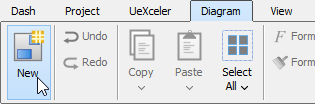
Create diagram through toolbar - In the New Diagram window, select the type of diagram to create.
- Click Next.
- Enter the diagram name and description.
- You can set the Location, which is the model for storing the diagram. Note that if a diagram is opened in background and if that diagram is being stored in a model, we will automatically select that model as Location.
- Click OK.
Through shortcut key
You can press Ctrl-N to create a diagram.
Drawing shapes
After creating a new diagram, diagram elements can be created as well through the diagram toolbar. In this section, these techniques of drawing shapes will be explicated:
- Creating Shapes
- Creating Connectors
- Creating Self-Connection
Creating shapes
To create a shape, click a diagram element from the diagram toolbar and click it on the diagram pane for creating. The generated element will appear with the default size.
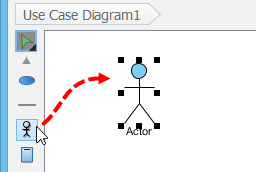 |
| Click an actor on the diagram pane |
For defining a specific shape size, drag a specific boundary with the mouse after clicking a diagram element from the diagram toolbar.
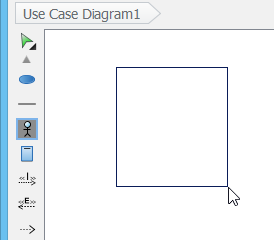 |
| Drag a specific boundary with the mouse |
Alternatively, a diagram element can be created by dragging the diagram element and then dropping it on the diagram pane.
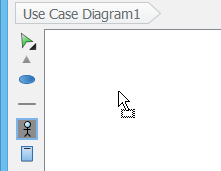 |
| Drag and drop to create a shape |
In addition, you can add a shape through the pop-up menu of diagram. Right click on the diagram background, select Add Shape and then a specific shape from the pop-up menu.
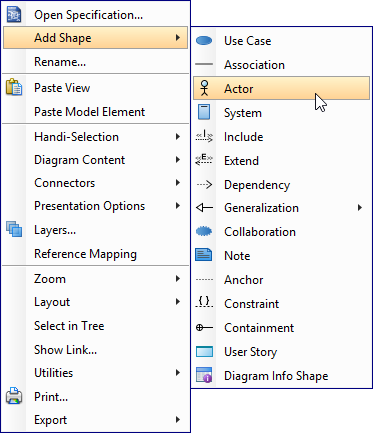 |
| Create a shape through the pop-up menu of diagram |
Enter the name of the shape and press Enter to confirm. When naming a shape, you can enter the name of an existing model element to create an auxiliary view of that element. We call this step to 'reuse' a model element. If you want to reuse an element but are unclear about its name, press Ctrl-Space to toggle the completion list and select the element there. You may also add a glossary term into shape name. Just press Ctrl-Space when naming a shape, then press Ctrl-Space again to switch to the term selection list. Of course, this will work only when term has been defined in your project.
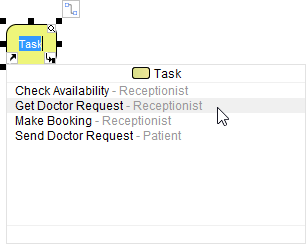 |
| To reuse a BPMN task |
Creating connectors
To create a connector, select the desired connector from the diagram toolbar, drag the connector from the source shape to the destination shape. Since Visual Paradigm provides a continuous UML syntax checking, if you create an invalid connection, a stop sign will be pop-out. For instance, you are not allowed to connect an actor and a use case with a generalization relationship.
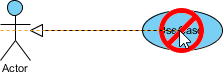 |
| An invalid connection is created |
If the connection is valid, a gray rectangle surrounding the destination shape can be seen.
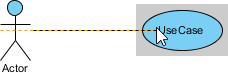 |
| A valid connection is created |
Moreover, connectors can be created through resource icons:
- Move the mouse pointer over the source shape.
- Press on the Resource Catalog button and drag it out.
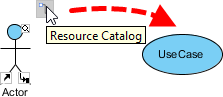
Resource Catalog - Release the mouse button on the target shape..
- Select the desired the connector type from Resource Catalog.
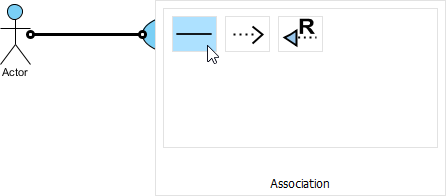
Select Association to be created
If you release the mouse on an empty space, a new shape can be created with a connector.
Creating self-connection
Some shapes can make a connection for itself, for example, Self-Association of a Class in class diagram and Self-Link of an Object in communication Diagram.
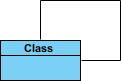 |
| Class with self association |
To create a self-connection:
- Move the mouse pointer to the shape.
- Click on the Resource Catalog button.
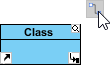
To use Resource Catalog - Select the self connector to be created.
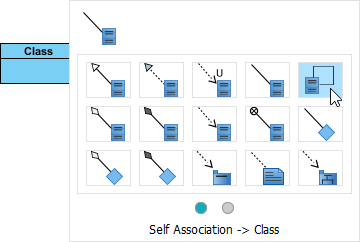
Create a self assocaition
Creating turning point on connector
A turning point is a point on a connector where a bending takes place. To create a turning point on an existing connector, press on the connector and drag to bend the connector.
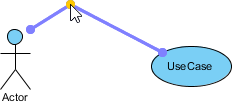 |
| Create turning point on existing connector |
You can also create a turning point when creating a shape through Resource Catalog. When dragging out Resource Catalog button, press the Shift button at the place you want to create the turning point.
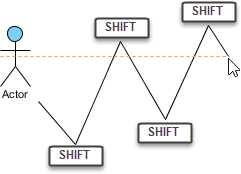 |
| Create turning points when creating shape by dragging Resource Catalog |
Resource-centric interface
Visual Paradigm is the first vendor to introduce the resource centric diagramming interface. The resource centric interface greatly improves the efficiency of modeling. You don't have to traverse between the toolbar and the diagram to create diagram elements, make connections and modify the diagrams. The resource centric interface can make sure the modeler is able to create a diagram with correct syntax more quickly.
There are tree types of resource icons:
- Connection Resource
- Manipulation Resource
Connection resource (Resource Catalog)
It is designed for creating elements and making connections.
|
| To associate an actor with use case with Resource Catalog |
Manipulation resource
You can use Manipulation Resource to modify properties or appearance of elements. For example, you can show or hide compartments, add references, add sub-diagram and fit size.
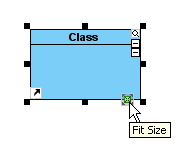 |
| Fit size through manipulation resource |
Drawing freehand shapes
Freehand shape is a kind of general graphic shapes. Pen shapes, pencil shapes, and some regular shapes like circle, rectangle and arrow are available. Freehand shape can be used for annotating diagram. For example, you can use freehand shapes to emphasize some shapes.
A specific shape can be highlighted with a pencil shape.
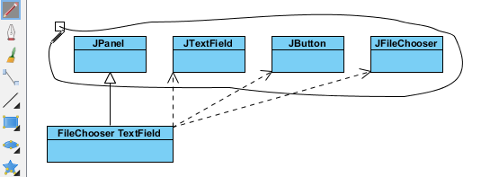 |
| Pencil |
An outstanding text can be shown with word art.
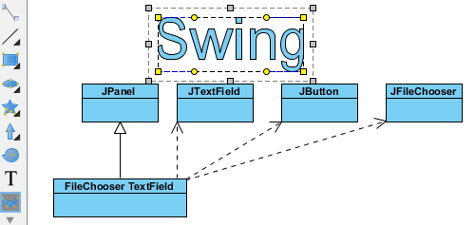 |
| Word Art |
A freehand shape style can be formatted in order to address your information.
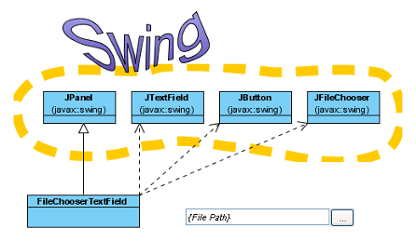 |
| Styled freehand shapes |
Changing package header
You can specify the parent package of any diagram through Package Header.
Package header when diagram created
When a diagram is created, the package header will be unfolded as it allows you to specify the parent package of the diagram. Specify the package by entering the fully qualifier name of the package.
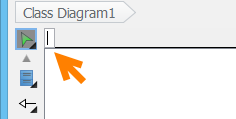 |
| Specify parent package in package header |
After entering the name of parent package, you will find that the diagram name is the same as the name of parent package.
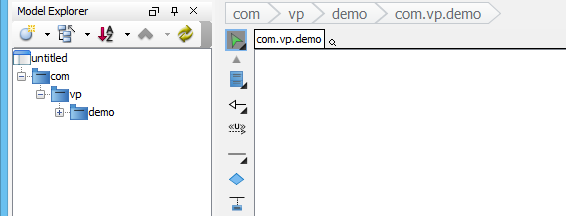 |
| Diagram name will be same as fully qualify of paret package |
The diagram name can be renamed. However, the name of parent package won't be changed to follow the diagram name.
You can open specification of parent package by pressing the Open Specification button on the right-hand side of the parent package name.
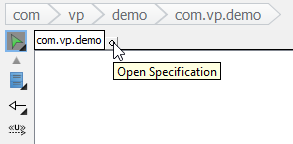 |
| Open Specification |
You can rename the parent package of the diagram by double clicking on it.
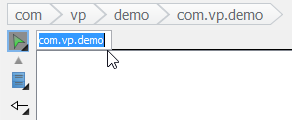 |
| Double click on the parent package |
A new package will be created if you enter a completely new package name. If the previous parent package does not contain elements, it will be deleted. That means the description (or other properties) of previous parent package will be lost.
A package header can be either shown or hidden through the pop-up menu of diagram. Right click on the diagram background and select Presentation Options > Show Package Header from the pop-up menu.
Justifying shape's name
A shape's name is aligned with center horizontally or top and middle vertically, depending on the characteristic of shapes. However, the shape's name can be realigned. Even if a language, such as Modern Hebrew, that is written from the right to the left can be displayed on a shape clearly.
To adjust the caption position for all shapes in a diagram:
- Right click on the diagram background, select Presentation Options > Caption Placement and then select a specific alignment option from the pop-up menu.
- As a result, all shapes' name in the whole diagram will turn into the alignment option you set previously.
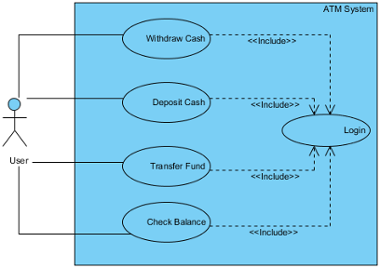
All shapes' names turn into middle right
Apart from the whole diagram setting, a specific shape can also be set:
- Right click on a shape, select Presentation Options > Caption Placement and then select a specific alignment option from the pop-up menu.
- As a result, the specific shape will turn into the alignment option you set previously.
In addition to the current diagram, future diagrams can also be set:
- Select Window > Project Options... from the toolbar.
- In the Project Options window, select the Diagramming category, check an option out of Caption Placement section under the Appearance tab.
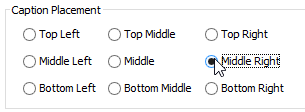
Check an alignment option in the Project Options window
Exceptions
Although most shapes' name can be justified, some are exceptional. Two main kinds of shapes that their names cannot be justified are introduced as follows:
On one hand, shapes neither with floating name label (freely movable) nor with a label outside the shapes can be justified. Actor, Initial Pseudo Node and BP Start Events are examples of this kind of shape.
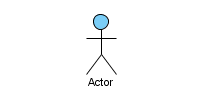 |
| Floating name label |
On the other hand, the names of container shapes are not available for positioning. Since their “bodies” are used for containing other shapes, thereby, they have a limited scope of displaying names. Package, State and System are example of this kind of shape.
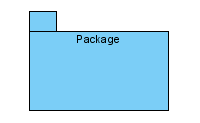 |
| Container shape |
Enabling and disabling minimum shape size
Since all shapes have their own default minimum size, users are not allowed to resize them to smaller than the minimum size. The default setting helps to ensure those compact shapes are clear enough to be seen on a diagram under normal circumstance. The minimum size of a shape can be determined by pressing its fit size button.
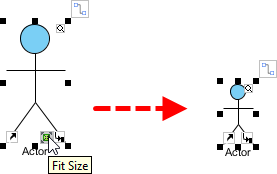 |
| The minimum size of a shape can be determined by pressing its fit size button |
Now, it is possible to disable such setting, so that shapes can be resized to extremely small in size, despite their minimum size:
- To disable the function of the minimum size checking, select Window > Project Options... from the toolbar.
- In the Project Options dialog box, select the Diagramming category and uncheck Enable minimum shape size when resizing shape under Appearance tab. Click OK to confirm.
- After that, you can resize a shape to the size as small as you want.
- Furthermore, select other shapes and select an option from the drop-down menu of resource icon Same Width.
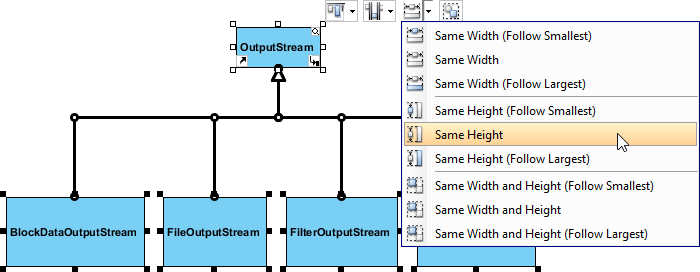
Make all shapes in same height - As a result, other shapes will turn into the same size as the shape you have done previously.
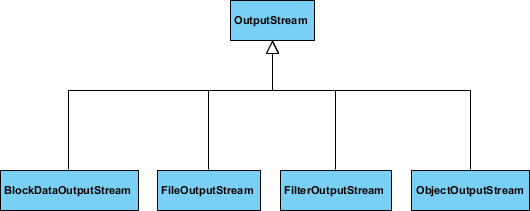
All shapes are turned into the same small height
Undo and redo
During the process of editing a diagram, you may make some careless mistakes, such as accidentally deleting a shape. You can use the Undo function to cancel the previous action. On the contrary, you may re-perform the action through the Redo function. Note that the undo/redo feature in Visual Paradigm is diagram based.
Undo
You can roll back undesirable changes by performing Undo. Undo function can be executed in the following three ways:
- Select Diagram > Undo
 from the toolbar.
 - Press Ctrl-Z.
Redo
This feature is to re-perform actions that have just been undone. Redo function can be executed in the following three ways:
- Select Diagram > Redo
 from the toolbar.With
 - Press Ctrl-Y.
Showing name for undo and redo action
It's hard for us to remember all actions we have done previously. By Visual Paradigm, we can recall the actions we have done before.
You can find an action name of undo/ redo on toolbar button's tooltip. Move the mouse over the Undo or Redo button and then a tooltip with Undo/ Redo action name will appear.
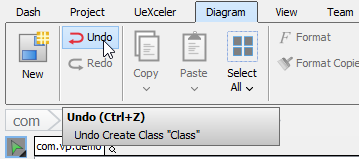 |
| Toolbar button's tooltip shows undo/redo action |
Related Resources
The following resources may help you to learn more about the topic discussed in this page.
| Chapter 1. Editing diagrams | Table of Contents | 2. Closing diagram |
