Open project from VP Teamwork Server
Checkout project is a process done by team members, for getting a project from repository to start working with. Team members can login into the server and then checkout the project(s) to work with, provided that they have the permission to do so, as granted by administrator. After that, open to start working on it.
- Select Team > Login from the toolbar
- Enter the cloud entry points, email and password to login to the VPository. If you are using Teamwork Server, click Login Teamwork Server and then enter the host, email and password to login.
- From now on you can open a project from server by selecting Project > Open from the application toolbar. Then, double click on a project thumbnail to open the project.
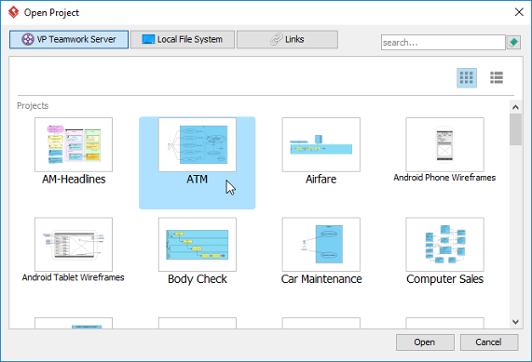
Open project
Related Resources
The following resources may help you learn more about the topic discussed in this page.
| Chapter 1. Client operations | Table of Contents | 2. Commit |
