Tagging
Tag refers to a named version of your work at a point of time on the trunk. The best application of a tag is to create it for every major release or milestone. Note that you cannot merge a tag to the trunk nor commit it to the server.
To create a tag:
- Select Team > Utilities > Tag... from the toolbar.
- In the Create Tag window, enter the name of the new tag in the Tag Name field. Click OK to confirm.
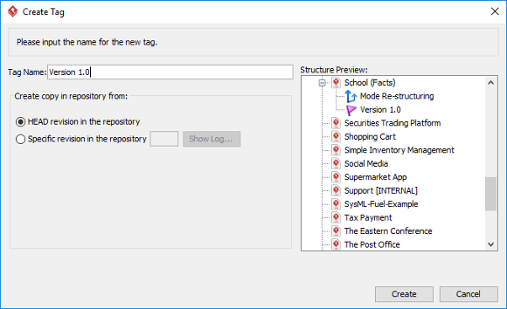
The Create Tag window NOTE: For Teamwork Server user, check HEAD revision in the repository if you want to create a tag from the latest revision of trunk while check Specific revision in the repository if you want to create a tag from a specific revision.
| 4. Branching | Table of Contents | 6. Revert local modifications |
