| With VM Installer |
| 1. |
Double click the
downloaded file to start installing the program. (You can install
or uninstall the product with the installer)
 |
| 2. |
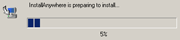
You will see the preparation
progress for the installation.
 |
| 3. |
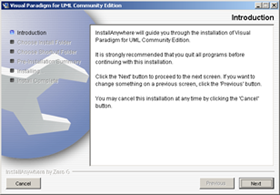
Click on the Next
button.
 |
| 4. |
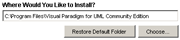
Type in the desired file
path for the application and click on the Next
button.
 |
| 5. |
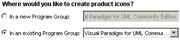
Choose the desired Program
Group and click on the Next button.
 |
| 6. |
Click on the Install
button. |
| 7. |
You can see the installation
progress. |
| 8. |
When the installation is finished,
please wait a minute. |
| 9. |
Click the Done
button. |
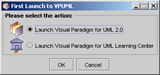
| 10. |
Choose the desired program
to run.
 |
| 11. |
You can see the Flash
Screen.
 |
| 12. |
The program will be opened. |
| |
|
