
Create and communicate visual database design with an ERD tool.

Entity Relationship Diagram (ERD), a database design tool that provides graphical representation of database tables, their columns and inter-relationships. ERD is the most popular database design tool. A well-developed ERD can provide sufficient information for database administrator to follow when developing and maintaining database.

Enter sample records for entities in ERD. The sample records help readers understand the format of data that will be inserted. Besides, the records will be output in data specification. You can also insert them into database upon database generation.

A database view is the result of a query on the data stored in a database. You can select columns, specify where and join statements to a view and present the data as if the data were coming from one single table. With Visual Paradigm's ERD tool, you can edit database view in a visual editor.


Run checks on Data Definition Language (DDL) or Data Manipulation Language (DML) statements for entities. You can select entities to generate SQL, or to generate SQL for the entire ERD.
Conceptual, logical and physical ERD model the three different phases of a database design. While the conceptual and logical database design model database tables and their properties in a high level view, the physical ERD models the actual database schema, which involves the detailed entities' structure and their inter-relationship.

Click to derive logical from conceptual ERD, and physical from logical ERD. Our Model Transitor helps you not only generate the model but also keeps the traceability among the model, enabling you to navigate through the models seamlessly.
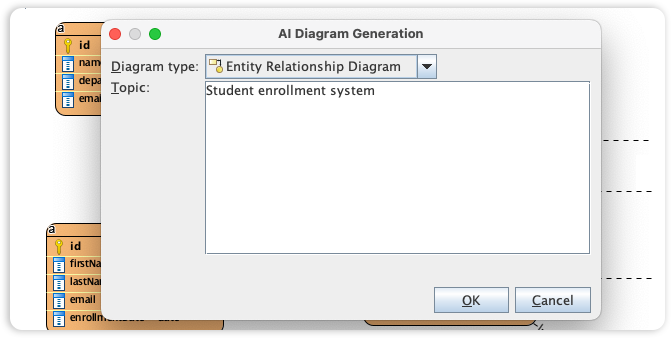
Visual Paradigm's ERD editor is the industry's most popular database design tool, providing the precise graphical representation needed to map tables, columns, and complex inter-relationships. We are now accelerating the database schema design process by integrating full Entity Relationship support into our AI Diagram Generator, bridging the gap between data requirements and physical implementation.
This capability allows you to instantly produce professional ERDs from simple textual descriptions of your data requirements, entirely skipping the manual creation of entities and foreign key constraints. Simply describe your business objects and how they interact, and the AI automatically generates a structurally sound ERD. This provides database administrators and developers with a clear, followable blueprint for building and maintaining robust database architectures.
Automatically generate foreign key column when creating ERD entities.
Design, reverse and generate stored procedures with stored procedure shapes in ERD.
Design, reverse and generate database trigger.
* Database View editor and ER model synchronization are available in Visual Paradigm Standard, Professional and Enterprise only


