
The essential scrum tools designed for every scrum team

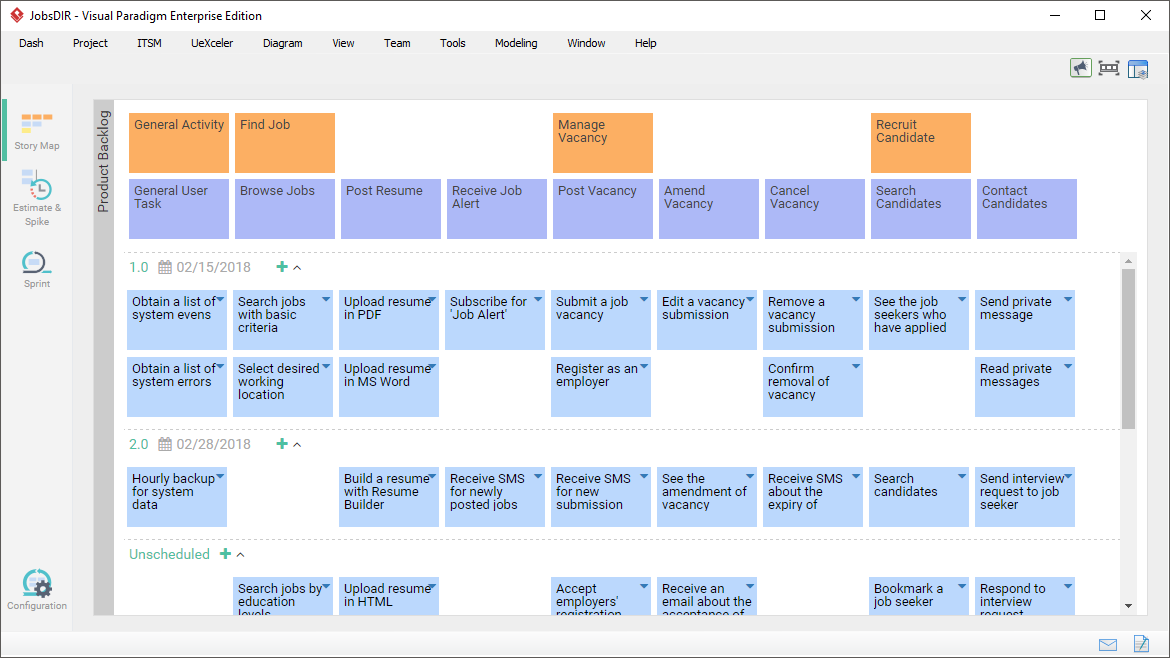
User story mapping provides a visually structured approach for scrum teams to manage product backlog. The visual story map enables the arrangement of product backbone, user tasks, epics and user stories effectively into a manageable top-down structure, based on the nature, priority and level of sophistication of map items.
The agile tool of Visual Paradigm is designed to maximize productivity and efficiency of scrum projects through agile story mapping. When you drag an item, we help you move the entire branch and update the layout accordingly. When you add an item into the story map, we re-arrange the other part of the map to ensure the correctness of content. Several backlog schemes (i.e. 3 or 4 level map structure)are provided to support any scale of project. It's simply a scrum-friendly, intuitive agile software development tool.

Break-down a product backlog into manageable product backlog items. The standard 3-level structuring covers user activities, user tasks and user stories.
The 4-level story map introduces an Epics tier in between user tasks and user stories, which is good for projects with higher complexity.
User stories can be kept under releases compartments, which reflects a delivery schedule agreed upon by the team and stakeholder.
Elements in a story map can be re-arranged by dragging. And when you drag, the entire branch of elements will follow. Prioritization and re-arrangement of stories can be made intuitively and easily.
All elements can be renamed inline. You don't need go through any windows or steps.
To add a user story under a user task, or to add a sibling of user activity can both be done with a single click. The ad-hoc hovering button allows adding story map elements intuitively.
Card, Conversation and Confirmation, namely the 3C's, are known to be the three critical components of good user stories. With Visual Paradigm, you can write user stories following the 3C's guideline, and with something more.
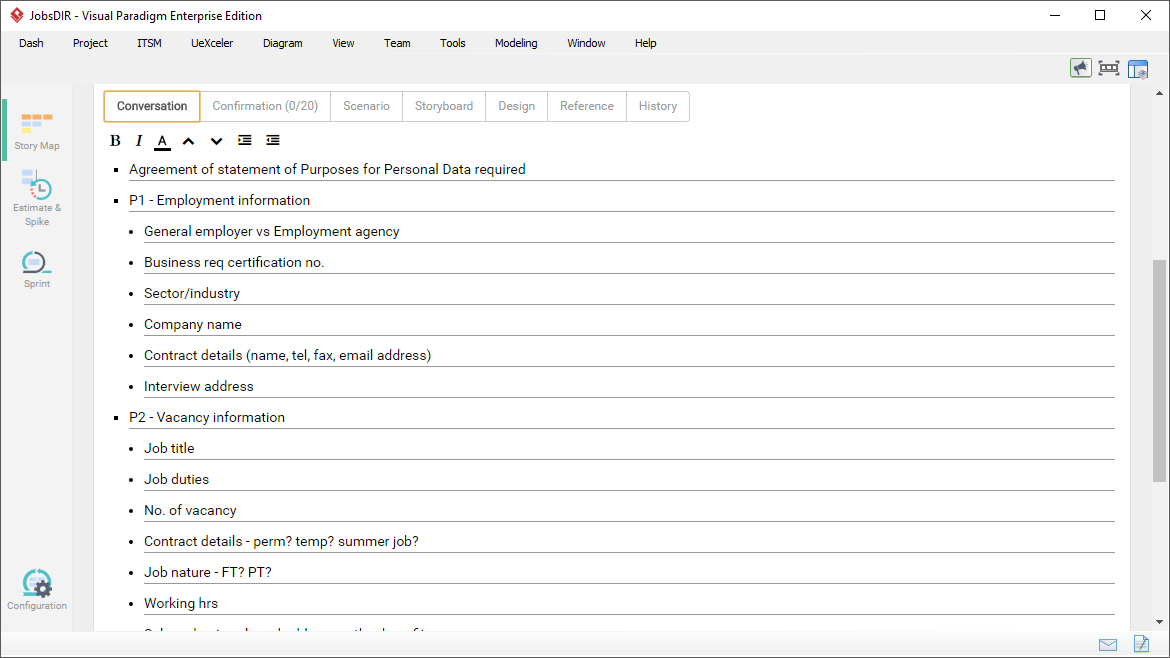
Discuss problems and find solutions with stakeholders, and then write down key finding and decisions as conversation notes. These notes reflect stakeholders' needs and concerns, providing development team with guidelines to follow when implementing the software.

Maintain a checklist of acceptance criteria raised by the stakeholders, which defines under what conditions and criteria the working software would be accepted or rejected.
Besides, you can optionally define the steps with which acceptance testing will be performed in verifying the completion of story.

Describe how features will work by listing out the proposed user-to-system interactions as steps. You can also associate the steps with wireframes.

Create wireframes to visualize the screen layout and screen flow. We provide the wireframe tool, storyboard tool and slideshow player essential in storyboarding.
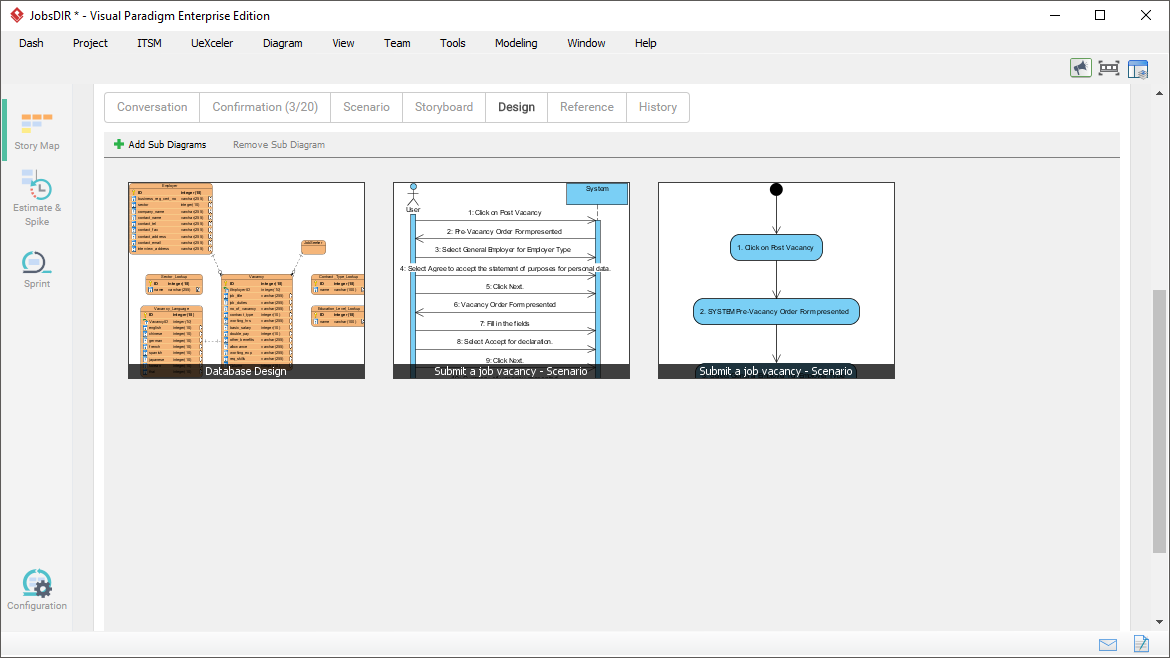
Link user stories with other design artifacts - e.g. ERD for database design, UML for system design, BPMN to show how system functionality will be integrated into business operations.
Categorize user stories with tags.
Keep log for all changes made to user stories.
Configure the user story statuses (e.g. Todo, Pending, Confirming, etc) required for specific project.
Set the team member who are responsible to the user story.
Want to be informed about changes made to a user story? Just follow it.
Document the details of user stories with the description editor.
Add URL reference to a user story. Example usage: The testing page for acceptance testing of story.
Add supplementary files to a user story through the file reference feature.
Share a user story with someone by sending him a URL of the user story.
Capture requirements from any part of your model, through the "Send to" feature. Example usage: To derive backbone elements to use in a story map from each of the use cases in the use case model. We also help you maintain the traceability between the source and target. You can easily navigate through the model and the story map.

To include the right amount of work in a sprint is beneficial to both the project team and to end user. Two important factors to consider when choosing the right user stories are the development effort required and the risk involved.
Visual Paradigm provides you with a configurable column based or two-dimensional Affinity Table to assess and compare between user stories based on their effort and risk. Through an affinity assessment, you will obtain the story points and hours for user stories, which can be used in sprint planning.
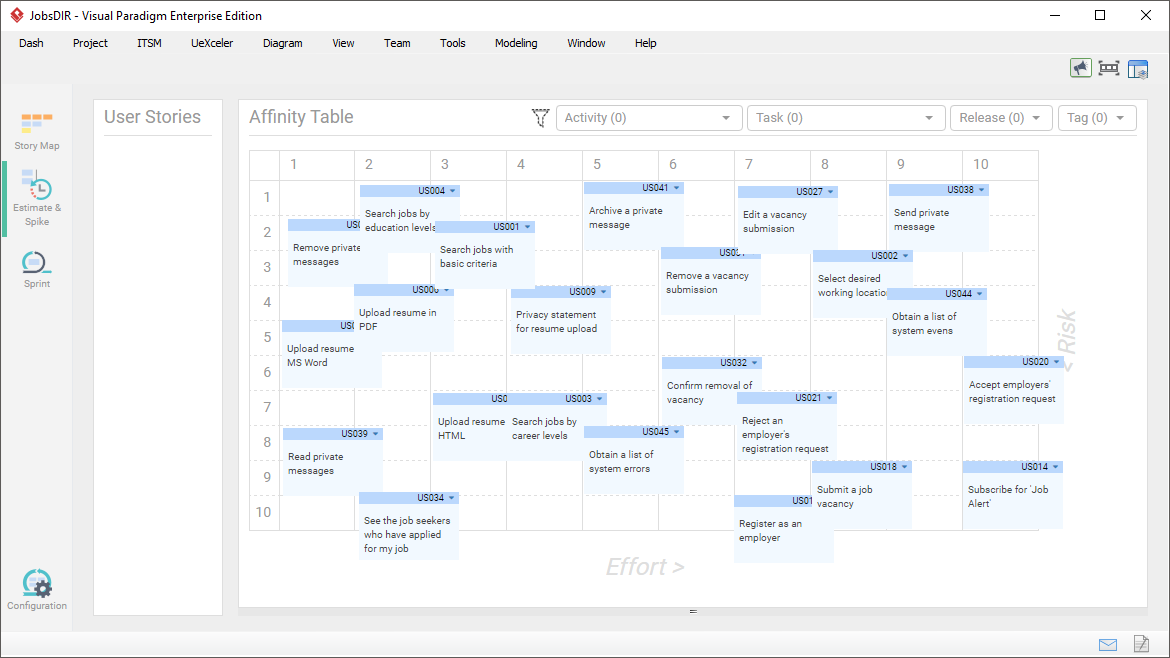 Highlighted features of the Affinity Table:
Assess and place the user stories onto the table cells that represent their development effort and risk involved. Obtain both hour and story point for sprint planning.
You can assess stories based upon any factors you like by changing the captions for table axis. You can also change the number of rows and columns of table to fit your need.
Want to focus on user stories in particular user activity, task, release or tag(s)? The filter is there to help.
In scrum, a sprint is a time-boxed iteration during which planned work is completed and made ready for acceptance. The sprint management interface facilitates efficient sprint planning through dragging user stories into sprint boxes. It also supports scrum master in managing multiple sprints.

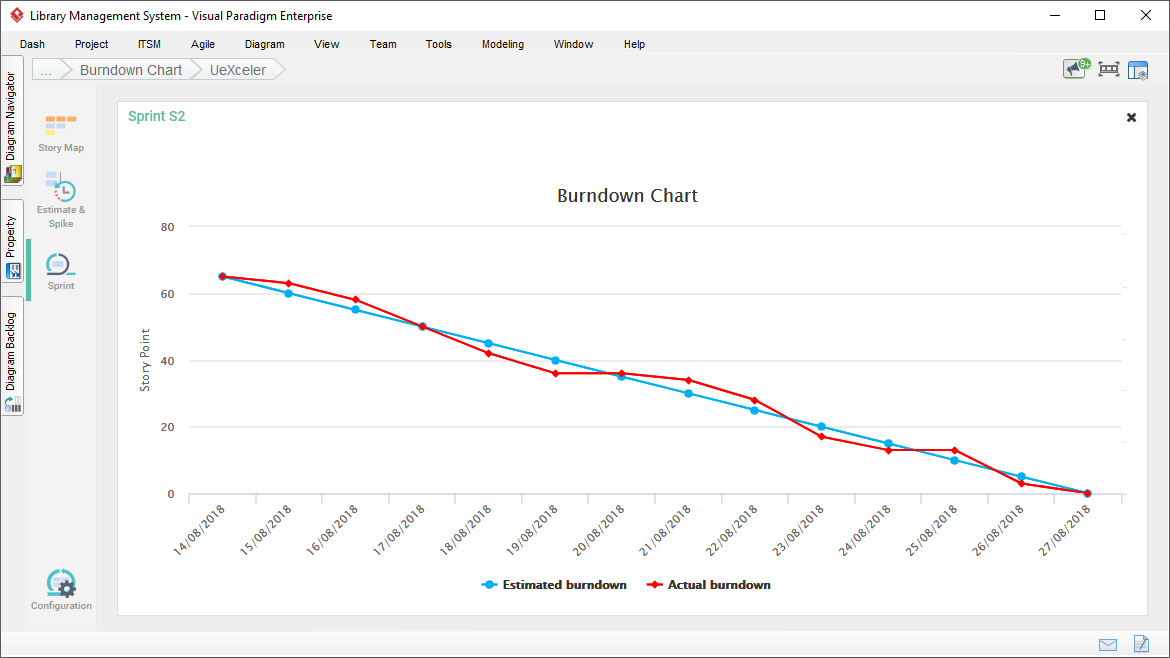
Track the remaining amount of work anytime within a sprint. Burndown chart helps you identify your team's performance and to determine whether the user stories can be finished on schedule.
The burndown chart of Visual Paradigm is auto-generated based on the daily activities and tasks' statuses tracked. You don't need to edit any chart data yourself.
Click-to-synchronize a sprint to Tasifier, a built-in Task Management system. We help you create tasks from user stories so that further development activities can be planned under a dedicated task management platform.

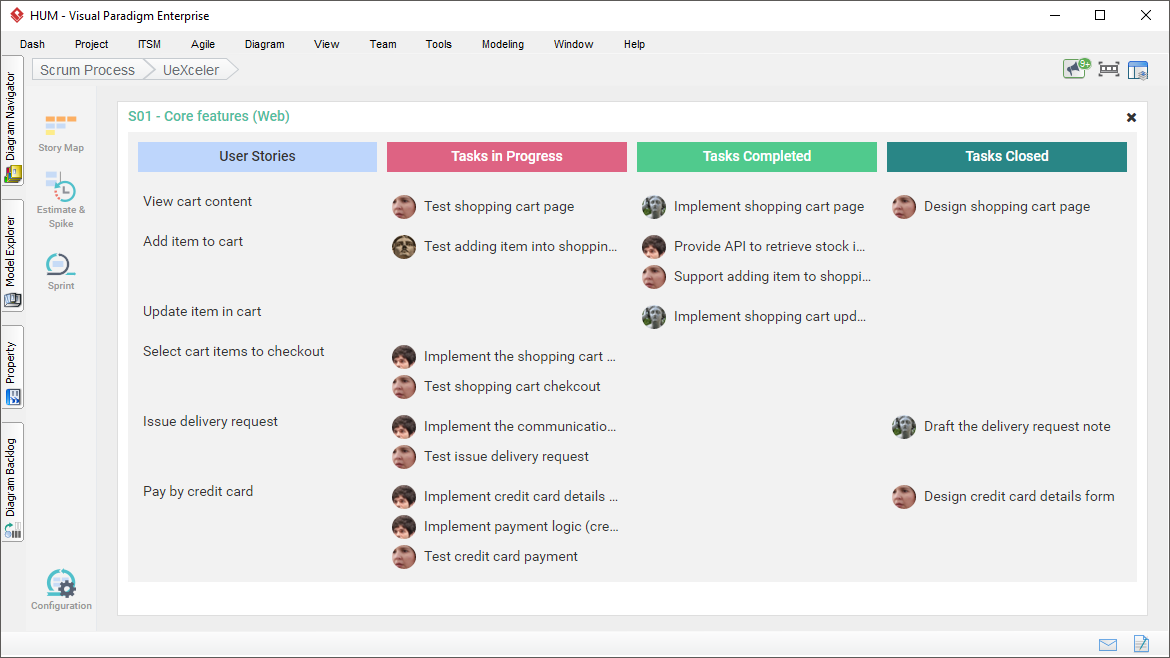
Scrum board gives you an overview of all sprint tasks. In a scrum board, tasks are partitioned into multiple columns of statuses - in progress, completed and closed, helping you identify the status of sprint activities at a glance.
The scrum board is auto-generated to show the statuses of tasks managed. You don't need to edit any chart data yourself.
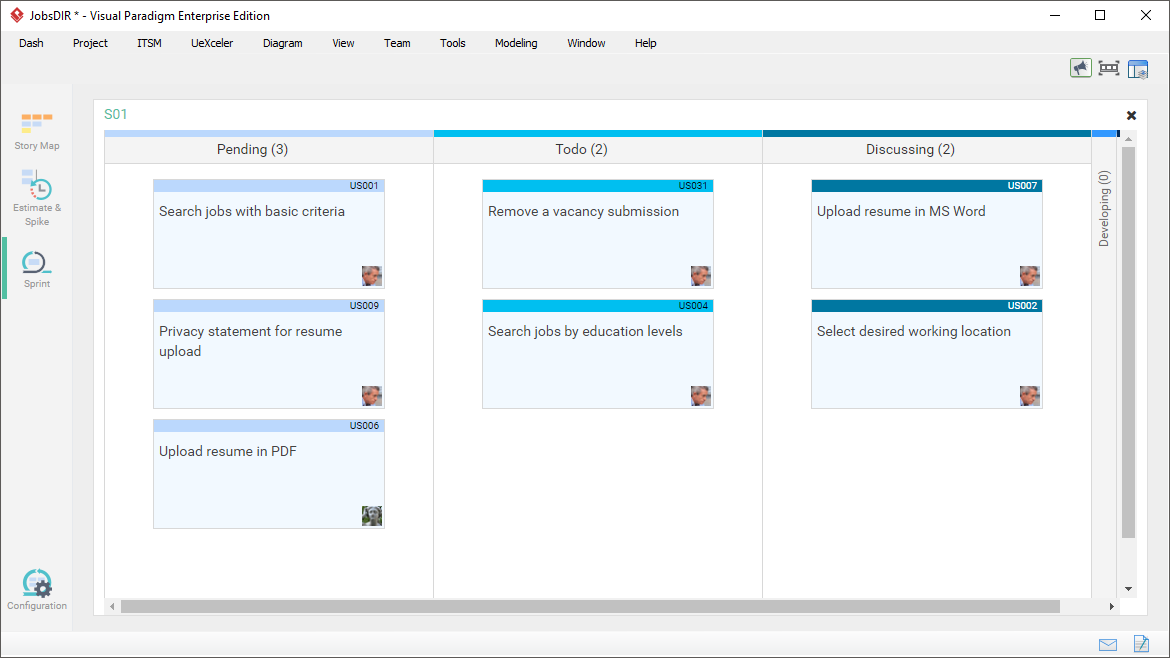
Keep an eye on the sprint's overall progress with the help of the Sprint Story Board. The board consists of user stories placed in different columns representing the progress status. You can view and update the progress of stories by drag-and-drop around the staged columns.
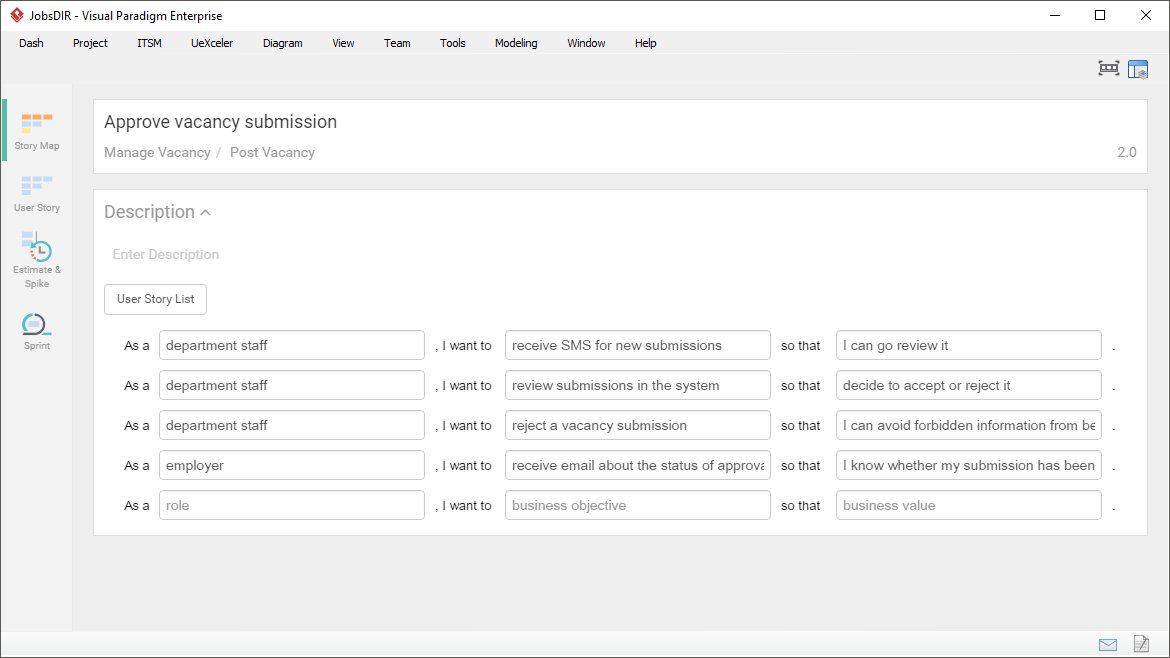
User story statements is a list of simple description of features told from the perspective of end users who desires the new capability with a good reason behind it. You can write user story statements under an Epic, and split it into a set of related user stories.
Provided that a software system is built to support business processes, business workflow could be a great source of requirements. Visual Paradigm facilitates the process of story identification through BPMN - Write user stories in a BPMN business process diagram, and then associate them with the related BPMN activity with connectors.


