Obtaining license key from server
In order to run Visual Paradigm with a floating license, you (or your server administrator) need to first setup a server machine, install the VP Server program and import the floating license key to the server, which are the topics covered by part I of this user's guide. After that, client needs to connect to the floating license server to acquire a key from it. In this page, we will cover the steps in detail.
- Start Visual Paradigm.
- If this is the first time you start the product, you are asked to select a way to unlock the product.
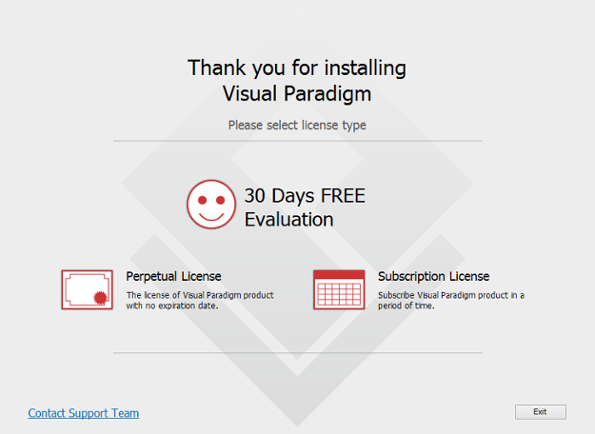
To start using Visual Paradigm
If you were evaluating, select Window > License Manager from the application toolbar. Then, click Change License to show the above screen. - Click on Perpetual License.
- Click on + Floating License to expand it.
- Here enter the host name of VP Server, and the port. Access code is required only when the key you want to acquire has access code applied (access code is set to empty, by default). Contact your server administrator if you are uncertain if the key you want to acquire has access code specified.
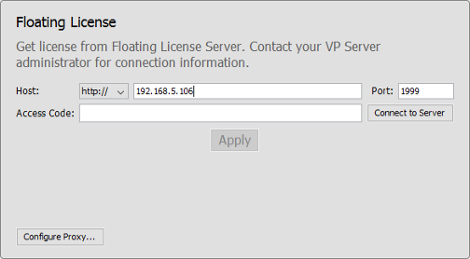
Host entered - Click Connect to Server.
- Click Apply.
- Click OK in the Congratulation screen. From this moment onwards, until the software is closed, the acquired key will be consumed by the client instance. Other users will not be able to run Visual Paradigm with this license.
| Chapter 1. Obtaining license key from server | Table of Contents | Chapter 2. Working offline |
