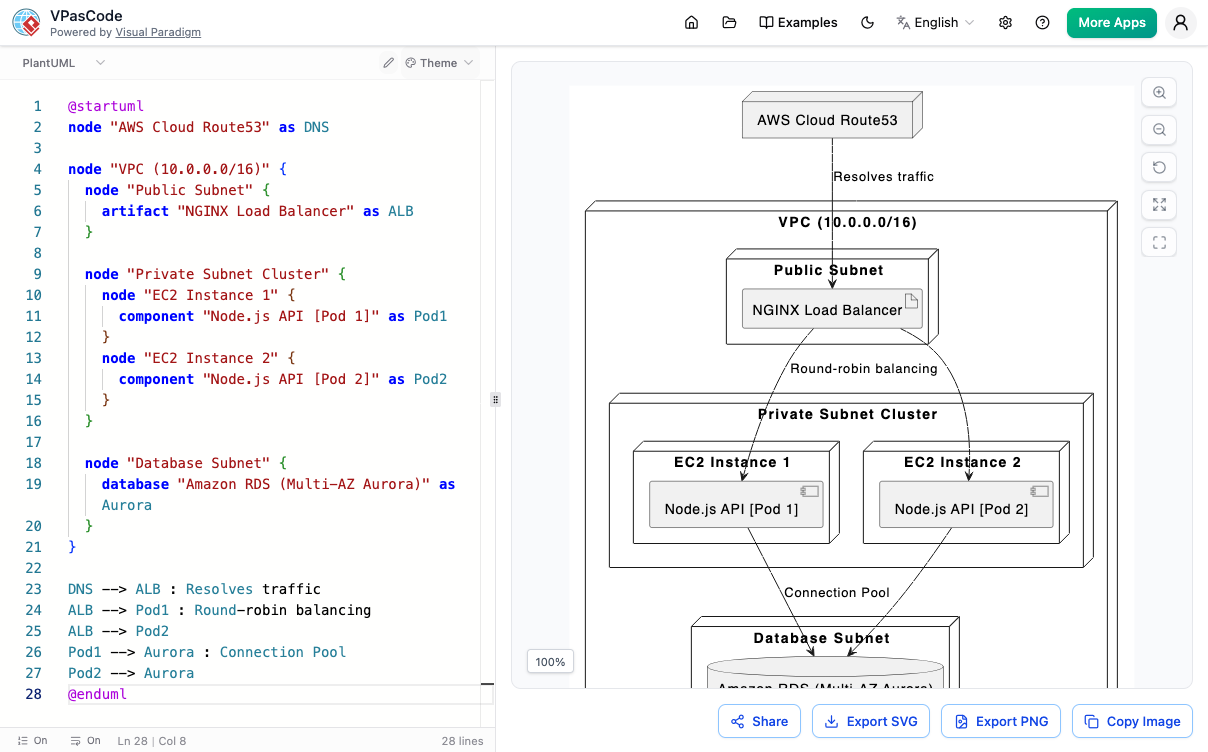
认识 VPasCode
VPasCode 将你所有喜爱的文字转图表引擎整合到一个统一的平台中。完全在你的浏览器中构建,它结合了免费的智能代码编辑器与高性能的 Mermaid、PlantUML 和 Graphviz 渲染器。告别笨重的绘图工具——只需输入文字,即可观看你的图表瞬间活灵活现。
观看 Visual Paradigm VPasCode 的运作方式
支持的图表类型
VPasCode 支持你喜爱的引擎中的所有主要语法选项。通过文字立即建立数十种专业布局。
PlantUML 支持
- ✔ ArchiMate
- ✔ C4 模型
- ✔ 顺序图
- ✔ 用例图
- ✔ 类图
- ✔ 对象图
- ✔ 活动图
- ✔ 组件图
- ✔ 部署图
- ✔ 状态图
- ✔ 计时图
- ✔ 实体关系图 (ERD)
- ✔ 陈氏实体关系图 (Chen ERD)
- ✔ 网络布局
- ✔ 工作分解结构 (WBS)
Mermaid.js 支持
- ✔ 流程图
- ✔ 类图
- ✔ 顺序图
- ✔ 实体关系图 (ERD)
- ✔ 状态图
- ✔ 思维导图
- ✔ C4 模型
- ✔ 甘特图
- ✔ 象限图
- ✔ 需求图
- ✔ 时间轴
- ✔ 用户旅程图
- ✔ Git 图表
- ✔ 看板
Graphviz 支持
- ✔ 有向图 (Digraphs)
- ✔ 标准图表
- ✔ 流程图
- ✔ 组织架构图
- ✔ 集群图
- ✔ 数据流图
D2 支持
- ✔ 基本图形
- ✔ 容器
- ✔ 顺序图
- ✔ 带样式图表
- ✔ 网络图
数据与架构
- ✔ SQL
- ✔ DBML
- ✔ JSON
- ✔ JSON Schema
- ✔ JSONC
- ✔ JSON5
- ✔ JSONL / NDJSON
- ✔ TOON
- ✔ YAML
- ✔ XML
- ✔ CSV
- ✔ TOML
代码支持
- ✔ Java
- ✔ TypeScript
- ✔ Go
- ✔ Rust
- ✔ C#
- ✔ Python
- ✔ C
- ✔ C++
- ✔ PHP
- ✔ Ruby
- ✔ Scala
- ✔ Zig
- ✔ Kotlin
- ✔ Swift
- ✔ Elixir
...更多强大的文字转图表格式将在未来的更新中推出!
实时线上预览
抛弃手动拖放设计的繁琐。使用简单的文字描述编写你的布局,并在编码时观看你的图表实时完美渲染。
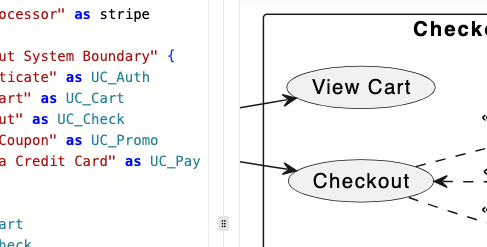
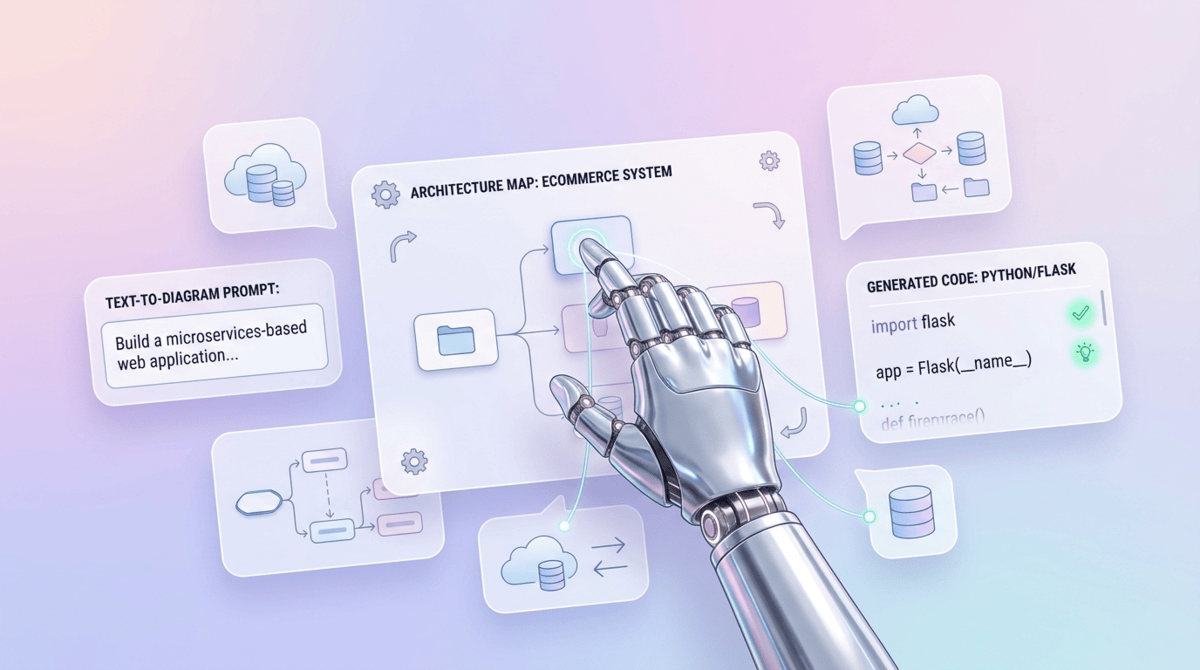
AI 驱动的图表修改
更新代码比以往更容易。无需手动重写语法,只需输入简单的指令,即可告诉 AI 如何无缝地精进、扩充或简化你现有的图表脚本。
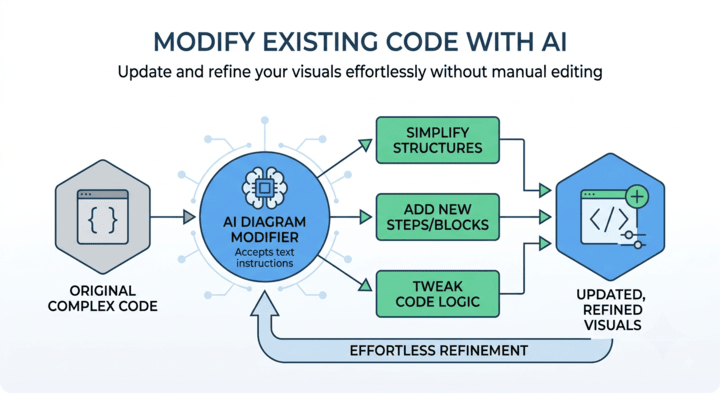
AI 驱动的代码错误修复
别让语法拼写错误打断你的工作流程。VPasCode 包含智能 AI 协助,能立即侦测损坏的语法并当场自动修正你的图表代码。
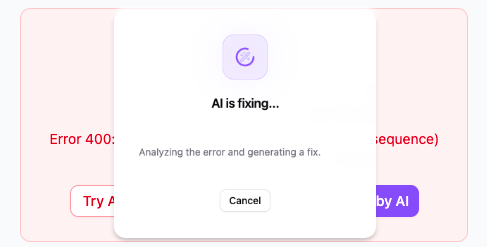
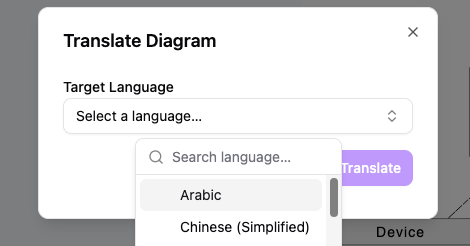
AI 驱动的图表翻译
轻松缩小全球团队之间的鸿沟。VPasCode 具备智能 AI 翻译功能,可自动将图表的文字标签转换为多种语言,确保清晰的跨国文档记录,无需手动重新输入。
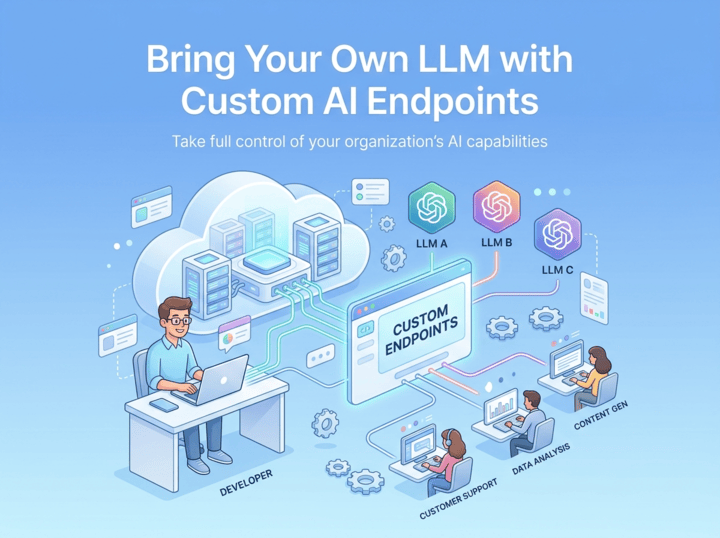
Connect Your Own LLM Infrastructure
Maintain complete oversight of your corporate AI environment. Seamlessly plug in your preferred AI models, utilize your existing API credentials, and ensure strict alignment with your internal security standards and expenditure controls.
Productivity Boosters
Beyond core AI capabilities, VPasCode includes thoughtful micro-features and daily tools that reduce friction, speed up modeling, and keep your workspace organized.
轻松分享与高质量导出
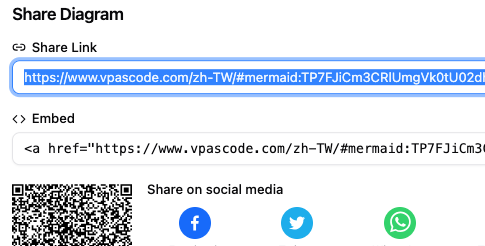
轻松发布与分发你的图表。立即与你的团队分享实时互动链接,或下载适用于文档和演示的高分辨率向量影像。
- ✔ 通过 URL 生成可分享的网页链接
- ✔ 导出为向量质量的 PDF
- ✔ 导出为 SVG 向量影像
- ✔ 导出为高分辨率 PNG 影像
Real-Time Live Preview
Ditch the hassle of manual drag-and-drop design. Write your layout using simple textual descriptions and watch your diagram render perfectly on the fly as you code.
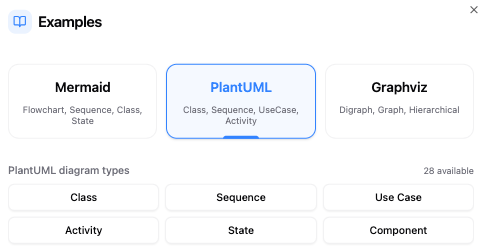
内置图表示例
无需从头开始。直接在工作区内访问丰富的预制图表示例库。探索流程图、架构图和顺序追踪的模板,了解不同语法如何运作,并在几秒钟内启动你的项目。
PlantUML 样式与主题
让你的文档精美且专业。我们的 PlantUML 工具无需手动编码即可为你提供美观的视觉布局。
无缝的主题选择界面
为文档设定样式不应需要手动编码。我们的 PlantUML 工具具备内置的 主题选择界面 (Theme Selection UI),专为极致易用性而设计,省去了查询外部文档或记住确切主题名称的需求。
只需单击即可切换主题,你就可以立即刷新图表的外观。只需从我们免费的 PlantUML 编辑器中的精选列表中选择一个样式;该工具会自动将正确的主题语法直接注入到你的脚本中,并为你提供实时预览,让你能在几秒钟内找到完美的审美效果。
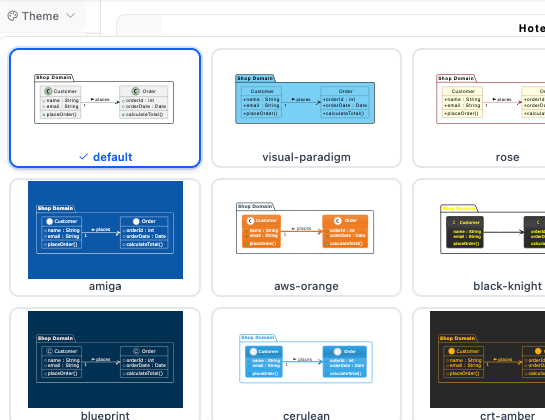
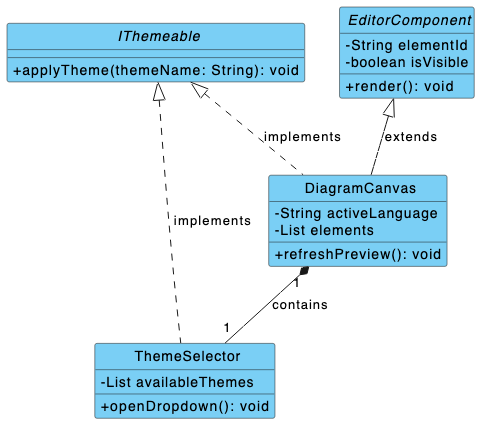
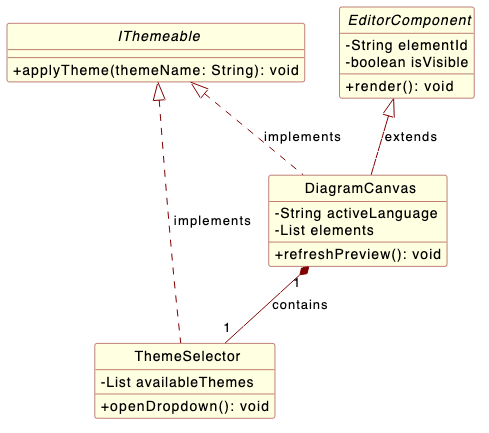
经典 Visual Paradigm 与 Rose 主题
为你的技术布局带来具辨识度且专业的外观。我们的 PlantUML 编辑器现在提供专门为镜像行业标准建模设计而特别工程设计的自定义 Visual Paradigm 与 Rose 主题。
无论你想要 Visual Paradigm 时髦的蓝色标题,还是 IBM Rational Rose 经典的浅黄色美学,这些专属样式都能确保你的软件文档保持统一,并让资深开发人员阅读起来感到舒适。
核心技术功能
多格式引擎
全面支持 PlantUML、Mermaid 和 Graphviz 语法,未来更新将加入更多文字转图表格式。
实时渲染器
当你实时输入文字描述时,立即观看它们转化为干净、交互式的图表。
免费集成代码编辑器
一个便利且无缝的网络工作区,专为编写、调整和完善你的图表脚本而构建,无需设定障碍。
AI 诊断与工具
使用智能 AI 错误修正轻松修复语法错误,并通过内置 AI 翻译转换文字元素。
向量与光栅导出
立即将你完成的可视化内容下载为清晰的 SVG 向量图形或标准的高分辨率 PNG 影像档。
顺畅分享
生成易于使用的图表网址,以传送你的工作或在网络上动态回顾你的代码。
常见问题
你需要了解关于 VPasCode 平台的一切。
什么是 VPasCode?
VPasCode 是一个统一的文字转图表平台,让你能够使用 Mermaid、PlantUML 和 Graphviz 等热门语法格式建立专业图表。它结合了免费的代码编辑器与实时预览器,让你完全通过代码构建视觉资产。
Visual Paradigm VPasCode 支持 AI 图表生成吗?
是的,VPasCode 具备内置的原生 AI 图表生成功能。
VPasCode 在应用程序工作区内直接嵌入了 AI 功能,允许你通过自然语言生成图表。通过输入提示词——例如“为用户登录流程生成顺序图”或“为订单审批流程建立流程图”——VPasCode 即可在你偏好的格式(例如 Mermaid 或 PlantUML)中原生且立即建立图表代码。
我可以在 VPasCode 中编辑 AI Diagramming Chatbot 图表吗?
可以!你可以在 Visual Paradigm AI Diagramming Chatbot 中产生初始概念,然后直接在 VPasCode 中打开它们,以进行精细的代码编辑、样式设定或翻译。
我需要安装任何东西吗?
完全不需要!VPasCode 完全在你的网页浏览器中运行。无需下载、设定或本地配置。你可以直接跳入工作区并立即开始绘制图表。
VPasCode 中的 AI 功能是如何运作的?
- AI 代码错误修复:实时扫描、侦测并自动修复杂乱的图表语法。
- AI 图表修改:使用纯文本请求精进、扩充或更新现有的图表脚本。
- AI 翻译:无缝转换图表中的文字标签,以配合国际项目团队。
注:AI 诊断与云端存储功能可在我们的付费附加选项中使用。
我可以导出和分享我的图表吗?
可以!你可以立即将完成的视觉布局下载为可缩放的 SVG 向量档或标准的高分辨率 PNG 影像。你也可以生成一个独一无二、可分享的网址,与团队成员在网络上分享你的实时图表工作成果。
支持哪些文字转图表格式?
VPasCode 开箱即为 Mermaid.js、PlantUML、D2、数据与架构、代码以及 Graphviz 语法提供深度整合的引擎支持。这使你能够产生流程图、顺序图、架构图、思维导图等等。我们正在持续扩充核心引擎,并将在未来的更新中新增对更多格式的支持。