AI UML Timing Diagram Generator
Describe time-ordered events and state changes in plain text. Get a precise UML Timing Diagram in seconds. The essential AI UML tool for architects and engineers designing real-time and complex interaction systems.
Manual Timing Diagrams are Tedious and Error-Prone
Modeling interactions over time is critical for real-time systems, but creating timing diagrams manually is a bottleneck. It forces engineers to focus on graphical precision instead of architectural logic, wasting valuable time and inviting inconsistencies.
Complex State Tracking
Manually plotting state changes for multiple objects across a timeline is confusing and difficult to keep synchronized, especially when dealing with parallel activities and nested states.
Inaccurate Time Constraints
Drawing and annotating precise time durations, delays, and deadlines by hand is inefficient. It's easy to make mistakes that misrepresent the system's behavior and performance requirements.
Poor Maintainability
When system logic changes, updating graphical timing diagrams is a chore. Diagrams quickly become outdated, turning from a valuable asset into misleading documentation.
Focus on Logic, Not Lines
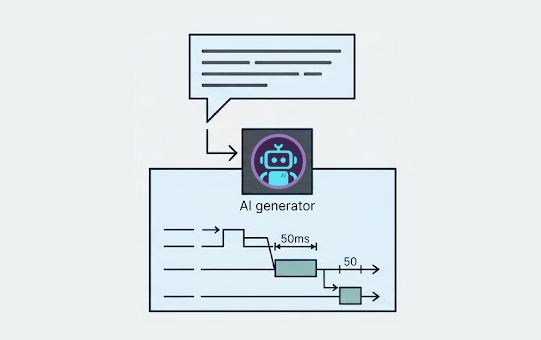
Visual Paradigm's AI UML Timing Diagram generator transforms natural language into precise, compliant UML diagrams. Instead of painstakingly drawing lifelines and constraints, you simply describe the interaction. The AI handles the complex visualization, producing a clear, accurate timing diagram that's easy to generate, refine, and share.
Accelerate Real-Time System Design. Generate complex timing diagrams in a fraction of the time.
Eliminate Syntax Errors. Our fine-tuned AI model produces syntactically correct diagrams, so you can trust the output.
Improve Stakeholder Communication. Quickly create and share clear diagrams to align your team on critical system behaviors.
From Idea to Code-Managed Diagram in Three Steps
Our AI UML diagram tool integrates seamlessly into your development workflow, turning a quick idea into a version-controlled design artifact.

1. Describe the Interaction
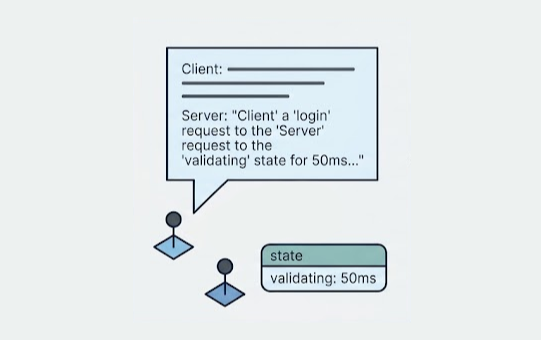
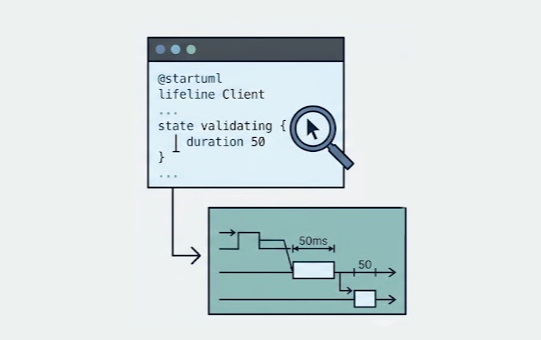
Use the chat interface to describe the lifelines, states, and messages. Write as if you're explaining it to a colleague. For example: "The 'Client' sends a 'login' request to the 'Server'. The 'Server' enters the 'validating' state for 50ms..."

2. Generate the Diagram
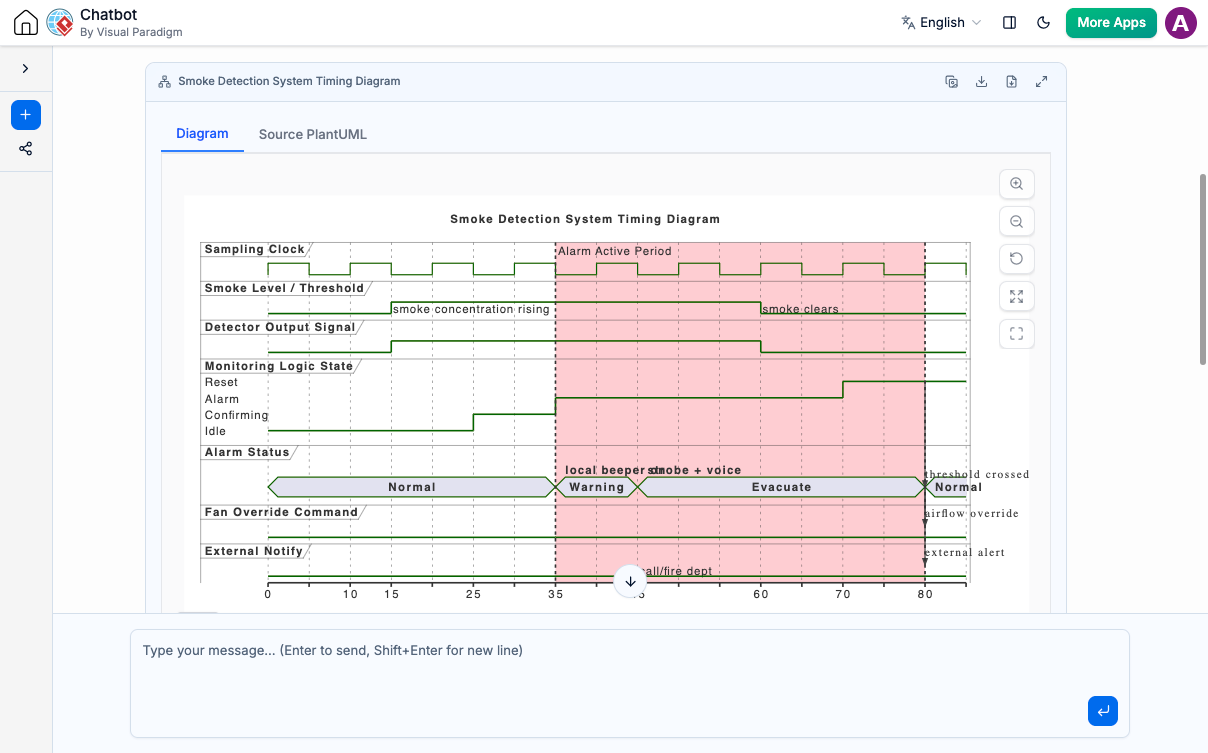
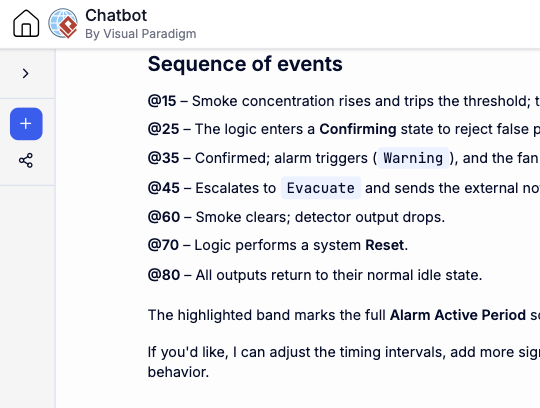
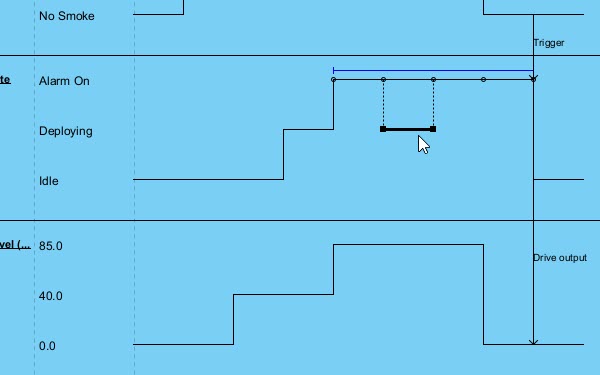
The AI instantly interprets your text and generates a UML Timing Diagram. Review the visual output, which includes lifelines, state timelines, messages, and time constraints, all laid out according to UML standards.

3. Refine in VPasCode
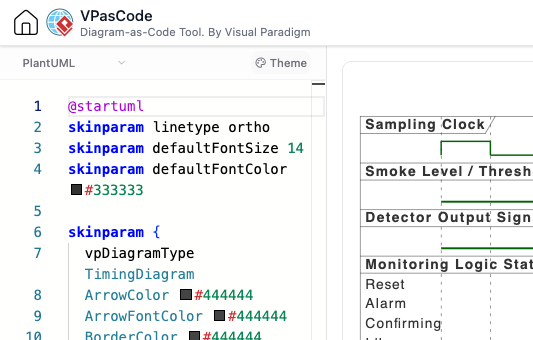
For ultimate precision, open the diagram's underlying text in VPasCode. Tweak the PlantUML code to perfect timing details, add comments, and commit the diagram-as-code file to your Git repository alongside your source code.
Your AI Timing Diagram Modeler, Available Anywhere
Whether you're quickly prototyping a real-time interaction or performing in-depth timing analysis, your AI assistant is always ready.
Instant Access on the Web
Launch the AI Chatbot in any browser for immediate timing diagram generation. It's perfect for quickly visualizing time-sensitive interactions and sharing precise design ideas without any software installation.
Try on Web Now
Integrated Desktop Experience
For deep design work, run the AI Chatbot from within VP Desktop. While direct graphical import of generated Timing Diagrams into your formal model is not yet supported, you can still leverage the chatbot for design exploration and then refine the generated text-based diagram code directly within VPasCode, integrated into your desktop workflow.
Download VP DesktopA Design Asset for Your Entire Engineering Lifecycle
The AI-generated Timing Diagram is more than a picture; it's a living artifact that enhances documentation and integrates with your coding environment.
Refine and Version Control with VPasCode
The ideation process in the chatbot is just the start. Every generated diagram is backed by human-readable PlantUML code. Open it in VPasCode, our unified diagram-as-code platform, to make surgical adjustments. Because your diagram is now text, you can manage it with Git, perform diffs, and track its evolution alongside your application source code, ensuring your documentation never goes stale.

Document Critical Protocols with OpenDocs
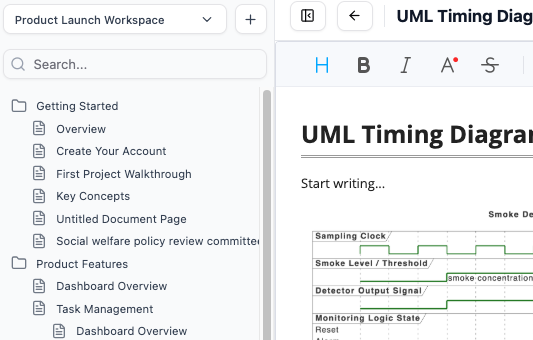
Complex interactions demand clear documentation. Send your finalized Timing Diagram directly to Visual Paradigm OpenDocs. Embed it within your technical specifications, architectural decision records (ADRs), or API documentation to provide an unambiguous visual reference for how critical, time-sensitive protocols work.

Trusted by Leading Teams Worldwide
Visual Paradigm's comprehensive modeling platform is used by professionals in the world's most successful and demanding organizations for critical design and documentation tasks.

The Right Diagram for Any Challenge
While the AI UML Timing Diagram generator is a specialized capability, the AI chatbot supports a vast library of diagram types for all your software, business, and strategic planning needs.
UML
SysML & ArchiMate
- Requirement Diagram
- Block Definition Diagram
- Internal Block Diagram
- ArchiMate Diagram
- ArchiMate Viewpoint-based Diagrams
C4 Model
- System Context Diagram
- Container Diagram
- Component Diagram
- Deployment Diagram
Business & Strategic
- SWOT & PEST Analysis
- BPMN
- DFD
- Flowcharts
- Org Charts
- Mind Maps
Frequently Asked Questions
What is a UML Timing Diagram?
A UML Timing Diagram is a type of interaction diagram that focuses on the behavior of objects over a specific period. Unlike a Sequence Diagram, which emphasizes the order of messages, a Timing Diagram shows the changes in an object's state along a timeline and the precise moments when messages are sent and received. It's especially useful for analyzing and designing real-time systems where timing constraints are critical.
How does this AI UML tool handle time constraints and state changes?
You can describe events sequentially and specify states. For example: 'At time 0, the 'Sensor' is in the 'Idle' state. At time 10, it receives a 'read' message and transitions to the 'Active' state for 20ms before returning to 'Idle'.' The AI UML Timing Diagram generator will interpret these instructions to draw the lifeline, states, and time constraints on the diagram.
Can I edit the generated timing diagram?
Yes. The AI generates the diagram using a text-based format (PlantUML). You can directly edit this source code inside our VPasCode editor to refine details, adjust timing, or add complex constraints, giving you full control over the final model. This makes it a highly flexible AI UML diagram tool.
Is this different from the AI Sequence Diagram generator?
Yes. While both model interactions, a Sequence Diagram focuses on the order of messages between objects. A Timing Diagram focuses on the state changes of objects over time. Use a Sequence Diagram for message-centric views and a Timing Diagram for state- and time-centric views, especially in real-time or embedded systems.
How do I get access to the AI Timing Diagram generator?
The AI Diagramming Chatbot, including its Timing Diagram generation capabilities, is available to all users on a trial basis. Full, continued use is included with a license for VP Desktop Professional Edition or VP Online Deluxe Edition.
Visualize Time-Critical Interactions Today
Stop drawing and start designing. Use the industry's most powerful AI UML Timing Diagram generator to model complex, real-time systems with speed and precision. Try it now, free.