AI-Powered Markmap Studio
Transform your ideas into beautiful visual mind maps with intelligent AI generation
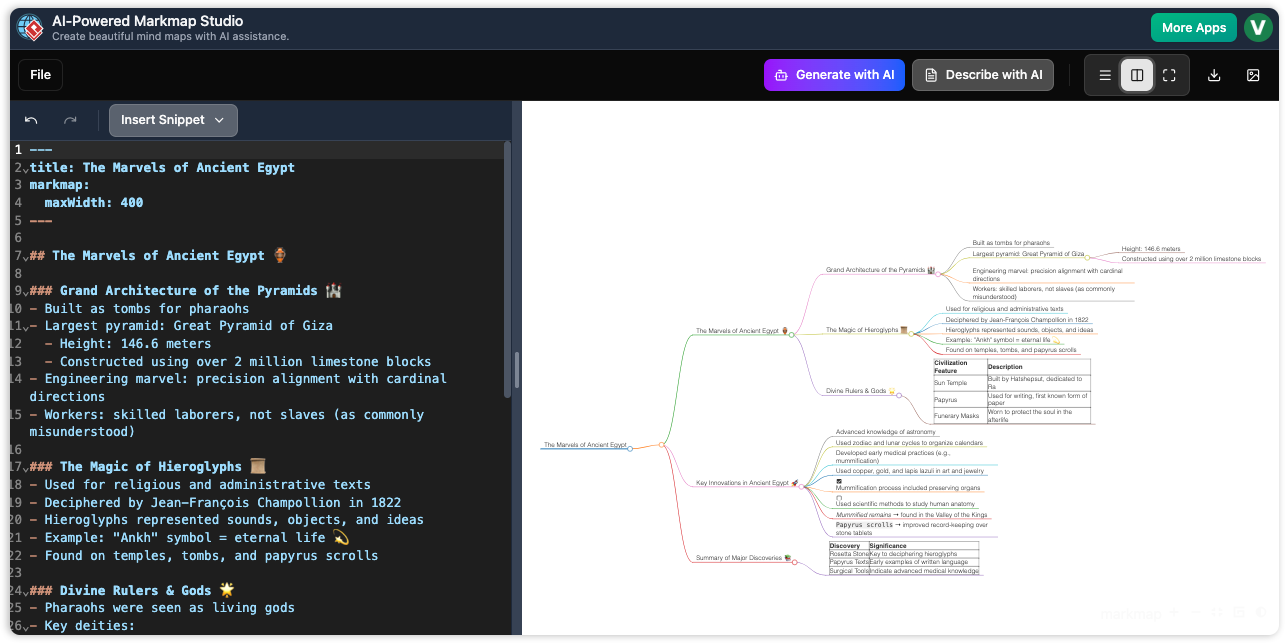
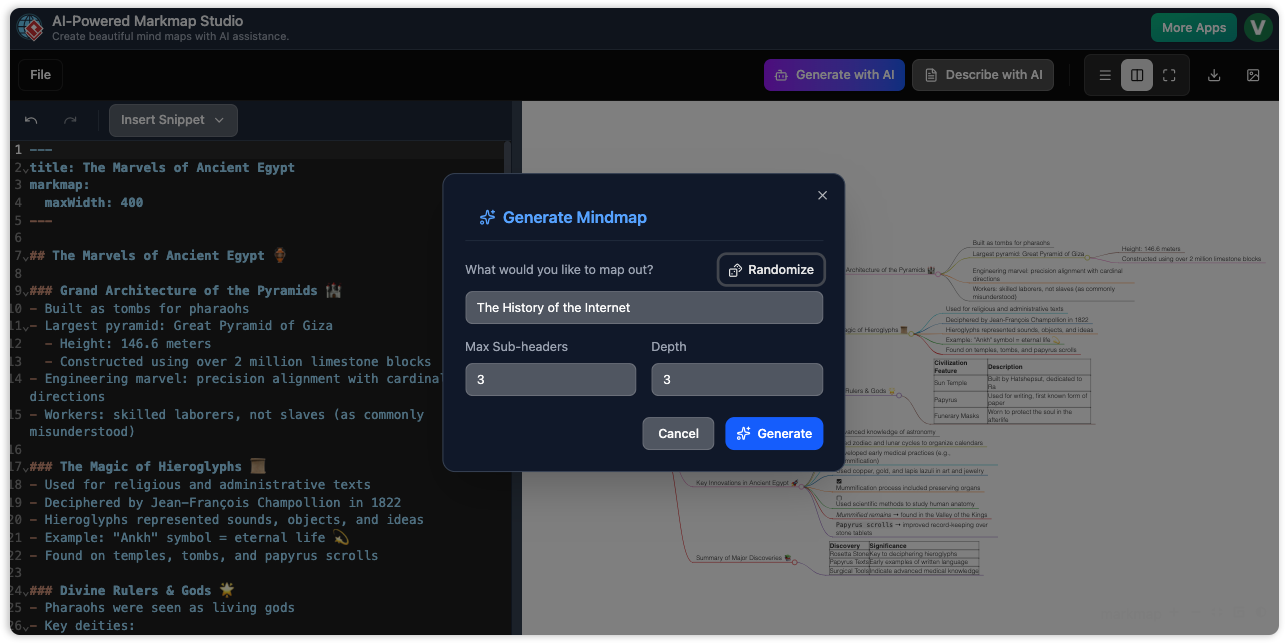
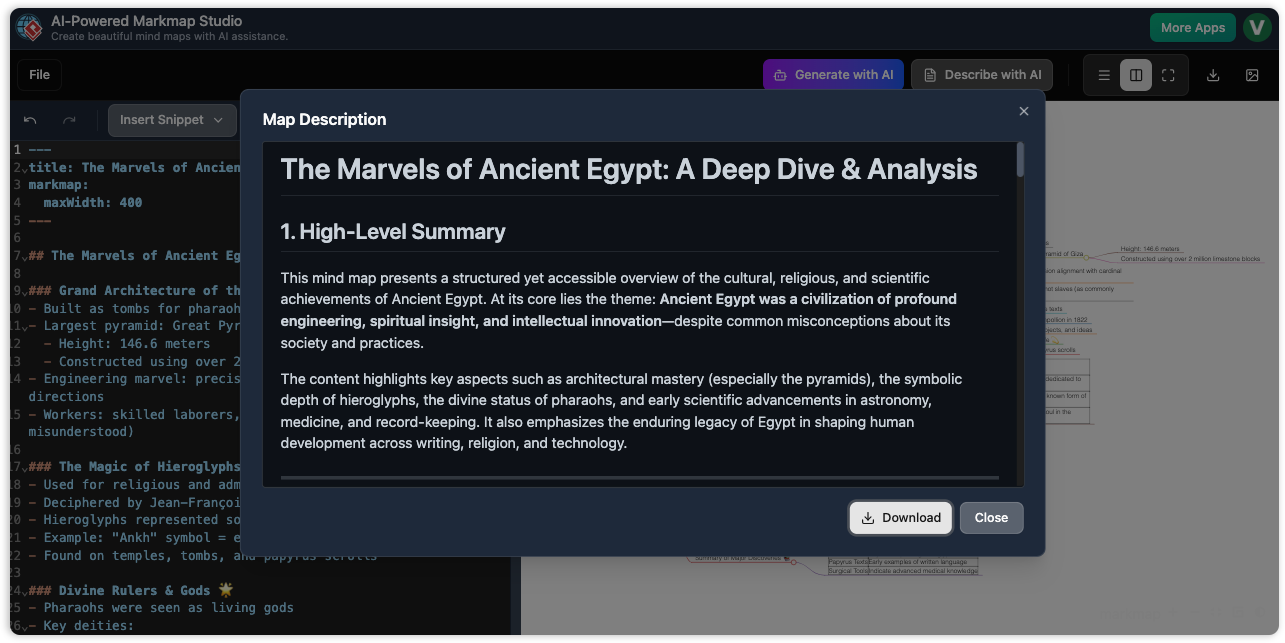
Experience the Power of AI-Powered Markmap Studio
Transform your ideas into structured, interactive visual representations
Why Visual Paradigm
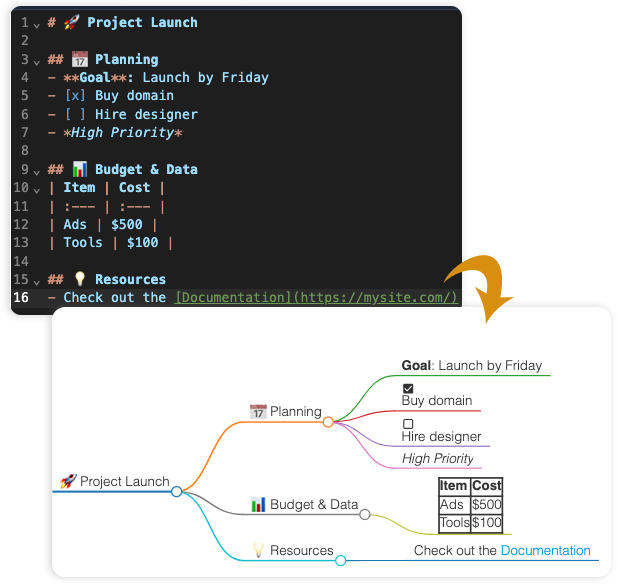
More Than Just Words
Everything you need, all in one spot. Stop switching tools just to make a table or add a checkbox. Our editor handles it all—from bold text to images—so you can keep your head in the game and your project tidy in a single home.
AI-Powered Interpretation
Don’t let your ideas get stuck in a picture. Our AI Interpreter acts as a bridge between your drawings and your notes. It 'reads' your diagrams and instantly turns them into a clean, simple written description. It’s the fastest way to explain a complicated map or move your ideas into other programs.
AI-Powered Markmap Studio is a sophisticated web application that revolutionizes the way users create, visualize, and interact with mind maps. Built with React and TypeScript, this powerful tool combines the flexibility of markdown-based editing with advanced AI capabilities to generate intelligent, visually stunning mind maps instantly.
Key Features
AI-Powered Markmap Studio is a comprehensive mind mapping solution that leverages artificial intelligence to transform complex ideas into structured, interactive visual representations. The application provides a seamless experience for brainstorming, planning, learning, and organizing information through an intuitive interface that supports both manual editing and AI-assisted content generation.
- AI-Powered Generation: Generate complete mind maps from simple topic descriptions and customize depth and complexity.
- Advanced Editor: Write in markdown with real-time preview, syntax highlighting, and full KaTeX support for mathematical notation.
- Visualization Excellence: Interact with a smooth, responsive canvas, customize styling, and export to SVG or markdown.
- Project Management: Save and load multiple projects, generate shareable links, and benefit from auto-save protection.
- Rich Content Support: Enhance mind maps with tables, lists, links, emojis, code blocks, and mathematical equations.
How to Use
With AI-Powered Markmap Studio, you can create mind maps in a few simple steps.
Step 1: Getting Started
Launch the application and choose to start with a blank canvas, use AI generation, or select a view mode (editor, split, or preview).
Step 2: Manual Creation
Use the markdown editor to structure your content with headers, lists, tables, code blocks, and more.
Step 3: AI-Powered Generation
Click "Generate with AI", enter your topic, set parameters like depth, and instantly create a complete mind map.
Step 4: Working with Projects
Save your work, load existing projects, share with others, and export your mind map as an SVG or markdown file.
Watch this video tutorial to see AI-Powered Markmap Studio in action:
Value Proposition
- For Students & Educators: Visualize complex concepts, create study guides, and develop engaging visual presentations.
- For Business Professionals: Visualize strategies, organize projects, and transform meeting notes into actionable mind maps.
- For Developers & Technical Users: Visualize software architectures, create technical documentation, and build searchable knowledge bases.
- For Content Creators: Organize blog posts, videos, and podcasts, and structure research findings.
Competitive Advantages
- AI Integration: Unique AI-powered generation capabilities.
- Markdown Foundation: Familiar and powerful editing experience.
- Real-Time Visualization: Instant visual feedback.
Target Audience
Students, educators, business professionals, developers, content creators, researchers, consultants, and anyone who needs to organize thoughts and ideas visually.
Conclusion
AI-Powered Markmap Studio represents the next evolution in mind mapping technology, combining the power of artificial intelligence with the flexibility of markdown editing and the beauty of interactive visualization. Whether you're a student organizing study notes, a business professional planning strategies, or a developer designing systems, this tool provides the perfect balance of simplicity and sophistication to transform your ideas into compelling visual narratives.