Use Case Modeling Studio
The Use Case Modeling Studio by Visual Paradigm is an AI-powered web application designed to streamline the process of software requirements analysis and design.
AI-Powered Use Case Description
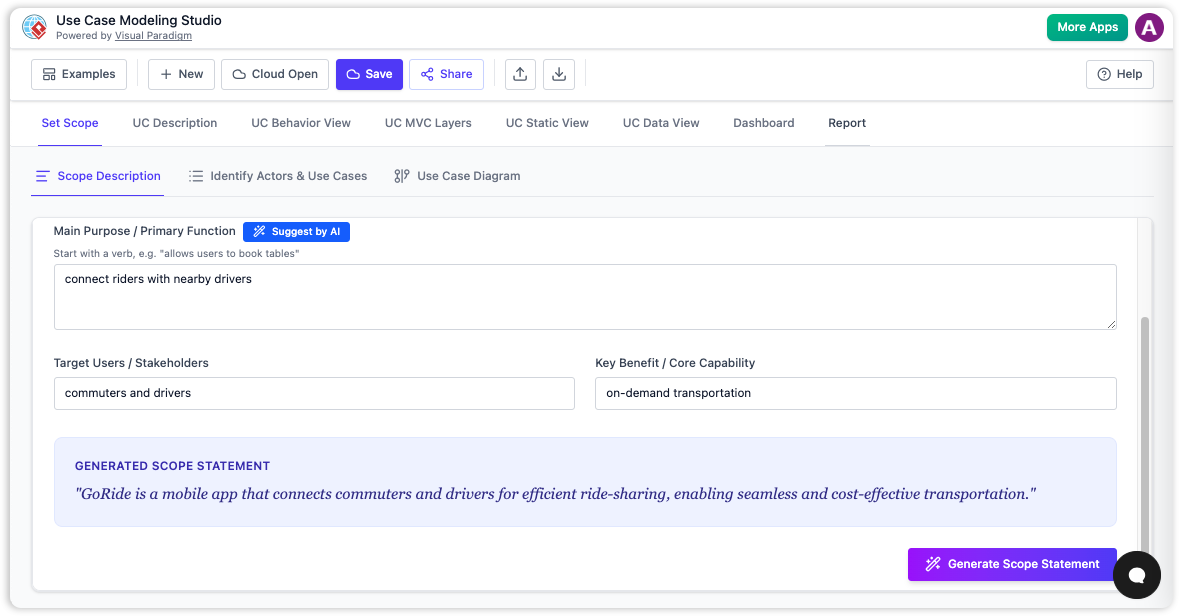
Generate comprehensive, well-structured use case descriptions—including preconditions, postconditions, and flows—from a simple goal statement.
Automatic Diagram Generation
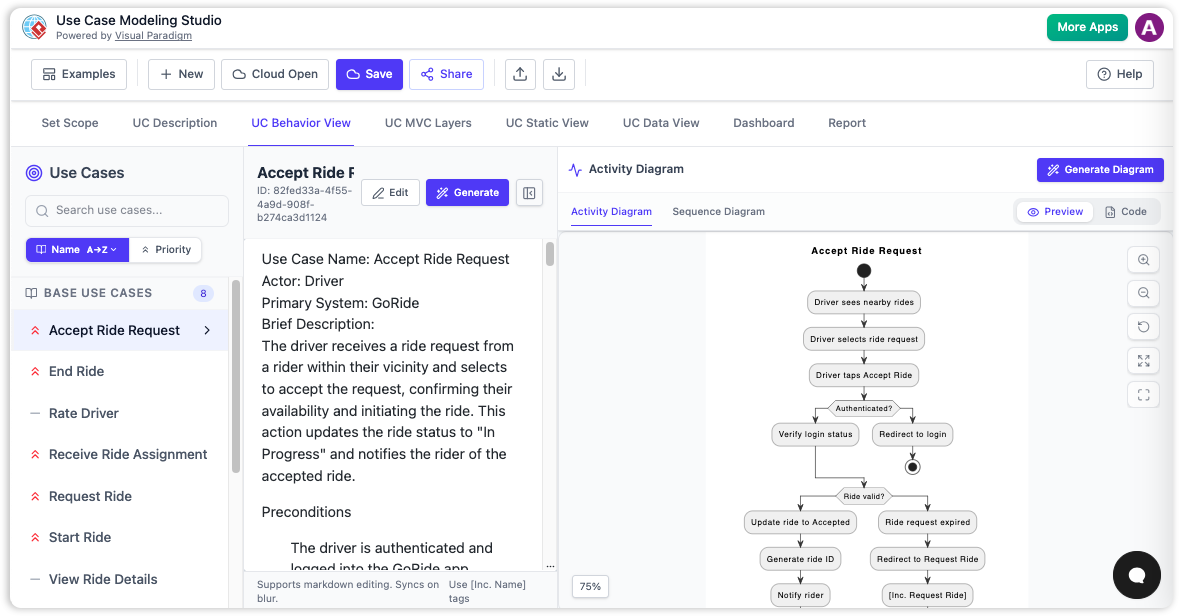
Instantly visualize your system with automatically generated Use Case Diagrams, Activity Diagrams, Sequence Diagrams, Class Diagrams, and ERDs.
AI-Generated Test Cases
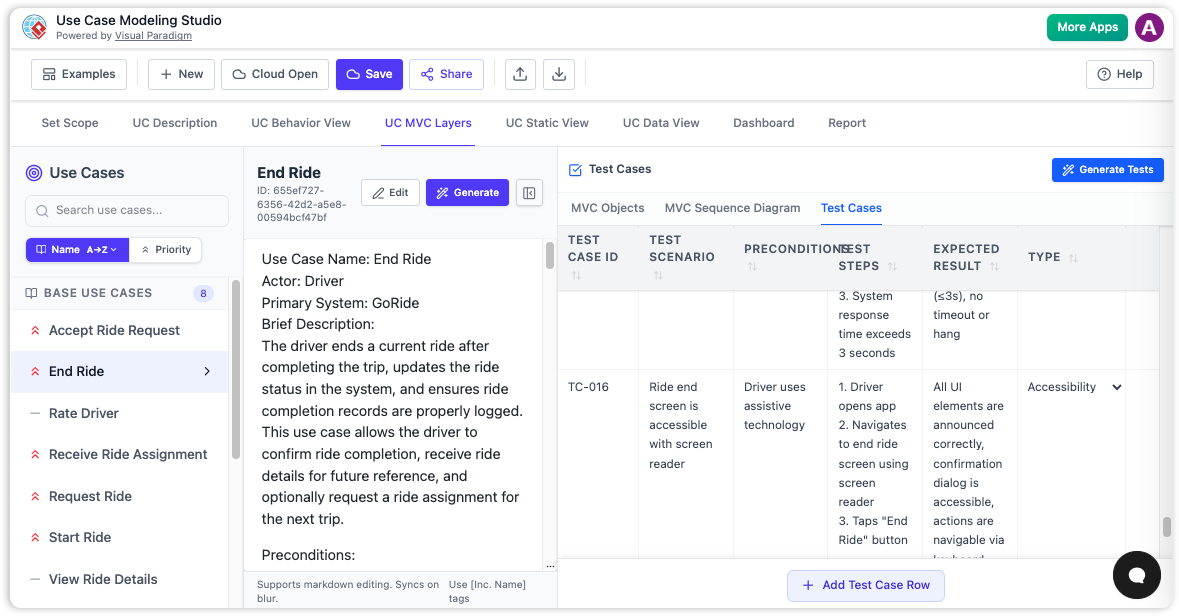
Automatically produce a comprehensive set of test cases (e.g., Test ID, Scenario, Steps, Expected Result) from a use case description.
Experience the Power of the Use Case Modeling Studio
Go from a simple idea to a full set of requirements, diagrams, and test cases in minutes.
The Use Case Modeling Studio is an AI-powered web application designed to streamline the process of software requirements analysis and design. It provides a comprehensive, step-by-step environment to define system scope, write detailed use case specifications, and automatically generate a suite of design diagrams and documents. It transforms textual descriptions into professional-grade visual models, bridging the gap between requirements and implementation.
Core Modeling Workflow
Easily create and manage a list of system actors and the use cases they participate in. Generate comprehensive, well-structured use case descriptions—including preconditions, postconditions, and flows—from a simple goal statement.
-
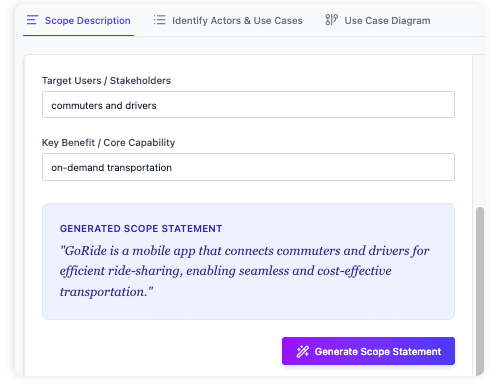
Clearly define your system's name, purpose, and audience.
-
AI-Powered generation of use case descriptions from a simple goal.
-
Automatic relationship detection for <<include>> and <<extend>>.
Diagram Generation
Instantly visualize your system with automatically generated Use Case Diagrams, Activity Diagrams, Sequence Diagrams, Class Diagrams, and ERDs.
-
Generate diagrams from use case descriptions with one click.
-
Visualize flow of events with Activity and Sequence Diagrams.
-
Generate Class Diagrams and ERDs to model static structure.
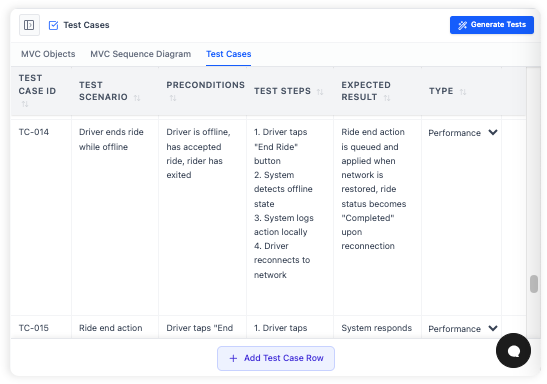
AI-Generated Test Cases
Automatically produce a comprehensive set of test cases (e.g., Test ID, Scenario, Steps, Expected Result) from a use case description.
-
Produce a comprehensive set of test cases from a use case description.
-
Interactive editor to manage test cases.
-
Ensure requirements are testable and validated.
A Powerful, All-in-One Modeling Studio
From AI-powered generation to a full suite of diagrams and reports, everything you need is right here.
Accelerate Development
Drastically reduce the time spent on manual diagramming and documentation by letting AI do the heavy lifting.
Improve Clarity
Ensure all stakeholders have a clear, shared understanding of the system's requirements and design through visual models.
Bridge Requirements & Design
Seamlessly transition from high-level use case descriptions to detailed models of behavior, structure, and data.
Key Benefits
- Accelerate Development: Drastically reduce the time spent on manual diagramming and documentation by letting AI do the heavy lifting.
- Improve Clarity and Consistency: Ensure all stakeholders have a clear, shared understanding of the system's requirements and design through visual models.
- Enforce Best Practices: The structured workflow guides you through the essential steps of use case modeling, ensuring no critical details are missed.
- Bridge Requirements and Design: Seamlessly transition from high-level use case descriptions to detailed models of behavior, structure, and data.
- All-in-One Tool: Manage scope, actors, use cases, diagrams, and test cases within a single, integrated studio.
Getting Started & Core Workflows
Go from idea to a full software design in a few simple steps.
Define the Scope
Begin by filling out the "Scope Description" form, detailing your system's name, purpose, and audience.
Identify Actors and Use Cases
Add the people and systems that will interact with your system (Actors) and the high-level goals they will achieve (Use Cases).
Generate a Description
Select a use case and click the "Generate" button. The AI will produce a detailed description in the editor.
Generate a Behavior Diagram
With the same use case selected, click "Generate Diagram" to instantly create an Activity Diagram based on the description.
Generate a Report
Select "Full SDD" from the report list and click "Generate Report". A full document containing all your work will be created.
Creating a Detailed Use Case Specification
Select a use case, click "Generate", and the AI will populate the markdown editor with a full specification. Review and make manual adjustments as needed.
Modeling System Behavior (Activity Diagram)
Ensure you have a detailed description for your selected use case, then navigate to the "UC Behavior" tab and click "Generate Diagram".
From Requirements to Design to Testing
Go to the "UC MVC" tab and identify Model, View, and Controller objects. Then, generate a sequence diagram and a full set of test cases.
Who is it for?
- Business Analysts: To capture, refine, and document system requirements in a structured and visual way.
- System Analysts and Designers: To translate requirements into detailed technical designs, including behavioral and static models.
- Software Architects: To define and visualize the system's architecture, including MVC layers and data models.
- Project Managers: To monitor the completeness and progress of the requirements and design phases.
Tips & Best Practices
- Start Broad, Then Refine: Begin by defining your full scope and listing all actors and use cases before diving deep into generating detailed descriptions.
- Generate, Then Edit: Use the AI generation as a starting point. Always review and refine the output to match your specific needs.
- Use the Dashboard: Periodically check the Project Dashboard to identify gaps in your project.
- Keep Descriptions Focused: When writing or generating a use case description, keep it focused on the specific goal of that use case.