Value Stream Mapping (VSM) Editor
Visualize, analyze, and optimize your business processes with data-driven precision. Identify waste and reduce cycle times using our AI-powered VSM suite.
Industry-Specific VSM Blueprints
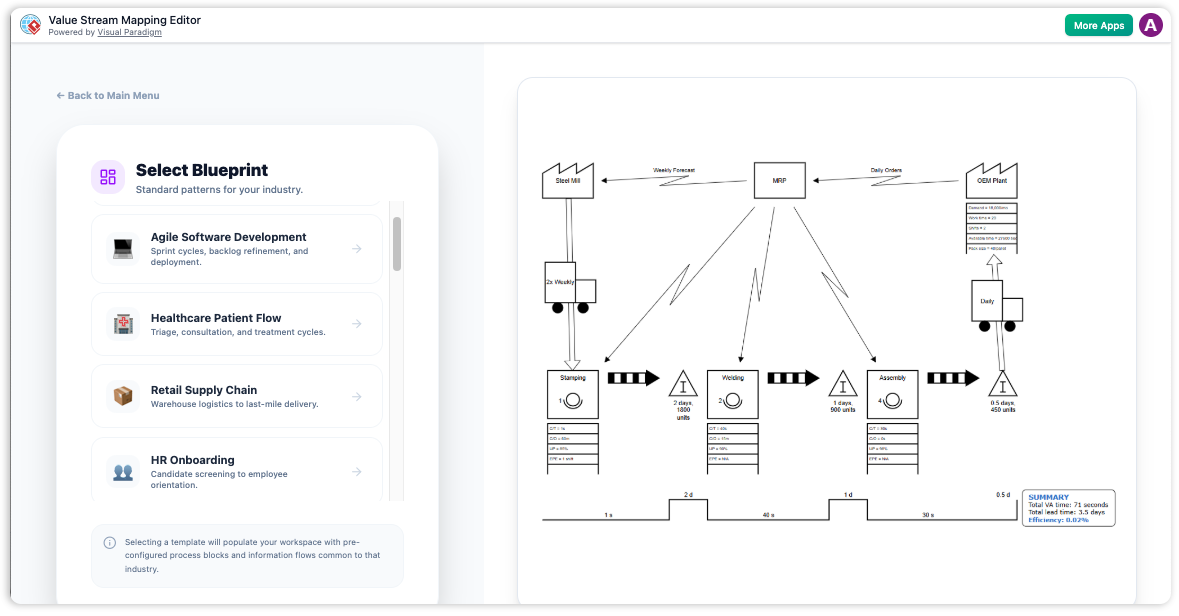
Jumpstart your optimization journey with pre-configured templates tailored to your sector.
Integrated Data & Diagram Editor
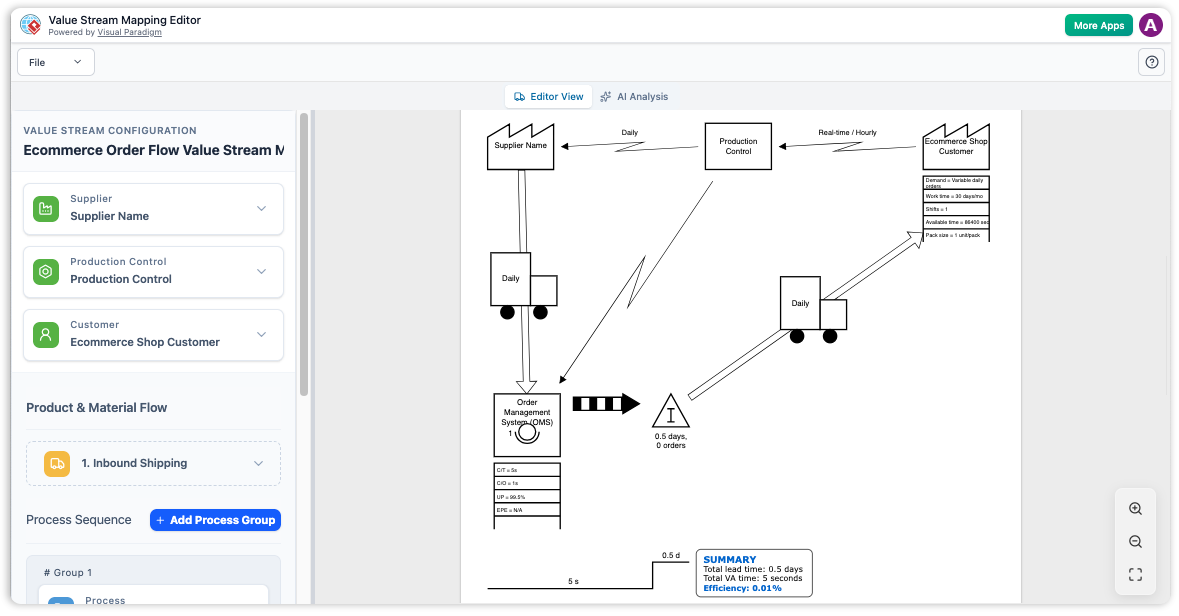
Experience the power of a dual-view interface where your process data and visual map live in perfect sync.
Eliminate Process Waste Today
Transform raw process data into actionable Lean insights with the industry's most intuitive VSM tool.
Why Visual Paradigm
AI-Powered Improvement Reports
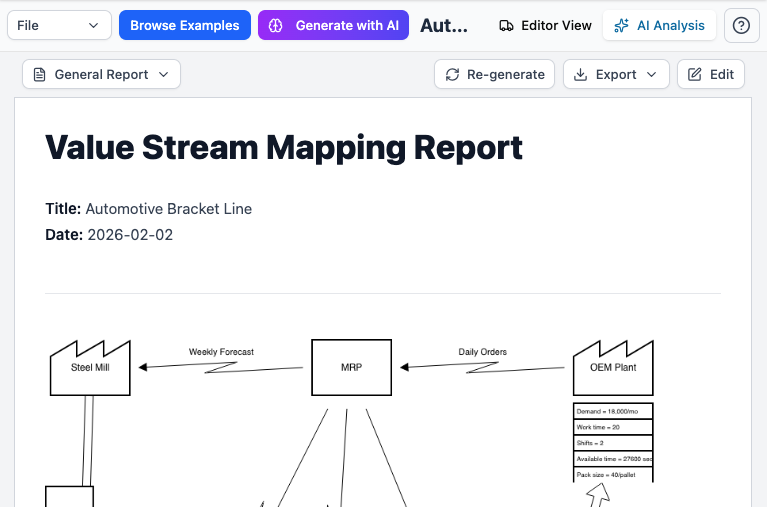
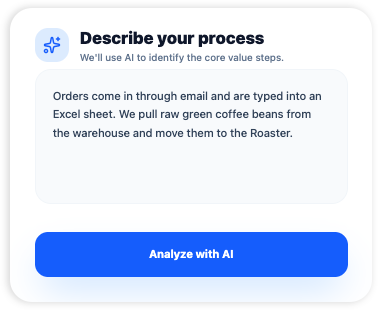
Don’t just look at a map of your work—actually understand it. Our AI looks at how you do things to find hidden 'clutter' and holdups that are slowing you down. You’ll get a clear, simple report that tells you exactly what to fix so you can get more done with less effort.
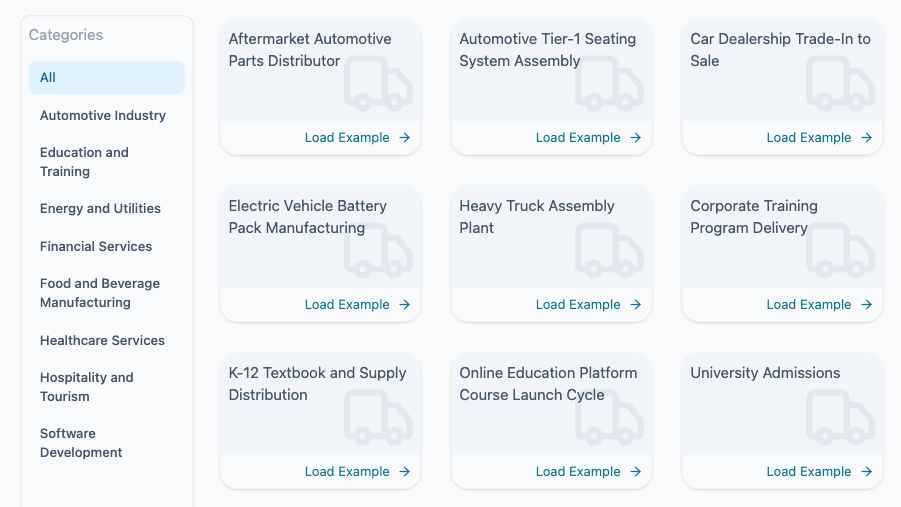
40 Industry-Specific Starter Examples
Ensure consistency across your organization. Our form-based editor guides you through capturing every critical metric for a complete VSM.
No Mapping Expertise Required
Professional Results for Everyone. You don’t need a special certificate or years of training to fix your business. Our easy-to-use tool walks you through every step—just type in your basic info, and the AI handles all the complicated math and mapping for you. Anyone can get expert-level results on their very first day.
The Value Stream Mapping Editor provides a structured, analytical environment for operational excellence. By automating the drawing process, it allows Lean practitioners to focus on identifying bottlenecks and designing efficient future-state workflows.
AI-Powered Process Analysis
Let artificial intelligence act as your Lean consultant. Our built-in AI engine reviews your entire value stream to find hidden inefficiencies.
- Polished, High-Quality Visuals: Create sharp, professional-grade diagrams that remain clear and crisp, no matter how much you zoom in or scale them up.
- Built-in Industry Standards: Every map uses recognized, universal symbols, making it easy for both Lean experts and team stakeholders to understand the process at a glance.
- From Chaos to Insight: Instantly turn messy tasks into clear workflows. Our AI highlights key steps and finds bottlenecks so you can fix them fast.
Structured Data Entry
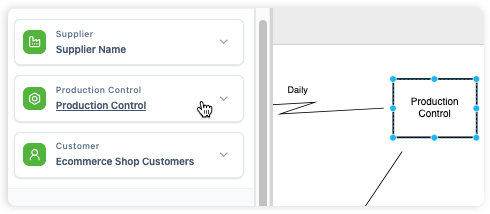
Ensure consistency across your organization. Our form-based editor guides you through capturing every critical metric for a complete VSM.
- Guided Metrics: Clear fields for Takt Time, Uptime, Cycle Time, and Operator counts.
- Automatic Connection: Product, material, and information flows are rendered automatically based on your data relationships.
Professional PNG Export
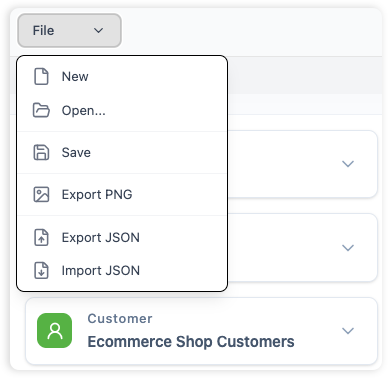
Bridge the gap between analysis and presentation. Share your high-resolution value stream maps with stakeholders and executives in a single click.
- High-Quality Imagery: Crisp PNG exports perfect for inclusion in Lean reports, board presentations, or internal wikis.
- Standardized Symbols: All diagrams use industry-standard VSM conventions for universal readability.
Core Workflows
Master the science of process optimization.
Current State Mapping
Document your existing process steps, inventory, and flows to establish a clear performance baseline.
Future State Design
Simulate improvements by modifying data points and visualizing the projected impact on lead time.
AI Gap Analysis
Use the AI engine to compare performance metrics and highlight the most critical areas for immediate action.
Key Benefits
- Data-Driven Accuracy: Generate diagrams directly from metrics to ensure your VSM reflects reality, not just intuition.
- Accelerate Improvement: Model "what-if" scenarios in seconds to quickly see how changes affect total lead time.
- Holistic Visualization: See material and information flows together to understand how communication impacts production.
- Professional Standardization: Maintain consistent quality across all process improvement projects with a unified toolset.
Frequently Asked Questions
Everything you need to know about the VSM Editor.
How does the "AI Analysis" actually work?
The AI identifies common patterns of waste by calculating metrics like PCE (Process Cycle Efficiency). It pinpoints the steps with the longest cycle times and suggests Lean best practices to mitigate those bottlenecks.
What is the difference between Lead Time and Process Time?
Process Time is value-added work time. Lead Time is the total time a product spends in your system, including waiting. The editor's timeline helps you visualize and reduce the gap between the two.
Can I customize the diagram layout manually?
The editor is optimized for automatic layout to ensure speed and consistency. While you focus on the data, the tool handles the complex arrangement of symbols and flows automatically.
Who develops this VSM tool?
The Value Stream Mapping Editor is developed by Visual Paradigm, a global leader in business and IT transformation software solutions.