Comprehensive C4 Model Software
Standardize your architecture documentation with Visual Paradigm’s full-stack C4 modeling tools.
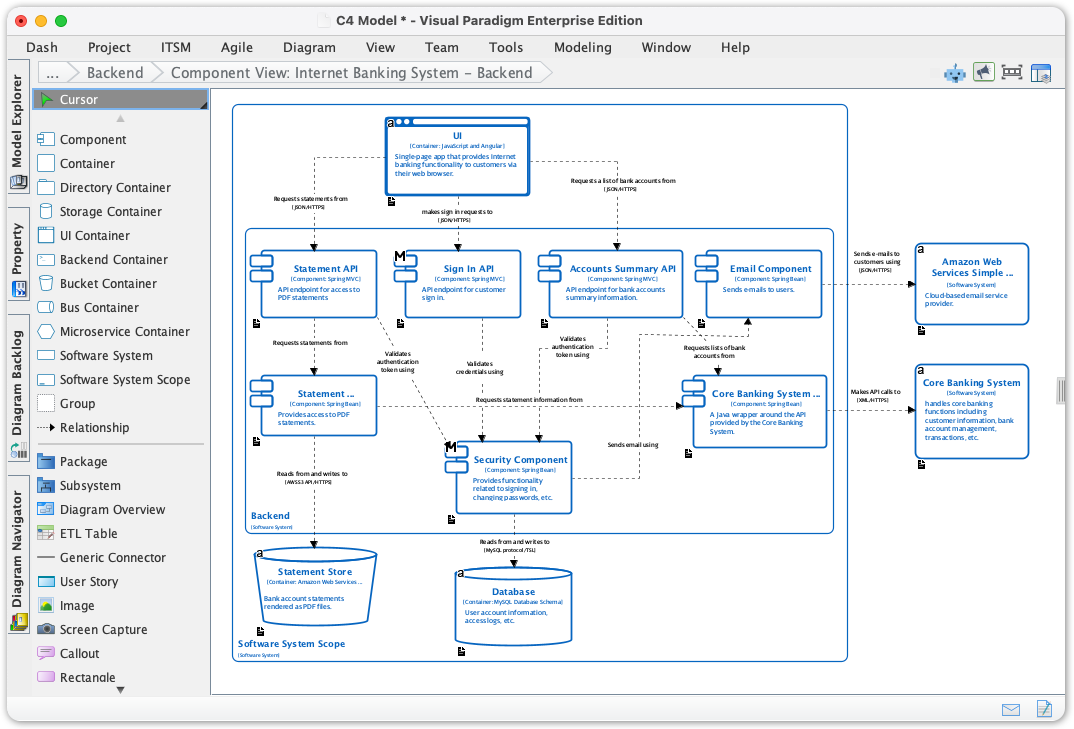
What are C4 Model Diagrams?
C4 Model Diagrams Visual Paradigm Desktop now supports complete C4 Model diagramming with six essential diagram types. Create architecture visualizations following the C4 methodology-from high-level system contexts down to detailed component deployments-for modern software teams and enterprise architects.
Create Complete C4 Model Suites in Seconds
Transform a simple system description into a full set of standards-compliant C4 diagrams.
Master Complex Architectures with AI-Powered C4 Modeling
The AI C4 Diagram Generator revolutionizes software architecture documentation by supporting all six essential views: System Context, Containers, Components, Landscape, Dynamic, and Deployment. By eliminating the "blank canvas" hurdle, it empowers teams to generate professional, standards-compliant documentation for complex systems in a fraction of the time.
- The AI Diagram Generator leverages deep understanding of C4 standards to instantly map your description to any of the six required diagram levels.
- Supports all six C4 diagram types: System Context, Containers, Components, Landscape, Dynamic, and Deployment.
- Allows for stakeholder-specific customization based on audience needs (General Readers vs. Engineers).
AI-Powered C4 Diagram Generation
AI Content Generation
Stop wrestling with boxes and arrows. Our AI C4 Diagram Generator takes you from a simple idea to a professional, multi-layered architecture suite in seconds.
-
Type your project name and get a professional starting point instantly—no more dragging boxes one by one.
-
The AI follows C4 standards automatically, ensuring your diagrams are logically sound and easy for teams to read.
-
Generate every view from the big picture down to the code level (Context to Deployment) in a single click.
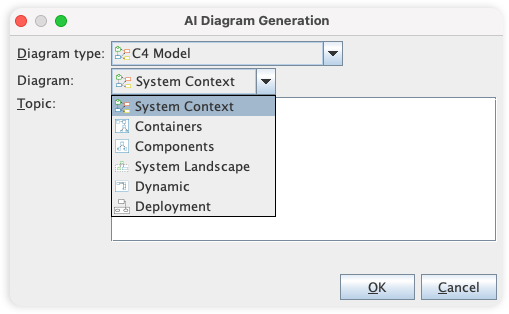
Covers all 6 C4 diagram types
From a high-level overview to the deployment of your system, our tool supports all six C4 diagram types, providing a comprehensive and multi-level view of your software architecture. The six types of C4 diagrams are:
-
System Context Diagram: Shows the system as a black box and its relationships with users and other systems.
-
Container Diagram: Decomposes the system into a set of interacting containers (e.g., applications, data stores, microservices).
-
Component Diagram: Breaks down containers into their constituent components and their interactions.
-
System Landscape Diagram: Shows the software systems and their relationships at a high level.
-
Dynamic Diagram: Shows the dynamic behavior of the system, such as the sequence of interactions between components.
-
Deployment Diagram: Illustrates how containers are mapped to infrastructure.
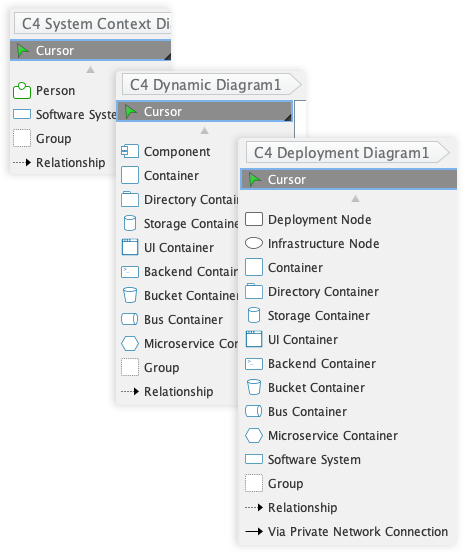
Comprehensive Symbol Library for C4 Modeling
While the C4 model is notation-independent, our tool provides a comprehensive library of symbols for the core C4 elements, ensuring you can create clear and consistent diagrams. The primary elements are:
-
Person: Represents the users of your system.
-
Software System: The highest level of abstraction, representing a system that delivers value.
-
Container: A deployable unit, such as a web application or database.
-
Component: The building blocks of a container.
Powerful and Intuitive Diagramming
Our tool is packed with features that make diagramming fast, easy, and precise.
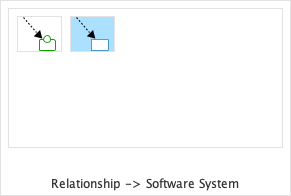
Resource-Centric Interface
Create and connect elements with ease using a drag-and-drop interface that is optimized for speed and accuracy.
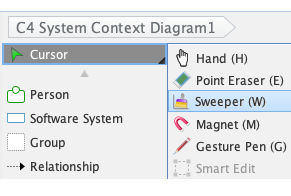
Sweeper
Easily create space for new elements or clean up your diagram layout with the sweeper tool, which intelligently moves shapes and connectors.
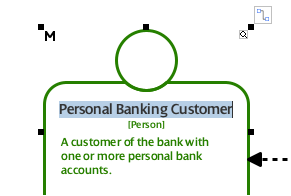
Inline Editing
Edit text and properties directly on the diagram, without the need for separate dialog boxes, for a faster and more intuitive workflow.
Manage Complexity with Advanced Modeling Features
Our tool helps you to manage complex models by breaking them down into smaller, more manageable parts.
-
Sub-Diagrams: Decompose complex diagrams into multiple layers of abstraction. This is extremely useful for drilling down from a C4 Context Diagram into a detailed Container Diagram.
-
Referenced Diagrams: Create links between diagrams to establish relationships and navigate your model easily, even across different projects.
Share Your Vision with Powerful Reporting and Publishing
Our tool provides flexible options to generate documents and share your C4 diagrams with a wider audience.
-
Project Publisher: Export your project into an interactive HTML website for easy sharing and browsing.
-
Report Composer: Generate comprehensive reports in various formats (PDF, Word, etc.) to document your architecture.
Collaborate and Innovate as a Team
Our tool is built for teamwork, with features that help you to work together efficiently and effectively.
-
Centralized Repository: Store your projects in a central repository for easy access and management.
-
Version Control: Track changes, compare revisions, and resolve conflicts with our built-in version control system.
-
Cloud-Based Platform: Collaborate with your team in real-time, from anywhere in the world, with our cloud-based platform.
C4 Diagram Gallery
These C4 diagrams were automatically created using our AI Diagram Generator, turning system architecture ideas into clear, structured visuals in seconds.
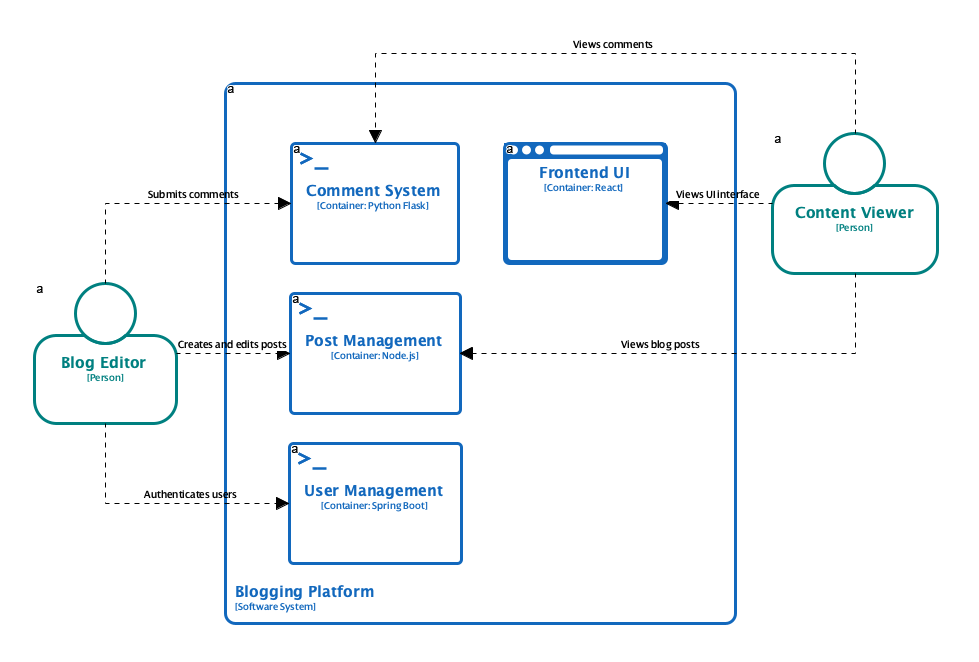
C4 Containers Diagram
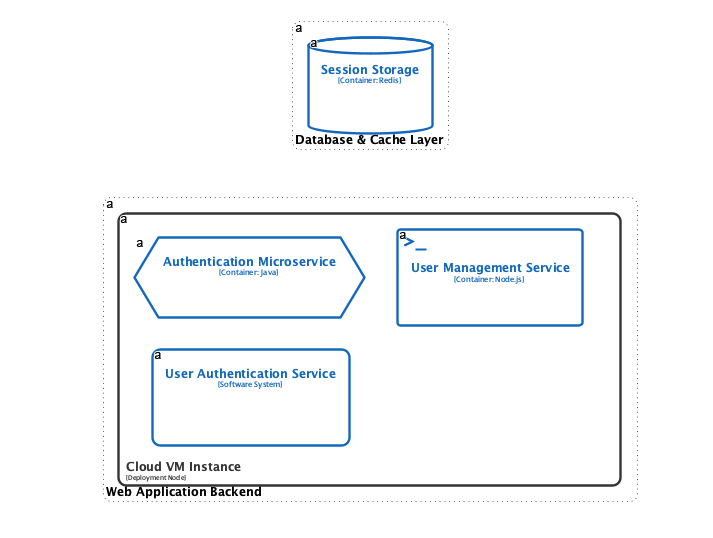
C4 Deployment Diagram
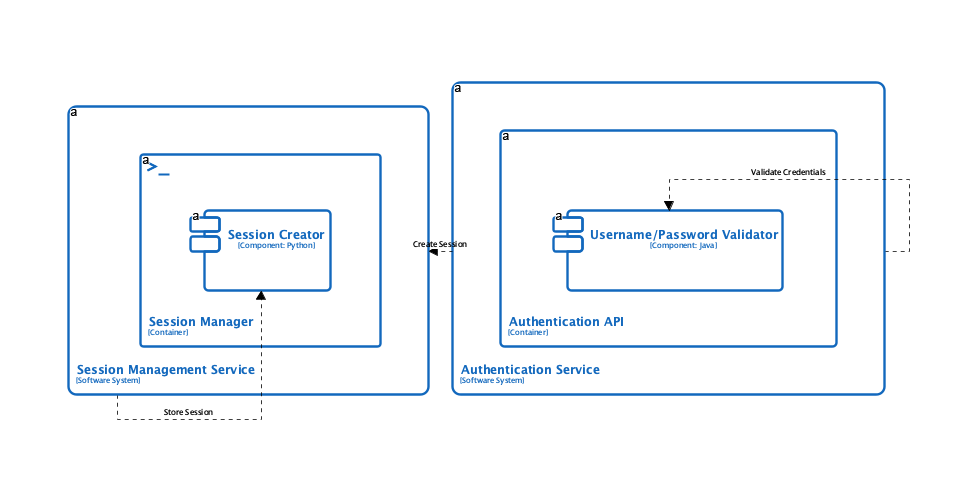
C4 Dynamic Diagram
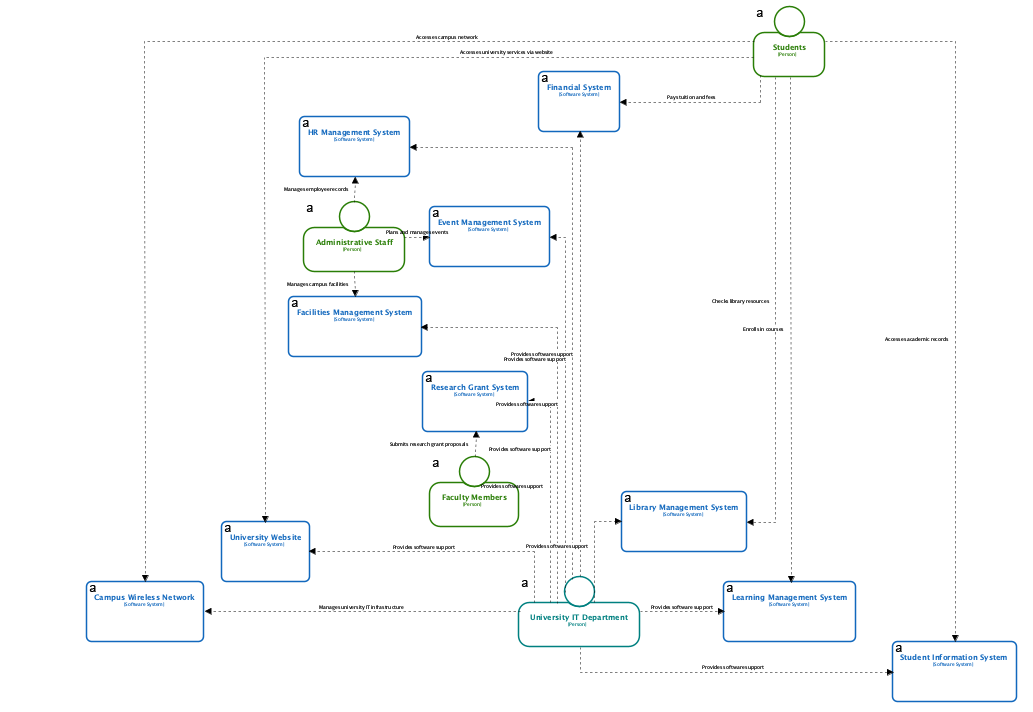
C4 System Landscape Diagram
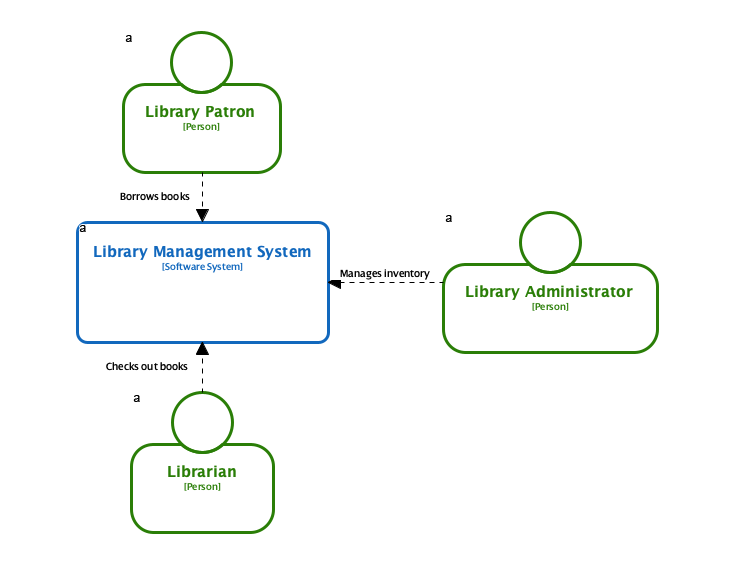
C4 System Context Diagram
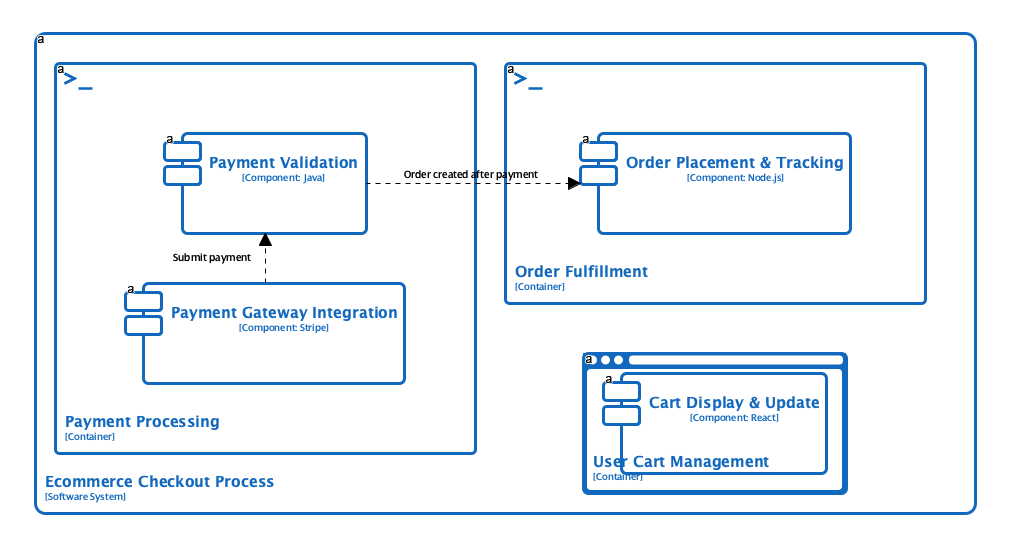
C4 Components Diagram
Use Cases
- Software Architects: Quickly generate comprehensive C4 diagrams from system descriptions to visualize architecture.
- System Engineers: Create documentation for complex systems with multiple interconnected components.
- DevOps Teams: Document deployment architectures with AI-generated deployment diagrams.
- Technical Leads: Communicate system design to both technical and non-technical stakeholders.
Tips & Best Practices
- Define your audience clearly to generate diagrams with appropriate level of abstraction and detail.
- Use the full C4 hierarchy to document all aspects of your architecture for comprehensive understanding.
- Review and validate AI-generated diagrams with your team to ensure accuracy and completeness.