
使用 ERD 工具创建数据库设计。

实体关系图(ERD)是一个数据库设计工具。它提供数据库表、其列和相互关系的图形表述。 ERD 是最流行的数据库设计工具。它为数据库管理员在开发和维护数据库时提供有用的资讯。

数据库视图是对存储在数据库中的数据进行查询的结果。您可以选择列,为视图指定 where 和 join 语句,并显示数据,就像数据来自单一数据库表一样。使用 Visual Paradigm 的 ERD 工具,您可以在可视化编辑器中编辑数据库视图。


对实体执行数据定义语言(DDL)或数据操作语言(DML)语句的检查。您可以选择实体来生成 SQL,或者为整个 ERD 生成 SQL。

点击即可从概念 ERD 导出逻辑,从逻辑 ERD 导出物理。我们的模型转换器不仅能帮助你生成模型,还能保持模型之间的可追溯性,使你能够无缝地浏览模型。
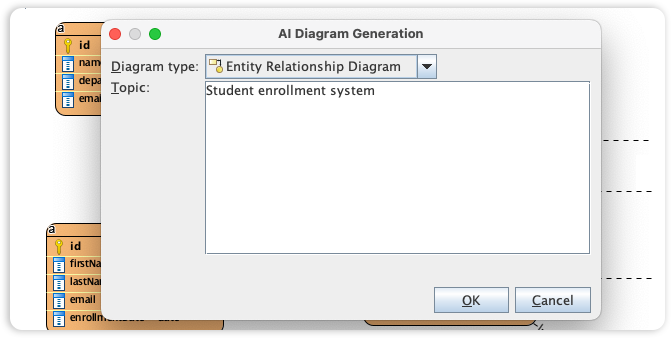
Visual Paradigm's ERD editor is the industry's most popular database design tool, providing the precise graphical representation needed to map tables, columns, and complex inter-relationships. We are now accelerating the database schema design process by integrating full Entity Relationship support into our AI Diagram Generator, bridging the gap between data requirements and physical implementation.
This capability allows you to instantly produce professional ERDs from simple textual descriptions of your data requirements, entirely skipping the manual creation of entities and foreign key constraints. Simply describe your business objects and how they interact, and the AI automatically generates a structurally sound ERD. This provides database administrators and developers with a clear, followable blueprint for building and maintaining robust database architectures.
添加 ERD 实体时自动生成外键列。
使用存储过程形状,在 ERD 中设计、正向和反向生成存储过程。
设计、正向和反向生成数据库触发器。
* 数据库视图(Database View) 编辑器仅适用于 Visual Paradigm 标准版、专业版< /b> 和 企业版。


