Import C4 Models from Images via AI OCR
Turn static images and screenshots of architecture diagrams into clean, editable code in seconds. The smartest way to update and reuse your software design diagrams.
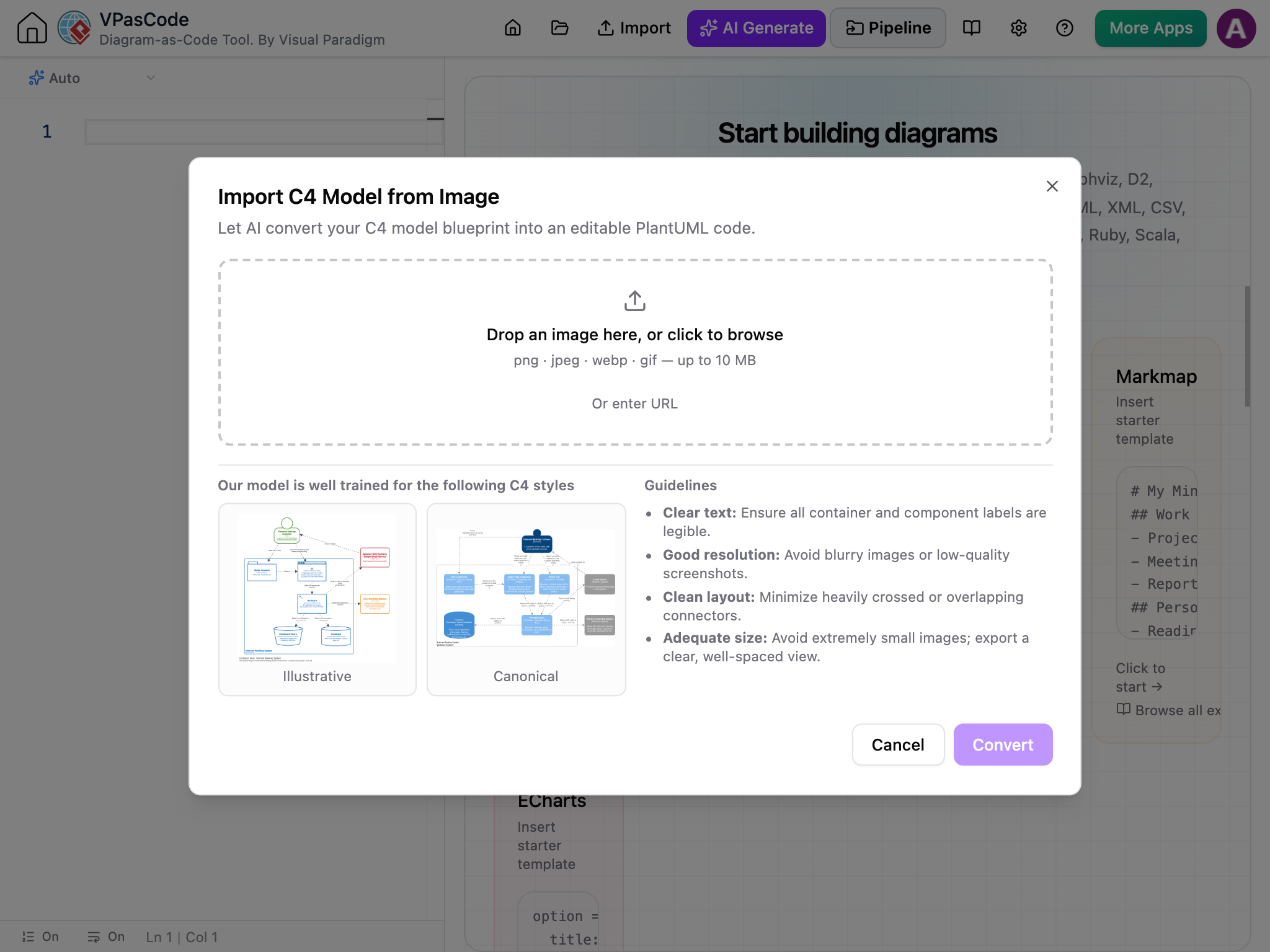
From Static Pixels to Editable Diagram Code
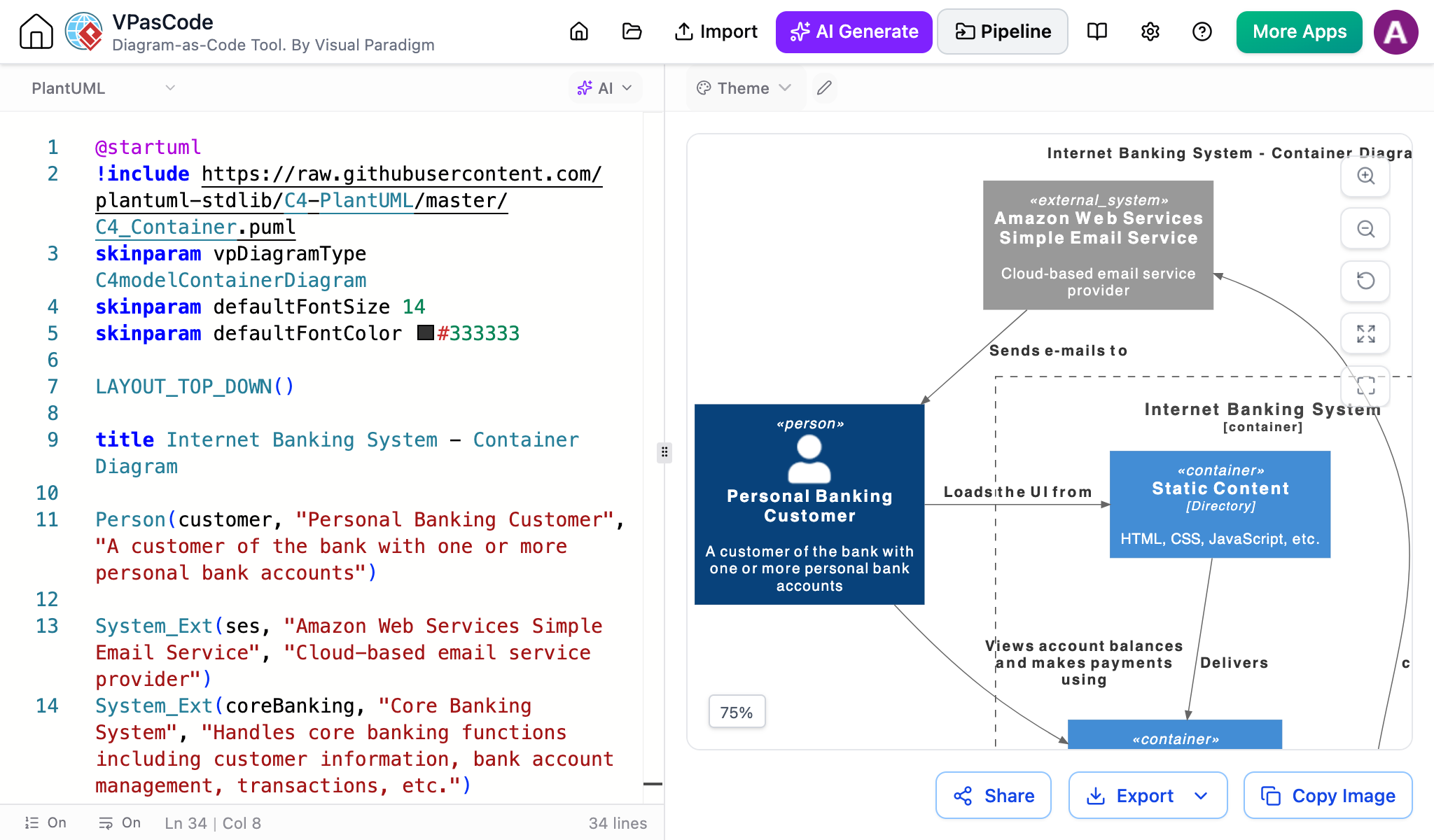
Legacy system diagrams and team screenshots are usually stored as static images, making small edits nearly impossible. Visual Paradigm's AI engine reads the components, containers, and connections inside your image and instantly converts flat pixels into standard PlantUML code.
Stop Redrawing Diagrams from Scratch
Static image formats slow down software teams when system details change.
Locked in Flat Images
Screenshots and PNG files cannot be modified. Even a minor label update requires recreating the entire diagram in a design tool.
Format Incompatibility
Moving diagrams between software platforms often breaks formats, creating vendor lock-in and uneditable image exports.
Wasted Time & Effort
Manually re-entering text labels and re-drawing connecting lines wastes valuable engineering time that should be spent on system design.
How to Import a C4 Model Image in 4 Steps
Going from a static screenshot to fully editable code takes less than a minute.
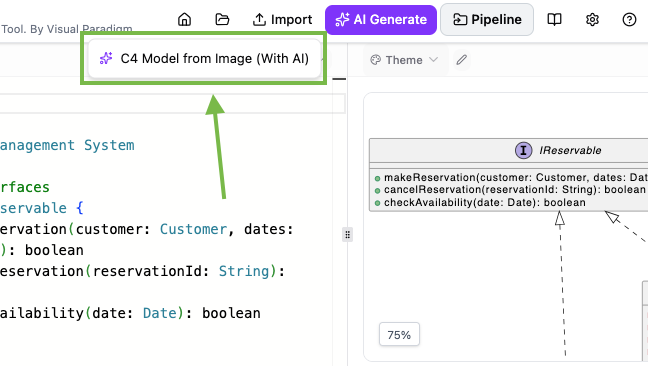
Open the Import Menu
In the top navigation menu bar of VPasCode, click Import, then select C4 Model from Image (With AI) from the drop-down options.
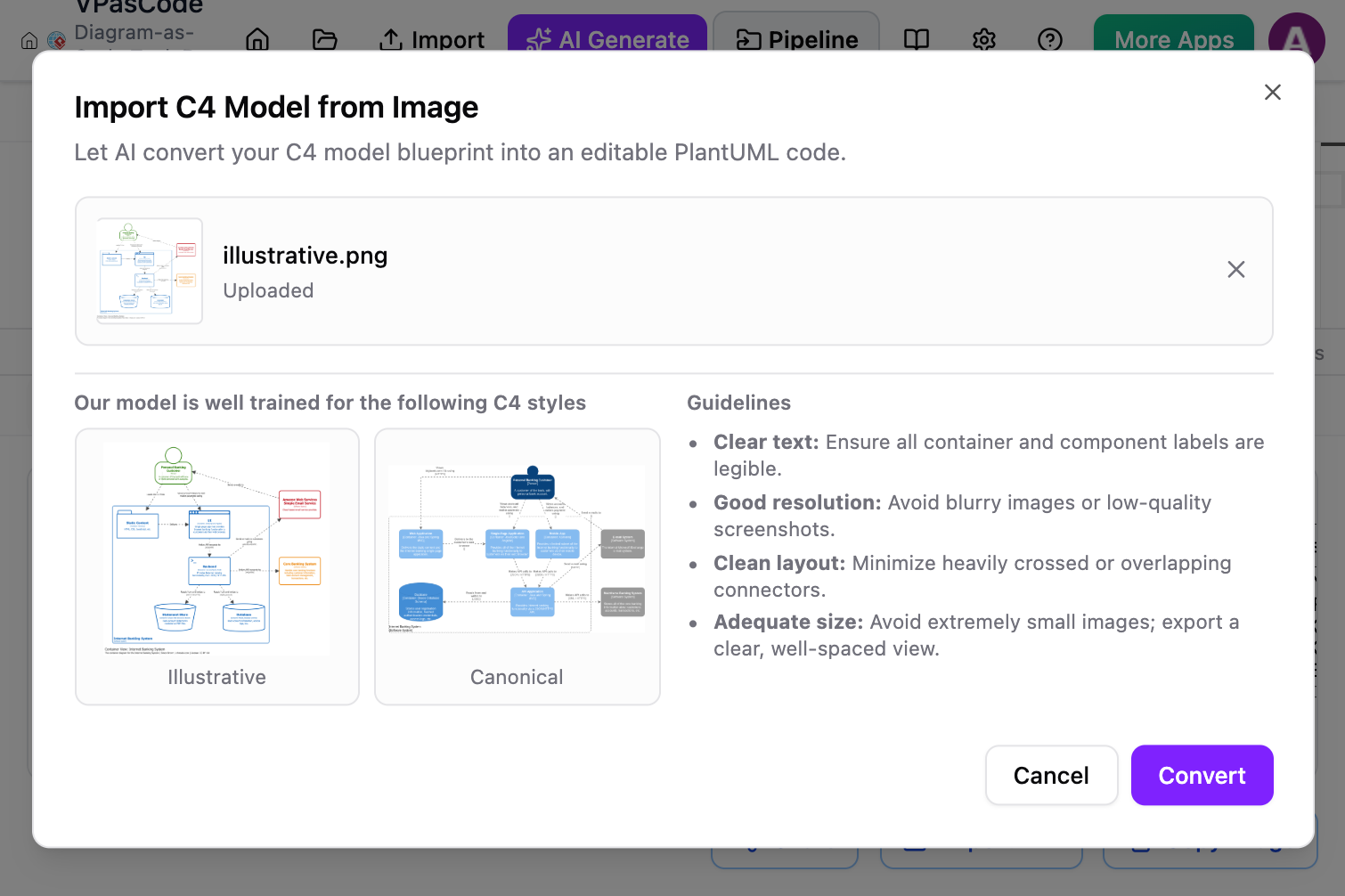
Provide Your Diagram Image
Drag and drop your C4 image file (PNG, JPEG) into the upload dropzone, or paste a direct image URL. You can also select your preferred visual rendering style (Canonical Blue or Modern Illustrative).
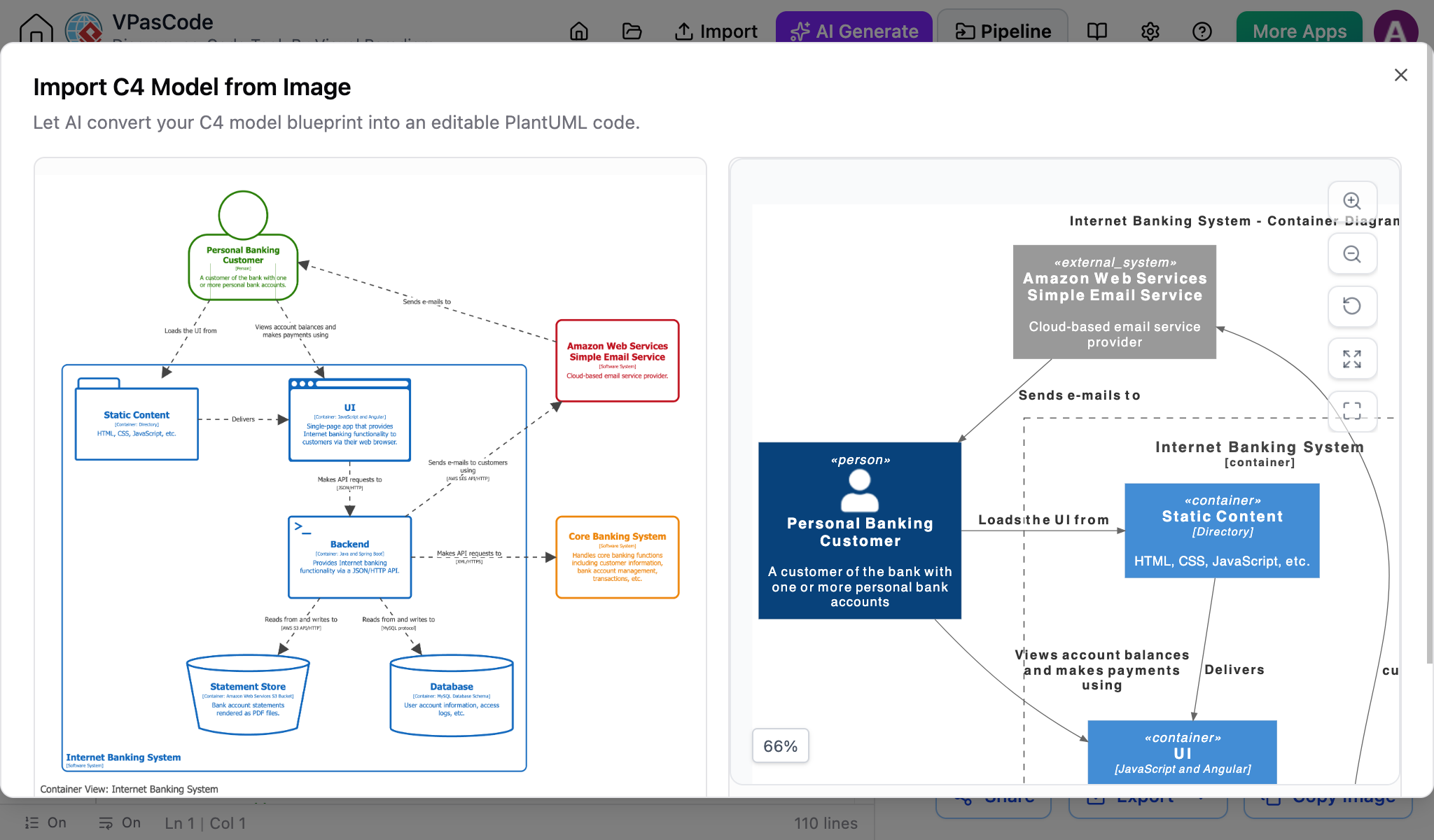
Side-by-Side Review
Inspect the side-by-side comparison screen. The AI places your original uploaded image on the left and the newly generated live diagram preview on the right for quick verification.
Confirm and Start Editing
Click Confirm Import to transfer the generated PlantUML code directly into your editor. You can now modify labels, add components, or refactor layouts in real time.
Key Capabilities
Everything you need to turn static images into living architecture documents.
AI OCR Recognition
Automatically extracts container names, labels, and connection paths directly from pixel structures into structured code.
Side-by-Side Verification
Inspect your uploaded image right next to the newly generated preview to ensure complete accuracy.
Flexible Visual Styles
Switch between canonical blue C4 shapes or modern illustrative styles upon import.
Connect Your Diagrams to the Visual Paradigm Ecosystem
Importing your diagram as code is just the first step. Take your architecture work further across our product suite.
Fine-Tune with VPasCode
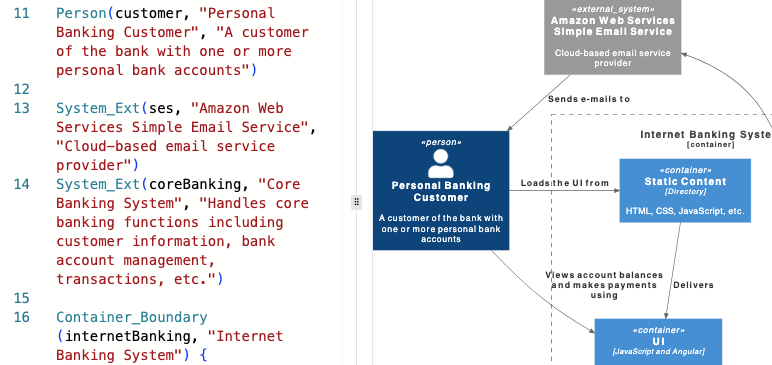
Refine your imported architecture textually within VPasCode. Modify container relationships, adjust labels, and track changes easily in version control systems like Git alongside your application code.
Publish to OpenDocs
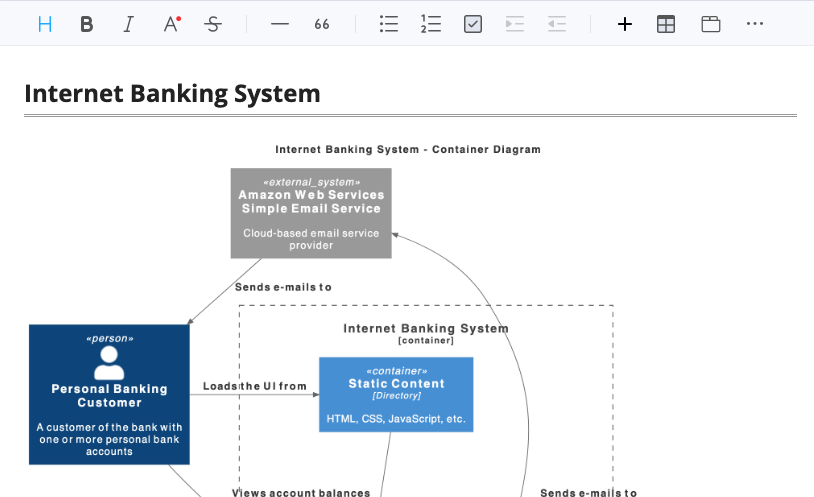
Send your converted C4 model directly to Visual Paradigm OpenDocs. Keep technical specs, system architecture guides, and live visual diagrams synced in one central knowledge hub.
Frequently Asked Questions
What image formats are supported for import?
You can upload standard image formats like PNG, WEBP, GIF and JPEG, or paste a direct image URL from the web.
How can I get the best AI recognition results?
For best results, use clear, high-resolution screenshots with legible text and well-spaced elements. Avoid blurry images or heavily overlapping connectors.
What output code format does the tool generate?
The AI engine converts image elements into standard PlantUML C4 code, which you can edit directly or track using version control systems like Git.
Which edition is required to use this feature?
Access to the AI C4 Model Import feature is included with VP Desktop Professional Edition or VP Online Combo Edition.
Turn Your Architecture Images into Code Today
Stop redrawing diagrams. Upload your screenshot and start editing in seconds with VPasCode.