AI Cloud Architecture Studio
Describe your cloud requirements in plain language, and let AI generate comprehensive, detailed, and visually appealing cloud architecture diagrams.
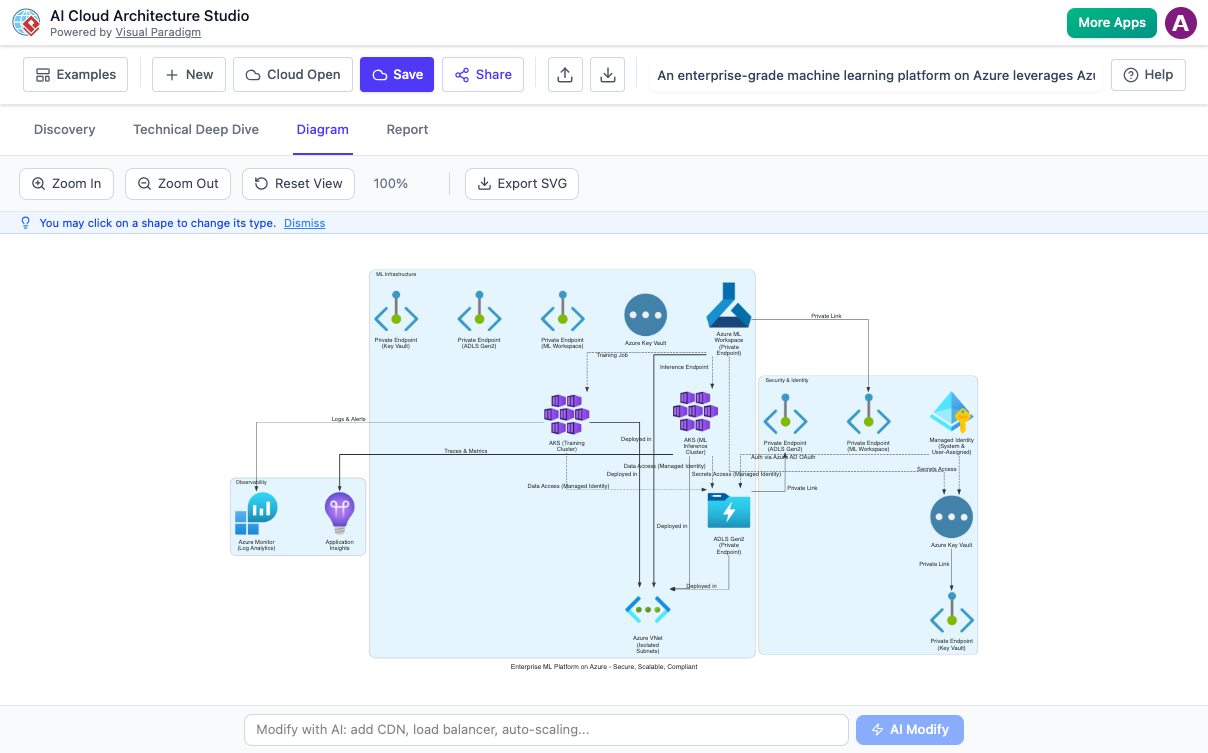
Accelerate Your Cloud Design Process
Drastically cut down the time spent on initial architecture design and diagramming. Let AI handle the heavy lifting of cloud infrastructure planning.
The AI Cloud Architecture Studio by Visual Paradigm revolutionizes cloud infrastructure design. Describe your cloud requirements in plain language, and our AI generates comprehensive, detailed, and visually appealing cloud architecture diagrams across multiple cloud providers.
AI-Powered Diagram Generation
Stop manually dragging and dropping cloud icons. Our generative AI engine interprets your natural language descriptions to build professional cloud architecture diagrams instantly.
- Natural Language Interpretation: Simply describe your cloud infrastructure needs in everyday language, and the AI identifies key components and relationships.
- Intelligent Component Placement: The AI doesn't just place icons; it models logic. It generates proper cloud service relationships, network configurations, and architecture patterns automatically.
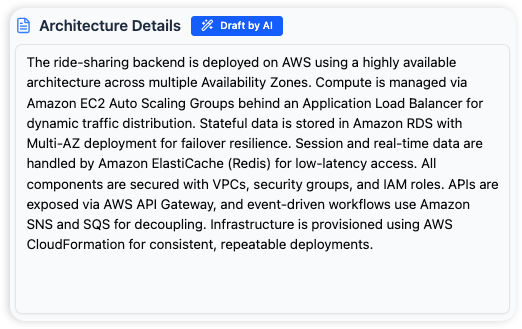
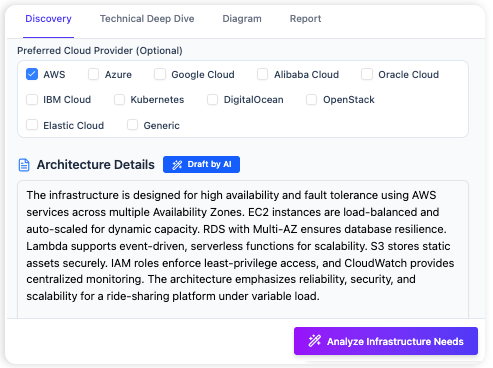
Design Across Any Cloud Platform
Effortlessly design solutions across various cloud providers without needing to master each provider's specific tooling or iconography. The AI Cloud Architecture Studio supports all major platforms.
- Comprehensive Provider Support: AWS, Azure, Google Cloud, Alibaba Cloud, Oracle Cloud, IBM Cloud, Kubernetes, and DigitalOcean.
- Hybrid Cloud Designs: Compare architectures across different providers or create hybrid cloud solutions within a single, consistent environment.
Why Visual Paradigm
Plain English Commands
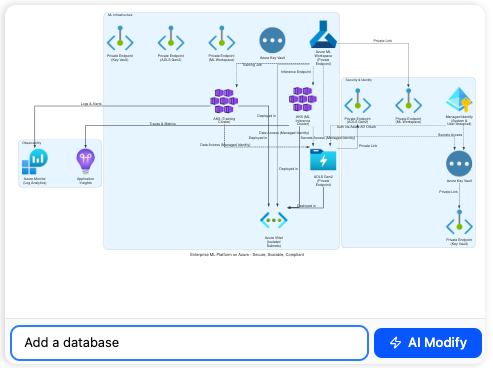
Just say "Add a database" or "Make it secure," and watch the map update. You don't have to be a cloud expert to know every technical icon—you just need to know what you want your business to achieve.
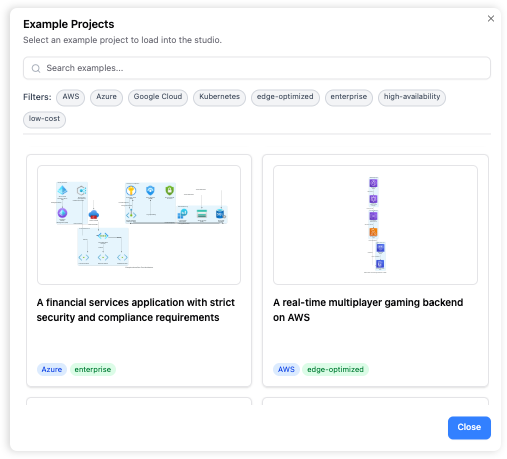
Instant Cloud Templates
You don’t have to start with a blank screen. Our library is packed with "starter blueprints" for all the major cloud providers. You can browse, click, and open professional examples to see how the experts do it:
Let the AI Do the Drawing
Now you can move beyond manual graphic design. With AI Cloud Architecture Studio, you simply type what you need in plain English, and the AI Cloud Architecture Studio builds a professional, accurate map in seconds.
Intelligent Design Assistance
This intelligent cloud builder helps catch mistakes early, ensuring your first draft is built on a solid foundation. It acts as a digital consultant, guiding you through the discovery process so your final architecture is both accurate and professional.
Key Features
Discover the powerful capabilities that make cloud architecture design intuitive and effective.
Architecture Strategy Selection
Choose from predefined strategies like "Low Cost / MVP," "High Availability," "Enterprise Grade," or "Edge Optimized" to guide the AI in generating architecture tailored to your priorities.
Interactive Diagram Editor
View, zoom, pan, and examine your generated architecture diagrams. Click on individual components to explore alternative options or properties with dynamic visual feedback.
AI Diagram Modifications
Request changes using natural language prompts. The AI intelligently adjusts your architecture, enabling iterative design without manual diagramming.
Frequently Asked Questions
Learn more about the AI Cloud Architecture Studio.
What if the AI doesn't generate exactly what I expect?
The AI is a powerful assistant, but it might need refinement. Use the clarification questions to provide more specific details. You can also use the "AI Modify" feature in the Diagram Editor to request specific changes using natural language until the diagram meets your vision.
Can I design for multiple cloud providers simultaneously?
Yes, in the Discovery tab, you can select multiple cloud providers. The AI will then attempt to create a cohesive architecture that spans your chosen environments or integrates them where appropriate.
Is there a way to guide the AI towards a cheaper or more robust architecture?
Absolutely! In the Discovery tab, select an "Architecture Strategy" like "Low Cost / MVP" to prioritize cost savings, or "High Availability" and "Enterprise Grade" for more resilient and secure designs.
Do I need to be an expert in cloud computing to use this?
Not at all! The Studio is designed to be user-friendly. Its natural language interface and AI guidance make it accessible even if you're new to cloud architecture. It's a great tool for learning and visualizing complex concepts.
What kind of diagrams does it generate?
The Studio generates high-level conceptual cloud architecture diagrams, illustrating key services, their relationships, and data flows relevant to your description. It focuses on functional components rather than low-level network details.
Can I export my diagrams for documentation?
Yes, you can export your diagrams as high-quality SVG (Scalable Vector Graphics) files, perfect for inclusion in documentation, presentations, or further editing in vector graphic software.