AI-Powered Site Builder
A modern, visual website editor that allows you to design, build, and publish professional websites with the help of artificial intelligence.
AI Site Generator
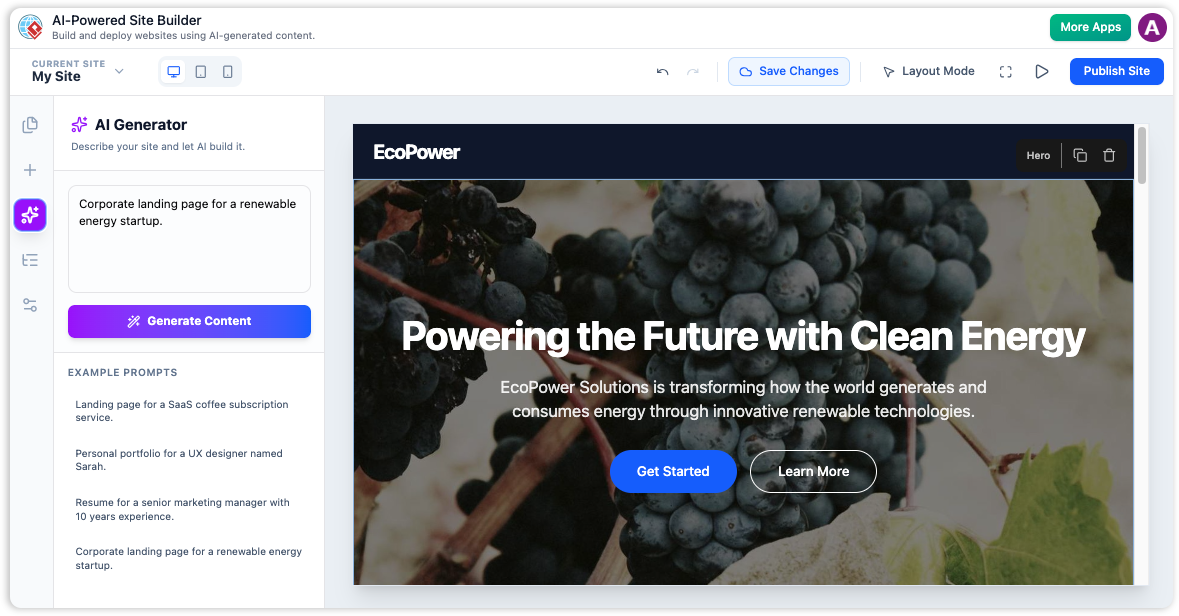
Provide a text prompt describing your desired website and the AI generates the entire page structure and content, eliminating the "blank page" problem.
Block-Based Visual Editor
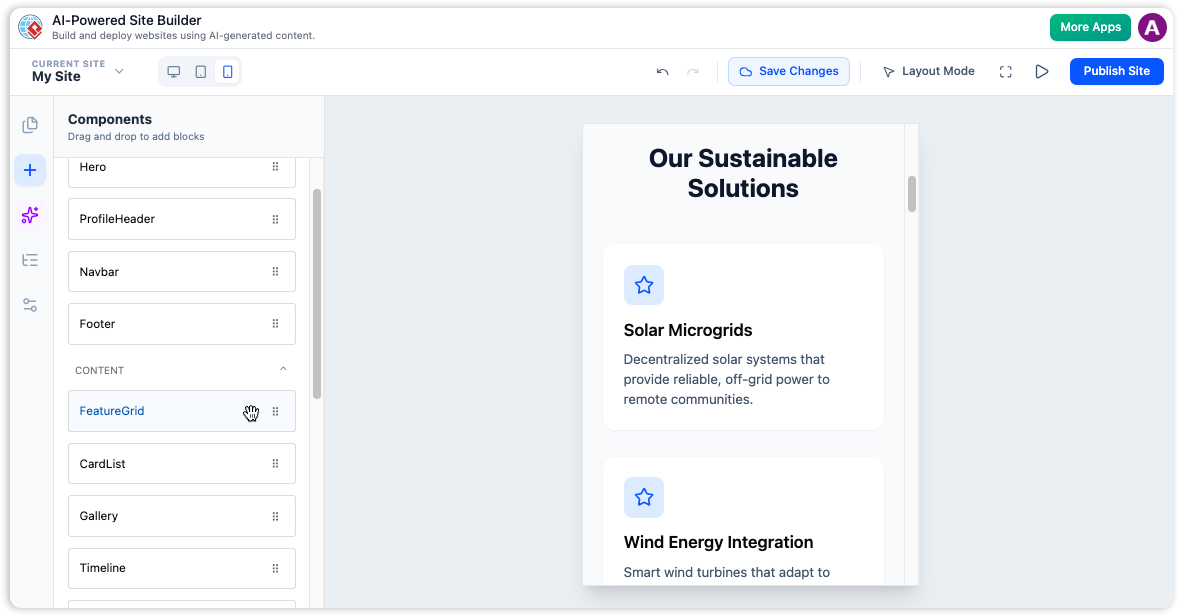
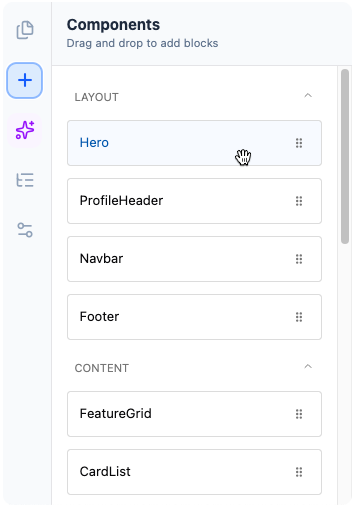
Build pages by dragging and dropping pre-designed blocks like Hero sections, Feature Grids, and Testimonials. It's like playing with digital LEGOs for your website.
Live Editing & Properties Panel
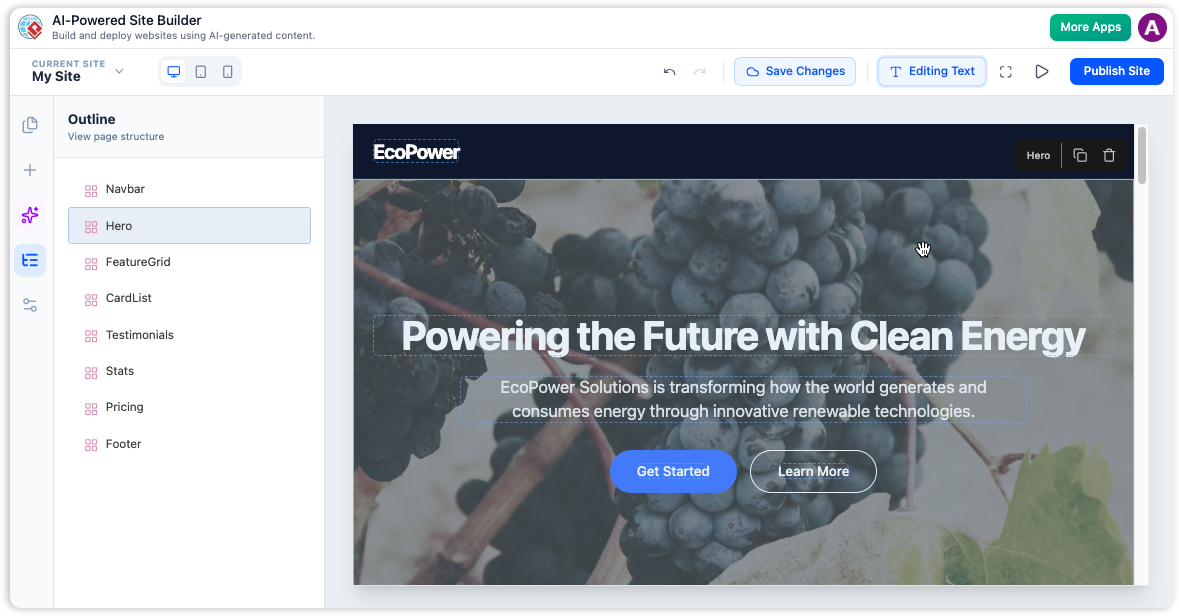
Click any block and instantly change text, upload images, or adjust colors in the properties panel with a true "what you see is what you get" experience.
Experience the Power of the AI Site Builder
Go from a simple idea to a fully designed, multi-section webpage in minutes.
The AI-Powered Site Builder is a modern, visual website editor that allows you to design, build, and publish professional websites with the help of artificial intelligence. The studio is built around a block-based system where you can construct pages by arranging pre-designed components like hero sections, galleries, and pricing tables. The powerful AI can generate an entire, multi-section webpage for you from a single text prompt, giving you a beautiful and functional starting point in seconds.
AI Site Generator
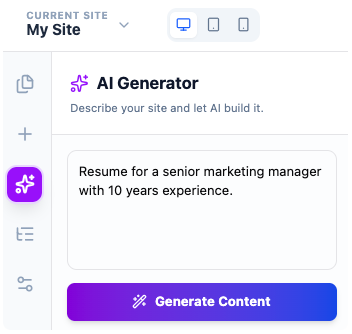
This is the core AI feature. You provide a text prompt describing your desired website (e.g., "A landing page for a new fitness app called 'FitTrack'"), and the AI generates the entire page structure and content.
-
Eliminates the "blank page" problem, providing a complete draft.
-
Generates relevant text and images from a single prompt.
-
Acts like a web designer building a mockup in real-time.
Block-Based Visual Editor
Build your pages by dragging and dropping a wide variety of pre-designed blocks, such as Hero sections, Feature Grids, Testimonials, and more. This component-based approach makes it easy to construct complex page layouts without needing to worry about the underlying code.
-
Drag and drop pre-designed blocks for easy page construction.
-
Create complex layouts without writing a single line of code.
-
"Playing with digital LEGOs" for professional website components.
From Design to Live in Seconds
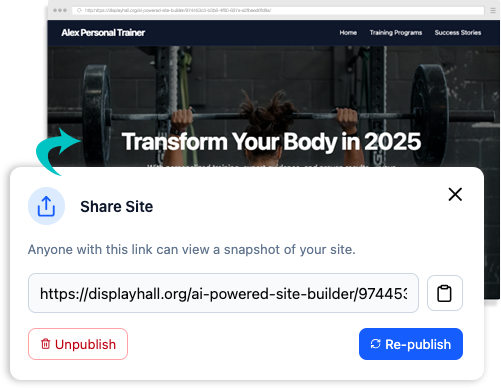
Once you're satisfied with your website, publishing it is just a click away. Our streamlined process handles all the technical details, getting your site online quickly and securely. No need for complicated configurations or server management.
-
Instantly publish your AI-generated site to the web.
-
No need for separate hosting services.
-
Easily share your site with others via a direct link.
A Powerful, All-in-One Site Builder
From AI generation to a visual editor and one-click publishing, everything you need is right here.
AI Powered Generation
Provide a text prompt describing your desired website, and the AI generates the entire page structure and content.
Multi Sites & Multi Pages
Effortlessly manage multiple websites and pages from a single, intuitive dashboard. Expand your online presence with ease.
Save & Publish Instantly
Save your projects to the cloud and publish your finished website to a live, shareable URL with one click.
Key Benefits
- Launch Your Website in Minutes: Go from idea to a fully designed webpage in the time it takes to write a prompt.
- No Coding Required: A visual, drag-and-drop interface means you can build a professional website without writing code.
- Professional Design, Instantly: The AI and pre-designed blocks ensure your site looks great right out of the box.
- Full Customization Control: The AI gives you a head start, but you have the final say on every element.
- Always Responsive: Every site is automatically designed to look great on desktops, tablets, and mobile phones.
Getting Started & Core Workflows
Go from idea to published site in a few simple steps.
Launch the Site Builder
Open the application and create a new site.
Generate a Page with AI
In the AI tab, type a prompt describing the site you want, e.g., "A modern portfolio for a freelance photographer."
Customize a Block
Click on any block to open the "Properties" panel and change the text, images, or colors.
Add a New Block
Switch to the "Blocks" tab, find a block you like, and drag it onto the page canvas.
Publish Your Website
Click "Save" to save your project, then click "Publish" to make your site live on the internet.
Creating a Landing Page with AI
Write a detailed prompt including product name, features, and audience. The AI generates a full page that you can refine and publish in minutes.
Building a Multi-Page Portfolio Manually
Start with a blank page, drag and drop blocks like "ProfileHeader" and "Gallery". Use the "Pages" tab to add an "About" page and build it out.
Updating a Published Site
Load your project, make your changes, and click "Republish" to update the live site instantly.
Who is it for?
- Entrepreneurs & Startups: Quickly create a professional landing page for a new product or business.
- Freelancers & Creatives: Build a personal portfolio or business website to showcase your work.
- Small Business Owners: Create and manage a simple, effective web presence for your business.
- Marketers: Rapidly build landing pages for new campaigns and promotions.
Tips & Best Practices
- Start with a Detailed AI Prompt: The more specific you are, the better your starting point will be.
- Build Your Structure First: Lay out the basic block structure of your page before getting lost in details.
- Check All Responsive Views: Before you publish, always click through the Desktop, Tablet, and Mobile views.
- Save Often: Get into the habit of clicking the "Save" button regularly to ensure your progress is always safe.