Professional SysML v2 Studio with AI Assistance
Design, validate, and visualize complex systems with AI-powered SysML v2 modeling. Built for modern software teams and enterprise architects.
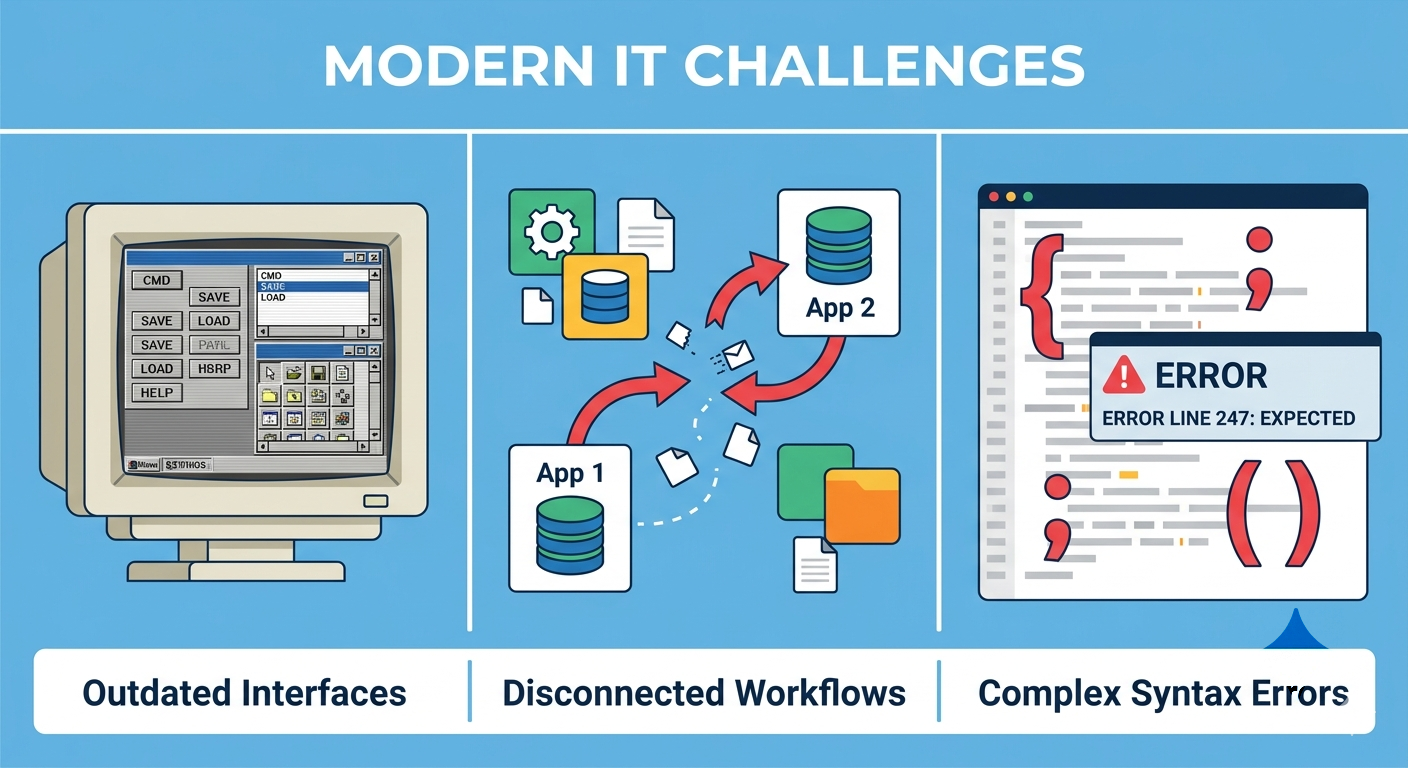
Tired of Traditional Modeling Tools?
-
📅
Outdated Interfaces
Clunky, desktop-bound apps that feel stuck in the past.
-
🔄
Disconnected Workflows
Code and diagrams live in separate tools, causing sync nightmares.
-
⚠️
Complex Syntax Errors
More time spent debugging syntax than designing solutions.
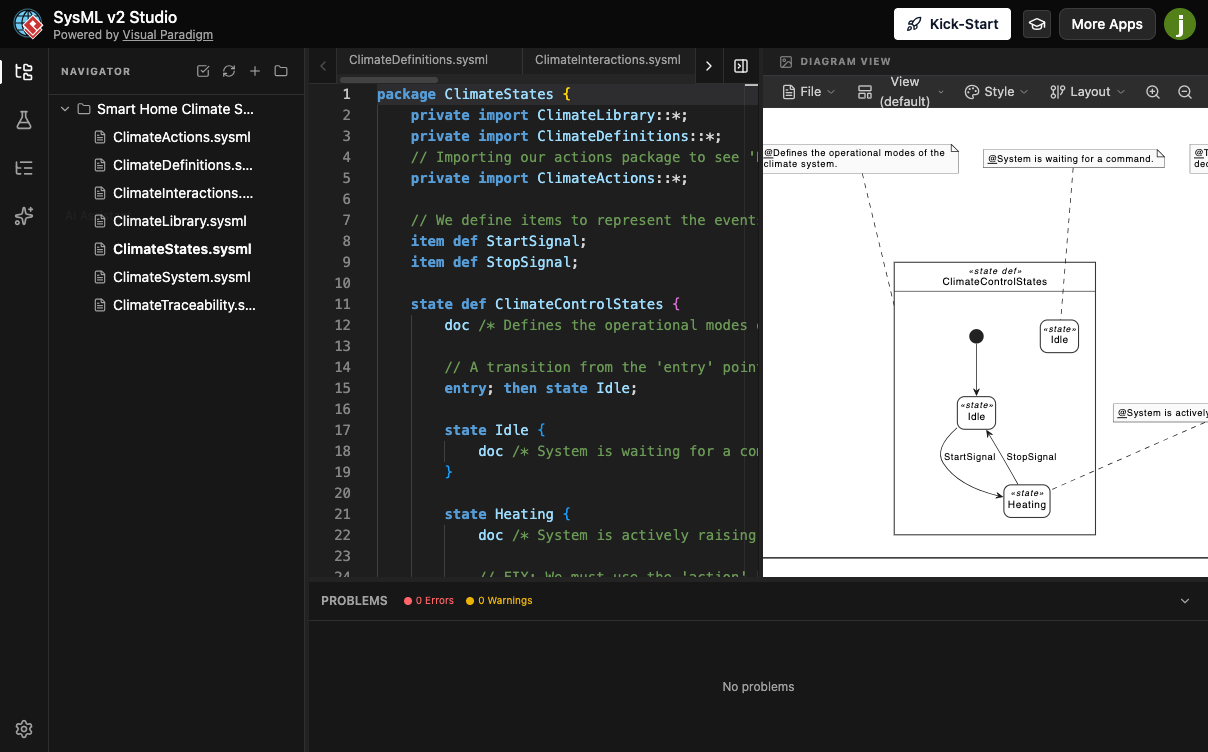
Meet SysML v2 Studio
The SysML v2 Studio reimagines systems engineering for the modern age. Built entirely in the browser, it integrates an intelligent code editor with interactive, auto-layout diagrams. Focus on innovation while we handle the technical complexity.
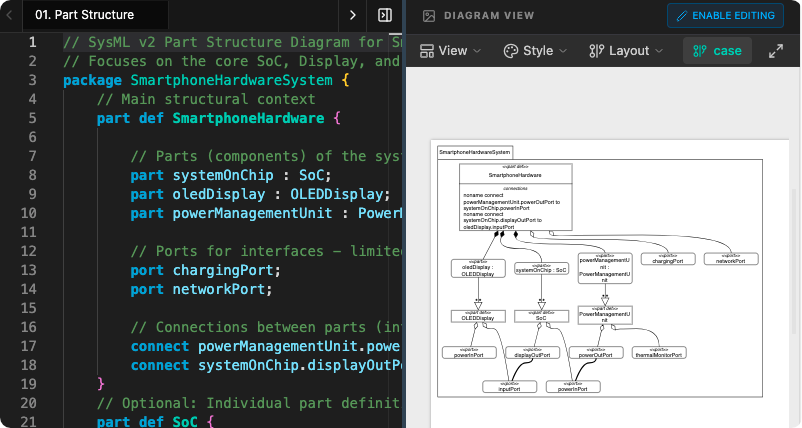
Code-to-Diagram Real-Time Sync
Stop manually drawing diagrams that quickly fall out of sync with your architecture. Our AI SysML v2 Studio revolutionizes the workflow by instantly transforming your code into professional-grade visual representations.
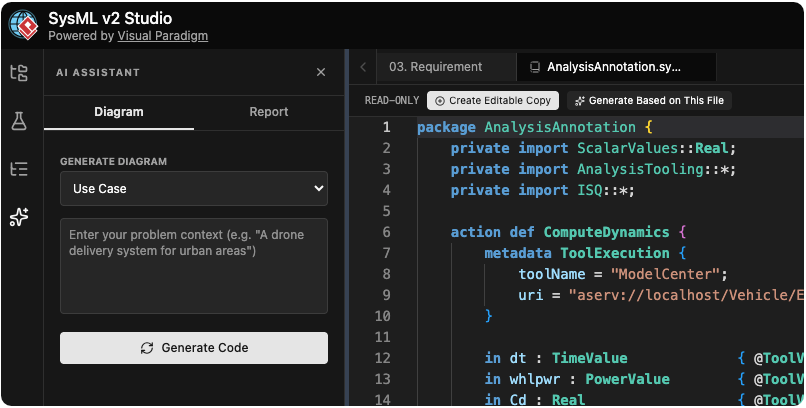
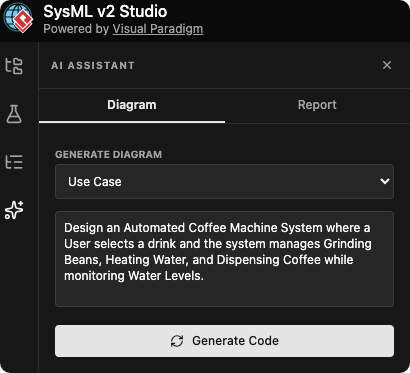
AI-Powered Assistance
Generate SysML diagrams and reports with natural language prompts. Create use case views, requirement diagrams, and activity flows with simple instructions.
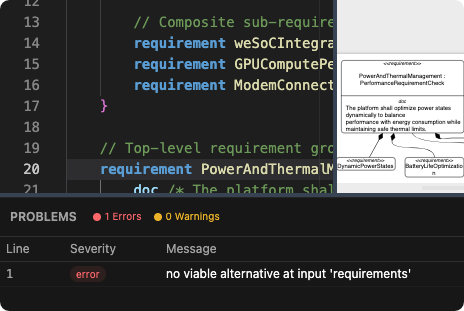
Real-Time Validation & Cross-File Resolution
Built-in validation checks your code instantly. Cross-file import resolution automatically resolves symbols imported from other packages, catching errors before they scale.
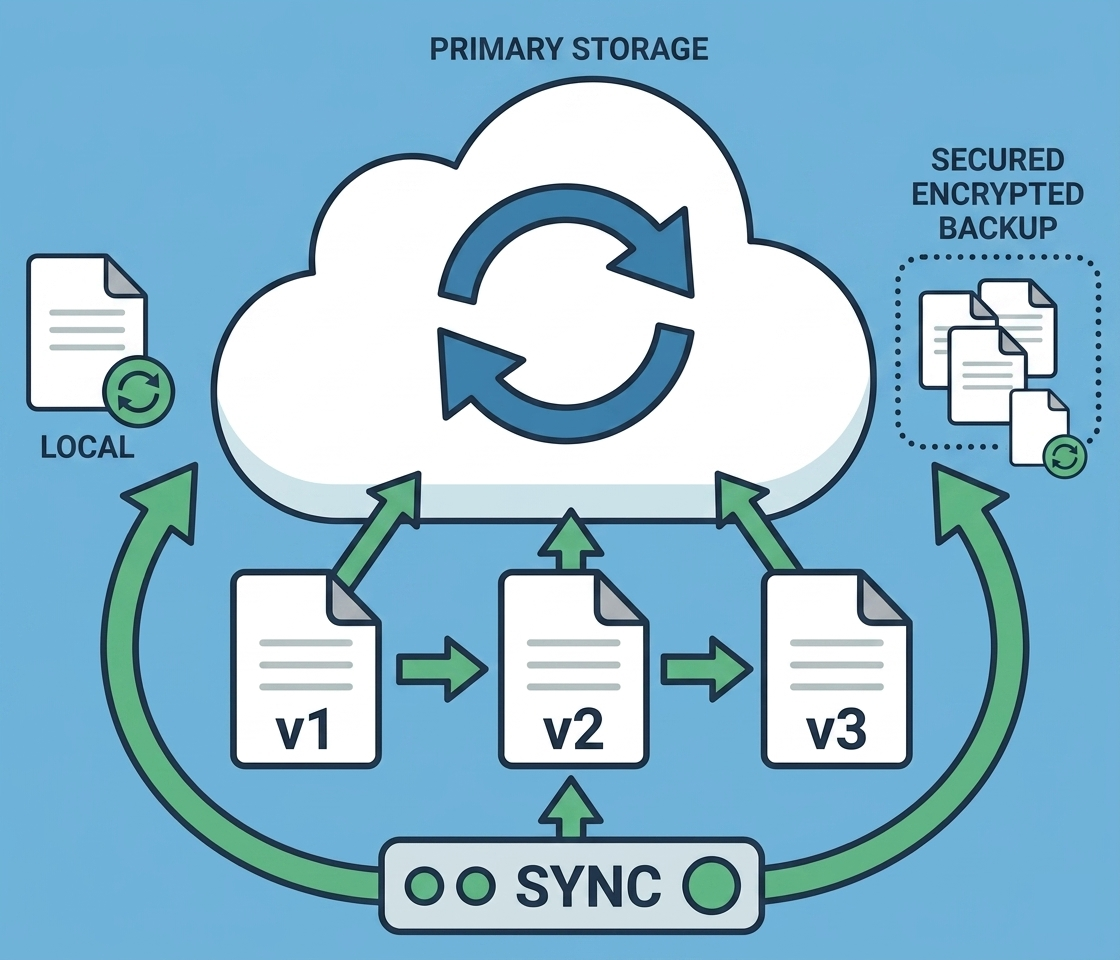
Cloud Storage & Collaboration
Never lose your work with auto-save and version history. Edit and share models across your team with seamless cloud synchronization across all devices.
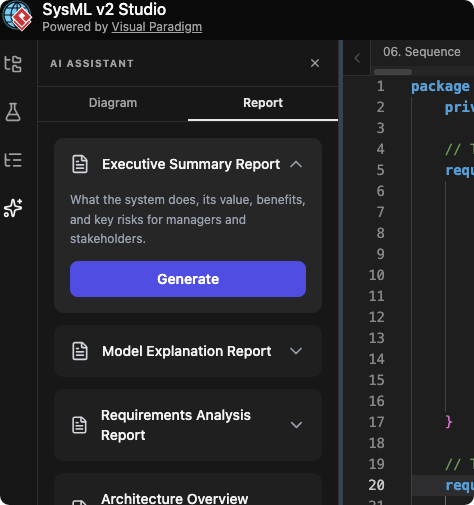
AI-Powered Insights & Reports
Transform complex models into actionable executive insights. Generate comprehensive reports including summaries, requirements analysis, and system recommendations with a single click.
- ✔ Executive Summaries
- ✔ Requirements Analysis
- ✔ System Metrics & Reports
Core Technical Capabilities
Full SysML v2 Support
Blocks, parts, ports, requirements, use cases, states, actions, flows, and allocations.
Interactive Diagramming
Powerful auto-layout engine for Use Case, Activity, State, and Sequence diagrams.
Syntax-Highlighted Editor
Professional editor built on Monaco with autocomplete and bracket matching.
Intelligent Navigation
Find definitions and references effortlessly across your entire model structure.
Advanced Styling
Customize line styles and visibility. Export as high-quality PNG or SVG.
Organized File Management
Intuitive folder organization to maintain structure as your projects grow.
Integrated Learning Center
Master SysML v2 without ever leaving the application.
Learn by Doing
Access editable examples: Camera Systems, Turbojet Engines, and more.
Tutorials & Case Studies
Step-by-step guided lessons and complete notation guides.
How It Works in 3 Simple Steps
Start or Import
Create a file from scratch or import models from our built-in library.
Model Your System
Write code with autocomplete and watch diagrams render automatically.
Export & Share
Export diagrams and generate AI reports for your team.
Frequently Asked Questions
Everything you need to know about the SysML v2 Studio.
What is SysML v2?
Systems Modeling Language version 2 is the latest iteration of the OMG standard for systems engineering. It provides a unified framework for modeling complex systems across multiple domains including aerospace, automotive, medical devices, and software-intensive systems.
Do I need to install anything?
No! SysML v2 Studio runs entirely in your web browser. No downloads, no installations, and no updates to manage. Just open your browser and start modeling.
How does the AI assistant work?
- Generate SysML code from natural language descriptions
- Create specific diagram types (use case, requirement, activity, etc.)
- Generate executive reports and analysis
AI features are available on Professional and Enterprise plans.
Can I export diagrams?
Yes! You can export your diagrams as high-quality SVG or PNG files for documentation, presentations, or technical reports. We are also continuously working on supporting more model export formats.
Can I organize my models in folders?
Yes! The modeler supports organized file management with folder grouping. Group related SysML files together, navigate complex projects with ease, and maintain a clean project structure as your models grow.
Ready to Transform Your Workflow?
Join the future of modeling. Start building better systems, faster.
Try Now