
Unified Modeling Language (UML) is a standardized visual modeling language for specifying, visualizing, constructing, and documenting software systems. It helps teams communicate design intent, validate requirements early, reduce ambiguities, and align stakeholders from developers to business users. When done well, UML diagrams accelerate development, catch flaws before coding, and serve as living documentation.
However, UML is often misused, leading to confusion, wasted effort, technical debt, and project failures. Poor diagrams can mislead teams, propagate errors into implementation, or become obsolete artifacts that no one trusts. This guide outlines 10 deadly UML mistakes, with explanations, real-world impacts, examples, and practical fixes. It draws from common pitfalls observed in student projects, industry practices, and expert resources.
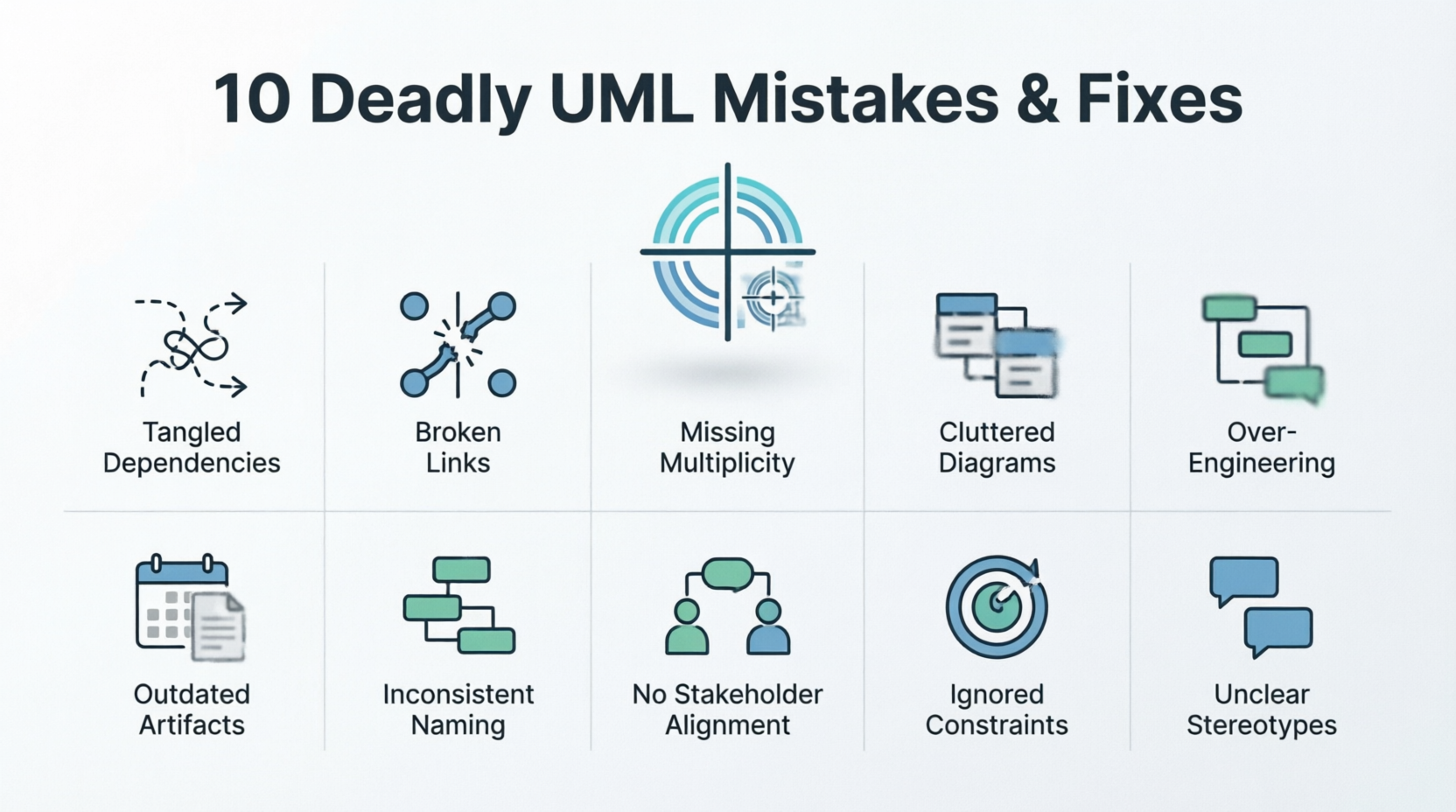
Mastering these will transform your UML from a liability into a powerful asset.
Before diving in, recall core ideas:
Structural diagrams (e.g., Class, Component, Deployment) show the "what" — static architecture.
Behavioral diagrams (e.g., Use Case, Sequence, Activity, State Machine) show the "how" — dynamic interactions and flows.
Relationships: Association (loose), Aggregation (shared ownership), Composition (strong ownership/lifetime), Generalization (inheritance), Dependency.
Abstraction levels: Conceptual (high-level domain), Logical (detailed design), Physical/Implementation (tech-specific).
Notation matters: Strict adherence to UML standards ensures clarity (e.g., filled vs. hollow diamonds for composition vs. aggregation).
Purpose-driven: Diagrams should target a specific audience and viewpoint; not everything needs to be modeled.
Keep diagrams simple, consistent, and purposeful. Use tools like Enterprise Architect, Visual Paradigm, Lucidchart, or PlantUML for validation and collaboration.
Mistake: Mixing symbols inconsistently (e.g., using the same arrow style for different meanings) or deviating from UML standards across diagrams or team members.
Impact: Confusion, misinterpretation, and integration errors when teams implement from diagrams.
Example: One developer uses a dashed arrow for dependency while another uses it for realization; class names vary ("User" vs. "Customer").
Fix: Adopt and enforce UML 2.x standards team-wide. Create a style guide or profile. Use tool validation features. Review diagrams collaboratively.
Mistake: Cramming too many elements, attributes, operations, or details into one diagram, making it cluttered and unreadable.
Impact: Stakeholders ignore it; key insights get lost in noise.
Example: A class diagram showing every attribute/method for a large system, with crossing lines everywhere.
Fix: Apply "Less is more." Focus on one viewpoint or concern per diagram. Use packages, abstraction, or multiple simpler diagrams. Hide details with notes or separate views.
Mistake: Confusing association, aggregation, composition, inheritance, etc. (e.g., using composition for a loose "has-a" where aggregation fits).
Impact: Wrong lifetime management, tight coupling, or flawed object models leading to bugs or refactoring nightmares.
Example: Modeling a "Car" composing "Wheel" when wheels can be shared or replaced (better as aggregation). Or misusing inheritance for "is-a" that violates Liskov Substitution.
Fix: Clearly define semantics (e.g., composition implies exclusive ownership and lifetime control). Review with peers or domain experts. Document rationale in notes.
Mistake: Putting behavioral elements in structural diagrams (or vice versa), or using the wrong diagram for the purpose.
Impact: Incomplete or misleading models that fail to capture the right aspects.
Example: Adding sequence flows or actor interactions directly into a class diagram instead of using a dedicated Sequence or Use Case diagram.
Fix: Match elements to diagram purpose (e.g., Sequence for interactions over time; Class for static structure). Learn when to use each of the 14 UML diagram types.
Mistake: Inconsistencies between diagrams (e.g., mismatched class names, missing relationships, or conflicting multiplicities).
Impact: Contradictory guidance leads to implementation mismatches and integration failures.
Example: A Use Case references "OrderProcessor" while the Class diagram calls it "OrderHandler."
Fix: Cross-reference and validate regularly. Use model repositories or tools with consistency checks. Maintain a shared glossary. Version control diagrams.
Mistake: Creating diagrams once and letting them become obsolete as the system evolves.
Impact: Teams stop trusting them, or worse, implement from stale models, causing defects.
Example: Sequence diagrams reflecting initial design but not updated after refactoring.
Fix: Treat diagrams as living artifacts. Update high-level ones preferentially (they age better). Integrate with code (reverse engineering where possible). Schedule reviews in sprints.
Mistake: Too vague (missing key relationships) or too detailed (including implementation plumbing early).
Impact: Diagrams either provide no value or overwhelm readers.
Example: Low-level sequence diagrams for simple logic, or high-level architecture missing critical dependencies.
Fix: Tailor to audience and phase: conceptual for stakeholders, detailed for developers. Avoid diagrams for trivial logic. Use notes for context.
Mistake: Lines crossing excessively, non-intuitive arrangement, or ignoring visual flow (e.g., messages not left-to-right).
Impact: Hard-to-follow diagrams reduce comprehension and adoption.
Example: A tangled sequence diagram where lifelines zigzag.
Fix: Minimize crossings. Arrange hierarchically (parents up, left-to-right flow). Use orthogonal lines and tidy layouts. Tools often have auto-layout features.
Mistake: Creating generic diagrams without considering who will use them or why.
Impact: Irrelevant or unhelpful models waste time.
Example: Detailed technical class diagrams presented to business stakeholders.
Fix: Define viewpoint and audience upfront. Use simplified views or different diagrams for different groups. Include legends and explanations.
Mistake: Treating UML as exhaustive code blueprints (leading to maintenance hell) or skipping it entirely, jumping straight to code.
Impact: Either rigid, outdated models or chaotic development with poor communication.
Example: Generating all code from UML then struggling to keep models in sync, or no modeling at all for complex interactions.
Fix: Use UML judiciously for communication, exploration, and key decisions—not full code gen unless in MDA contexts. Combine with other artifacts (user stories, code comments). Start small and iterate.
Here is a summary table of the 10 deadly UML mistakes outlined in the article, detailing the core issue, its impact, and the recommended fix:
| # | Mistake | Description | Impact | Practical Fix |
|---|---|---|---|---|
| 1 | Inconsistent Notation | Mixing symbols or deviating from UML standards across the team. | Causes confusion, misinterpretation, and integration errors. | Adopt UML 2.x standards, create a style guide, and use tool validation. |
| 2 | Overcomplicating Diagrams | Cramming too many elements, attributes, and details into a single diagram. | Stakeholders ignore it; key insights get lost in the noise. | Focus on one viewpoint per diagram, use packages, and hide unnecessary details. |
| 3 | Misused Relationships | Confusing associations, aggregations, compositions, or inheritance. | Leads to wrong lifetime management, tight coupling, and flawed object models. | Clearly define relationship semantics, review with peers, and document rationale. |
| 4 | Wrong Diagram Types | Placing behavioral elements in structural diagrams (or vice versa). | Results in incomplete or misleading models that fail to capture the right aspects. | Match elements to the correct diagram purpose (e.g., Sequence for time-based interactions). |
| 5 | Inconsistency Across Diagrams | Mismatched names, missing relationships, or conflicting multiplicities between different diagrams. | Contradictory guidance leads to implementation mismatches and integration failures. | Cross-reference regularly, use model repositories with consistency checks, and maintain a glossary. |
| 6 | Outdated Diagrams | Failing to update diagrams as the system evolves and code changes. | Teams stop trusting them or implement from stale models, causing defects. | Treat diagrams as living artifacts, prioritize updating high-level views, and integrate with code. |
| 7 | Wrong Abstraction Level | Being too vague (missing key parts) or too detailed (including low-level plumbing early). | Diagrams either provide no value or overwhelm the readers. | Tailor the level of detail to the specific audience (conceptual for stakeholders, detailed for devs). |
| 8 | Poor Layout & Readability | Excessive line crossings, cluttered arrangements, and ignoring visual flow. | Hard-to-follow diagrams reduce comprehension and team adoption. | Minimize crossings, arrange hierarchically, and utilize auto-layout features in tools. |
| 9 | Ignoring Audience/Purpose | Creating generic diagrams without a specific target audience or goal in mind. | Irrelevant or unhelpful models waste time and effort. | Define the viewpoint upfront, use simplified views for different groups, and include legends. |
| 10 | Over/Under-Reliance on UML | Treating UML as exhaustive code blueprints or skipping it entirely to jump straight to code. | Leads to rigid, outdated models or chaotic, poorly communicated development. | Use UML judiciously for communication and key decisions, combining it with agile artifacts. |
Key Takeaway: UML should be treated as a purposeful communication tool rather than an end in itself. By keeping diagrams simple, consistent, audience-focused, and regularly updated, teams can avoid technical debt and significantly boost project success rates.
E-commerce System: A class diagram with incorrect composition for "ShoppingCart" and "Item" (items can exist independently) leads to data loss on cart abandonment. Fix: Switch to aggregation and validate with domain experts.
Sequence Diagram for Payment Flow: Over-detailed with every error branch clutters it. Fix: Create one for happy path + notes for alternatives; keep abstract.
Real projects suffer when these accumulate: misaligned teams, delayed releases, and higher defect rates.
Education & Standards: Train the team; enforce a UML style guide.
Tools: Leverage validation, version control, and collaboration features.
Processes: Integrate reviews into agile ceremonies. Keep models lightweight and iterative.
Best Practices: Less is more; no crossings; consistent naming; audience-focused; regular updates.
Validation: Cross-check with requirements, code, and peers. Use checklists for common errors.
UML remains valuable for modern software projects when applied thoughtfully. Avoiding these 10 deadly mistakes will improve communication, catch issues early, reduce rework, and boost project success rates. Remember: UML is a means to better software, not an end in itself. Focus on clarity, relevance, and maintainability.
Start by auditing your current diagrams against this list, then iterate. With practice and discipline, your models will guide rather than hinder your projects. Combine UML with complementary practices like domain-driven design, agile modeling, and code reviews for the best results.
Further Reading: UML 2.5 specification, "The Elements of UML 2.0 Style" by Scott Ambler, and practical tutorials on tools like PlantUML. Apply one fix at a time, and watch your project's health improve.

