
The Unified Modeling Language (UML) is the industry-standard visual modeling language used to specify, visualize, construct, and document the artifacts of software systems. Just as a building requires bricks, beams, and mortar, a UML model is constructed using fundamental elements known as Core Building Blocks.
Understanding these building blocks is essential for software architects, developers, and business analysts to communicate system design clearly, reduce ambiguity, and ensure that all stakeholders share a unified vision of the software.
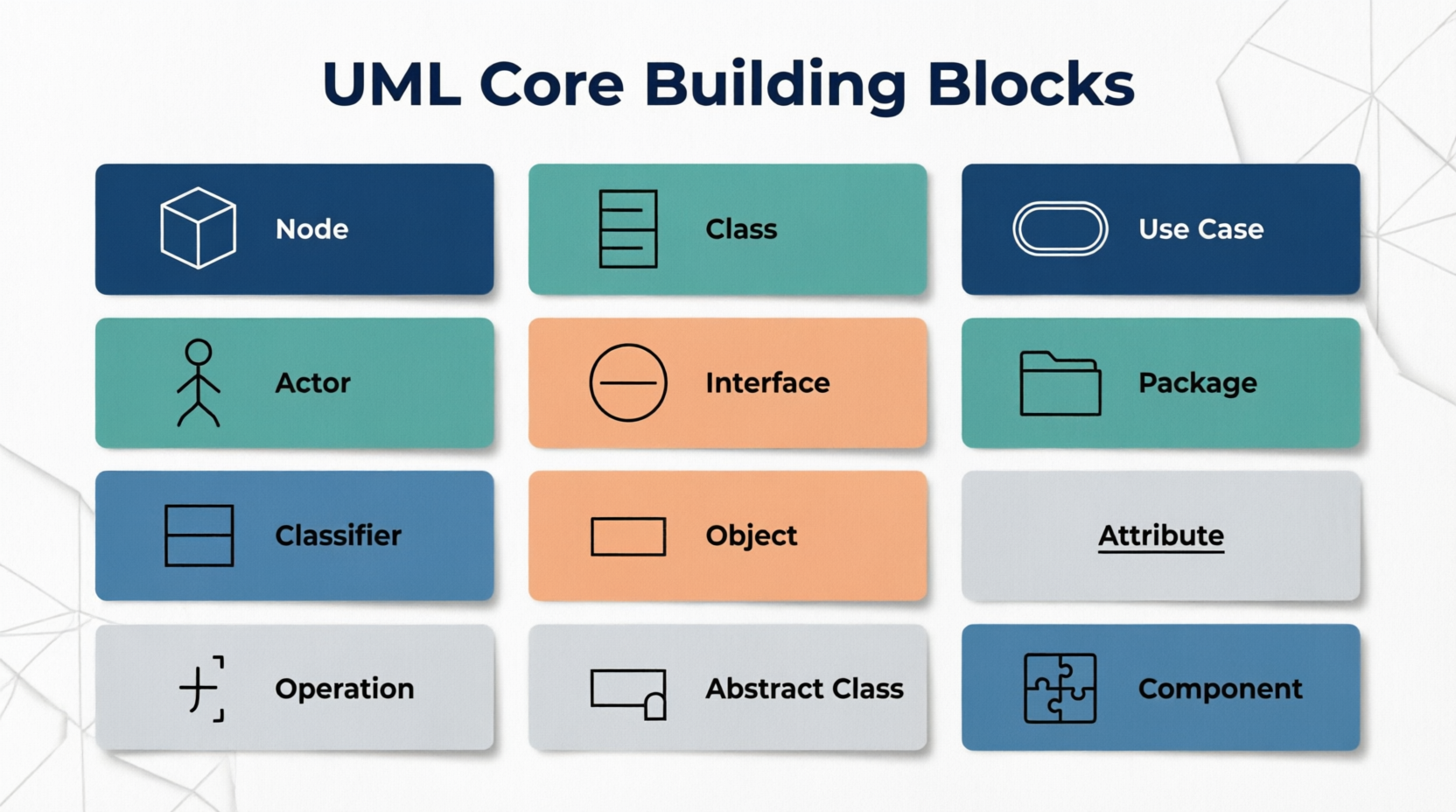
This guide provides a deep dive into the 12 core UML building blocks you need to master. Each concept is explained with its definition, key characteristics, notation, and practical, real-world examples.
Definition: A classifier is a general, overarching term for any UML element that can have instances (or can define a set of instances). It is the "umbrella" concept for many specific UML elements.
Key Characteristics:
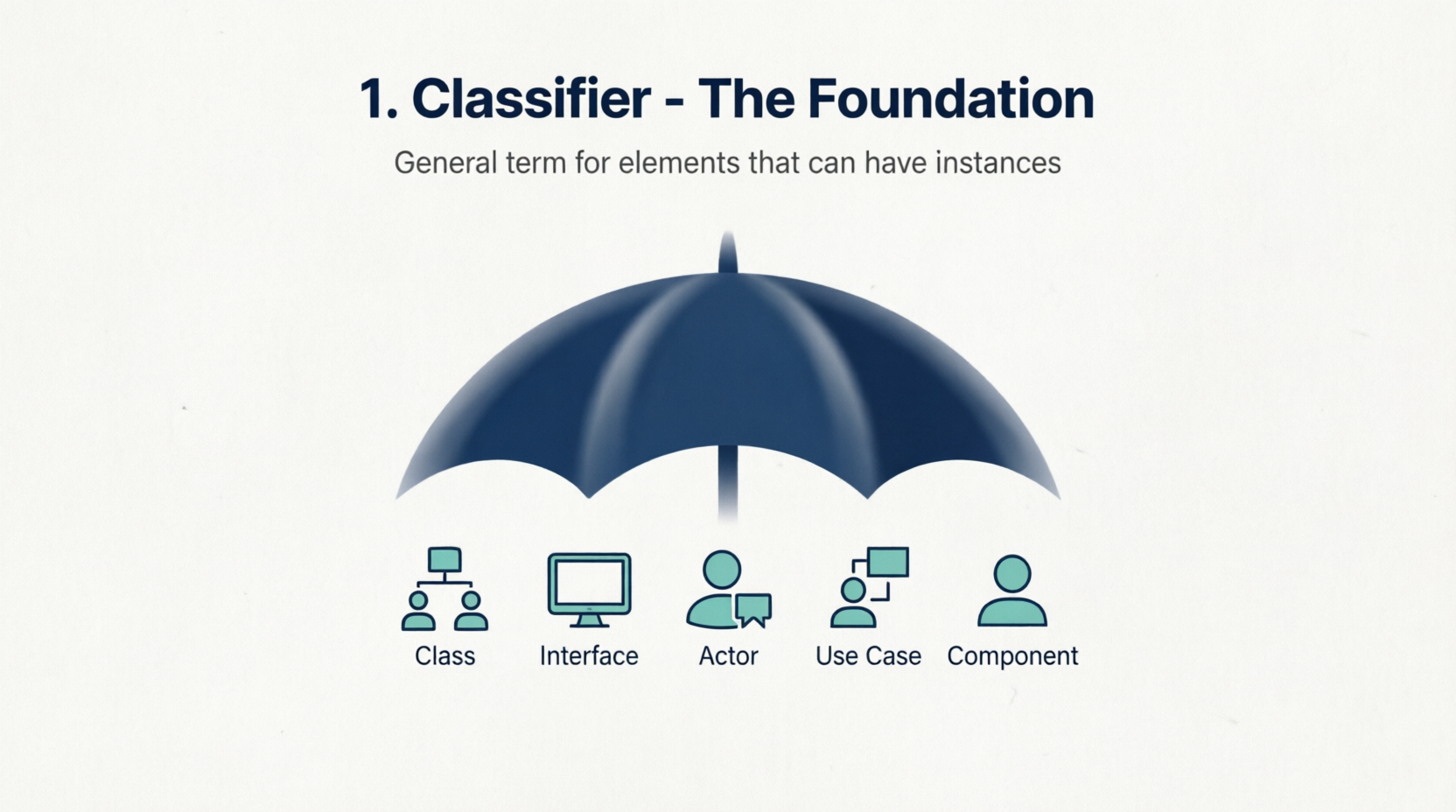
It defines a set of features (attributes and operations).
Common types of classifiers include Classes, Interfaces, Actors, Use Cases, and Components.
Example: In a system, both a User (Class) and an Admin (Actor) are classifiers because they both define a specific set of behaviors and can be instantiated or referenced in a model.
Definition: A class is a blueprint or template for creating objects. It encapsulates the state (data) and behavior (functions) that its objects will possess.
Key Characteristics:
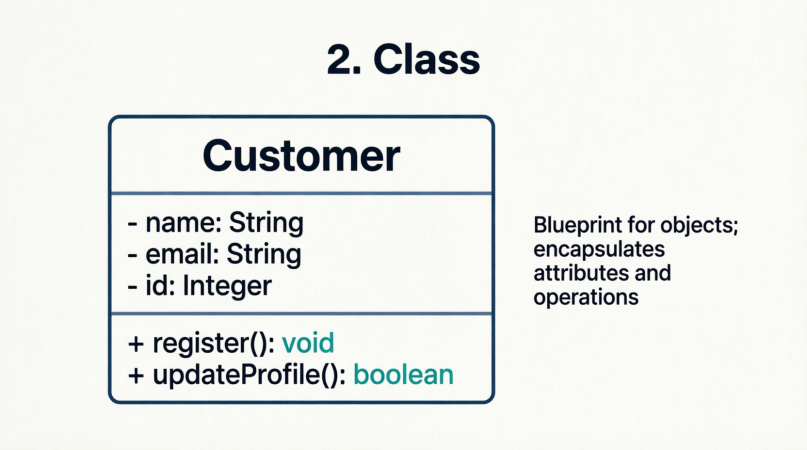
Represented as a rectangle divided into up to three compartments: Name, Attributes, and Operations.
Forms the backbone of Object-Oriented Design (OOD).
Example:
+-----------------------+
|       Customer        |
+-----------------------+
| - customerId: String  |
| - email: String       |
| - isActive: boolean   |
+-----------------------+
| + register(): void    |
| + updateEmail(new: String): boolean |
+-----------------------+
Definition: An object is a specific, concrete instance of a class at a particular point in time. It holds actual data values for the attributes defined in its class.
Key Characteristics:
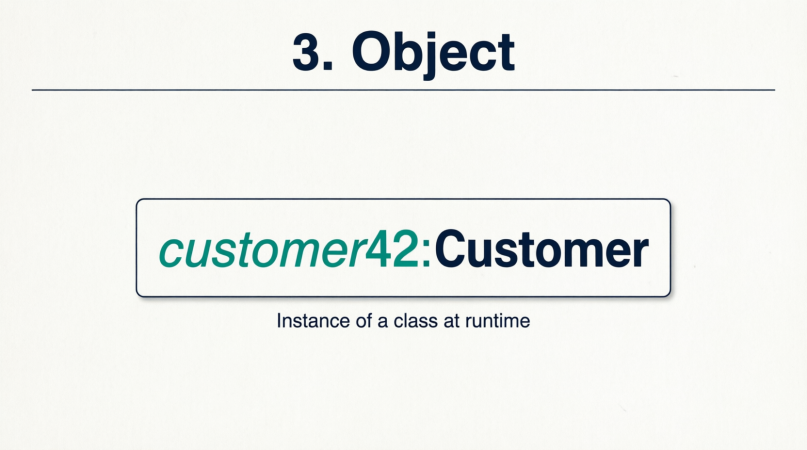
Represented as a rectangle with the object name underlined, followed by a colon and the class name (e.g., objectName : ClassName).
Represents the runtime state of the system.
Example:
+-----------------------------------+
|  customer42 : Customer            |
+-----------------------------------+
|  customerId = "CUST-9981"         |
|  email = "[email protected]"      |
|  isActive = true                  |
+-----------------------------------+
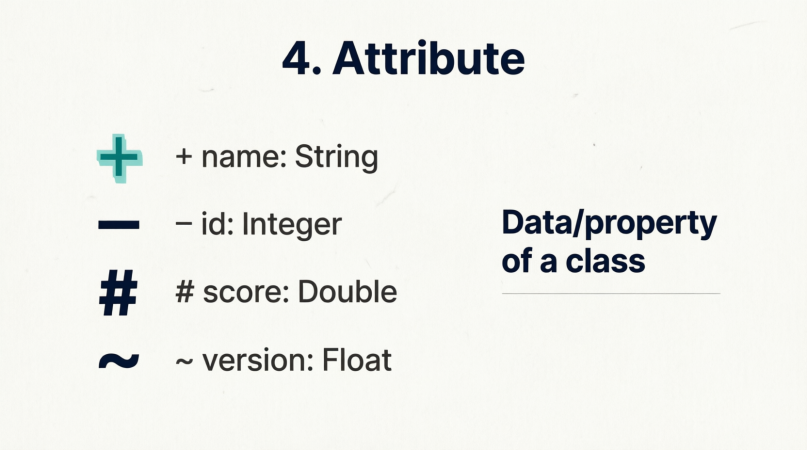
Definition: An attribute is a named property of a classifier (like a class) that describes the range of values that instances of the property may hold. It represents the "state" or "data" of the object.
Key Characteristics:
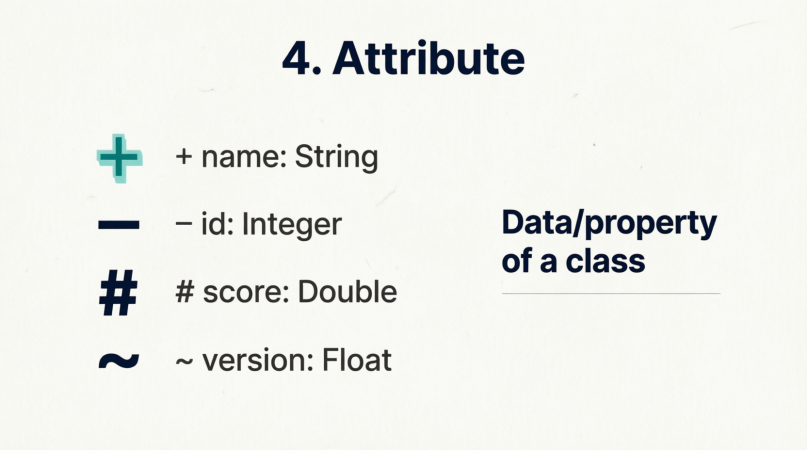
Visibility symbols:
+ Public (accessible from anywhere)
- Private (accessible only within the class)
# Protected (accessible within the class and its subclasses)
~ Package (accessible within the same package)
Example: In a BankAccount class, - balance: double is a private attribute representing the account's current funds, while + accountNumber: String is a public attribute.
Definition: An operation (or method) defines a specific behavior or function that a classifier can perform. It specifies how the object interacts with other objects or manipulates its own state.
Key Characteristics:
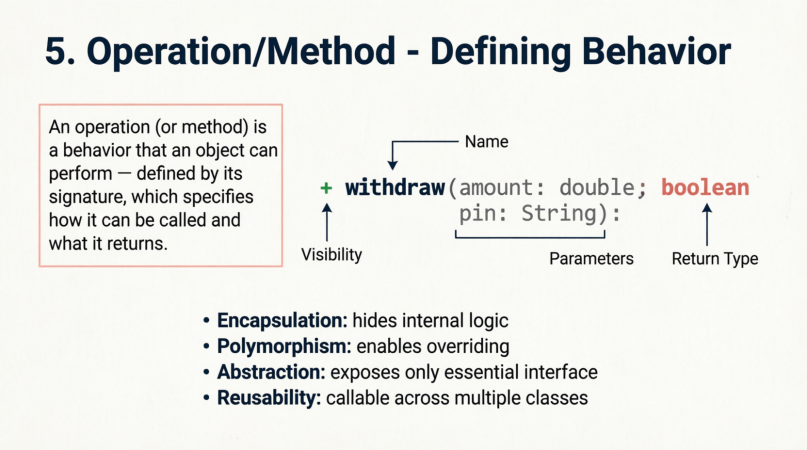
Includes a signature: name, parameter list (with types), and return type.
Also uses visibility symbols (+, -, #, ~).
Example:
+ withdraw(amount: double, pin: String): boolean
This public operation takes a withdrawal amount and a PIN, and returns a boolean indicating success or failure.
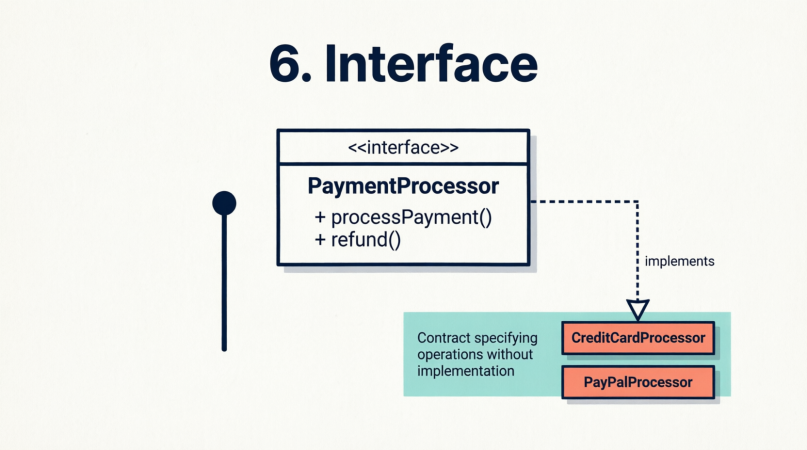
Definition: An interface is a contract that specifies a set of operations (and sometimes attributes) without providing any implementation. Any class that "realizes" or "implements" the interface must provide the concrete code for those operations.
Key Characteristics:
Denoted by the stereotype <<interface>> or a circle (lollipop) notation in diagrams.
Promotes loose coupling and polymorphism.
Example:
<<interface>>
PaymentProcessor
----------------
+ processPayment(amount: double): boolean
+ refund(transactionId: String): void
Note: Both CreditCardProcessor and PayPalProcessor classes can implement this interface, allowing the system to swap payment methods seamlessly.
Definition: An abstract class is a classifier that cannot be instantiated directly. It is designed to be subclassed by other classes, providing a common foundation of attributes and operations (some of which may be abstract and require implementation by the subclass).
Key Characteristics:
Denoted by the stereotype <<abstract>> or by writing the class name in italics.
Used for generalization and inheritance hierarchies.
Example:
<<abstract>>
*Vehicle*
---------
- maxSpeed: int
+ startEngine(): void
+ {abstract} move(): void
Note: You cannot create a generic "Vehicle" object, but you can create a Car or Bicycle that inherits from Vehicle and implements the move() method.
Definition: An actor represents an external entity that interacts with the system. Actors are not part of the system itself but initiate use cases or receive information from the system.
Key Characteristics:
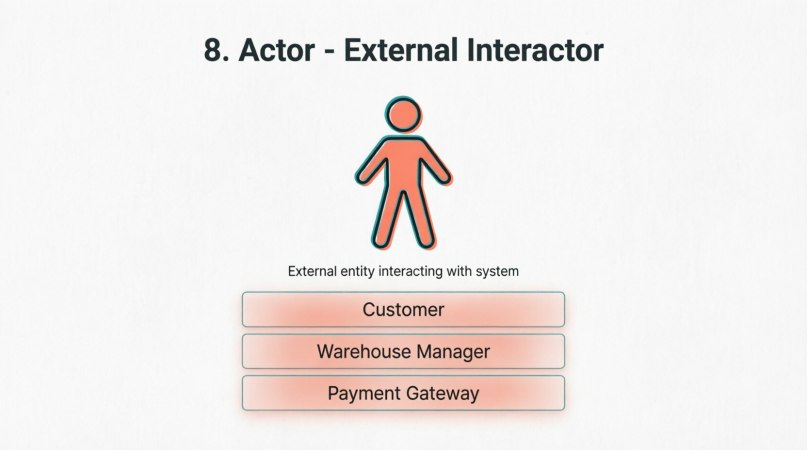
Represented as a stick figure (or a class rectangle with the <<actor>> stereotype).
Can be human users, external hardware, or even other external software systems.
Example: In an E-commerce system, actors include:
Customer (human user browsing and buying)
Warehouse Manager (human user updating inventory)
External Payment Gateway (external system processing credit cards)
Definition: A use case describes a specific piece of functionality or a sequence of actions the system performs to yield an observable result of value to an actor.
Key Characteristics:
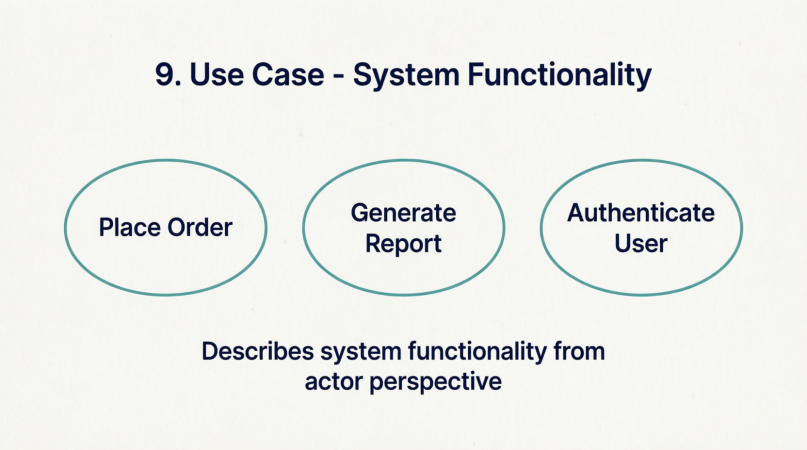
Represented as an ellipse with the use case name inside.
Connected to actors via communication lines.
Focuses on the "what" the system does, not the "how" (implementation details).
Example:
"Place Order"
"Generate Monthly Report"
"Authenticate User"
Definition: A component is a modular, replaceable, and deployable part of a system that encapsulates its contents and exposes a set of interfaces. It represents a logical or physical chunk of software.
Key Characteristics:
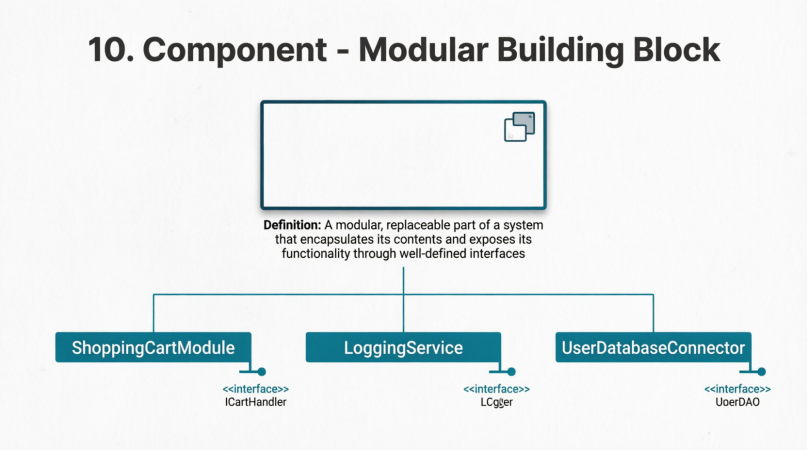
Represented as a rectangle with the <<component>> stereotype and a small component icon in the top right corner.
Used in Component Diagrams to show system architecture and dependencies.
Example:
<<component>> ShoppingCartModule
<<component>> LoggingService
<<component>> UserDatabaseConnector
Definition: A node represents a physical or computational resource that executes software components. It is the hardware or execution environment where the system runs.
Key Characteristics:
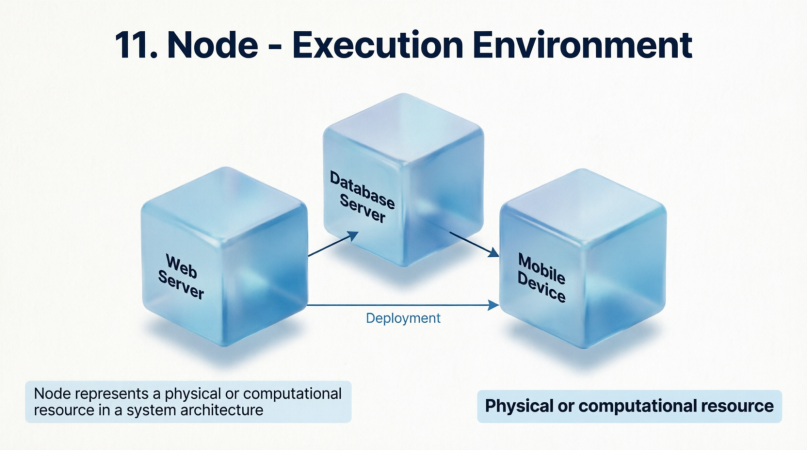
Represented as a 3D box (cube) in Deployment Diagrams.
Can be a physical device (e.g., a server, a smartphone) or a logical execution environment (e.g., a Docker container, a JVM).
Example:
Web Server (hosts the frontend application)
Database Server (hosts the SQL database)
Mobile Device (runs the iOS/Android client app)
Definition: A package is a general-purpose grouping mechanism used to organize model elements into cohesive namespaces. It helps manage complexity in large systems.
Key Characteristics:
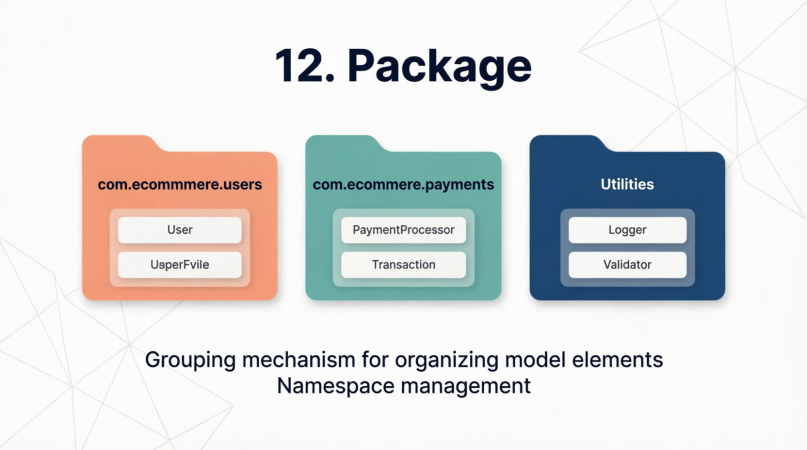
Represented as a folder icon with the package name on the tab.
Can contain classes, interfaces, other packages, or diagrams.
Example:
com.ecommerce.users (contains User, Admin, and Guest classes)
com.ecommerce.payments (contains PaymentProcessor interface and implementations)
Utilities (contains DateHelper, StringFormatter, etc.)
Let’s see how these 12 building blocks interact in a real-world Online Bookstore System:
Package: The entire system is organized into packages like com.bookstore.inventory and com.bookstore.checkout.
Abstract Class: <<abstract>> Product defines common traits like - price: double and + getDescription(): String.
Class: Book inherits from Product and adds - isbn: String and - author: String.
Attribute & Operation: The Book class has a private attribute - stockCount: int and a public operation + reduceStock(quantity: int): void.
Object: At runtime, we have an object book1 : Book where isbn = "978-3-16-148410-0" and stockCount = 15.
Interface: <<interface>> NotificationService defines + sendEmail(to: String, msg: String): void.
Component: The EmailNotificationComponent implements the NotificationService interface.
Actor: The Customer wants to buy a book, and the PaymentGateway (external system actor) processes the transaction.
Use Case: The Customer actor triggers the "Checkout Book" use case.
Node: The EmailNotificationComponent is deployed on an Application Server (Node), which communicates with the Customer's Smartphone (Node).
Classifier: All of the above (Class, Interface, Actor, Component) are technically classifiers because they define a set of features and can be referenced in the model.
Mastering the UML core building blocks is the first and most critical step toward effective software modeling. These elements provide a standardized vocabulary that bridges the gap between abstract business requirements and concrete technical implementations.
Best Practices to Remember:
Keep it Simple: Only model what is necessary to communicate the design. Over-modeling leads to cluttered, unreadable diagrams.
Be Consistent: Use visibility symbols (+, -, #) and naming conventions consistently across all diagrams.
Separate Concerns: Use Packages to organize, Interfaces to decouple, Abstract Classes to share logic, and Components/Nodes to map out deployment.
Focus on the Audience: Use Use Cases and Actors when talking to stakeholders; use Classes, Objects, and Components when talking to developers.
By leveraging these 12 building blocks thoughtfully, you can create robust, scalable, and easily understandable architectural blueprints for any software system.

