
The Unified Modeling Language (UML) 2.0 is the industry standard for visualizing, specifying, constructing, and documenting the artifacts of software systems. While the standard class diagram is the bread and butter of object-oriented design, UML 2.0 introduces specialized class types that allow architects to model complex system behaviors and structures with greater precision.
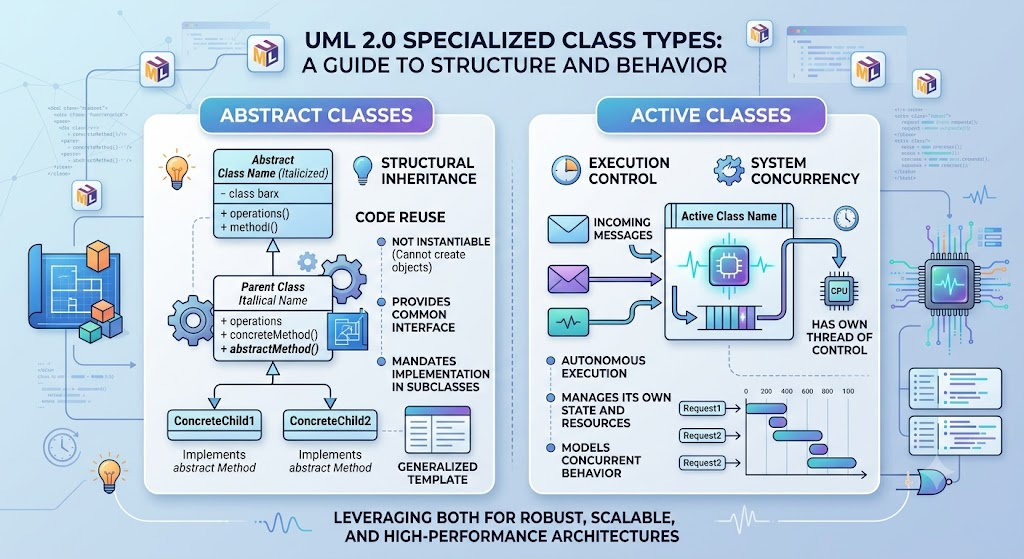
This comprehensive guide examines two of these specialized constructs: Abstract Classes and Active Classes. While both utilize the standard class box notation as their visual foundation, they serve fundamentally different roles in system design. Abstract classes focus on structural inheritance and code reuse, whereas active classes focus on execution control and system concurrency. By the end of this guide, you will understand how to effectively leverage both to create robust, scalable, and highly performant software architectures.
Before diving into the specific class types, it is essential to understand the foundational UML and object-oriented concepts that underpin them:
Class: A blueprint for creating objects, encapsulating data (attributes) and behavior (operations).
Inheritance (Generalization): A mechanism where a subclass inherits the attributes and operations of a superclass, promoting code reuse and establishing an "is-a" relationship.
Flow of Control: The sequence in which individual statements, instructions, or function calls are evaluated or executed. In concurrent systems, this often involves multiple threads or processes running simultaneously.
Instantiation: The process of creating a concrete, usable object (an instance) from a class blueprint.
An abstract class is defined as a class that cannot have any instances. You cannot create an object directly from an abstract class. Instead, its primary purpose is structural, serving as a foundational blueprint for other classes in an inheritance hierarchy.
Abstract classes are designed to capture general operations and attributes that are intended to be shared by multiple subclasses. The idea is that these operations are relatively general at the abstract level. Each inheriting subclass then refines, overrides, and expands upon them to provide specific, concrete functionality.
Consider an e-commerce or publishing modeling scenario. A Review class can be made abstract to define a general record() operation. Because a "Review" in the abstract sense doesn't exist on its own, it cannot be instantiated. However, specialized subclasses like CustomerReview and EditorialReview inherit this general structure, implementing the record() operation differently based on their specific business needs.
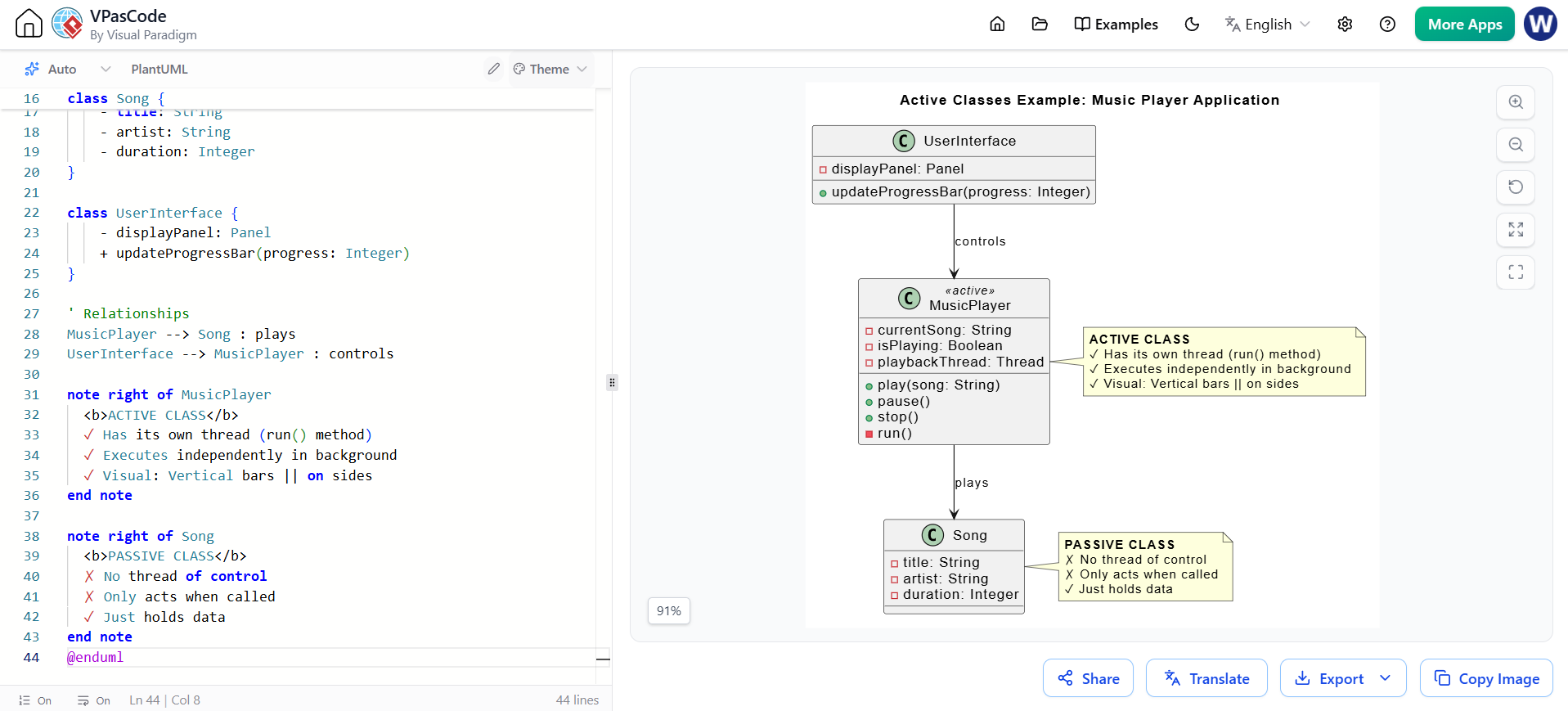
To visually distinguish an abstract class from a standard concrete class, UML 2.0 provides two acceptable notations:
Italicized Name: The name of the abstract class is shown in italics within the top compartment of the class box.
Stereotype: Modelers may also use the «abstract» stereotype placed above the class name to clearly identify the class for readers who might miss the italicized text.
@startuml
skinparam classAttributeIconSize 0

' The <<abstract>> stereotype and the 'abstract' keyword
' ensure the class name is rendered in italics.
abstract class Review <<abstract>> {
    + reviewID : String
    + rating : Integer
    + record()
}

class CustomerReview {
    + customerName : String
    + record()
}

class EditorialReview {
    + editorName : String
    + publicationDate : Date
    + record()
}

' Generalization (Inheritance) relationships
Review <|-- CustomerReview
Review <|-- EditorialReview

note bottom of Review
  Cannot be instantiated.
  Serves as a template.
end note
@enduml
While abstract classes deal with structural hierarchies, an active class deals with system execution. An active class represents an independent flow of control within a system, such as a dedicated process or a thread. Unlike abstract classes, active classes are fully intended for instantiation.
When an active class is instantiated, the resulting instance is known as an active object. These objects are distinct from passive objects (which only execute methods when called by another object) because they contain their own thread of control. Active objects are often responsible for directing system processes, managing concurrent tasks, and handling asynchronous events.
Active classes typically appear in detailed design-level diagrams or deployment diagrams rather than high-level conceptual models. For instance, in a detailed design, an Order class might be modeled as an active class to indicate that once an order is created, it manages its own execution thread to process payments, update inventory, and send notifications concurrently, without blocking the main application thread.
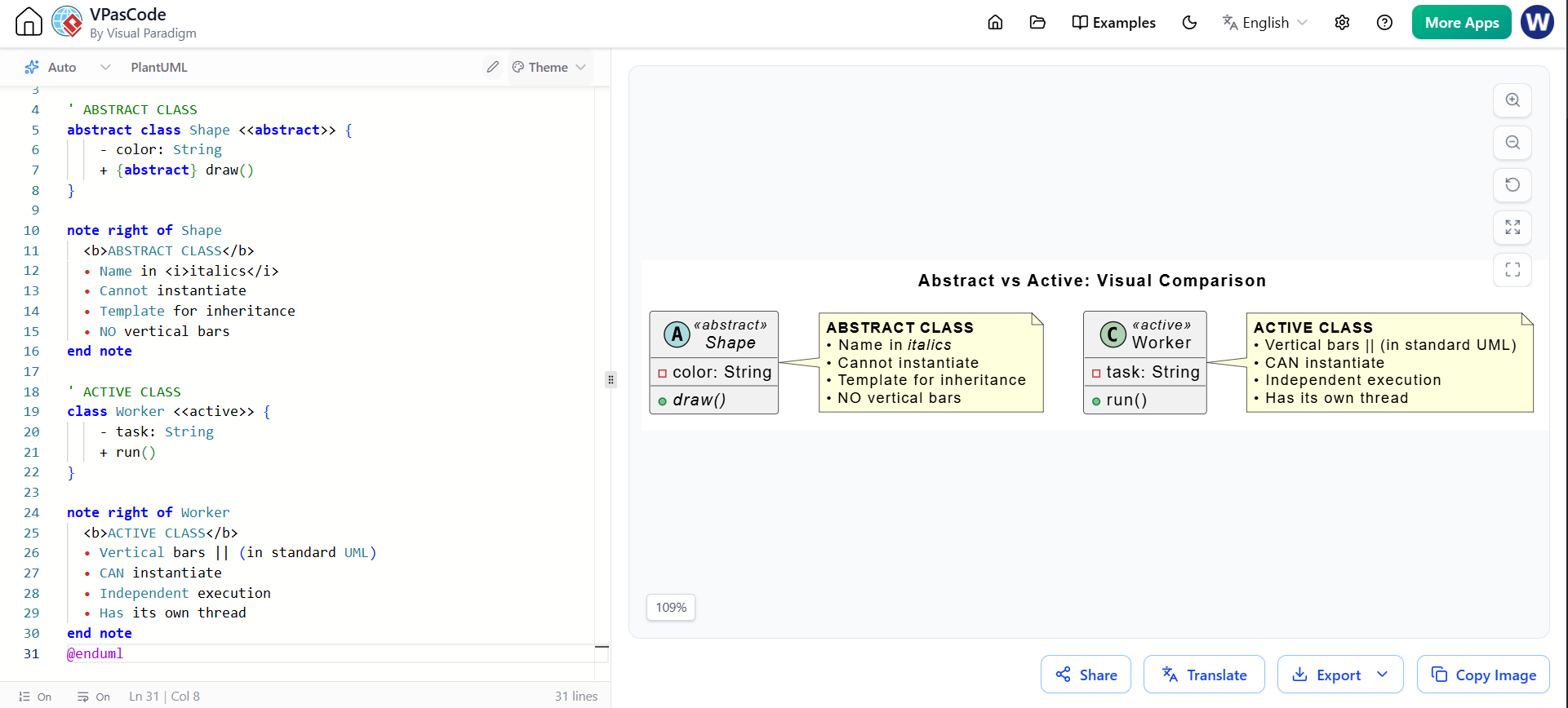
An active class uses a standard class box but features a distinct visual modification:
Vertical Bars: It features thin vertical bars drawn just inside the left and right borders of the class box.
These visual markers immediately distinguish the class to the reader as a unit of execution rather than just a passive data container.
@startuml
skinparam classAttributeIconSize 0

' Note: Standard UML denotes active classes with thin vertical bars
' inside the left and right borders of the class box.
' In PlantUML, we use the <<active>> stereotype to represent this.
class Order <<active>> {
    + orderID : String
    + processPayment()
    + updateInventory()
    - executionThread : Thread
}

class PaymentGateway {
    + authorize()
    + capture()
}

class InventorySystem {
    + reserveStock()
}

' The active Order class drives the flow of control
Order --> PaymentGateway : initiates
Order --> InventorySystem : initiates

note right of Order
  Instantiated as an "Active Object".
  Manages its own thread of control.
end note
@enduml
To consolidate your understanding, the fundamental differences between these two specialized constructs are summarized in the table below:
| Feature | Abstract Class | Active Class |
|---|---|---|
| Primary Goal | Provides a general template for inheritance and code reuse. | Manages an independent flow of control (threads/processes). |
| Instantiation | Cannot be instantiated. | Can be instantiated (creates "active objects"). |
| Visual Notation | Italicized class name and/or the «abstract» stereotype. |
Standard box with thin vertical bars inside the left/right borders. |
| Role in Design | Captures shared characteristics and general operations for subclasses to expand. | Directs system processes, handles concurrency, and manages asynchronous tasks. |
| Diagram Level | Common in Conceptual, Specification, and Design levels. | Primarily used in Detailed Design and Implementation levels. |
Understanding the nuanced differences between abstract and active classes is a hallmark of advanced UML modeling. Abstract classes provide the structural backbone of your application, ensuring that common logic is centralized and inherited cleanly, thereby enforcing a strict and organized object hierarchy. On the other hand, active classes breathe life into your design by modeling concurrency, ensuring that complex, multi-threaded system processes are accurately represented and managed.
By mastering both constructs, software architects and developers can create UML diagrams that not only describe what the system is made of (structure) but also how it operates in real-time (behavior). This dual approach leads to clearer communication among development teams, more robust system architectures, and ultimately, higher-quality software implementations.

