
Visual Paradigm's VPasCode is an interactive, browser-based Diagram-as-Code (DaC) playground and editor developed by Visual Paradigm. Designed for software engineers, architects, and technical documentation teams, it bridges the gap between text-driven development and high-fidelity system modeling. Instead of relying on manual drag-and-drop interfaces, VPasCode allows users to define, preview, and export complex architectural diagrams using structured markup languages. By keeping diagram source code version-controlled, searchable, and tightly integrated into developer workflows, VPasCode transforms how technical teams create, maintain, and share visual documentation.
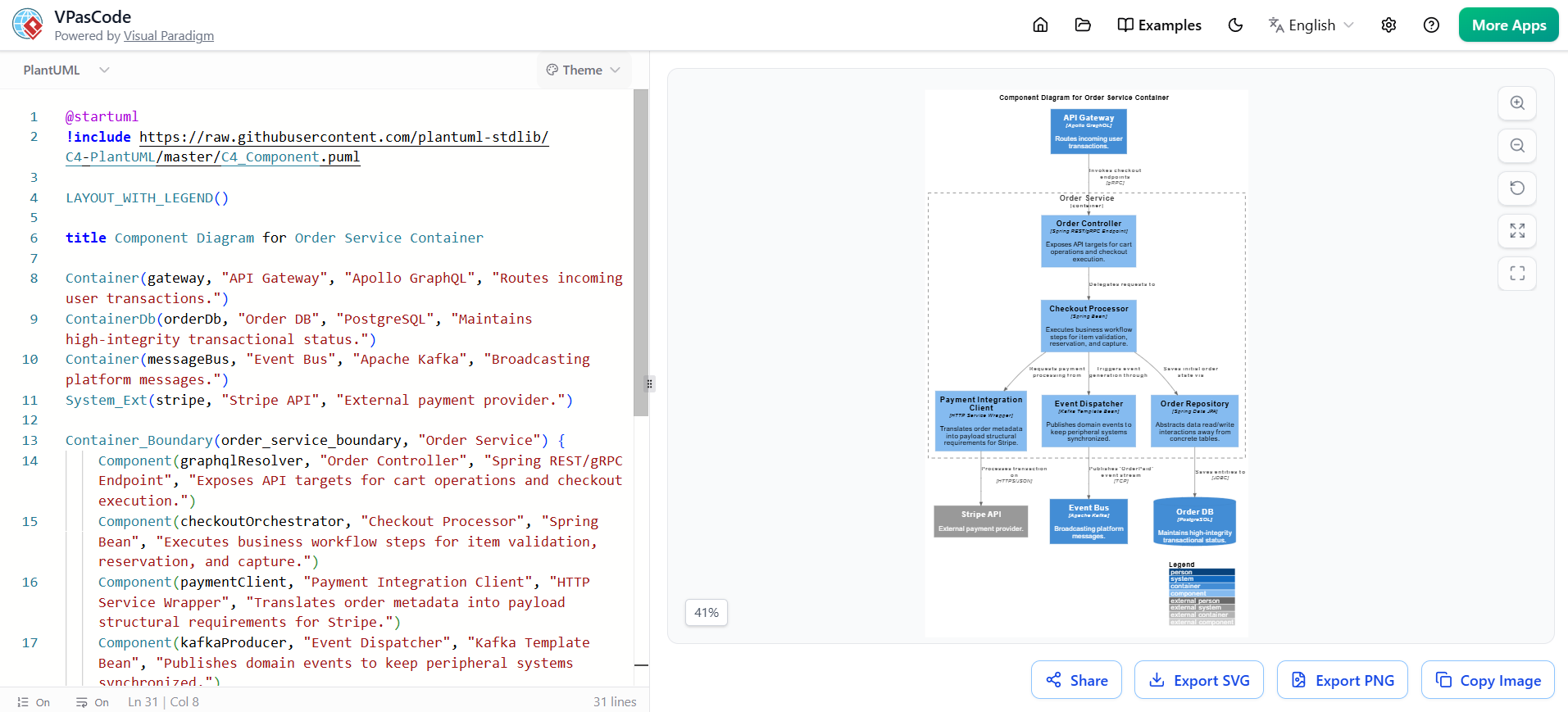
At its heart, VPasCode embraces the Diagram-as-Code methodology, shifting diagram creation from visual manipulation to declarative text editing. This approach delivers three foundational advantages:
VPasCode functions as a unified hub that natively supports three industry-standard diagramming markup languages. Each engine is optimized for specific modeling needs:
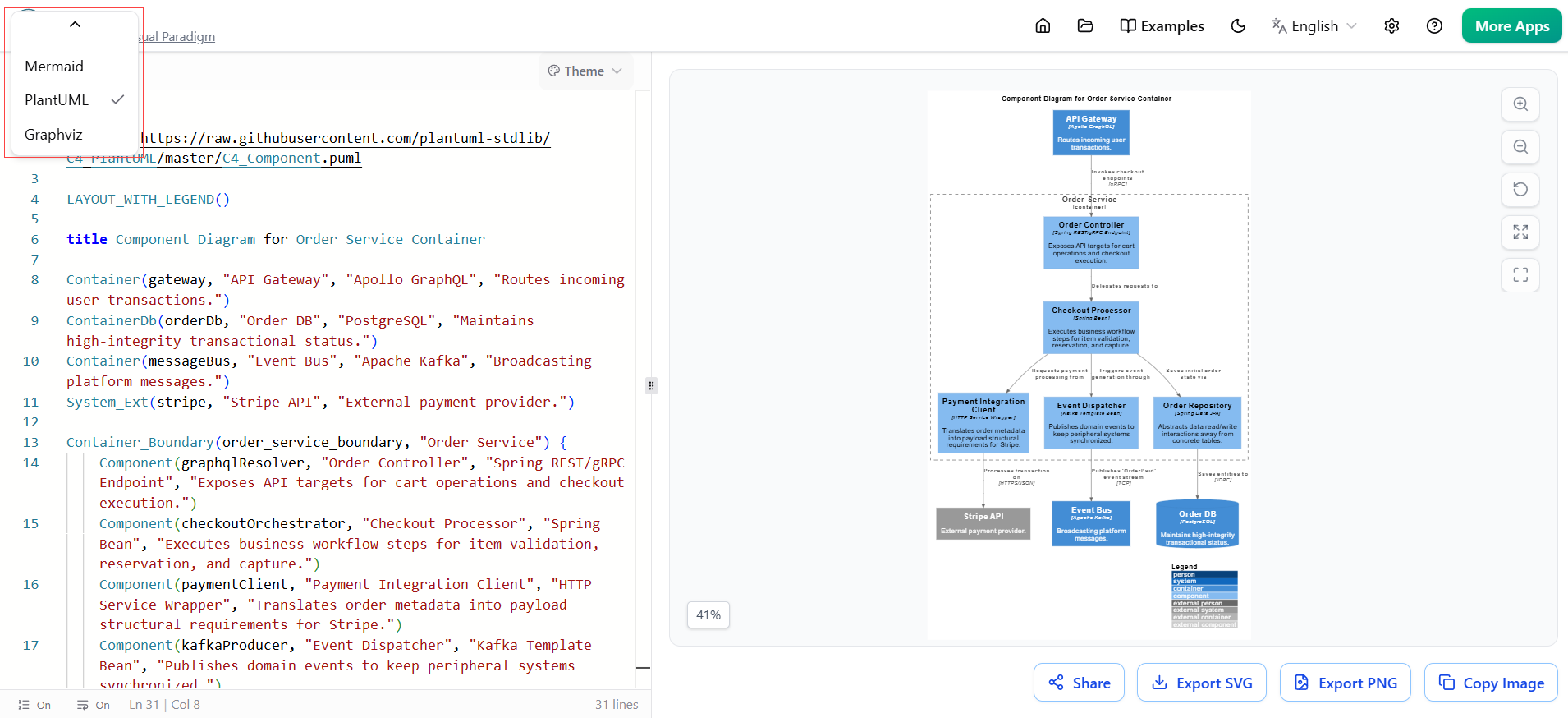
| Engine | Core Visual Strength | Common Use Cases |
|---|---|---|
| PlantUML | Rigid engineering standards & system boundaries | C4 Architecture models, strict UML Class/Sequence/Deployment diagrams, component mapping |
| Mermaid | Markdown integration & rapid documentation | Flowcharts, simplified sequence diagrams, state machines, timelines, Gantt charts |
| Graphviz | Relational logic & structural networks | Directed graphs (DOT), hierarchical mappings, dependency trees, mathematical networks |
The VPasCode interface is engineered for real-time iteration, featuring a responsive two-column layout that balances code authoring with immediate visual feedback.
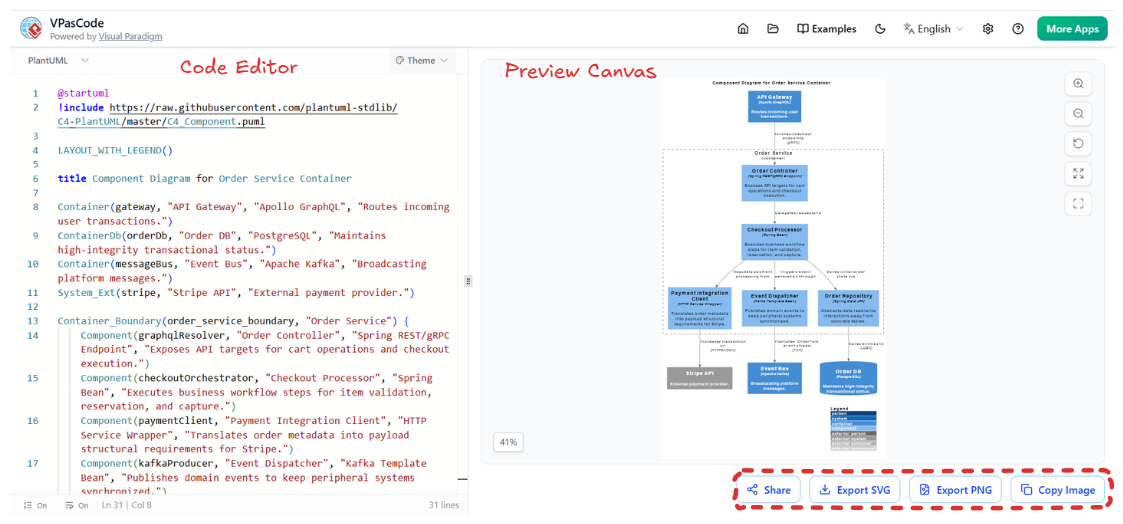
Ln / Col).Looking for a powerful, free diagram-as-code tool? Effortlessly render PlantUML, Mermaid, Graphviz, and 20+ programming languages in real time—powered by instant AI error fixing and automatic format detection.
Beyond basic rendering, VPasCode includes intelligent features that streamline the authoring experience and prevent common workflow friction:
“Wrong Diagram Type?” prompt automatically switches the active engine to match your pasted code.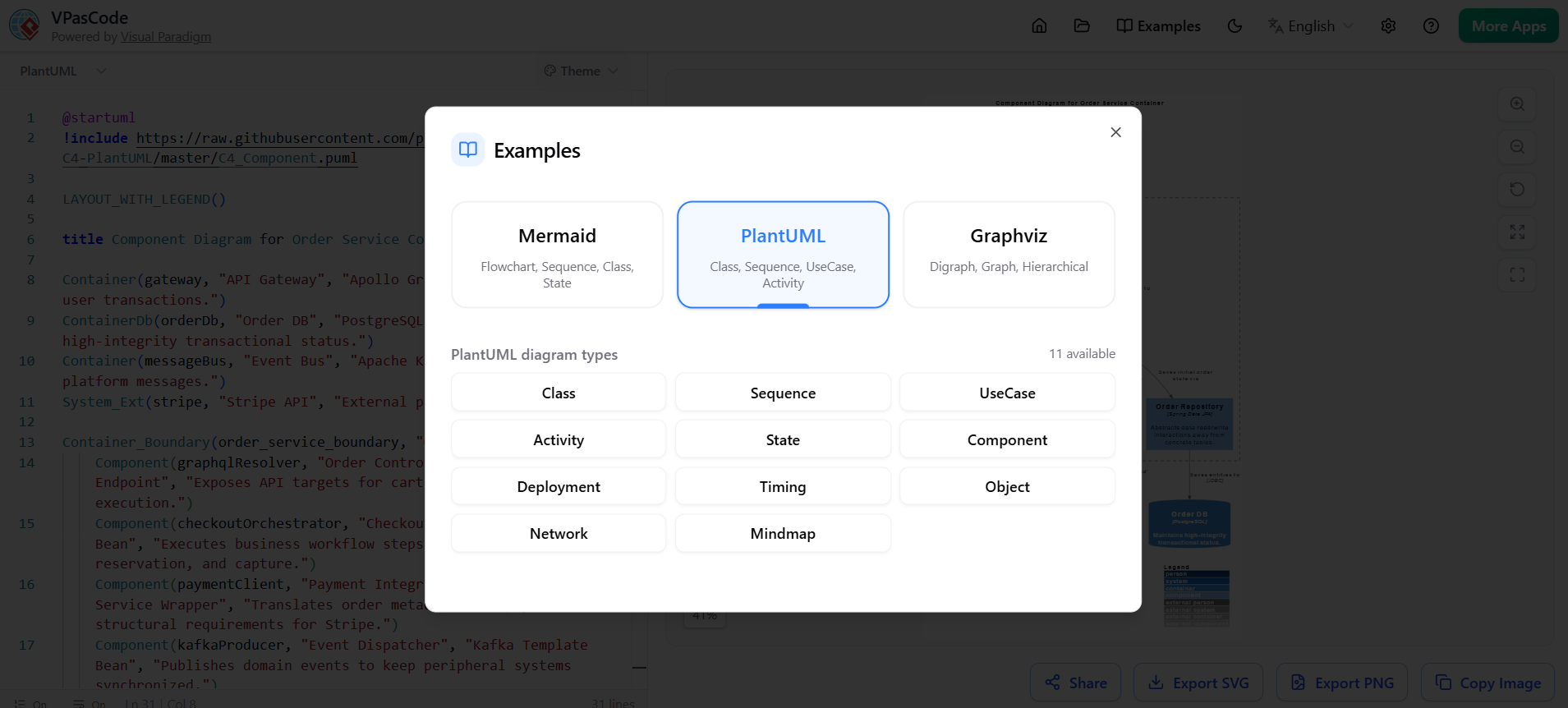
Once your diagram is finalized, VPasCode provides seamless, one-click options to integrate visuals into documentation, presentations, or team communication channels:
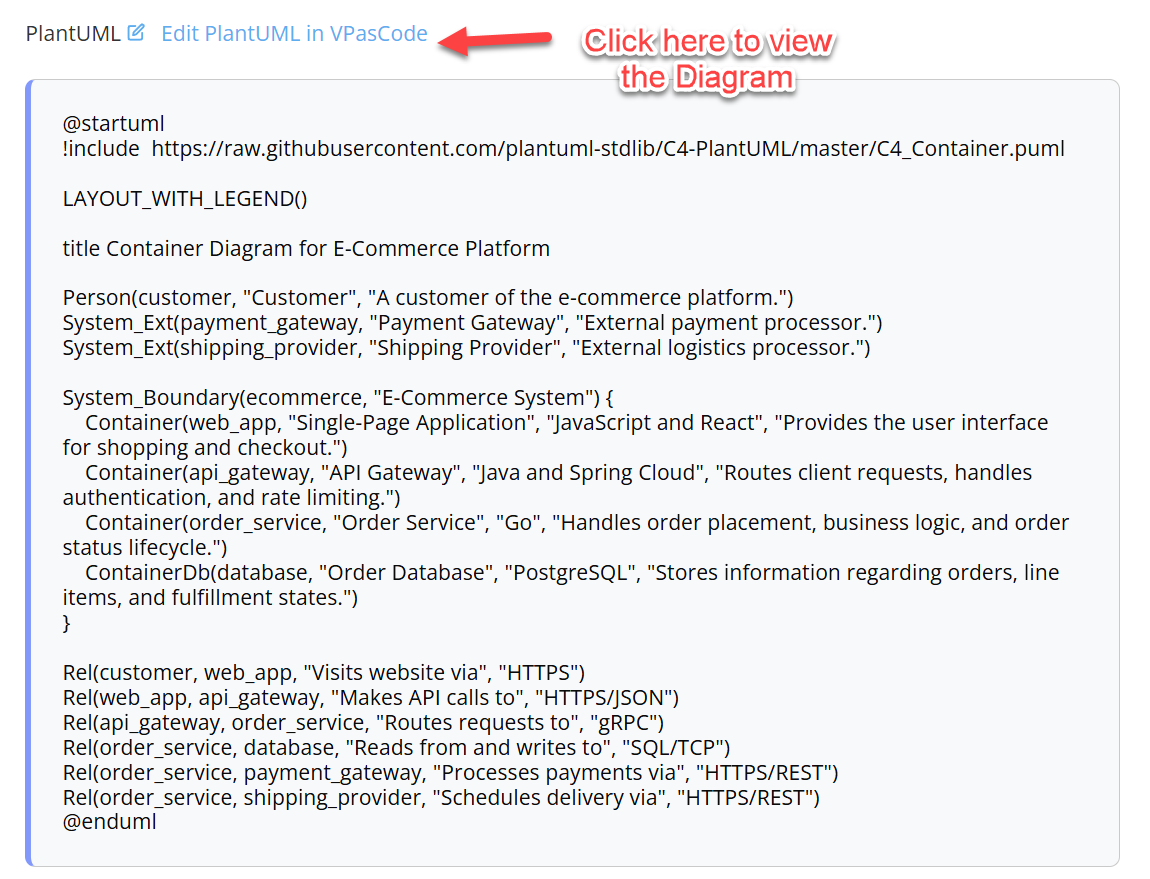
VPasCode redefines technical diagramming by merging developer-friendly code workflows with professional-grade visual output. By supporting PlantUML, Mermaid, and Graphviz under one roof, it eliminates tool fragmentation while enforcing consistency, version control, and rapid iteration. Whether you’re documenting microservices, mapping system dependencies, or creating onboarding architecture guides, VPasCode ensures your diagrams remain as maintainable, reviewable, and collaborative as your actual codebase.
Ready to test it out? Let me know which diagram type you’d like to build first—such as a C4 Component Model, a system flowchart, or a sequence diagram—and I’ll generate a ready-to-paste code block optimized for VPasCode.

