
User stories are the backbone of agile product development, but poorly written stories lead to ambiguity, rework, and scope creep. This guide provides a systematic approach to crafting clear, focused user stories that deliver value while maintaining tight boundaries.
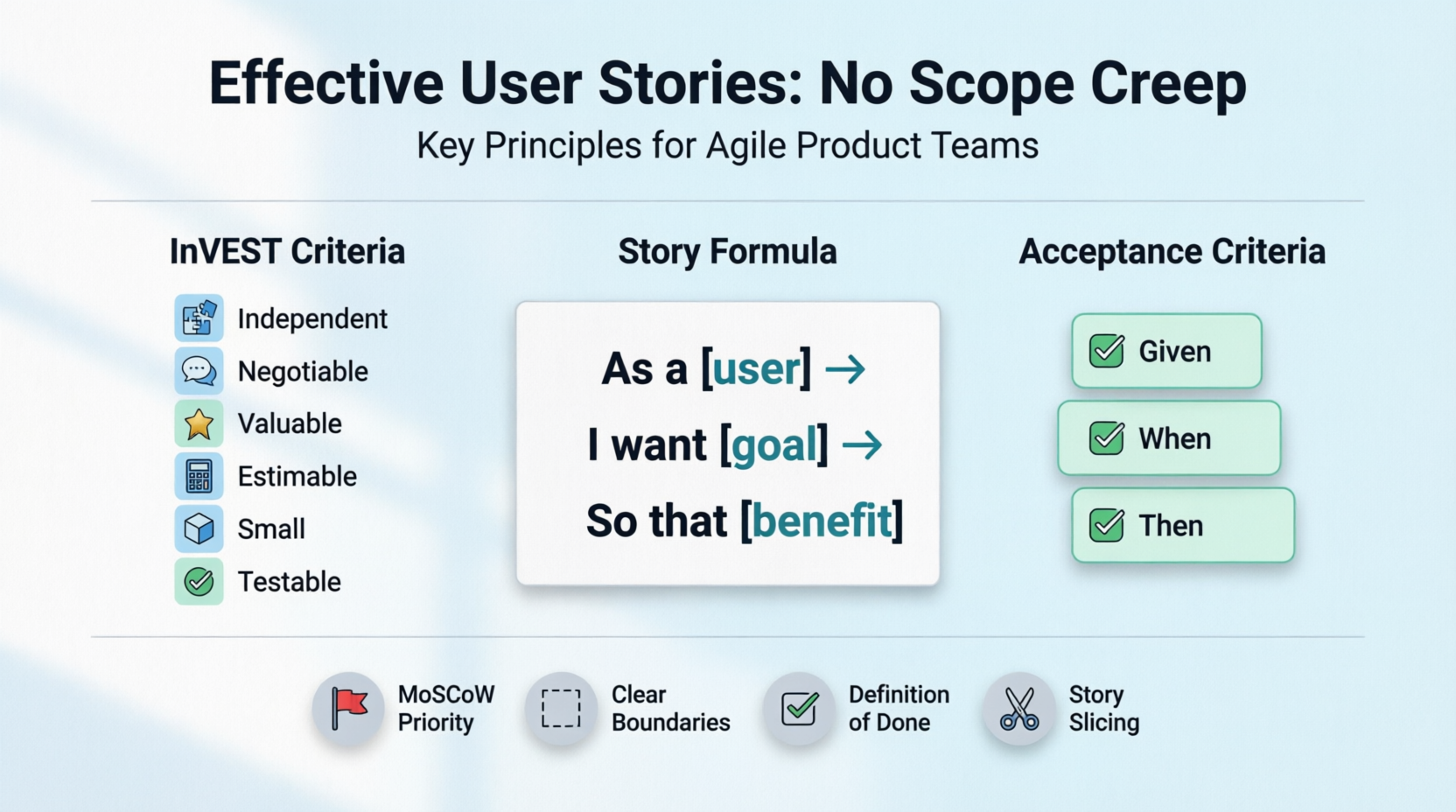
A user story is a simple description of a feature from the perspective of the person who desires the new capability, usually a user or customer. It follows the format:
"As a [type of user], I want [some goal] so that [some reason/benefit]."
Effective user stories should be:
Independent: Can be developed separately from other stories
Negotiable: Details can be discussed and refined
Valuable: Delivers clear value to users or business
Estimable: Team can reasonably estimate effort
Small: Fits within a sprint (typically 1-3 days of work)
Testable: Has clear acceptance criteria
Scope creep occurs when:
Requirements expand beyond original intent
New features are added mid-development
Acceptance criteria become vague or unlimited
"Nice-to-haves" morph into "must-haves"
Do:
Define specific user types (e.g., "As a registered premium subscriber...")
Understand their goals, pain points, and context
Reference actual user research data
Don't:
Use generic terms like "user" or "customer"
Assume you know what users want without validation
Each story should solve one specific problem or enable one specific action.
Example:
✅ Good: "As a shopper, I want to filter products by price range so I can find items within my budget."
❌ Bad: "As a shopper, I want to browse products, filter them, sort them, and save favorites."
Use the Given-When-Then format:
Given [initial context]
When [event occurs]
Then [outcome should be observable]
Example:
Given I am on the product listing page
When I select the price filter and enter $50-$100
Then only products priced between $50-$100 are displayed
And the filter badge shows "$50-$100"
Include out-of-scope items in your story documentation:
In Scope:
- Price range filtering
- Display of filtered results

Out of Scope:
- Saving filter preferences
- Multi-filter combinations (price + brand)
- Real-time price updates
Break epics into thin vertical slices that deliver end-to-end value:
Epic: Product Search & Filtering
Story 1: Basic keyword search
Story 2: Filter by price
Story 3: Filter by category
Story 4: Sort by relevance/price/date
Label each requirement as:
Must have: Critical for MVP
Should have: Important but not critical
Could have: Nice to have if time permits
Won't have: Explicitly excluded for now
Establish team-wide DoD criteria:
Code reviewed and merged
Unit tests passing (>80% coverage)
Acceptance criteria verified
Documentation updated
QA sign-off received
No story is complete until ALL DoD items are met.
Limit story refinement to 30-45 minutes per story
If a story can't be clarified in that time, it's too complex—split it
Park "interesting but out-of-scope" ideas in a backlog for future consideration
Visualize the user journey to identify:
Core workflow (must-haves)
Alternative paths (should-haves)
Edge cases (could-haves)
This prevents building features users don't need.
When stakeholders request additions mid-sprint:
Document the request
Assess impact on current commitments
Require trade-offs: "If we add X, we must remove Y"
Push non-critical requests to next sprint
Attach visual references to stories:
Low-fidelity wireframes
Annotated screenshots
Flow diagrams
Visuals reduce interpretation gaps that lead to scope expansion.
When a story feels too big:
By workflow step: Break multi-step processes into individual stories
By data variation: Handle happy path first, edge cases later
By platform: Mobile first, then desktop (or vice versa)
By rule complexity: Simple rules first, complex logic later
Bring together:
Product Owner: Clarifies business value and priorities
Developer: Identifies technical constraints and effort
QA Tester: Defines test scenarios and edge cases
This alignment prevents misunderstandings that cause rework.
| Anti-Pattern | Problem | Solution |
|---|---|---|
| "As a user, I want everything" | Too vague, no clear value | Specify user type and concrete benefit |
| Technical tasks disguised as stories | No user value articulated | Reframe from user perspective |
| Stories with 10+ acceptance criteria | Too large, likely to creep | Split into multiple stories |
| Missing out-of-scope definitions | Ambiguous boundaries | Explicitly list exclusions |
| Stories dependent on other incomplete work | Blocks progress, creates bottlenecks | Ensure independence or sequence properly |
## Story: [Brief Title]

**As a** [specific user persona]
**I want** [specific action/capability]
**So that** [clear business/user value]

### Acceptance Criteria
1. Given [context], When [action], Then [result]
2. Given [context], When [action], Then [result]
3. ...

### Out of Scope
- [Item 1]
- [Item 2]

### Priority
- MoSCoW: [Must/Should/Could/Won't]

### Dependencies
- [List any blocking stories or external dependencies]

### Estimates
- Story Points: [X]
- Effort: [Small/Medium/Large]

### Notes
- [Links to designs, research, or technical docs]
- [Open questions to resolve]
As a registered user
I want to view my profile information
So that I can verify my account details are correct

Acceptance Criteria:
1. Given I am logged in, When I click "My Profile", Then I see my name, email, and join date
2. Given I am on the profile page, Then I cannot edit any fields (read-only)

Out of Scope:
- Editing profile information
- Uploading profile photo
- Viewing activity history

Priority: Must Have
Estimate: 3 story points
As a registered user
I want to update my name and email
So that my account information stays current

Acceptance Criteria:
1. Given I am on my profile page, When I click "Edit", Then fields become editable
2. Given I changed my email, When I save, Then I receive a confirmation email to verify
3. Given I entered an invalid email format, When I save, Then I see an error message

Out of Scope:
- Changing password
- Deleting account
- Social media links

Priority: Should Have
Estimate: 5 story points
Start small: Build the simplest version that delivers value
Validate early: Show working software to users frequently
Say "no" gracefully: Protect your sprint commitments
Document decisions: Record why certain features were deferred
Retrospect regularly: Learn from scope creep incidents and improve
Remember: The best user story is one that delivers maximum value with minimum complexity. Clarity, focus, and discipline are your strongest defenses against scope creep.

