
As product managers and developers, we've all experienced the magic—and the frustration—of AI-powered code generation. You type a prompt, and within seconds, you have a beautiful frontend interface. But the moment you need to save user data, manage relationships, or scale beyond a simple JSON mockup, the illusion shatters. Most AI coding tools focus heavily on the frontend, leaving backend database design as an afterthought.
Recently, I decided to tackle this exact bottleneck and took Visual Paradigm AI App Studio for a spin. Promising a "data-first" approach to AI engineering, it claims to act as an automated data architect, ensuring your AI-generated apps are built on a validated, production-ready relational database foundation. After spending some time with the tool, I want to share my hands-on experience, walk you through its workflow, and see if it truly solves the backend blues of AI app development.
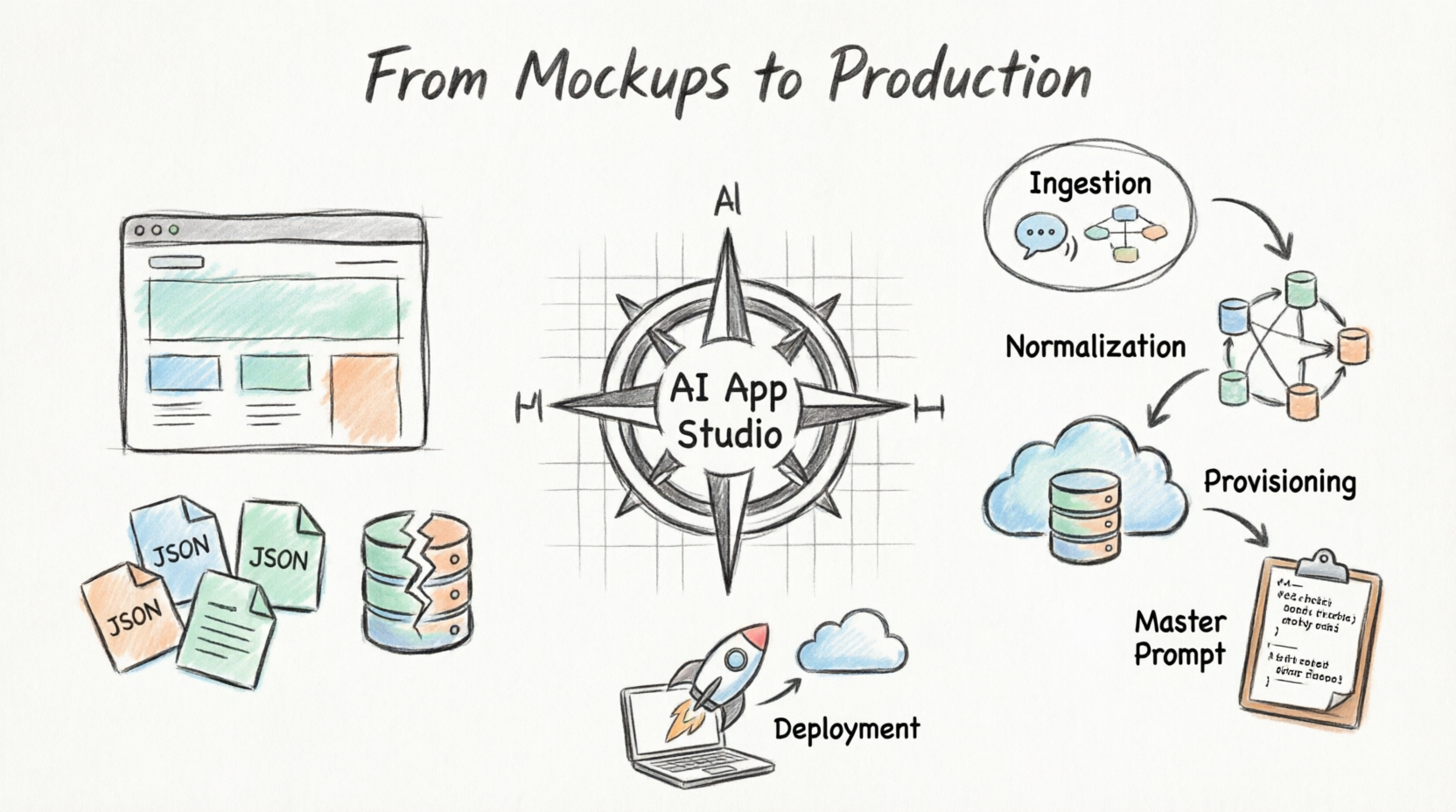
When we rapidly prototype ideas, we typically rely on Large Language Models (LLMs) to generate web apps using JSON or XML for persistency. It's great for quickly proving a concept and mocking up the frontend and logic. However, transitioning from a rapid prototype to a full-scale enterprise app is where the pain begins.
In my past projects, dealing with backend services in vendor-locked environments (like proprietary AI LLMs, microservices, and databases) meant that migrating to our own environment later was incredibly time-consuming and far from straightforward. We needed a way to speed up the deployment process and make the transition from prototype to production seamless. That is exactly the problem Visual Paradigm AI App Studio was born to solve.
Unlike most AI tools that blindly generate code from a single chat prompt—often resulting in broken interfaces and unnormalized databases—App Studio redefines the lifecycle by acting as an automated structural engineer.
What impressed me most was its Data-First Architectural Workflow:
Logical Validation: Before any client-side code is conceptualized, it designs, normalizes, and visually maps the system architecture using standard entity relationship models.
Decoupled Backend and Frontend: It automatically provisions a live, persistent, cloud-hosted relational database behind the scenes, cleanly separating data storage from the UI.
Universal Master Prompt Generation: It doesn't lock you into a proprietary ecosystem. Instead, it compiles structural rules, security pathways, DB keys, and UI frameworks into a universal Master AI Prompt Blueprint.
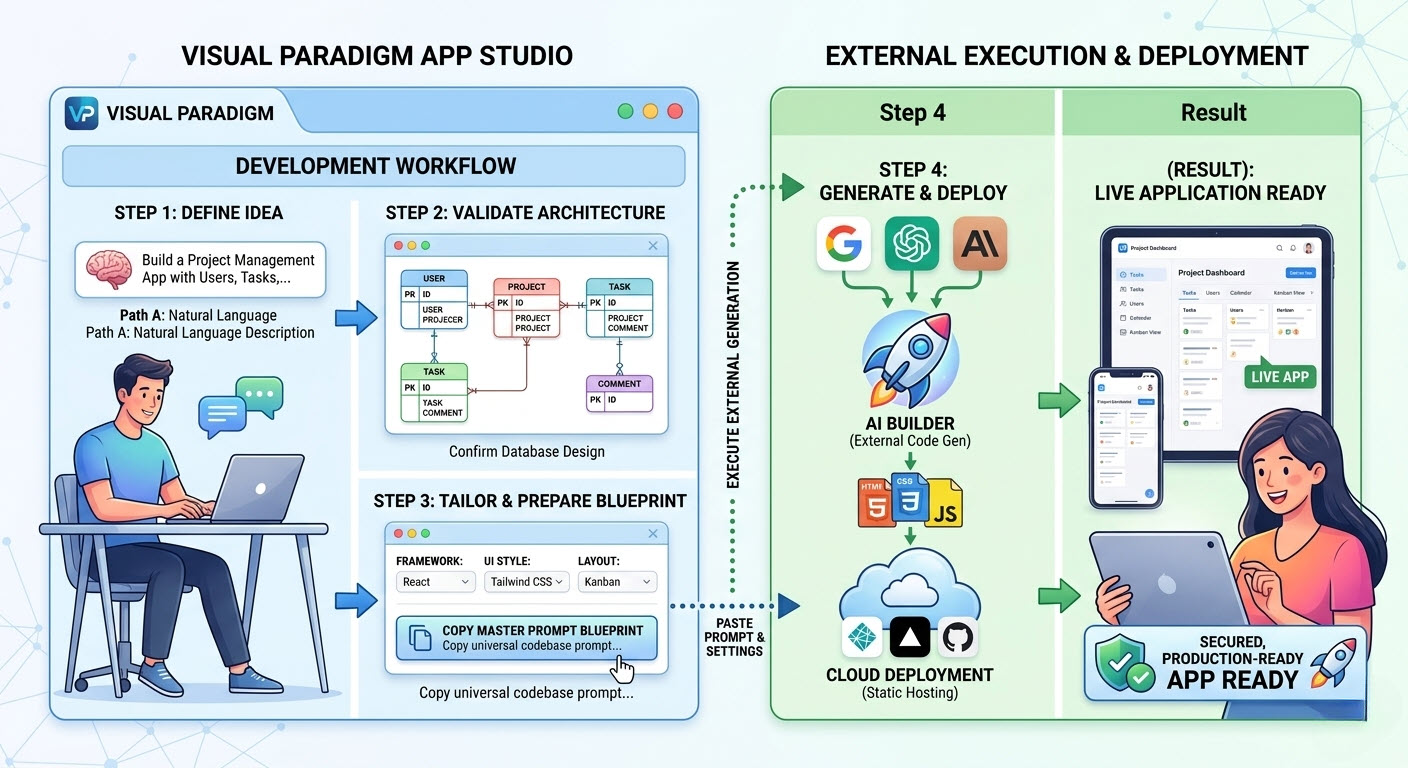
Using the platform was surprisingly streamlined. Here is how the core workflow unfolds from a user's perspective:
You can kickstart your project in two ways, depending on your background:
Path A: Start with Requirements: If you're like me and prefer starting with a text description, you can type out what your app needs to do. I found the built-in “Enhance Prompt” utility incredibly helpful for fleshing out implied constraints and fields when my initial description was a bit light.
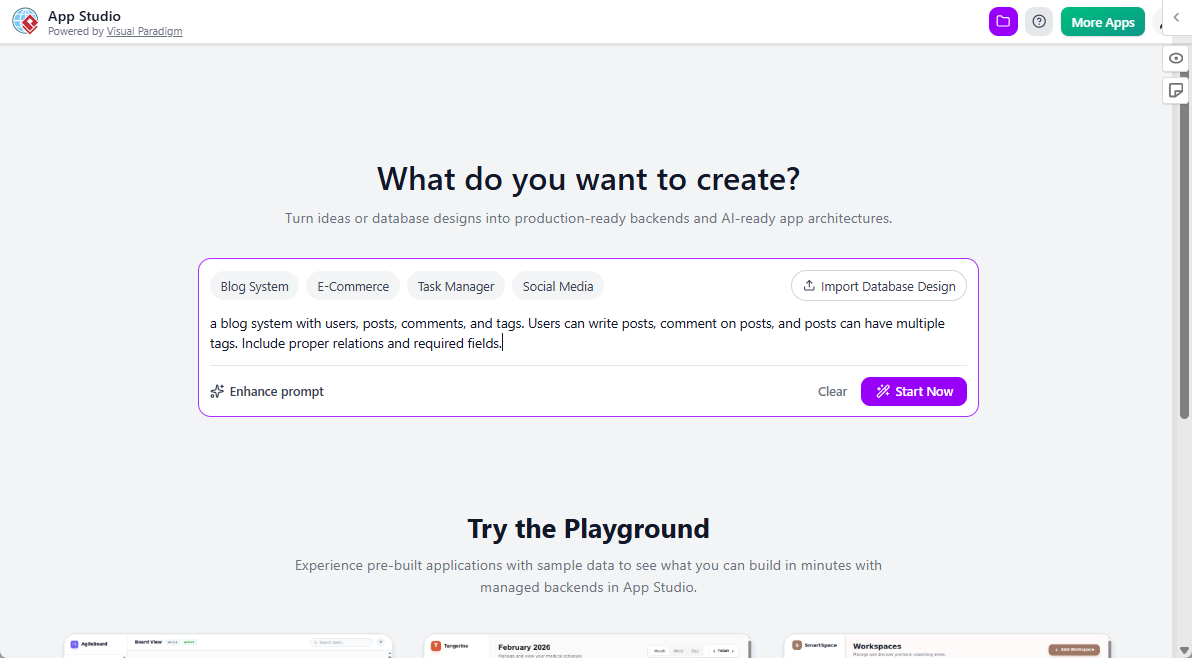
Path B: Start with a Database Design: For the database modelers out there, you can bypass text entry entirely by pasting standard PlantUML code of your Entity Relationship Diagram to seed the system instantly.
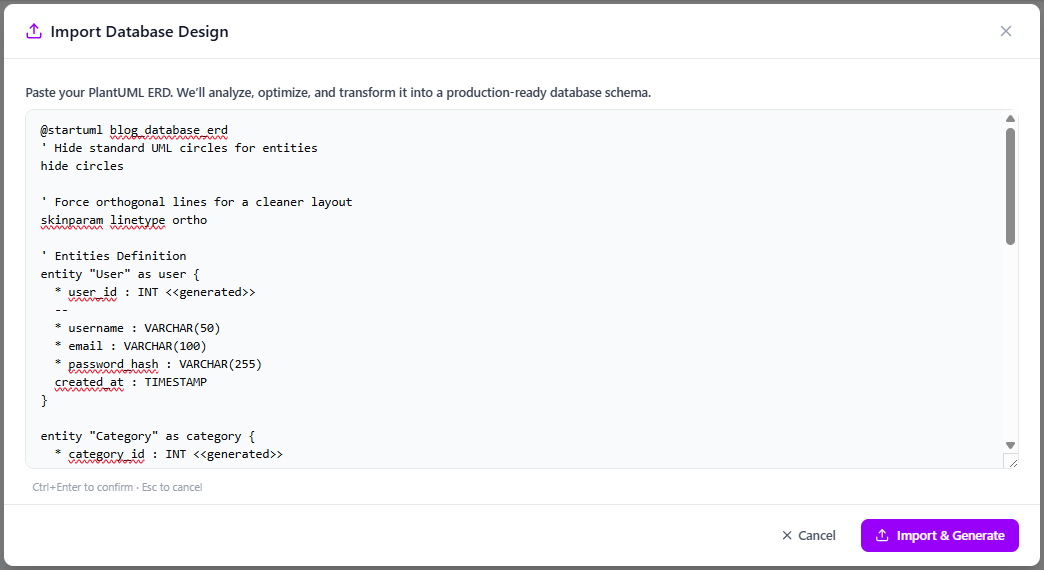
Once ingested, App Studio’s visual layout engine renders a detailed structural canvas of the database. I loved that the underlying AI automatically resolved syntax errors, linked missing foreign keys, and normalized schema boundaries. Once I verified and confirmed the visual arrangement, it triggered the infrastructure provisioning engine.
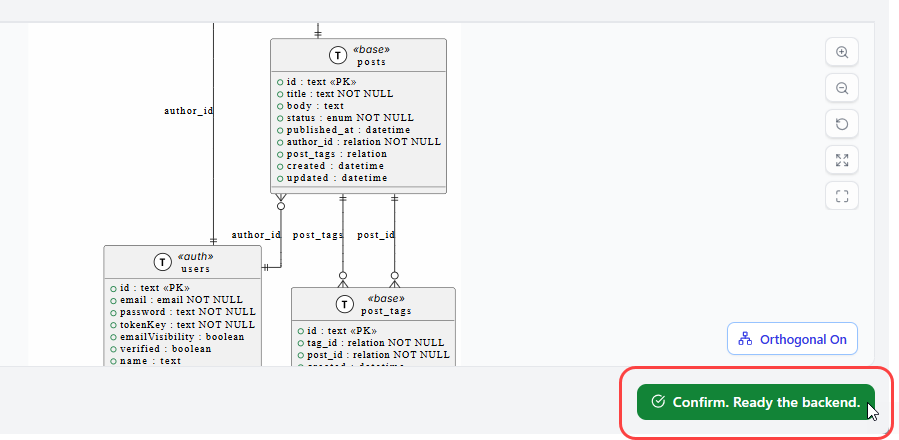
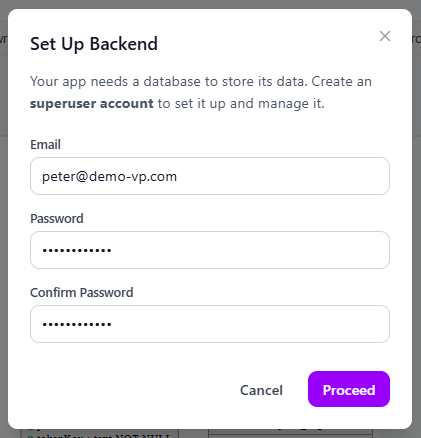
To support full data persistence, App Studio sets up an active, fully managed database behind the scenes. All I had to do was input an administrative email and password to safely instantiate a hosted relational superuser endpoint. It was a massive time-saver compared to manually configuring cloud databases.
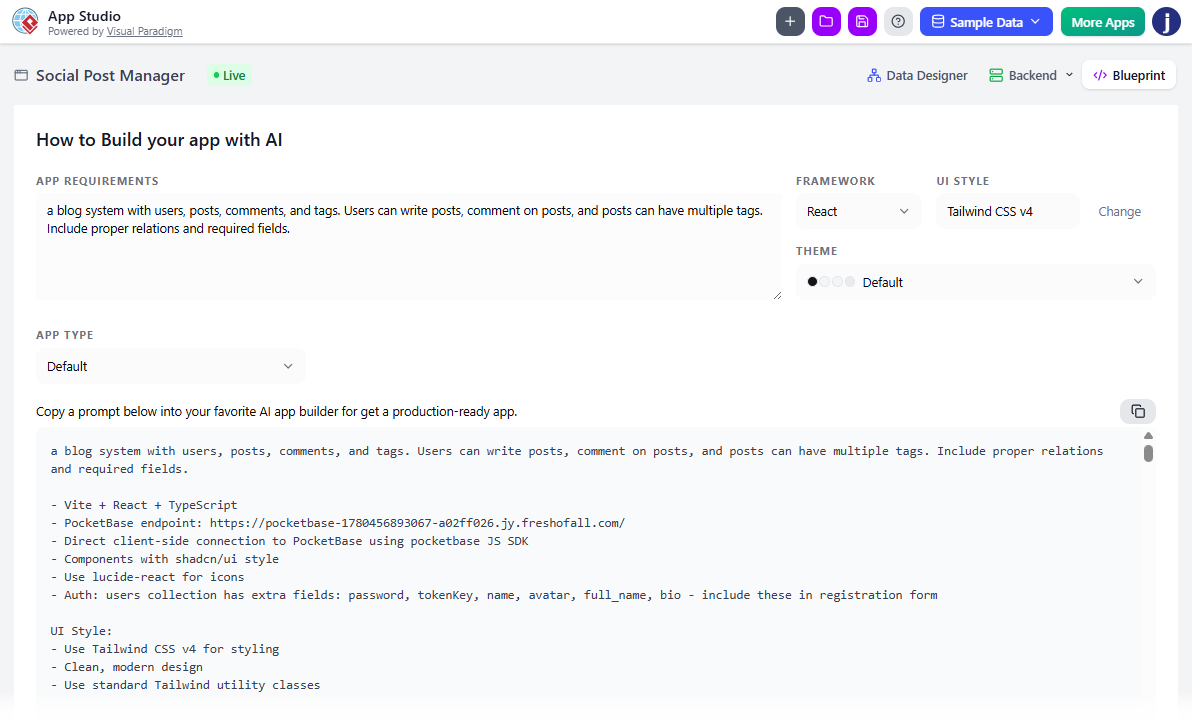
Next, I used the control panel to customize my target application stack parameters. The variety of options is fantastic:
Frameworks: React, Vue, Svelte, Angular, or Simple HTML.
UI Styling Engines: Tailwind CSS v4, Bootstrap, Material UI, Glassmorphism, or Neobrutalism.
Application Layout Types: Form-based, Wizard, List/Table, Tab systems, Kanban, or Gallery/Card panels.
With everything configured, clicking “Copy AI Prompt” saved the dynamically generated master configuration script to my clipboard.
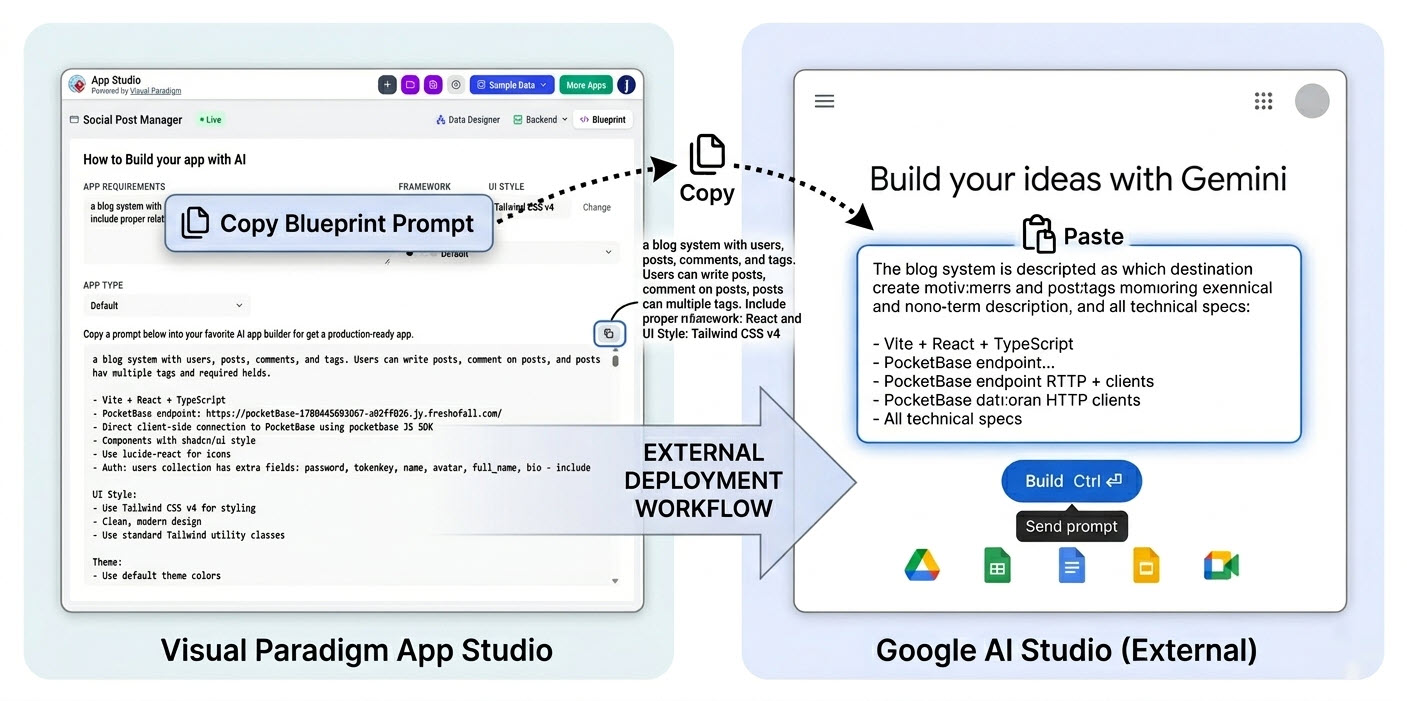
Because App Studio remains highly flexible and platform-neutral, it hands off the finalized master blueprint to external toolsets.
I took my copied blueprint and pasted it into an external LLM environment (I used Google AI Studio, but it works seamlessly with Claude or ChatGPT).
I pasted the structural operational parameters into the System Instructions field to anchor the AI’s role.
I pasted the master layout blueprint into the main text box.
The AI interpreted the App Studio parameters and instantly output standard frontend source code files, perfectly aligned with the database schema.
Once I had the raw source files, deploying was a breeze using a static cloud hosting platform like Netlify Drop, Vercel, or GitHub Pages:
I created a local directory folder, saved the AI-generated code blocks inside, and ensured the main file was named exactly index.html.
I opened my hosting dashboard and dragged the unzipped folder into the web-based upload drop zone.
Within moments, the static host compiled the directory and distributed a live, secure HTTPS link.
If you want to see how others are leveraging this tool, Visual Paradigm provides excellent step-by-step guides:
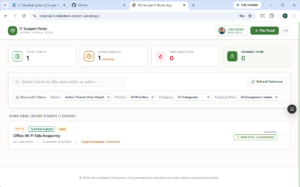
Internal IT Helpdesk System: Discover how the data-driven approach helps generate production-ready AI prompts, manage the database, and deploy the app using Google AI Studio and Vercel.
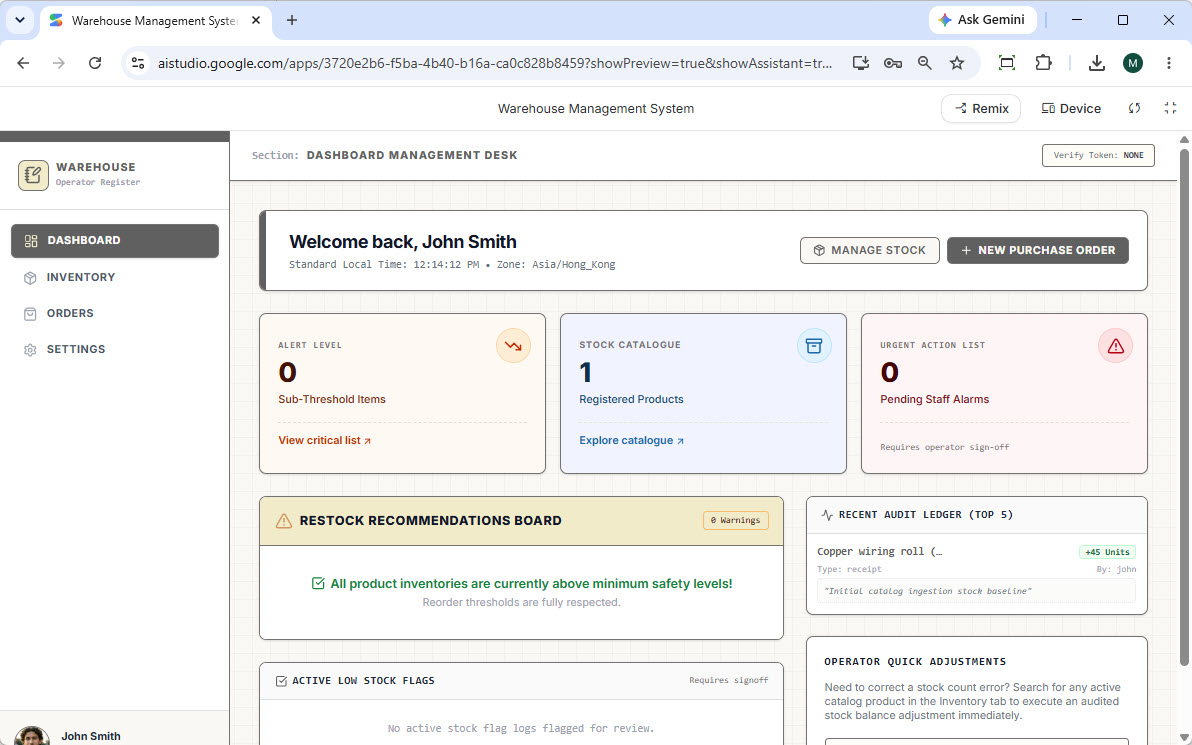
Warehouse Management System: This tutorial walks you through building a fully functional Warehouse Management System, from AI-generated ERD design to database management and deployment on Netlify.
It's important to note that to provide high-performance database provisioning and advanced AI orchestration, App Studio is included with premium tiers. During my review, I found it fully available to users holding active licenses for:
Visual Paradigm Online: Combo Edition (or higher)
Visual Paradigm Desktop: Professional Edition (or higher)
If you are on a lower tier, you can upgrade directly through your Visual Paradigm account dashboard to unlock App Studio and the wider AI Toolbox suite.
After spending time with Visual Paradigm AI App Studio, I can confidently say it addresses one of the most significant pain points in the current AI development landscape: the lack of robust backend and database support in AI-generated apps. By shifting the paradigm from "code-first" to "data-first," it ensures that your applications are structurally sound, properly normalized, and ready for enterprise-scale deployment.
For product managers, developers, and architects who are tired of wrestling with unnormalized databases and vendor lock-in after prototyping with LLMs, App Studio is a breath of fresh air. It seamlessly bridges the gap between rapid AI prototyping and production-ready deployment, making the entire process faster, more secure, and infinitely more straightforward. If you're looking to automate your application development workflow from schema logic to UI layout, it is definitely worth adding to your tech stack.
Ready to give it a try? Log in to your cloud workspace and launch App Studio today.

