
For decades, software architects and developers have relied on drag-and-drop graphical user interfaces (GUIs) to create UML diagrams. While intuitive at first glance, these traditional tools often become bottlenecks. They are notoriously difficult to version-control, prone to formatting inconsistencies, and quickly fall out of sync with the actual codebase.
Enter the "Diagrams as Code" revolution. By treating diagrams as plain text, teams can leverage the same version control, peer-review, and automation pipelines they use for their software. At the forefront of this movement is PlantUML, the industry-standard text-to-diagram engine.
However, raw text generation is only half the battle. To achieve enterprise-grade architecture, you need professional modeling, AI acceleration, and seamless documentation. This is where the Visual Paradigm ecosystem—featuring its powerful modeling engine, Visual Paradigm's VPasCode, and OpenDocs—transforms a simple text script into a living, breathing architectural asset.
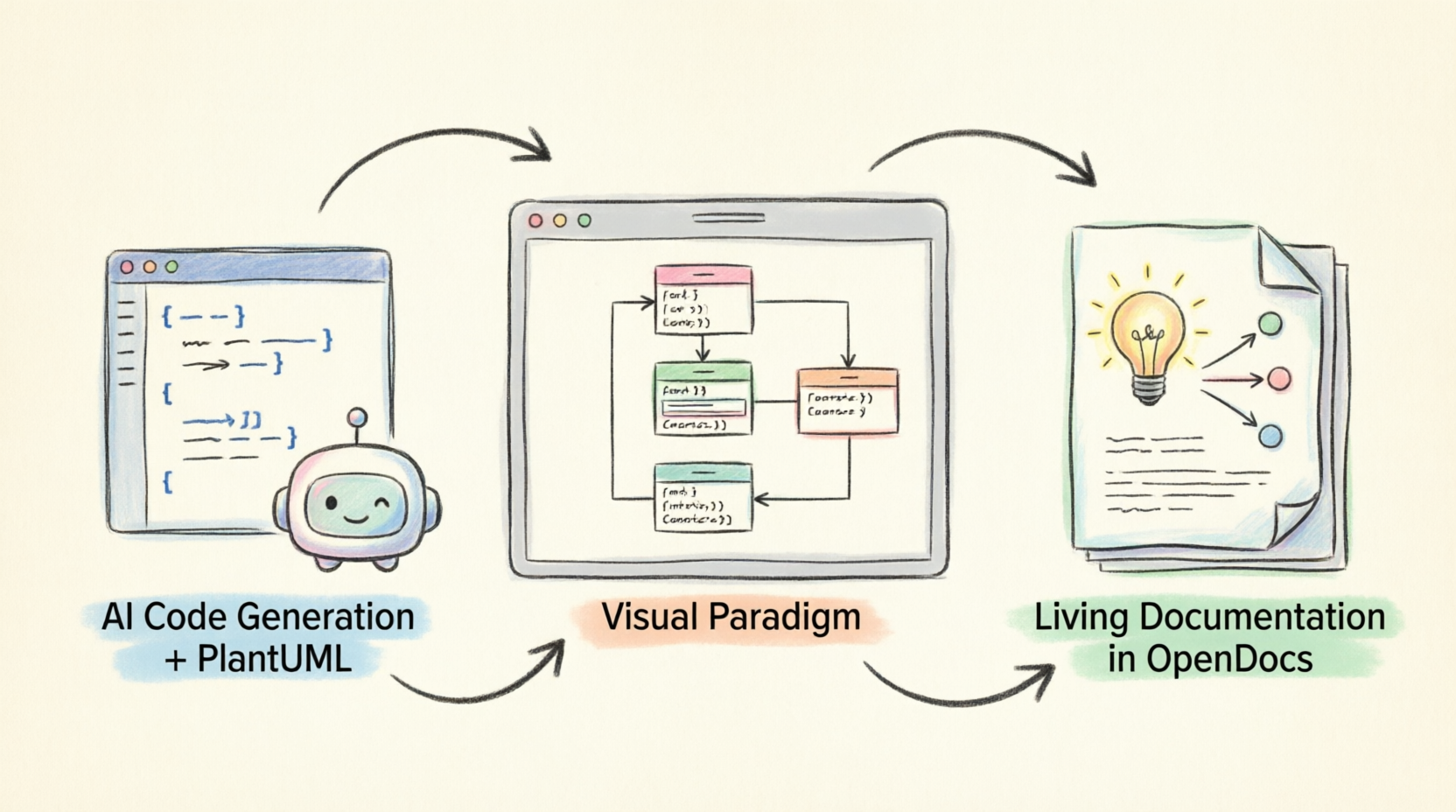
This comprehensive guide will walk you through the entire lifecycle of modern UML creation: from writing your first PlantUML script to generating AI-accelerated models, and finally, publishing them as interactive, living documentation.
Before diving into the workflow, it is essential to understand the core pillars of this modern architecture stack:
.puml), allowing them to be tracked in Git, reviewed via Pull Requests, and automated in CI/CD pipelines.PlantUML uses a simple, readable syntax to define classes, attributes, methods, and relationships. You don't need to worry about pixel-perfect alignment; the engine handles the layout.
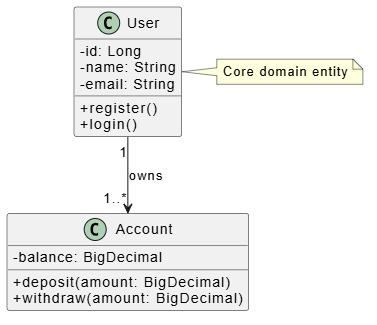
Here is a foundational example defining a basic e-commerce domain:
@startuml
skinparam classAttributeIconSize 0
skinparam shadowing false

class User {
  -id: Long
  -name: String
  -email: String
  +register()
  +login()
}

class Account {
  -balance: BigDecimal
  +deposit(amount: BigDecimal)
  +withdraw(amount: BigDecimal)
}

User "1" --> "1..*" Account : owns

note right of User
  Core domain entity
end note
@enduml
To truly appreciate the power of "Diagrams as Code," let’s explore a few more comprehensive examples. PlantUML supports over a dozen diagram types. Here are three essential examples for software engineering.
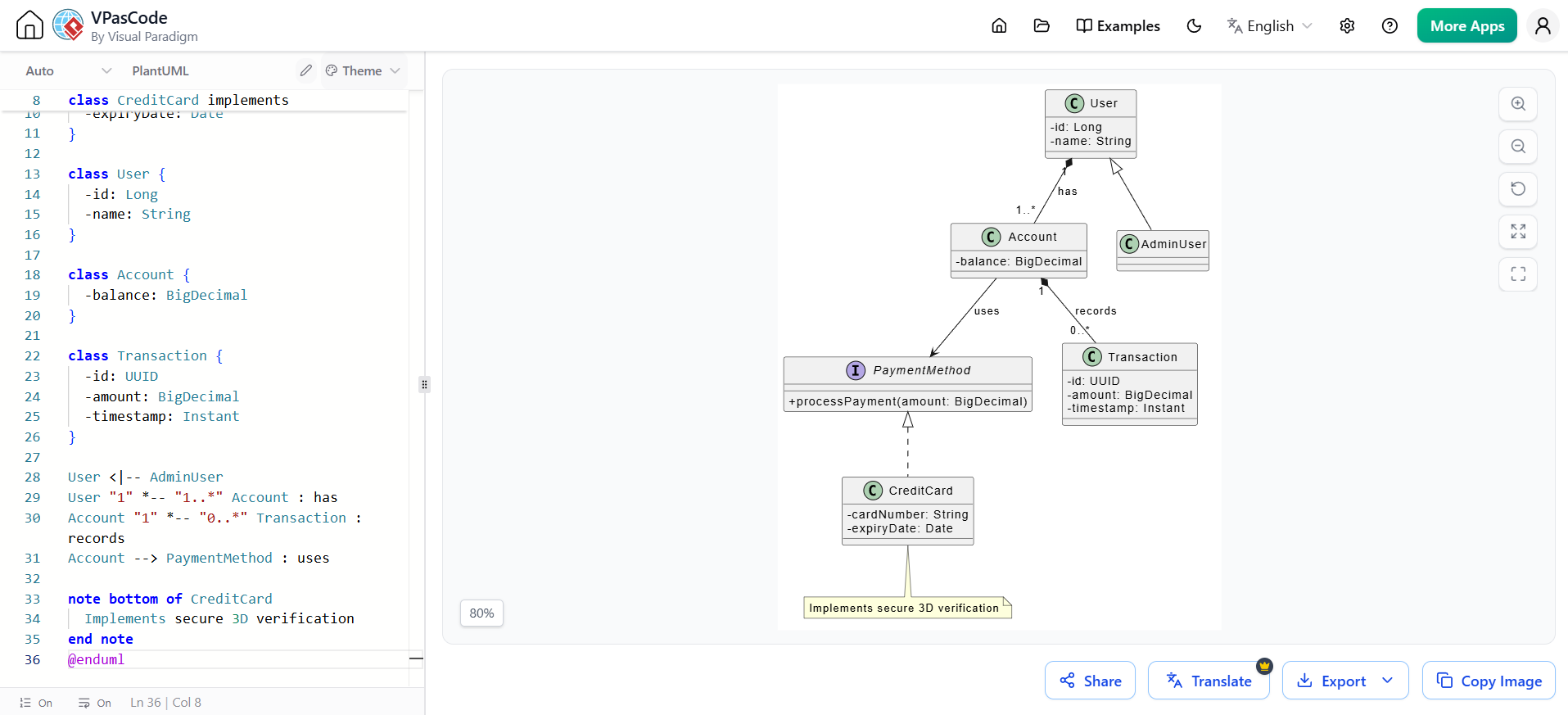
This example demonstrates how to model complex relationships, including inheritance (<|..), composition (*--), and interfaces.
@startuml
skinparam classAttributeIconSize 0

interface PaymentMethod {
  +processPayment(amount: BigDecimal)
}

class CreditCard implements PaymentMethod {
  -cardNumber: String
  -expiryDate: Date
}

class User {
  -id: Long
  -name: String
}

class Account {
  -balance: BigDecimal
}

class Transaction {
  -id: UUID
  -amount: BigDecimal
  -timestamp: Instant
}

User <|-- AdminUser
User "1" *-- "1..*" Account : has
Account "1" *-- "0..*" Transaction : records
Account --> PaymentMethod : uses

note bottom of CreditCard
  Implements secure 3D verification
end note
@enduml
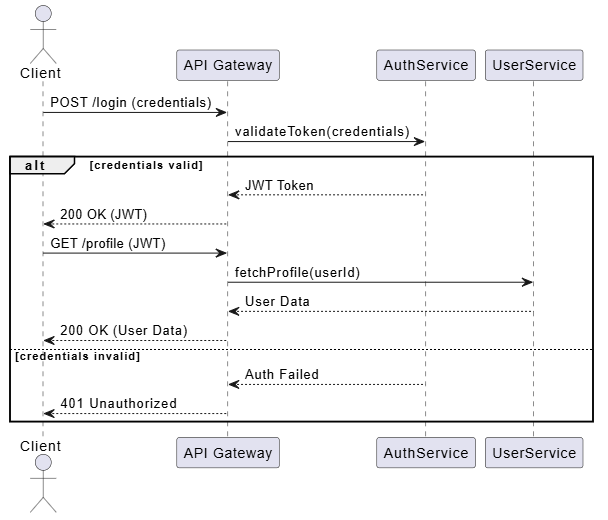
Sequence diagrams are crucial for understanding dynamic behavior and API interactions over time.
@startuml
actor Client
participant "API Gateway" as GW
participant "AuthService" as Auth
participant "UserService" as User

Client -> GW: POST /login (credentials)
GW -> Auth: validateToken(credentials)

alt credentials valid
    Auth --> GW: JWT Token
    GW --> Client: 200 OK (JWT)
    Client -> GW: GET /profile (JWT)
    GW -> User: fetchProfile(userId)
    User --> GW: User Data
    GW --> Client: 200 OK (User Data)
else credentials invalid
    Auth --> GW: Auth Failed
    GW --> Client: 401 Unauthorized
end
@enduml
Perfect for high-level system design, showing how different microservices or modules interact.
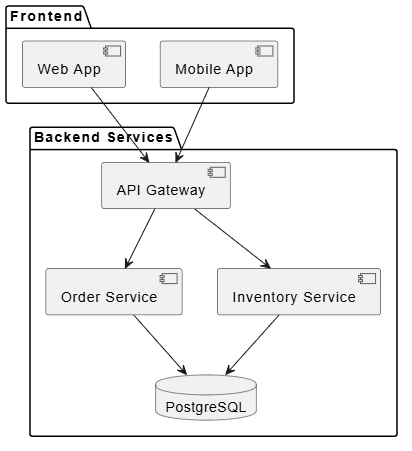
@startuml
package "Frontend" {
  [Web App] as Web
  [Mobile App] as Mobile
}

package "Backend Services" {
  [API Gateway] as Gateway
  [Order Service] as Order
  [Inventory Service] as Inventory
  database "PostgreSQL" as DB
}

Web --> Gateway
Mobile --> Gateway
Gateway --> Order
Gateway --> Inventory
Order --> DB
Inventory --> DB
@enduml
Looking for a powerful, free diagram-as-code tool? Effortlessly render PlantUML, Mermaid, Graphviz, and 20+ programming languages in real time—powered by instant AI error fixing and automatic format detection.
While PlantUML is great for quick sketches, Visual Paradigm (VP) provides the enterprise-grade canvas needed for complex systems.
Pro Tip: This process is bi-directional. You can edit the diagram visually in VP and then export it back to PlantUML syntax to update your text files in Git.
Writing PlantUML from scratch can still be time-consuming. VPasCode AI eliminates the blank-canvas paralysis by turning natural language into ready-to-use diagrams.
The AI Workflow:
This combination gives you the best of both worlds: AI speed for initial drafting, precise text control for versioning, and professional rendering for final presentation.
Once your PlantUML code is imported into Visual Paradigm, you unlock the full power of a mature modeling environment:
Static PDFs and outdated wikis are the enemy of agile teams. OpenDocs by Visual Paradigm transforms your models into a living, AI-enhanced knowledge base.
Best Practices for OpenDocs:
To get the most out of this ecosystem, adopt the following continuous lifecycle:
.puml files to your Git repository.skinparam settings or include a global !include file in your PlantUML scripts to ensure consistent styling across all projects./docs/diagrams or /architecture folder in your repository.The era of treating software architecture diagrams as static, disconnected drawings is over. By embracing the "Diagrams as Code" philosophy with PlantUML, you ensure your designs are version-controlled, collaborative, and inherently tied to your codebase.
When you elevate this approach by integrating Visual Paradigm’s enterprise modeling engine, accelerate your workflow with VPasCode AI, and publish your knowledge via OpenDocs, you create a seamless, modern UML ecosystem. This powerful stack scales effortlessly from solo developers sketching quick APIs to large enterprise teams managing complex microservices.
Ultimately, this workflow does more than just make your diagrams look beautiful; it keeps your architecture alive, maintainable, and perfectly aligned with your software—exactly what modern Agile and DevOps teams need to deliver high-quality software at speed.

