
In the rapidly evolving landscape of software development, the bridge between stakeholder requirements and technical implementation remains one of the most critical yet challenging gaps to cross. Traditional use case modeling has long served as this bridge, offering a structured way to capture functional requirements from the user’s perspective. However, manual modeling is often time-consuming, prone to inconsistency, and difficult to maintain as projects scale.
Enter the era of AI-enhanced modeling. By combining the visual rigor of tools like Visual Paradigm with the code-based flexibility of PlantUML, and supercharging both with artificial intelligence, product managers and systems analysts can now generate, validate, and refine use case models with unprecedented speed and accuracy.
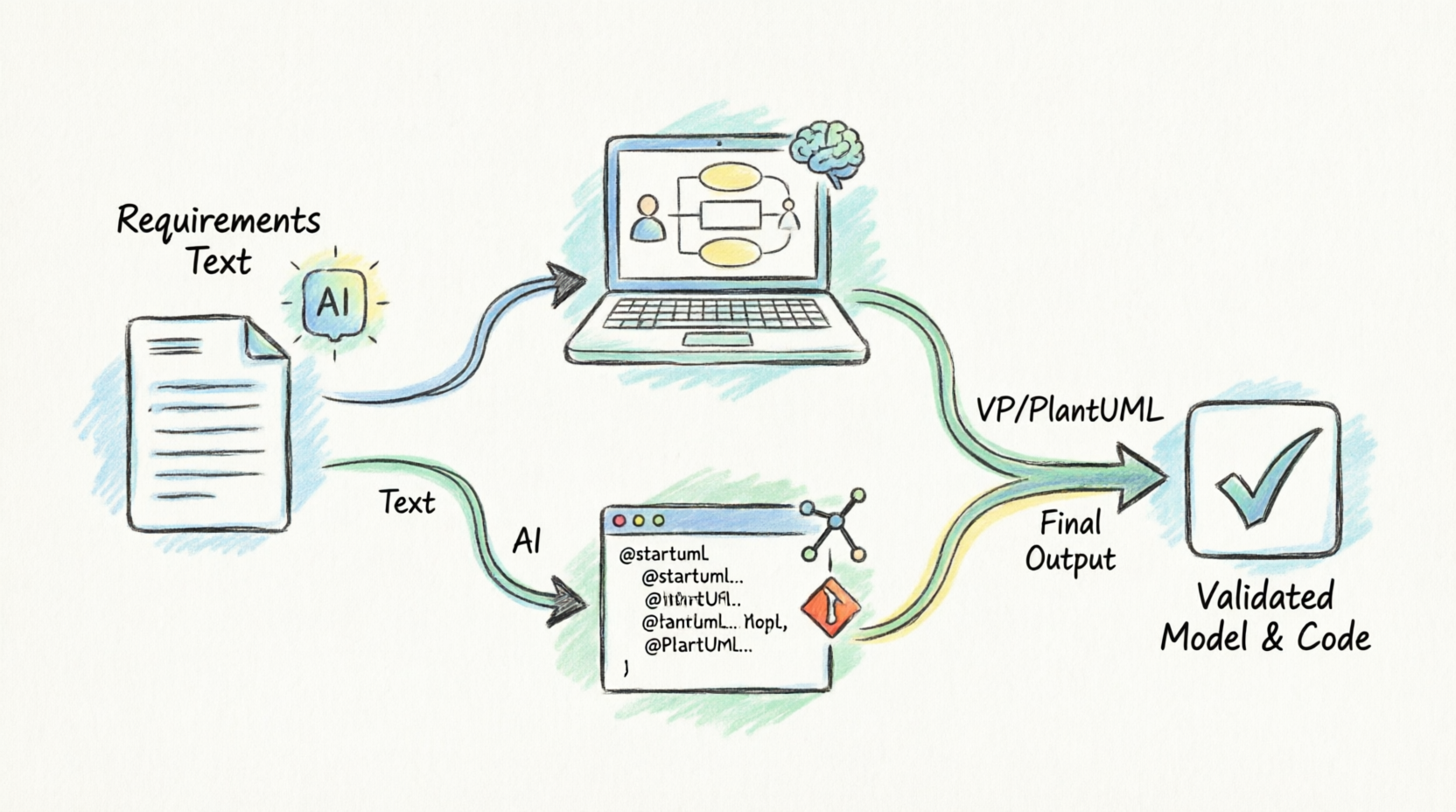
This tutorial is designed for beginners who want to move beyond static diagrams. Whether you are a Product Manager like Alex Johnson looking to streamline requirement gathering, or a Business Analyst aiming to improve traceability, this guide will walk you through a modern, hybrid workflow. We will explore how to transform raw requirement texts into intelligent models, leverage AI for quality checks, and maintain your documentation as living, version-controlled code.
Traditionally, use case modeling was a manual, diagram-centric activity. Analysts would draw boxes and stick figures, often losing nuance in the process. The evolution has followed three key stages:
The modern approach is not about choosing between "drawing" and "coding," but using AI to synchronize both.
A use case diagram is just the table of contents; the real value lies in the description. A robust use case specification must include:
| Element | Description |
|---|---|
| Actor | Registered User |
| Precondition | User is authenticated; File size < 5MB |
| Primary Flow | 1. User clicks "Upload." 2. System opens file dialog. 3. User selects image. 4. System validates format. 5. System saves image. 6. System updates profile view. |
| Alternative Flow | 4a. Invalid Format: 1. System detects non-JPG/PNG. 2. System displays error message. 3. Use case returns to step 2. |
| Postcondition | Profile picture is updated in the database. |
Visual Paradigm (VP) is a powerhouse for comprehensive modeling. Here is how to set up a project for AI-enhanced workflows:
While VP excels at visual management, PlantUML treats diagrams as code. Basic Syntax Structure
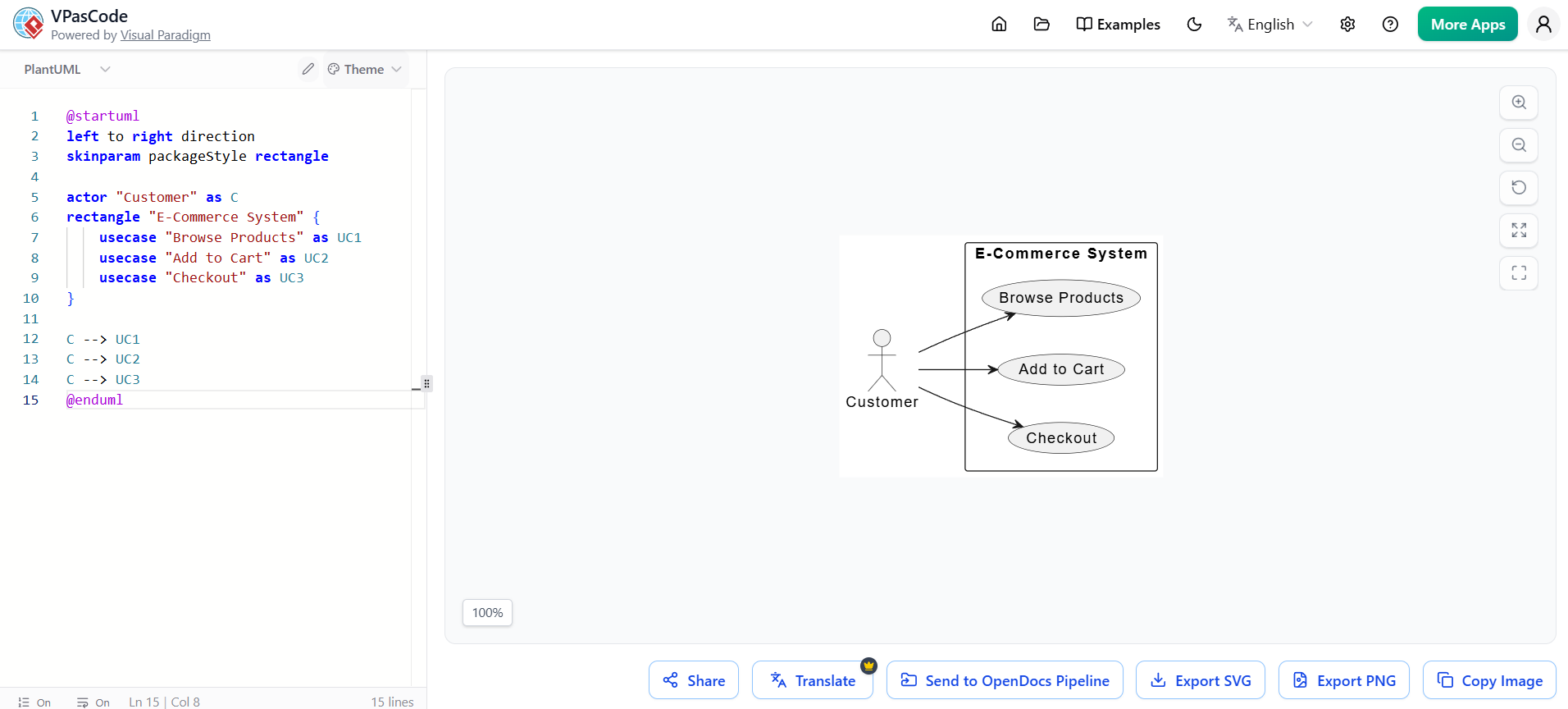
@startuml
left to right direction
skinparam packageStyle rectangle

actor "Customer" as C
rectangle "E-Commerce System" {
    usecase "Browse Products" as UC1
    usecase "Add to Cart" as UC2
    usecase "Checkout" as UC3
}

C --> UC1
C --> UC2
C --> UC3
@enduml
Looking for a powerful, free diagram-as-code tool? Effortlessly render PlantUML, Mermaid, Graphviz, and 20+ programming languages in real time—powered by instant AI error fixing and automatic format detection.
To maintain consistency, define actors and styles at the top of your file:
!define ACTOR_COLOR #LightBlue
!define USECASE_COLOR #White

skinparam actorBackgroundColor ACTOR_COLOR
skinparam useCaseBackgroundColor USECASE_COLOR
Let’s model a "Library Book Reservation" system.
Generate a diagram with AI Chatbot as part of the brainstorming process:
"Members can search for books. If a book is available, they can borrow it instantly. If it’s checked out, they can reserve it. When the book is returned, the system notifies the reserver. Members must have no overdue fines to borrow or reserve."
You may also edit the Chatbot generated code in Visual Paradigm's VPasCode. At the bottom of the chatbot click on Open in VPasCode.
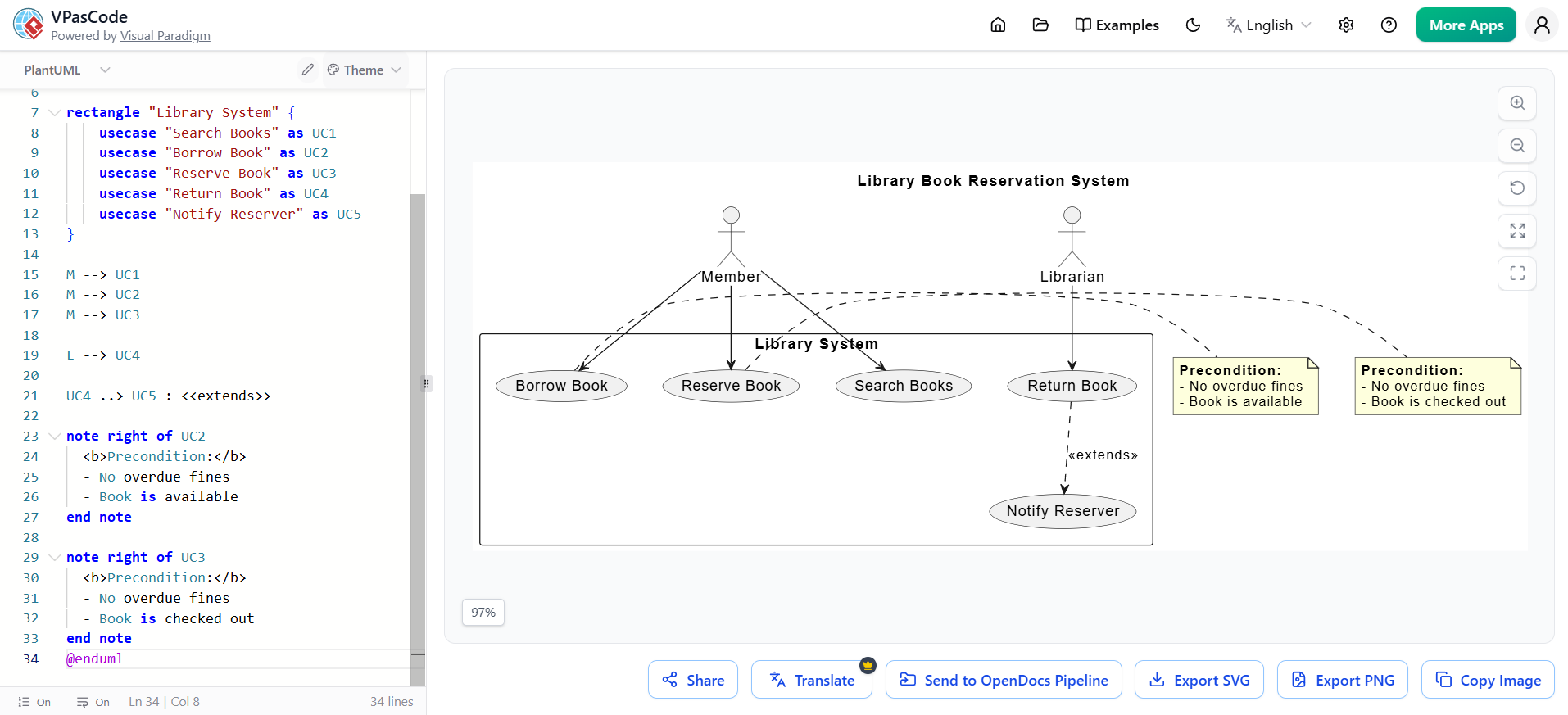
@startuml
title Library Book Reservation System

actor "Member" as M
actor "Librarian" as L

rectangle "Library System" {
    usecase "Search Books" as UC1
    usecase "Borrow Book" as UC2
    usecase "Reserve Book" as UC3
    usecase "Return Book" as UC4
    usecase "Notify Reserver" as UC5
}

M --> UC1
M --> UC2
M --> UC3

L --> UC4

UC4 ..> UC5 : <<extends>>

note right of UC2
  <b>Precondition:</b>
  - No overdue fines
  - Book is available
end note

note right of UC3
  <b>Precondition:</b>
  - No overdue fines
  - Book is checked out
end note
@enduml
| Feature | Visual Paradigm | PlantUML |
|---|---|---|
| Best For | Stakeholder presentations, complex specs, AI integration | Developer docs, version control, quick edits |
| Learning Curve | Moderate (GUI-based) | Low (if you know code) |
| AI Support | Native, integrated AI assistant | Limited (requires external LLMs) |
| Traceability | High (linked database) | Low (text-only) |
Synergy Strategy: Use Visual Paradigm for the initial discovery, AI-assisted drafting, and stakeholder review. Once the model is stable, export to PlantUML for the engineering team to maintain alongside the codebase.
Mastering use case modeling in the age of AI is not about replacing human insight with automation, but about amplifying it. By leveraging Visual Paradigm’s robust specification tools and AI features, you can ensure your requirements are complete and consistent. By integrating PlantUML, you bring agility and version control to your documentation, bridging the gap between product and engineering.
For beginners, the key takeaway is to start small: pick one complex feature, describe it using the framework in Section 2, generate a diagram with VP’s AI, and then refine it using PlantUML. This hybrid approach ensures that your use cases are not just static artifacts, but dynamic blueprints that drive successful software delivery.

