
Business Process Model and Notation (BPMN) is the global standard for visualizing business processes. While most beginners quickly learn the basics of tasks, gateways, and events, they often overlook Markers. These small but powerful symbols act as "modifiers" that sit inside an activity shape to fundamentally change how that task behaves.
Without markers, a process diagram might look correct structurally but fail to capture critical execution logic—such as whether a task repeats, runs in parallel, or allows human discretion. This guide breaks down the five essential BPMN 2.0 markers, provides real-world context, and demonstrates how to implement them efficiently using Visual Paradigm and its AI-assisted modeling features.
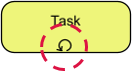
The symbol for repetition.
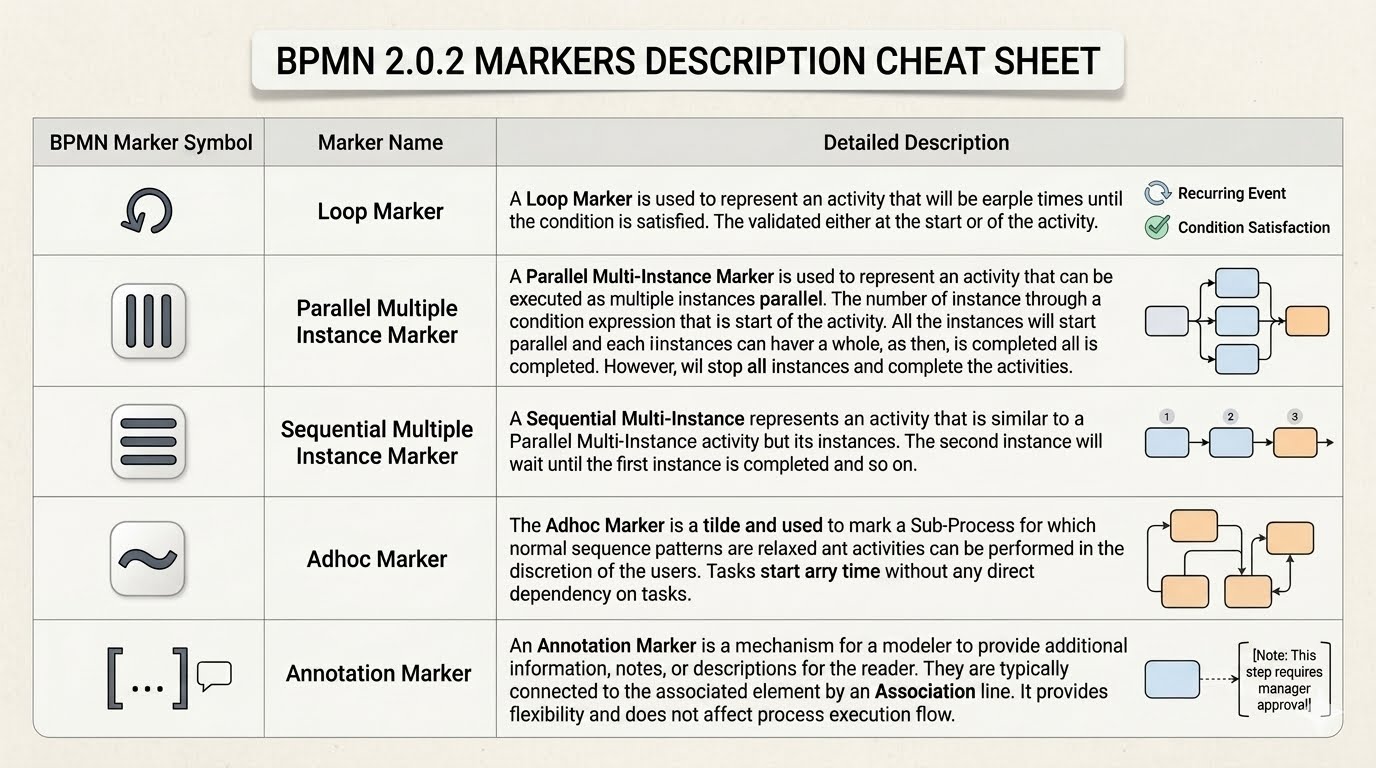
Visual Symbol: A circular arrow located at the bottom-center of the task rectangle.
Function: Indicates that an activity will execute multiple times until a specific boolean condition is met.
Evaluation Timing: The condition can be validated either before the activity starts (a "While" loop) or after the activity completes (a "Do-While" loop).
Termination: The loop persists strictly until the defined exit condition becomes true.
Vendor Invoice Follow-up: An automated procurement system sends a reminder email to a vendor. The system checks if the invoice has been uploaded. If not, it loops back and sends another reminder after 24 hours. This continues until the invoice is successfully received.
In Visual Paradigm, right-click a Task > Markers > Loop. You can then open the Properties pane to define the "Loop Condition" expression. Use the built-in expression editor to map this to your process data variables without writing raw code.
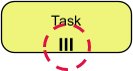
The symbol for simultaneous scaling.
Visual Symbol: Three vertical parallel lines (|||) at the bottom of the activity box.
Function: Creates multiple instances of an activity that execute simultaneously.
Instance Count: Determined by a numeric expression evaluated at the start of the task (e.g., count(applicants)).
Data Handling: Each instance operates independently with unique input parameters.
Completion Lifecycle: The parent activity is considered complete only when all child instances have finished.
Mass Interview Scheduling: A hiring manager needs to send interview invitations to five shortlisted candidates. Instead of sending them one by one, the system triggers five parallel email tasks instantly. The "Send Invitations" phase only ends once all five emails are confirmed sent.
Use VP’s Data Mapping feature to bind a collection (like a list of candidates) to the multi-instance marker. The tool automatically generates the necessary iteration logic in the background.
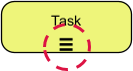
The symbol for batch processing.
Visual Symbol: Three horizontal parallel lines (≡) at the bottom of the activity box.
Function: Creates multiple instances of an activity that execute one after another.
Execution Flow: Strictly linear; Instance B cannot start until Instance A is fully complete.
Data Handling: Processes individual items consecutively from a defined data collection.
Safety Equipment Inspection: A safety inspector has a batch of ten pressure valves to test. Due to resource constraints (only one testing rig), they must test Valve 1, finish the report, then move to Valve 2, and so on.
When configuring this in VP, ensure you select "Sequential" rather than "Parallel" in the Multi-Instance properties. This is crucial for resource-constrained environments where parallel execution would cause bottlenecks.
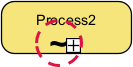
The symbol for human flexibility.
Visual Symbol: A tilde (~) placed at the bottom of a Sub-Process container.
Function: Relaxes standard sequence flow rules, allowing activities within the sub-process to execute in any order.
User Discretion: Human actors decide dynamically at runtime which task to perform next.
Dependency Rule: Tasks are independent; there are no rigid incoming/outgoing sequence flows dictating order.
Medical Patient Checkup: A doctor enters an examination room. They might check blood pressure first, then listen to the heart, or vice versa. They might even skip a step if the patient reports no symptoms. The workflow adapts to the doctor's clinical judgment, not a pre-defined flowchart.
Adhoc sub-processes are best modeled using VP’s Sub-Process element. Apply the marker via the marker toolbar. Note that Adhoc markers apply to Sub-Processes, not individual tasks.
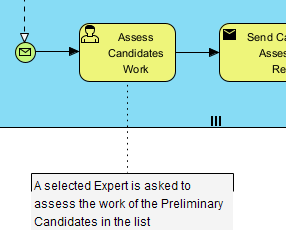
The symbol for documentation.
Visual Symbol: An open bracket connected to a process element via a dotted Association line.
Function: Provides supplementary text notes for human readers.
Execution Impact: Zero. Annotations do not affect engine logic, routing, or data flow.
Connection Type: Uses a standard "Association" connector (dotted line with open arrow).
Approval Context: An "Approve Expense" task has an annotation stating: "Requires VP approval if amount > $10,000." This clarifies business rules for stakeholders reading the diagram without cluttering the task name itself.
Don't overuse annotations. In VP, use the Model Transcription or AI Description Generator to auto-suggest clear, concise annotations based on the task name and connected data objects, keeping your diagram clean.
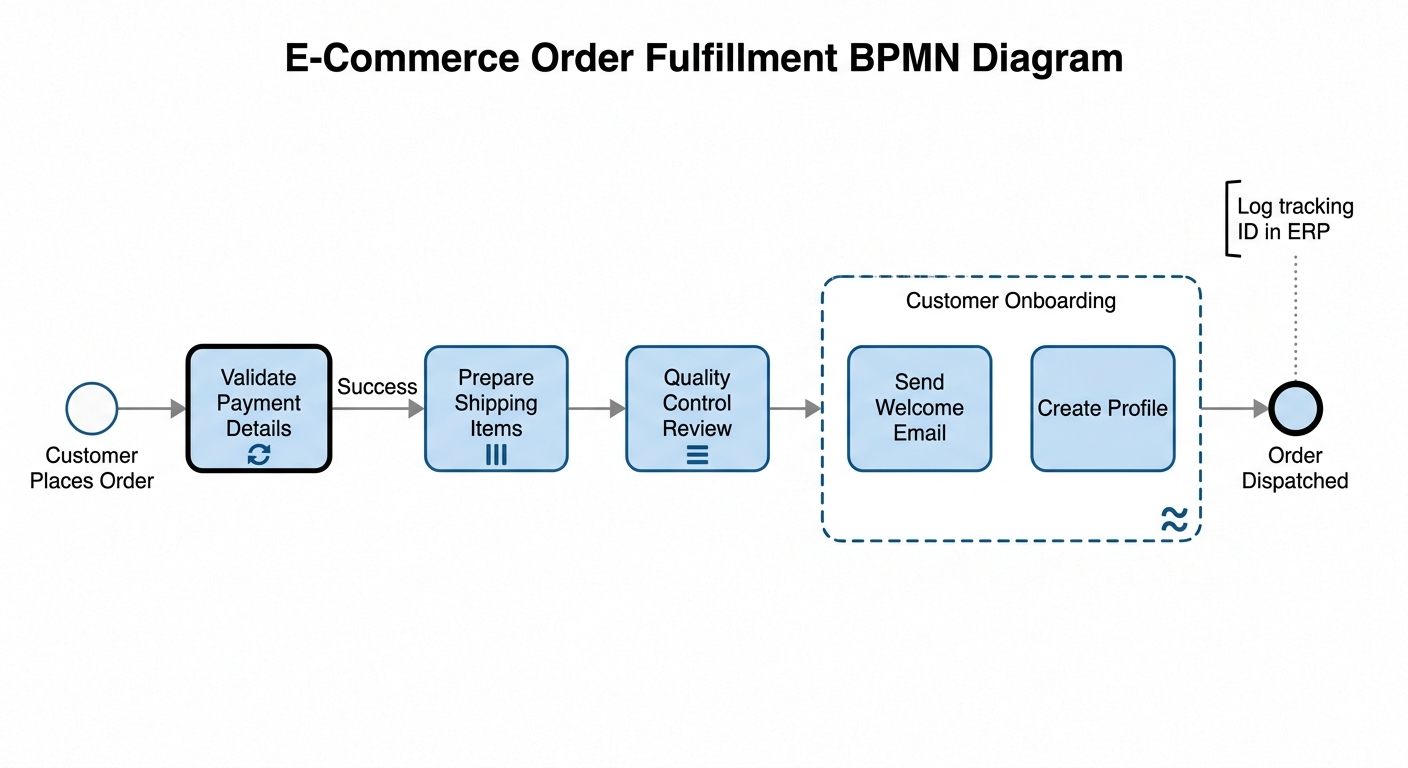
This end-to-end order fulfillment workflow demonstrates how all five BPMN markers function together inside a unified business process.
Scenario: The customer's credit card fails initial authorization due to a temporary bank timeout.
Marker Action: The system loops and retries the "Validate Payment Details" task every 2 minutes up to a maximum of 3 times before declaring an error. It repeats the activity until the boolean condition isAuthorized == true or retryCount == 3 is satisfied.
Scenario: An order contains three separate physical items: a book, a laptop sleeve, and a pack of pens.
Marker Action: The warehouse management system dynamically spins up three separate, independent picking instances at the exact same time. Three different warehouse workers receive an item slip simultaneously to retrieve their respective products in parallel, drastically reducing fulfillment lag.
Scenario: The three picked items arrive at the final packaging station for inspection.
Marker Action: Because there is only one specialized scanning machine, the inspector must evaluate the items one at a time. The system creates a sequential stack. Item 2 waits for Item 1 to clear inspection, and Item 3 waits for Item 2, ensuring dedicated quality focus without causing data collisions.
Scenario: While the physical box is traveling to the shipping dock, the digital platform triggers a post-purchase onboarding subprocess for the buyer.
Marker Action: The automated system manages tasks like "Create Profile" and "Send Welcome Email". Because the process is adhoc, there is no fixed sequential order. Depending on server loads or user preferences, the profile might be generated first or the email might deploy first—either path is valid.
Scenario: A system administrator or new process developer reviews the workflow diagram to understand engineering requirements.
Marker Action: An open bracket is attached via a dotted line to the final "Order Dispatched" event milestone. The label reads: "Log tracking ID in ERP database via REST API". This gives explicit technical guidance to engineers without affecting how the actual software runs.
Visual Paradigm (VP) goes beyond simple drag-and-drop drawing. For beginners working with markers, leverage these specific features:
AI-Powered Process Generation: Describe your process in natural language (e.g., "Create a process where we review 10 applications sequentially"), and VP’s AI will generate the BPMN diagram with the correct Sequential Multi-Instance marker already applied.
Instant Marker Application: Select any activity and use the floating toolbar or right-click menu to toggle markers instantly. No need to search through shape libraries.
BPMN Validation Engine: VP automatically validates marker usage. If you try to place an Adhoc marker on a regular Task instead of a Sub-Process, the tool will flag it as a specification violation immediately.
Data Binding Wizard: For Multi-Instance markers, VP provides a visual wizard to map input/output data collections, eliminating the need to manually write complex XPath or FEEL expressions.
BPMN markers are the difference between a static picture and a dynamic execution blueprint. By mastering the Loop, Parallel/Sequential Multi-Instance, Adhoc, and Annotation markers, you transform your diagrams from high-level overviews into precise technical specifications.
For beginners, the key takeaway is this: Tasks define what happens; Markers define how it happens. When combined with intelligent tooling like Visual Paradigm, you can model complex, real-world business logic with accuracy and speed. Start by identifying repetitive or flexible areas in your current processes, apply the appropriate markers, and watch your process models gain a new level of clarity and utility.

