
In the complex landscape of software development, clarity is currency. Misunderstandings between stakeholders, developers, and testers can lead to costly rework, delayed launches, and products that fail to meet user needs. While user stories have become popular in Agile environments for their simplicity, they often lack the contextual depth required for complex systems. This is where use cases shine.
Use cases provide a structured, comprehensive way to describe how users interact with a system to achieve specific goals. They serve as a bridge between business requirements and technical implementation, ensuring all parties share a common understanding of system behavior. Whether you're building a simple mobile app or an enterprise-level platform, well-crafted use cases align teams, guide development, and form the foundation for robust testing strategies.
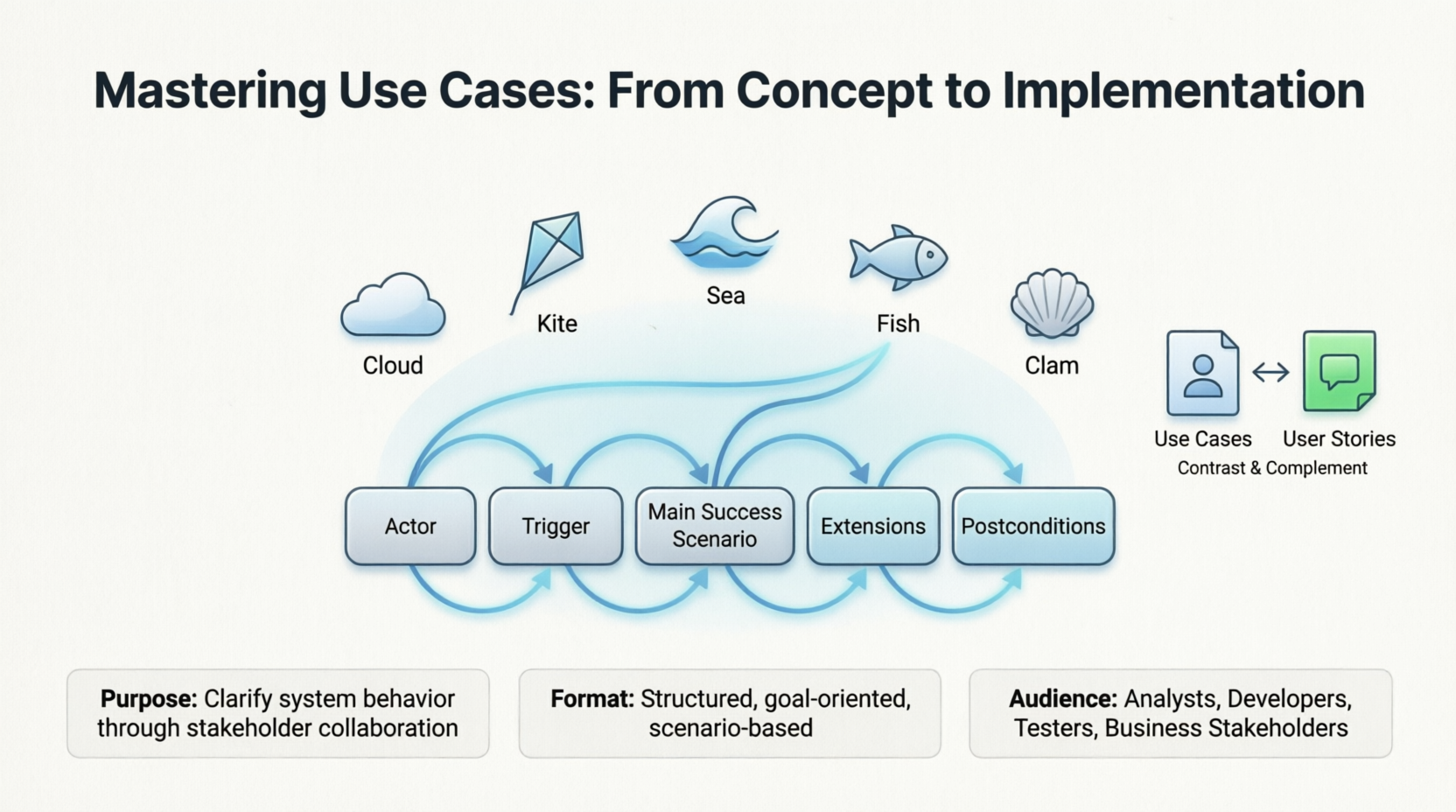
This guide explores the essential components of effective use cases, introduces Alistair Cockburn's five-level model for scoping, provides practical templates, and demonstrates how to visualize use cases using PlantUML. By the end, you'll have the tools to write use cases that drive successful product development.
Every complete use case specification should include these foundational components:
| Element | Description | Example |
|---|---|---|
| Actor | Entity interacting with the system (primary = initiates, secondary = supports) | Customer, Payment Gateway |
| Preconditions | What must already be true before the use case starts | User is logged in, account has sufficient balance |
| Trigger | The event that initiates the use case | Customer clicks "Withdraw Cash" |
| Main Success Scenario | The "happy path" – optimal, error-free sequence | Numbered steps from trigger to goal completion |
| Extensions | Alternative flows (different valid paths) and exceptions (errors) | 3a: Insufficient funds → show error message |
| Postconditions | The guaranteed state after the use case completes | Balance is updated, transaction receipt is generated |
Maintain a black-box perspective – describe what the system does, not how (avoid database schemas, API endpoints, UI details)
Use active voice – "The system validates the PIN" (not "The PIN is evaluated by the system")
Map extensions explicitly – tie each extension to the step number it diverges from (e.g., 5a branches from step 5)
Target Elementary Business Processes (EBP) – each use case should represent a complete, valuable task performed in response to a single business event
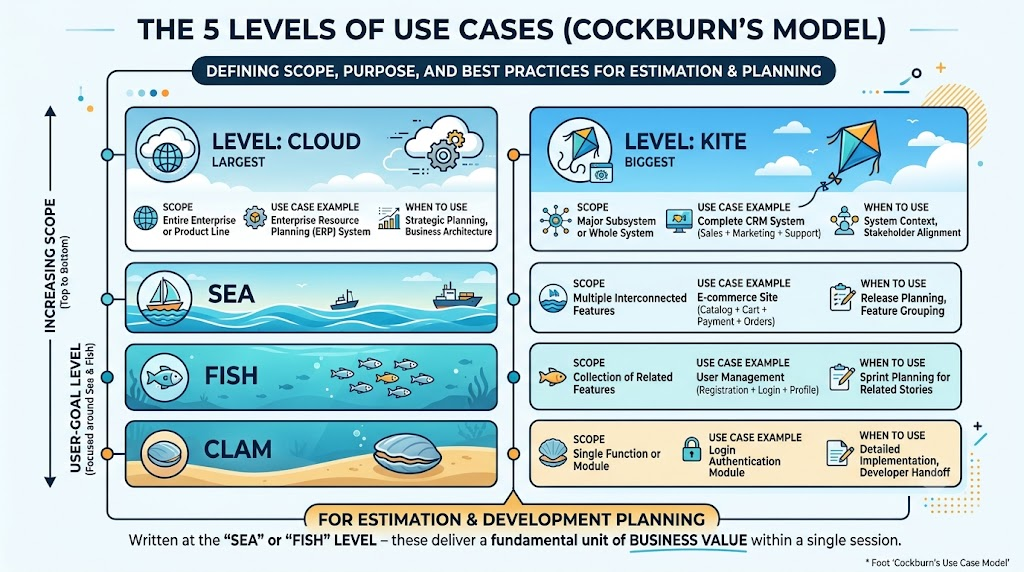
Alistair Cockburn's "Cloud, Kite, Sea, Fish, Clam" model defines five scope levels, each serving different purposes:
| Level | Scope | Use Case Example | When to Use |
|---|---|---|---|
| Cloud (Largest) | Entire enterprise or product line | Enterprise Resource Planning (ERP) system | Strategic planning, business architecture |
| Kite | Major subsystem or whole system | Complete CRM system (sales + marketing + support) | System context, stakeholder alignment |
| Sea (Medium) | Multiple interconnected features | E-commerce site (catalog + cart + payment + orders) | Release planning, feature grouping |
| Fish (Small) | Collection of related features | User management (registration + login + profile) | Sprint planning for related stories |
| Clam (Smallest) | Single function or module | Login authentication module | Detailed implementation, developer handoff |
For estimation and development planning, use cases should be written at the "Sea" or "Fish" level – these represent the "user-goal level" where each use case delivers a fundamental unit of business value within a single session.
A structured tabular format is best for detailed documentation as it's easy to scan and reference.
| Field | Content |
|---|---|
| Use Case ID | UC-201 |
| Name | Withdraw Cash |
| Actor(s) | Primary: Bank Customer; Secondary: Core Banking API |
| Description | Customer withdraws cash from an ATM using their debit card and PIN |
| Preconditions | Customer has an active bank account with sufficient balance; ATM has cash available |
| Trigger | Customer inserts debit card into ATM |
| Step | Actor Action | System Response |
|---|---|---|
| 1 | Inserts debit card | Reads card info; prompts for PIN |
| 2 | Enters PIN | Validates PIN; prompts for withdrawal amount |
| 3 | Selects withdrawal amount | Checks balance; dispenses cash; updates account; prints receipt |
| Step | Condition | Action |
|---|---|---|
| 2a | Invalid PIN entered | System displays error; after 3 failures, retains card and ends session |
| 3a | Insufficient balance | System displays error; prompts to enter lower amount |
| 3b | ATM has insufficient cash | System displays "Unable to dispense" and ends transaction |
Account balance is updated
Transaction receipt is printed (success) or error logged (failure)
Customer is logged out of session
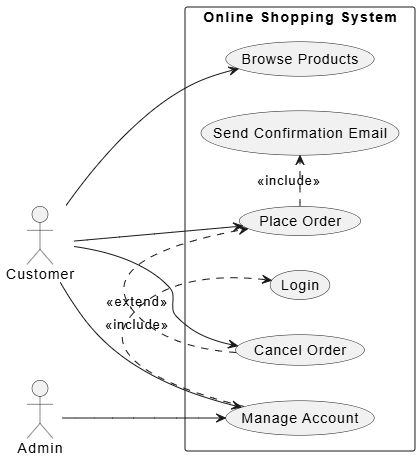
@startuml
left to right direction
skinparam packageStyle rectangle

actor "Customer" as customer
actor "Admin" as admin

rectangle "Online Shopping System" {
  usecase "Browse Products" as UC1
  usecase "Place Order" as UC2
  usecase "Cancel Order" as UC4
  usecase "Manage Account" as UC5
  usecase "Login" as SUC1
  usecase "Send Confirmation Email" as SUC3
}

customer --> UC1
customer --> UC2
customer --> UC4
customer --> UC5
admin --> UC5

' Include relationships (mandatory)
UC2 .> SUC3 : <<include>>
UC5 .> SUC1 : <<include>>

' Extend relationships (optional)
UC4 .> UC2 : <<extend>>
@enduml
Key syntax notes:
Actors: :Actor Name:
Use cases: (Use Case Name) or usecase "Name" as Alias
Association: Actor --> (UseCase)
Include: (Base) .> (Included) : <<include>> (mandatory behavior)
Extend: (Base) .> (Extension) : <<extend>> (optional behavior)
Packages: rectangle "System Name" { ... } to define system boundaries
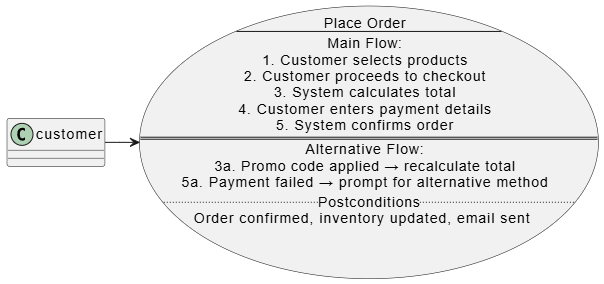
@startuml
usecase UC_PlaceOrder as "Place Order
--
Main Flow:
1. Customer selects products
2. Customer proceeds to checkout
3. System calculates total
4. Customer enters payment details
5. System confirms order
==
Alternative Flow:
3a. Promo code applied → recalculate total
5a. Payment failed → prompt for alternative method
..Postconditions..
Order confirmed, inventory updated, email sent"

customer -> UC_PlaceOrder
@enduml
Multi-line descriptions use quotes and separators (--, ==, ..).
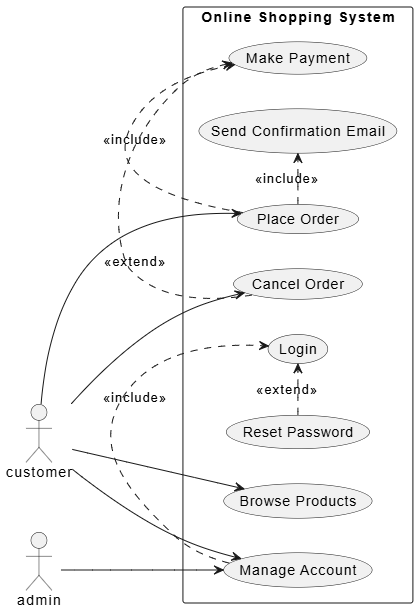
@startuml
left to right direction
skinparam packageStyle rectangle

actor customer
actor admin

rectangle "Online Shopping System" {
  usecase "Browse Products" as UC1
  usecase "Place Order" as UC2
  usecase "Make Payment" as UC3
  usecase "Cancel Order" as UC4
  usecase "Manage Account" as UC5

  usecase "Login" as SUC1
  usecase "Reset Password" as SUC2
  usecase "Send Confirmation Email" as SUC3
}

customer --> UC1
customer --> UC2
customer --> UC4
customer --> UC5
admin --> UC5

UC2 .> UC3 : <<include>>
UC2 .> SUC3 : <<include>>
UC5 .> SUC1 : <<include>>
SUC2 .> SUC1 : <<extend>>
UC4 .> UC3 : <<extend>>
@enduml
This diagram shows the relationships among use cases in an online shopping system.
| Aspect | Use Cases | User Stories |
|---|---|---|
| Scope | Groups all related behavior under a single goal | Standalone, flat item |
| Context | Provides full picture of how user achieves a goal | Loses context; no built-in relationships |
| Testability | Test cases derived directly from flows | Acceptance tests written after |
| Scalability | 10-15 use cases give system overview | 200+ stories hard to navigate without grouping |
Use cases complement user stories by providing structure and context – use them together for best results.
Use cases remain one of the most powerful tools in a product manager's arsenal. They provide the depth and structure necessary to communicate complex system behaviors clearly, ensuring that stakeholders, developers, and testers are aligned on what needs to be built and why. By mastering the core elements—actors, preconditions, triggers, main success scenarios, extensions, and postconditions—you create documentation that serves multiple purposes throughout the development lifecycle.
Cockburn's five-level model helps you choose the right scope for your audience, whether you're presenting high-level strategy to executives (Cloud/Kite level) or providing detailed specifications to developers (Fish/Clam level). The tabular template offers a consistent format that's easy to maintain and reference, while PlantUML diagrams bring your use cases to life visually, making relationships and dependencies immediately apparent.
Rather than viewing use cases and user stories as competing methodologies, recognize their complementary strengths. Use cases provide the architectural blueprint and contextual framework, while user stories offer the granular, iterative approach needed for Agile development. Together, they create a robust foundation for building products that truly meet user needs.
Start small: pick one critical feature in your current project and write a complete use case using the template provided. Share it with your team, gather feedback, and iterate. You'll quickly discover how this disciplined approach to requirement gathering transforms ambiguity into clarity, setting your projects up for success from day one.

