
In today’s rapidly evolving software landscape, modeling dynamic system behavior is no longer optional—it’s essential. Whether designing embedded devices, user interface workflows, or complex enterprise transaction lifecycles, engineers need precise, visual tools to capture how systems respond to events across different conditions. State machine diagrams provide this critical clarity by mapping states, transitions, guards, and actions into an intuitive visual language.
This case study explores the timeless example of a CD player control system to demonstrate foundational state modeling principles. More importantly, it illustrates how modern AI-powered tools are transforming this discipline—enabling teams to generate, refine, and validate behavioral models through natural language, accelerating design cycles while reducing ambiguity. By combining classic UML rigor with conversational AI capabilities, developers and architects can now focus on logic and requirements rather than manual diagram formatting.
Readers will gain practical insights into state diagram best practices, learn how to avoid common modeling pitfalls, and discover how to leverage Visual Paradigm’s AI ecosystem to bring behavioral specifications to life—from initial concept to production-ready documentation.
Using the provided CD player diagram, we can identify several fundamental components of state machine modeling:
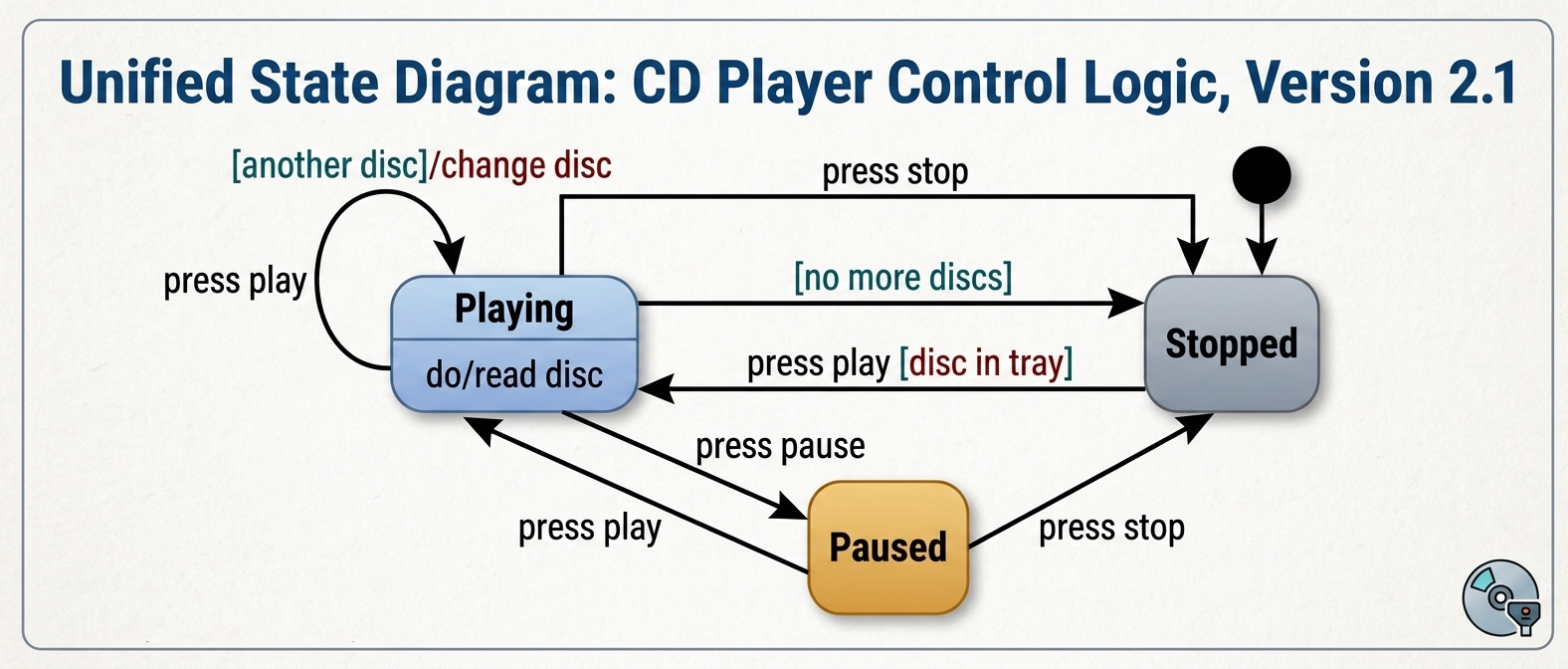
press play event transitions the system from Stopped to Playing.[disc in tray] is true.[another disc]/change disc shows an action performed as the system remains in the Playing state.do/read disc indicates an ongoing behavior that occurs as long as the system is in that state.To ensure accuracy and readability when modeling, follow these industry standards:
The “Silent” Guard: If a transition has no guard, it is assumed to always be true when the event occurs. Use guards only when there is a logical fork in the path.
Self-Transitions for Loops: Use self-transitions (like the one for [another disc] in the diagram) to handle repetitive logic that doesn’t change the overall state of the machine.
Multiplicity Accuracy: In related structural diagrams (like Class Diagrams), ensure your connectors match the logic; for example, 1-to-many relationships often require diamond-headed connectors for semantic accuracy.
Automation: Utilize modeling tools like PlantUML or Visual Paradigm to maintain version control and ensure that your diagrams can be easily updated as the software architecture evolves.
Modern modeling platforms now integrate artificial intelligence to streamline the creation and refinement of state machine diagrams:
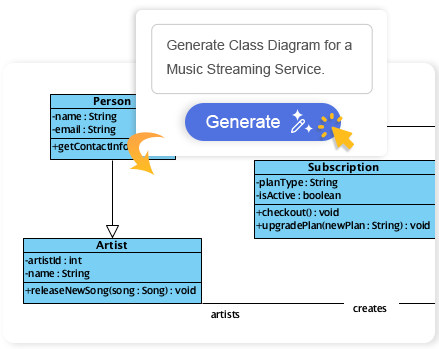
Instant Text-to-Diagram Generation: Describe an object’s life cycle or system behavior in natural language to instantly generate a complete State Machine Diagram. The engine automatically builds clean state clusters, adds entry/exit actions, and structures properly guarded transitions.
Conversational Logic Refinement: Use the Visual Paradigm AI Chatbot to iteratively update diagrams via chat. Prompts like “add guards,” “insert missing events,” or “introduce a new sub-state” automatically update the model in real time.
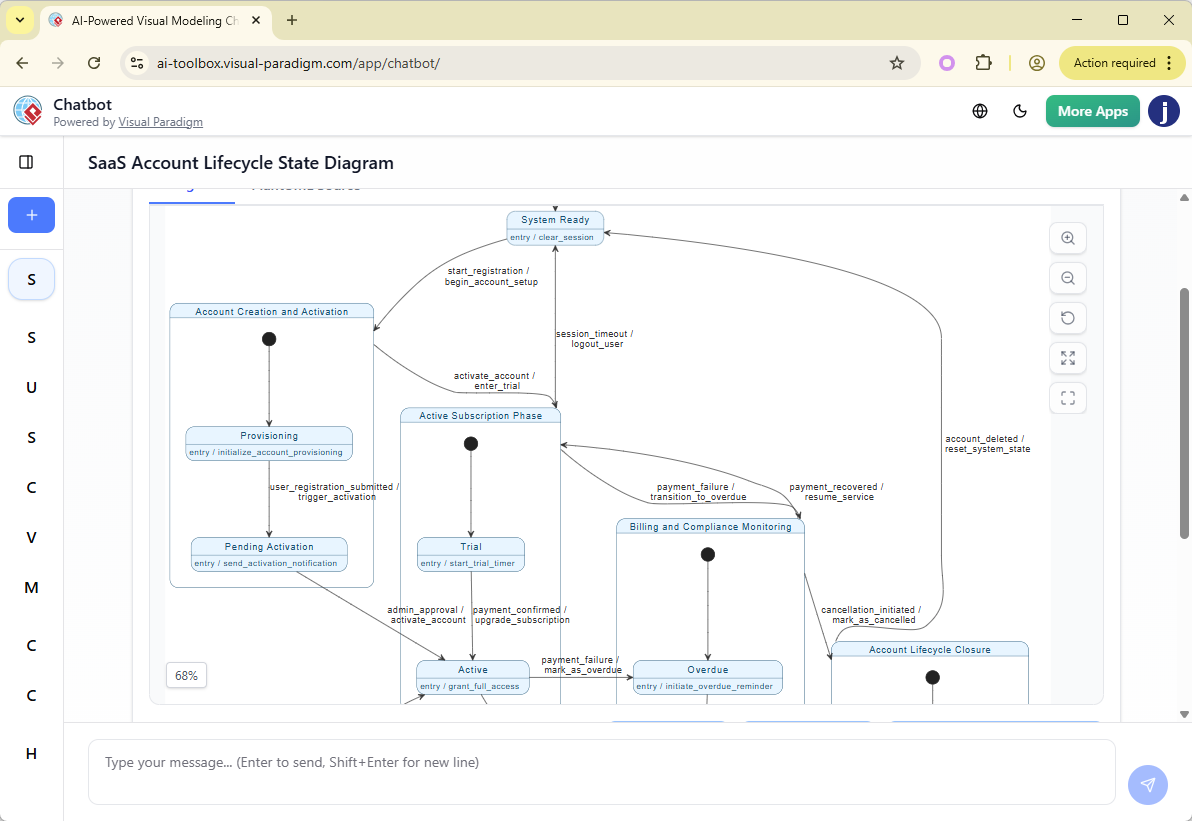
Smart Layout & Change Comparisons: The AI generates cleanly aligned, perfectly spaced, and presentation-ready diagrams without template dependencies. A dedicated “Compare with previous” utility allows tracking and reviewing changes side-by-side during AI-prompted modifications.
Interactive System Querying (“Ask Your Diagram”): Turn state models into interactive knowledge bases. Users can query the AI to validate behavioral paths, such as asking, “Based on this diagram, is it possible to transition from the Published state back to Draft?”.
Beyond generation, AI-enhanced platforms support the full behavioral modeling lifecycle:
Behavior-Driven Specification: Model dynamic, event-driven components (e.g., UI workflows, device controllers, transaction lifecycles) before writing code to establish clear architectural rules.
Visual Test Case Generation: Leverage the visual flow of AI-generated states to systematically map out paths and derive comprehensive software test scenarios.
Seamless Application Integration: Generated state diagrams can be embedded directly into markdown documents via OpenDocs Knowledge Management or imported straight into Visual Paradigm Desktop or Online workspaces for advanced multi-user editing, version control, and code generation.
The AI-driven UML capabilities are native across the platform ecosystem:
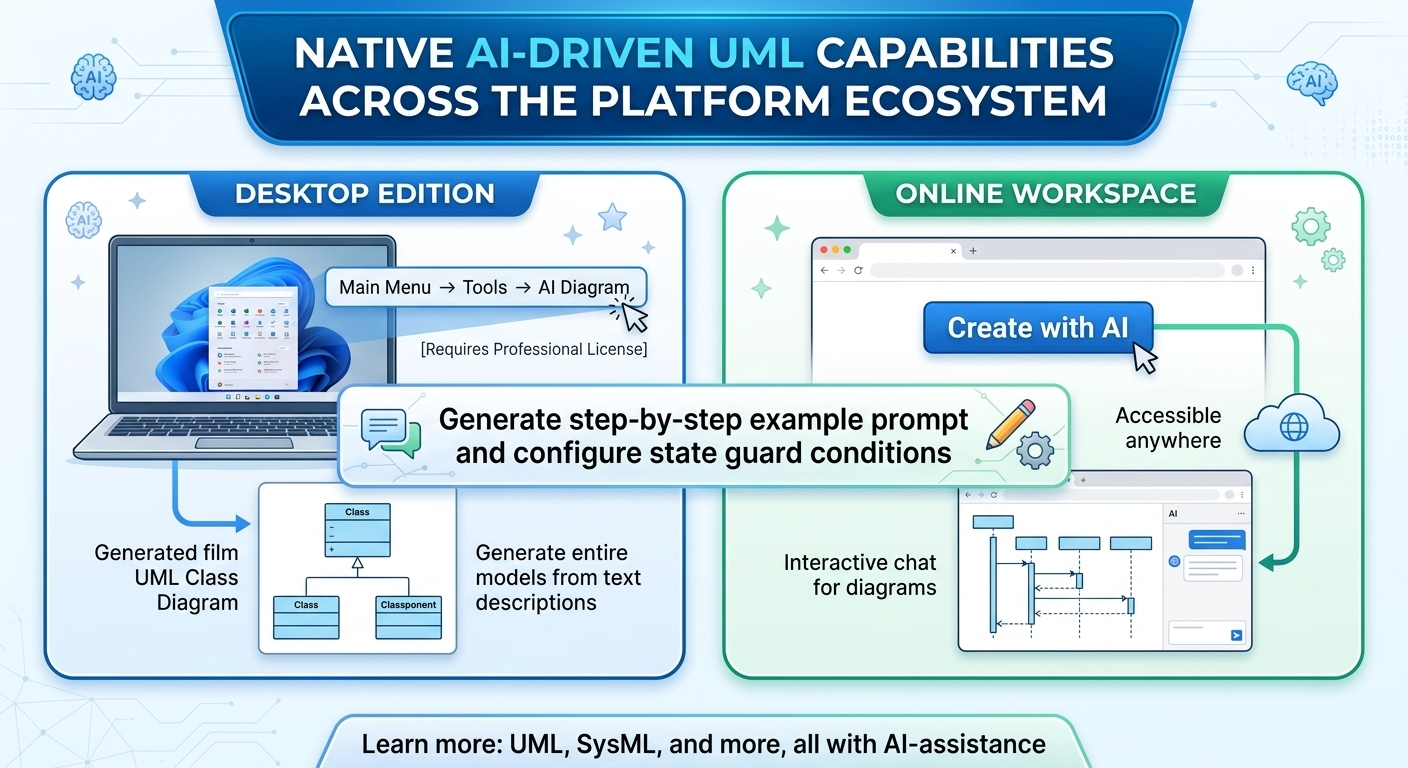
Desktop Edition: Navigate to Tools > AI Diagram from the main menu (requires a Professional Edition license or higher).
Online Workspace: Click “Create with AI” inside your browser-based editor dashboard.
If you would like, I can provide a step-by-step example prompt to feed the AI chatbot or explain how to configure state guard conditions within Visual Paradigm.
The CD player case study demonstrates that state diagrams remain a powerful, timeless technique for taming system complexity. By explicitly defining states like Playing and Paused, and enforcing critical guards like [disc in tray], designers eliminate ambiguity and prevent invalid system behaviors before a single line of code is written.
What’s transformative today is how AI amplifies this discipline. Natural language interfaces lower the barrier to entry, intelligent layout engines save hours of manual formatting, and conversational refinement turns diagramming into a collaborative, iterative dialogue. Whether you’re modeling a simple media controller or a distributed microservices workflow, combining UML rigor with AI assistance empowers teams to design more reliable, maintainable, and well-documented systems.
Start small: model a familiar component using classic state machine principles. Then explore how AI tools can accelerate your workflow—generating initial drafts, suggesting missing transitions, or validating edge cases. The future of behavioral modeling isn’t about replacing human expertise; it’s about augmenting it with intelligent, responsive tools that let architects focus on what matters most: clear, correct, and communicable system logic.

