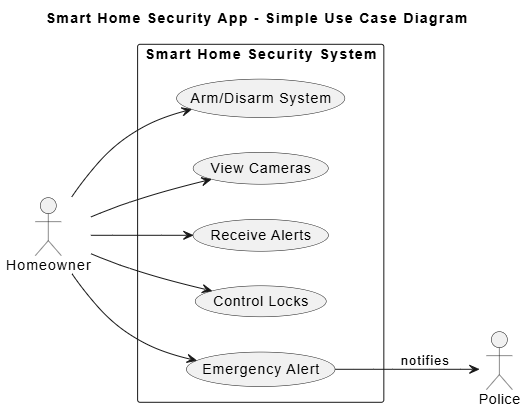
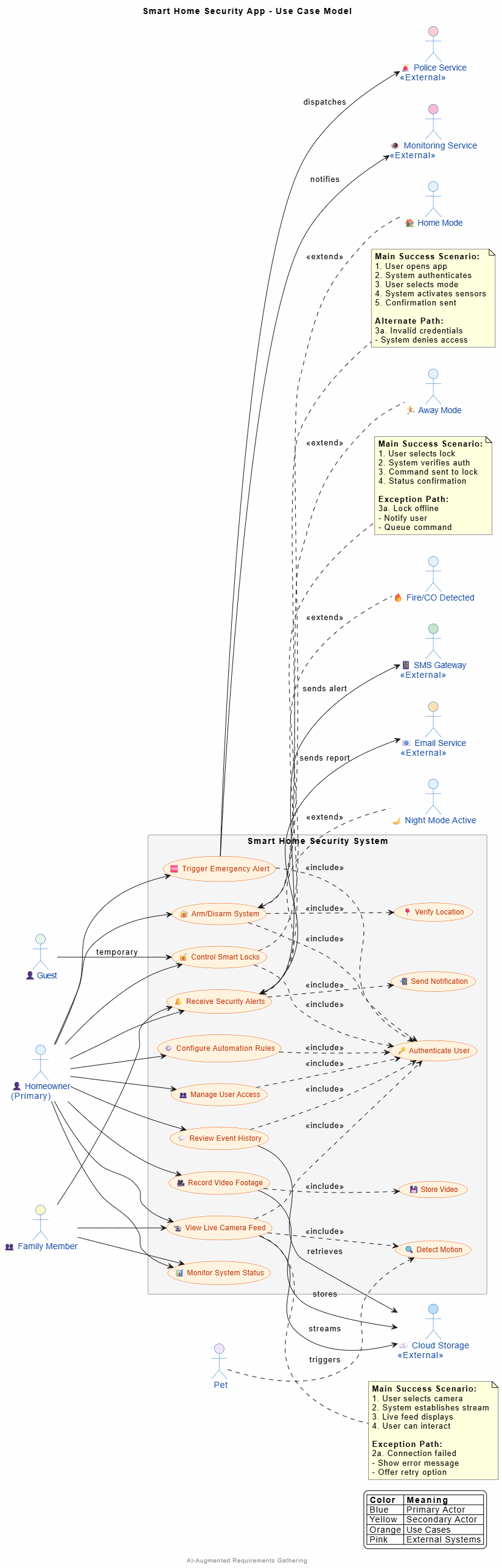
In the fast-paced world of software development, the gap between what stakeholders want and what developers build is where projects go to die. Historically, requirements gathering was a chaotic process of endless email threads, ambiguous Word documents, and misunderstood assumptions.
Enter Use Case Modeling. For decades, use cases have been the gold standard for translating business needs into structured, actionable requirements. But today, we are in the AI era. The modern analyst no longer stares at a blank canvas. By combining the structured clarity of Use Case Modeling with the generative power of Artificial Intelligence and advanced tooling, we can transform requirements gathering from a bottleneck into a strategic advantage.
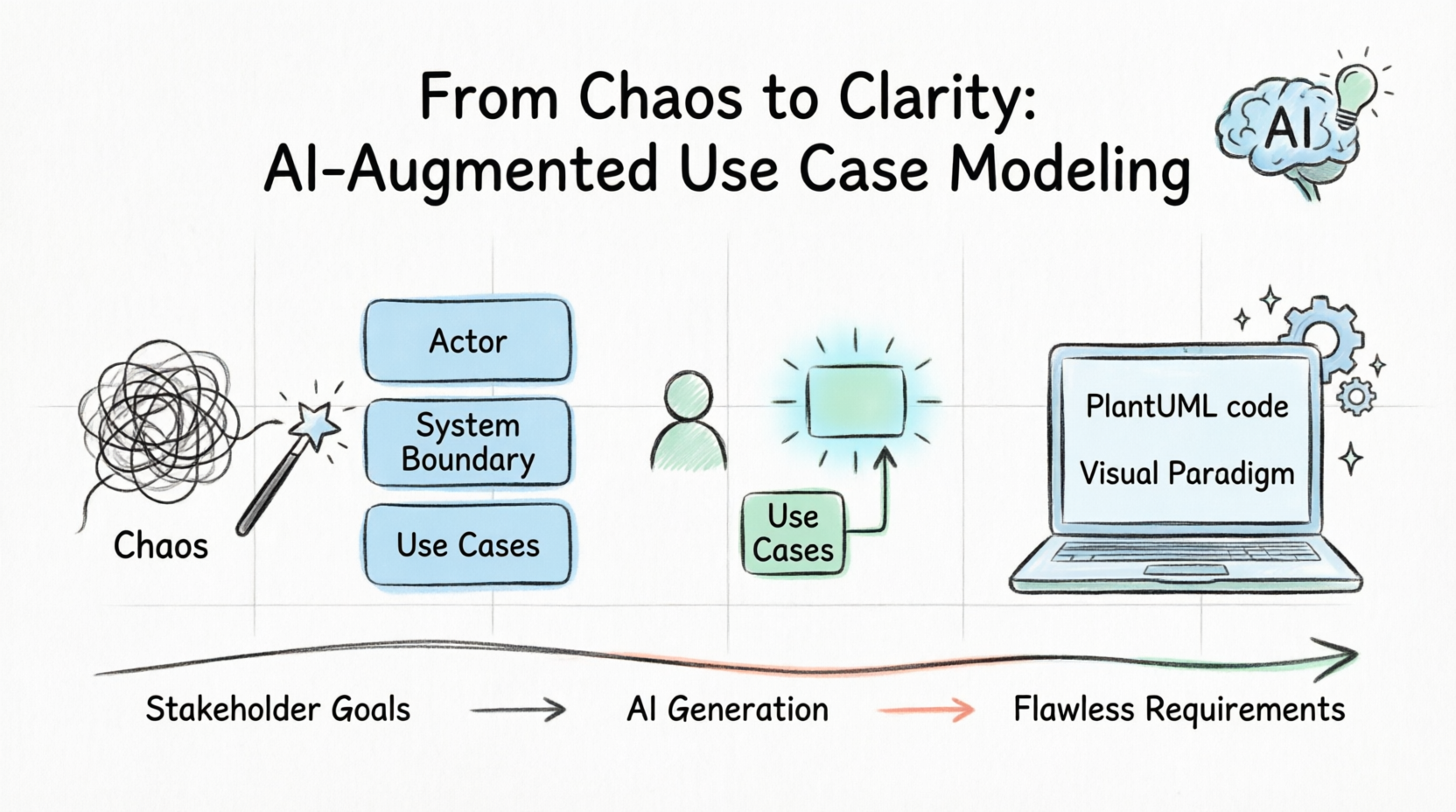
This tutorial will guide you from the foundational concepts of use cases to advanced, AI-powered workflows using industry-standard tools like Visual Paradigm and PlantUML. Whether you are building a simple mobile app or an enterprise system, you will learn how to capture flawless requirements in half the time.
Before we draw diagrams, we must understand the vocabulary. Think of a use case model as a play: it defines the characters, the stage, and the scenes, without dictating the exact lighting or costumes.
Actors: The "characters" interacting with the system. They can be human (Customer, Delivery Driver) or external systems (Payment Gateway, SMS Service).
Use Cases: The "scenes" or specific goals an actor wants to achieve (e.g., Order Food, Track Delivery, Process Refund).
System Boundary: The "stage." A box that defines what is inside the software system and what is outside (the actors).
Relationships: How actors and use cases interact.
Association: A simple line connecting an Actor to a Use Case.
Include (<<include>>): A mandatory sub-task. Order Food includes Authenticate User. You can't order without logging in.
Extend (<<extend>>): An optional sub-task. Order Food is extended by Apply Promo Code. You can order without a promo code, but if you have one, this use case triggers.
Generalization: Inheritance. A Restaurant Owner is a generalization of a User. They share basic traits but have specific behaviors.
How do you actually build this model? Follow this proven 4-step process.
Gather your stakeholders and ask: Who or what will interact with this system?
FoodieExpress Actors: Customer, Restaurant Manager, Delivery Driver, Payment Gateway.
Don't ask stakeholders what features they want; ask what goals they need to achieve.
Workshop Question: "As a Delivery Driver, what is your primary goal when you open the app?" -> Goal: Accept Delivery Job.
Translate goals into verb-noun phrases. Keep them at a high level.
Customer: Browse Menu, Place Order, Track Order.
Driver: View Available Jobs, Accept Job, Update Delivery Status.
For critical use cases, write out the text.
Main Success Scenario (Happy Path): 1. Customer selects food. 2. System calculates total. 3. Customer pays. 4. System confirms order.
Alternate/Exception Paths: 2a. Payment fails -> System prompts for new card.
While you can draw use cases on a whiteboard, professional projects require robust tooling. Visual Paradigm (VP) is an industry leader for this.
Professional Diagramming: Drag-and-drop UML tools that enforce correct syntax.
Documentation Generation: Instantly generate Word/PDF requirement documents from your diagrams.
Traceability Matrices: Link use cases directly to code, test cases, and business rules to ensure nothing is missed.
Visual Paradigm has integrated powerful AI features that revolutionize this workflow:
Text-to-Diagram: You can paste rough meeting notes into VP's AI assistant, and it will automatically generate a structured Use Case Diagram.
AI-Powered Gap Analysis: Ask the VP AI, "What use cases are missing for the Delivery Driver actor?" and it will suggest logical additions based on industry standards.
Smart Refinement: The AI can review your use case descriptions for ambiguity and suggest clearer, more technical phrasing.
For developers and agile teams who prefer "Diagram-as-Code," PlantUML is the perfect companion. It allows you to write plain text to generate beautiful UML diagrams.
Here are realistic, ready-to-copy PlantUML examples for our FoodieExpress app.
This shows the high-level scope and primary actors.
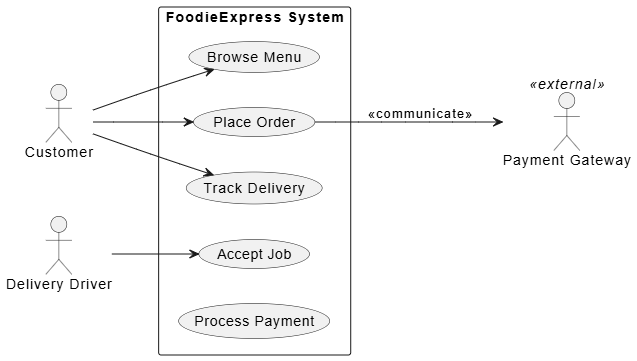
@startuml
left to right direction
skinparam packageStyle rectangle

actor "Customer" as customer
actor "Delivery Driver" as driver
actor "Payment Gateway" as payment <<external>>

rectangle "FoodieExpress System" {
  usecase "Browse Menu" as UC1
  usecase "Place Order" as UC2
  usecase "Track Delivery" as UC3
  usecase "Accept Job" as UC4
  usecase "Process Payment" as UC5
}

customer --> UC1
customer --> UC2
customer --> UC3
driver --> UC4
UC2 --> payment : <<communicate>>
@enduml
This demonstrates how to break down complex use cases into manageable, reusable parts.
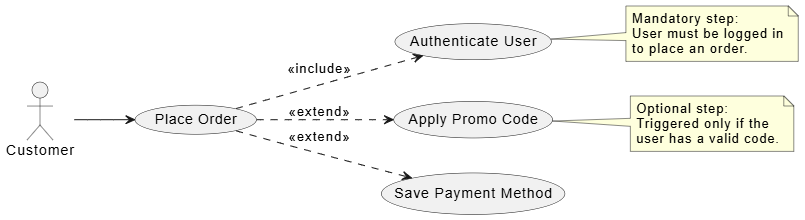
@startuml
left to right direction
actor "Customer" as customer

usecase "Place Order" as UC_Main
usecase "Authenticate User" as UC_Auth
usecase "Apply Promo Code" as UC_Promo
usecase "Save Payment Method" as UC_Save

customer --> UC_Main
UC_Main ..> UC_Auth : <<include>>
UC_Main ..> UC_Promo : <<extend>>
UC_Main ..> UC_Save : <<extend>>

note right of UC_Auth
  Mandatory step:
  User must be logged in
  to place an order.
end note

note right of UC_Promo
  Optional step:
  Triggered only if the
  user has a valid code.
end note
@enduml
Use case diagrams show what the system does. Activity diagrams show how the flow works. Here is the flow for "Process Payment".
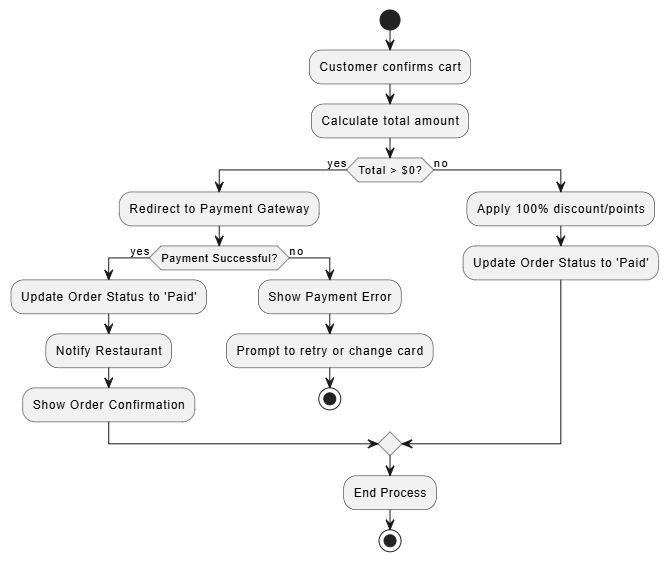
@startuml
start
:Customer confirms cart;
:Calculate total amount;
if (Total > $0?) then (yes)
  :Redirect to Payment Gateway;
  if (Payment Successful?) then (yes)
    :Update Order Status to 'Paid';
    :Notify Restaurant;
    :Show Order Confirmation;
  else (no)
    :Show Payment Error;
    :Prompt to retry or change card;
    stop
  endif
else (no)
  :Apply 100% discount/points;
  :Update Order Status to 'Paid';
endif
:End Process;
stop
@enduml
Beyond Visual Paradigm's native tools, you can leverage Generative AI (like ChatGPT, Claude, or Copilot) to supercharge your modeling process.
Automated Use Case Generation:
Prompt: "Act as a Senior Business Analyst. I am building a food delivery app. Generate a comprehensive list of use cases for the 'Restaurant Manager' actor, including primary goals and brief descriptions."
Natural Language to PlantUML:
Prompt: "Convert the following meeting notes into PlantUML use case diagram code: 'The admin needs to ban users, and when they do, the system must send an email. Also, users can reset their passwords.'"
Consistency & Logic Checking:
Paste your PlantUML code or use case text into an AI and ask: "Review this use case model for logical inconsistencies. Are there any missing edge cases or circular includes?"
Even with AI and great tools, human judgment is required. Avoid these common traps:
Bad: Use case is "Click Submit Button".
Good: Use case is "Submit Application". Focus on the business value, not the screen layout.
Bad: 50 use cases in one diagram with lines crossing everywhere.
Good: Break it down. Create a "Context Diagram" (high-level) and separate, detailed diagrams for specific actors or subsystems.
<<extend>> and <<include>>
Tip: If an <<include>> is only used once, just merge it into the main use case. Only extract it if it is reused by multiple use cases (like Authenticate User).
Always write use case descriptions from the perspective of the actor. Use the format: "As a [Actor], I want to [Action] so that [Business Value]."
The transition from chaotic requirements to crystal-clear specifications no longer requires months of grueling manual labor. Use Case Modeling provides the structural integrity and business alignment that modern software demands. Meanwhile, AI and advanced tools like Visual Paradigm and PlantUML provide the speed, automation, and analytical depth to execute it flawlessly.
Remember: AI is not here to replace the Business Analyst or the Product Owner. AI is here to handle the heavy lifting of drafting, formatting, and gap analysis, freeing you to focus on what humans do best—understanding empathy, negotiating stakeholder conflicts, and defining true business value. Master these tools, embrace the AI augmentation, and watch your projects move from chaos to clarity.
Save this as template.puml to quickly start your next diagram.
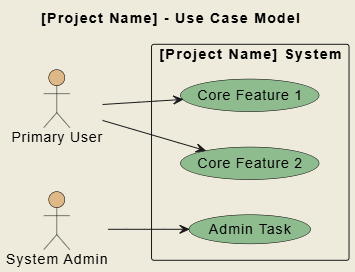
@startuml
' Visual Settings
skinparam backgroundColor #EEEBDC
skinparam actor {
    BackgroundColor BurlyWood
    BorderColor Black
}
skinparam usecase {
    BackgroundColor DarkSeaGreen
    BorderColor Black
}

left to right direction
title [Project Name] - Use Case Model

' Actors
actor "Primary User" as user
actor "System Admin" as admin

' System Boundary
rectangle "[Project Name] System" {
    usecase "Core Feature 1" as UC1
    usecase "Core Feature 2" as UC2
    usecase "Admin Task" as UC3
}

' Relationships
user --> UC1
user --> UC2
admin --> UC3
@enduml
Template 2: AI Prompt for Requirements Elicitation
Copy and paste this into your preferred LLM to kickstart your requirements gathering.
Prompt:
"Act as an expert Business Analyst and Systems Architect. I am gathering requirements for a [Insert System Name, e.g., Smart Home Security App].
Identify the primary and secondary Actors (including external systems).
List the top 10 Use Cases for the primary actor, formatted as Verb + Noun.
For the top 3 most critical use cases, provide a brief Main Success Scenario (Happy Path) and one Alternate/Exception Path.
Suggest 3 potential Edge Cases or security risks I should model.
Simple Version: