
Welcome to the world of Agile software development! If you are new to testing or product management, understanding User Stories and how to translate them into Test Cases is one of the most valuable skills you can develop.
This guide will break down the key concepts, provide step-by-step instructions, and offer plenty of real-world examples to make you confident in writing, reviewing, and testing user stories.
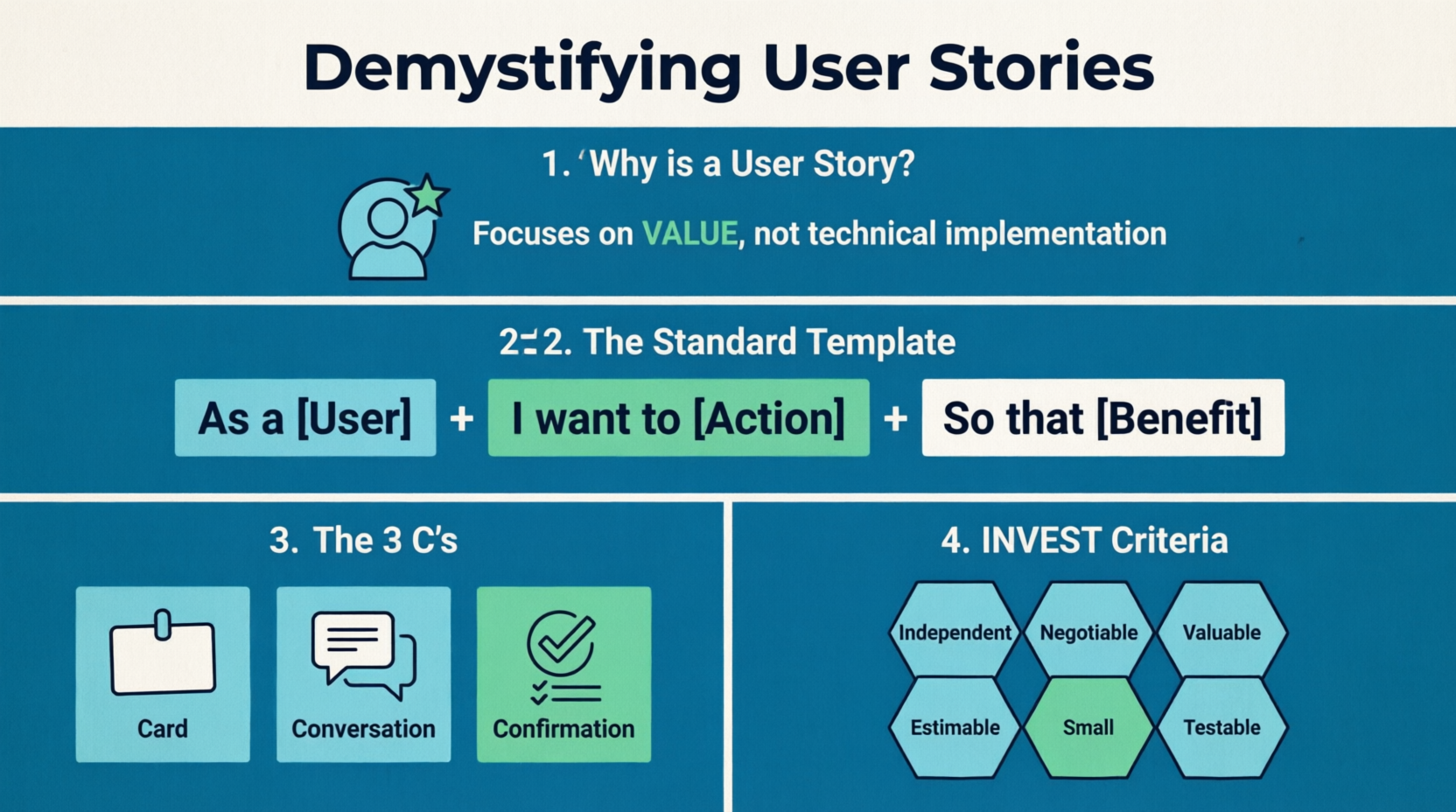
A user story is a short, simple description of a software feature told from the perspective of the person who desires the new capability, usually a user or customer of the system. It focuses on value, not technical implementation.
"As a [type of user], I want to [action/goal] so that [benefit/value]."
As a: Who is this for? (e.g., Admin, Shopper, New User)
I want to: What do they want to do? (e.g., reset my password, filter search results)
So that: Why do they want to do it? What is the business or user value? (e.g., I can regain access to my account, I can find products faster)
Card: The written text of the story (the template above). It’s a placeholder for a conversation.
are not meant to be exhaustive specifications; they are reminders to talk.
Confirmation: The Acceptance Criteria. The conditions that must be met to prove the story is done and working correctly.
A good user story should be:
Independent: Can be developed and tested separately from other stories.
(Negotiable: Details can be discussed and adjusted; it’s not a rigid contract.
Valuable: Delivers tangible value to the user or business.
Estimable: The team can guess how much effort it will take.
Small: Can be completed within a single sprint (usually 1-2 weeks).
Testable: Has clear acceptance criteria so you can prove it works.
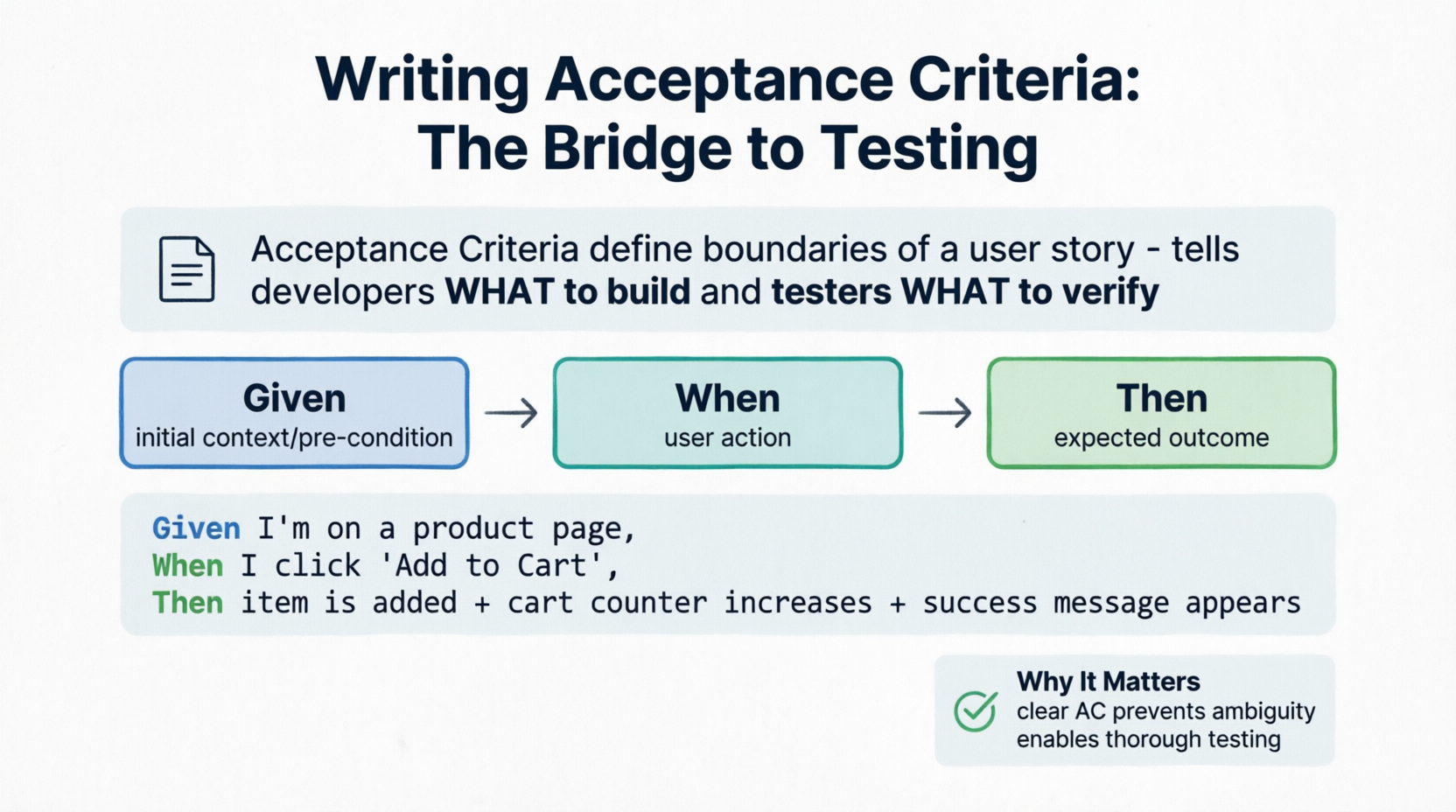
Acceptance Criteria (AC) define the boundaries of a user story. They tell the developer what to build and the tester what to verify. The most popular format is BDD (Behavior-Driven Development) using the Given-When-Then structure.
Given: The initial context or pre-condition.
When: The action the user takes.
Then: The expected outcome or result.
User Story:
As a online shopper, I want to add items to my shopping cart so that I can purchase them together later.
Acceptance Criteria (Given-When-Then):
Given I am viewing a product page, When I click the "Add to Cart" button, Then the item is added to my cart, And the cart icon counter increases by 1, And a "Item added successfully" toast message appears.
Given the product is out of stock, When I view the product page, Then the "Add to Cart" button is disabled and grayed out.
A Test Case is a detailed, step-by-step instruction to verify a specific scenario. While Acceptance Criteria define what should happen, Test Cases define how to check it.
Read the User Story & AC: Understand the goal and the boundaries.
Identify Test Scenarios: Brainstorm the "Happy Path" (everything goes right), "Negative Paths" (user makes a mistake), and "Edge Cases" (unusual but possible situations).
Write the Test Case: Use a standard template.
Test Case ID: Unique identifier (e.g., TC_CART_01)
Description: What is being tested?
Pre-conditions: What must be true before starting?
Test Steps: Actionable, numbered steps.
Expected Result: What should happen.
Actual Result: What actually happened (filled during execution).
Status: Pass / Fail / Blocked.
| Test Case ID | Description | Pre-conditions | Test Steps | Expected Result |
|---|---|---|---|---|
| TC_CART_01 | Verify adding an in-stock item to cart | User is on a product page; Item has >0 stock. | 1. Click "Add to Cart". 2. Observe cart icon and screen. |
Cart counter increases by 1. Success message appears. |
| TC_CART_02 | Verify adding an out-of-stock item | User is on a product page; Item has 0 stock. | 1. Observe the "Add to Cart" button. | Button is disabled/grayed out. Cannot be clicked. |
| TC_CART_03 | Verify adding maximum allowed quantity | Item has a max purchase limit of 5. | 1. Change quantity to 6. 2. Click "Add to Cart". |
System displays error: "Maximum limit is 5". Item is not added. |
User Story:
As a bank customer, I want to transfer money to another account so that I can pay my friends or bills.
Acceptance Criteria:
Given my account has sufficient funds, When I initiate a transfer of $X to a valid account, Then my balance decreases by $X, And the recipient's balance increases by $X, And a transaction receipt is generated.
Derived Test Cases:
TC_BANK_01 (Happy Path): Transfer $50 to a valid account with $100 balance. Expected: Balance becomes $50, success message shown.
TC_BANK_02 (Negative Path): Transfer $150 to a valid account with $100 balance. Expected: Error message "Insufficient funds". Balance remains $100.
TC_BANK_03 (Edge Case): Transfer $0 or a negative amount. Expected: Error message "Invalid amount. Must be greater than 0".
TC_BANK_04 (Security/Validation): Enter an account number with letters instead of numbers. Expected: Field rejects non-numeric input or shows "Invalid account format".
To excel at testing user stories, you need a blend of soft and hard skills. Here is what hiring managers and Agile teams look for:
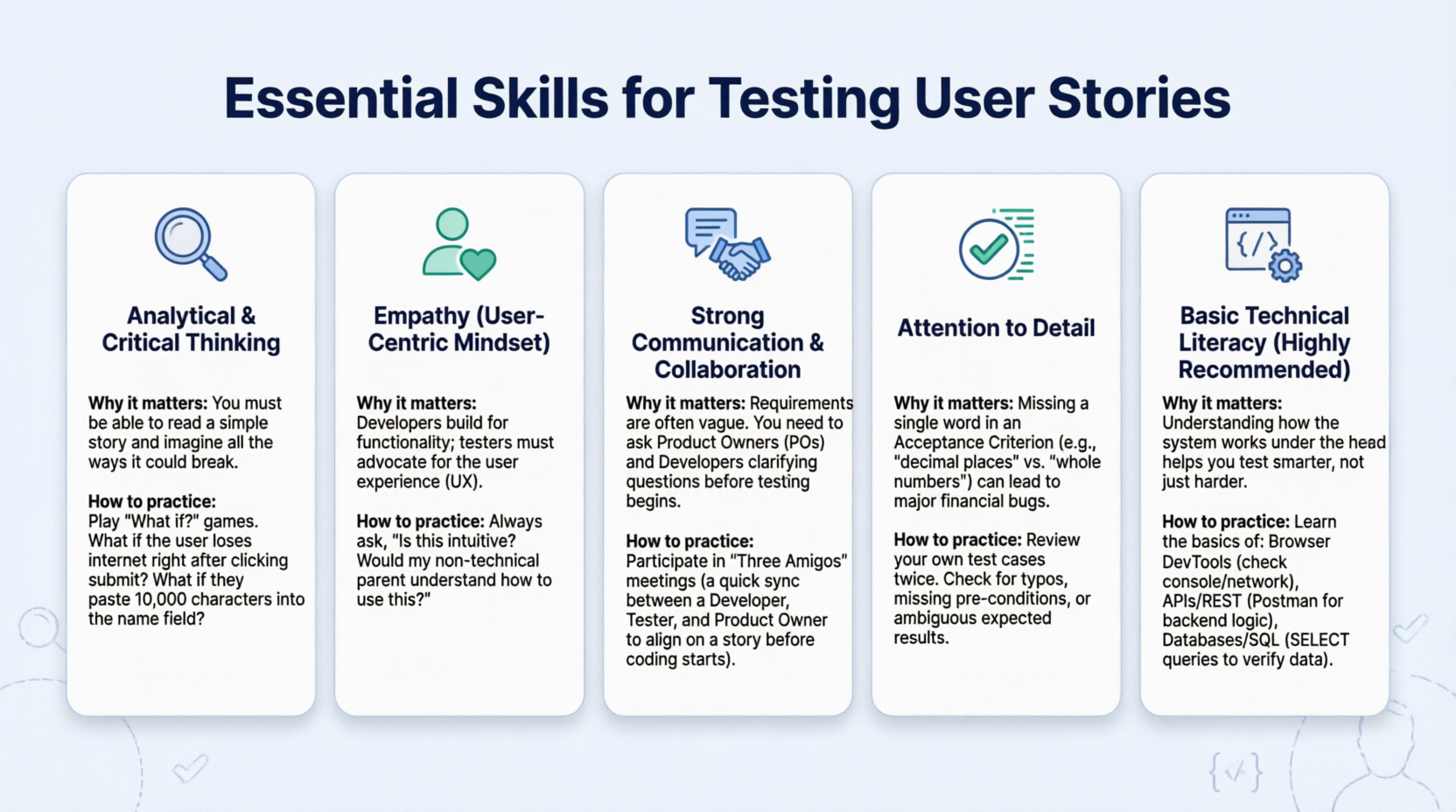
Why it matters: You must be able to read a simple story and imagine all the ways it could break.
How to practice: Play "What if?" games. What if the user loses internet right after clicking submit? What if they paste 10,000 characters into the name field?
Why it matters: Developers build for functionality; testers must advocate for the user experience (UX).
How to practice: Always ask, "Is this intuitive? Would my non-technical parent understand how to use this?"
Why it matters: Requirements are often vague. You need to ask Product Owners (POs) and Developers clarifying questions before testing begins.
How to practice: Participate in "Three Amigos" meetings (a quick sync between a Developer, Tester, and Product Owner to align on a story before coding starts).
Why it matters: Missing a single word in an Acceptance Criterion (e.g., "decimal places" vs. "whole numbers") can lead to major financial bugs.
How to practice: Review your own test cases twice. Check for typos, missing pre-conditions, or ambiguous expected results.
Why it matters: Understanding how the system works under the hood helps you test smarter, not just harder.
How to practice: Learn the basics of:
Browser DevTools: To check console errors or network requests.
APIs (REST): Using tools like Postman to test backend logic without the UI.
Databases (SQL): Writing simple SELECT queries to verify data was saved correctly.
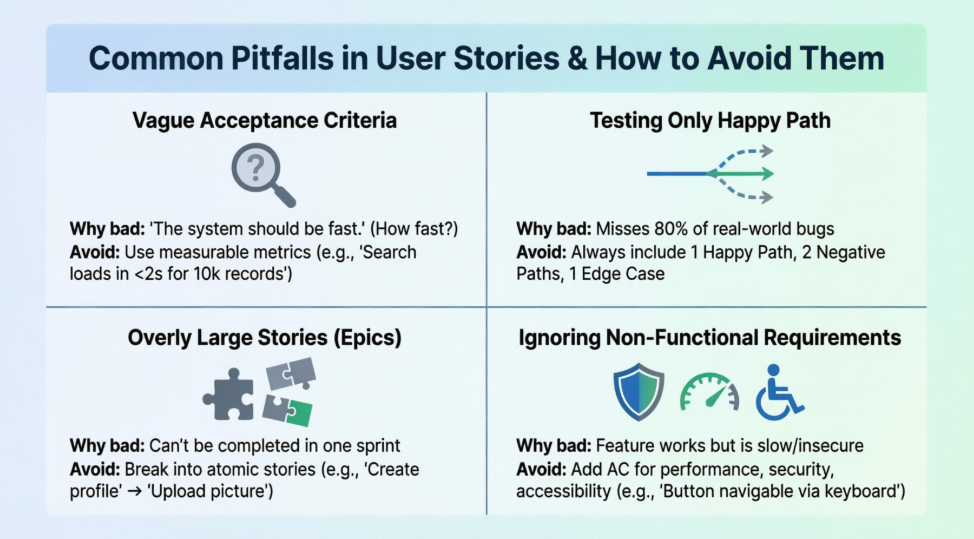
| Pitfall | Why it’s bad | How to avoid it |
|---|---|---|
| Vague Acceptance Criteria | "The system should be fast." (How fast? Under what conditions?) | Use measurable metrics: "The search results must load in under 2 seconds for 10,000 records." |
| Testing only the "Happy Path" | Users will inevitably do the wrong thing. If you only test success, you miss 80% of bugs. | Always write at least 1 Happy Path, 2 Negative Paths, and 1 Edge Case per story. |
| Stories are too big (Epics) | "As a user, I want a fully functional social media platform." This cannot be tested or completed in one sprint. | Break it down: "As a user, I want to create a profile," then "As a user, I want to upload a profile picture." |
| Ignoring Non-Functional Requirements | The feature works, but it’s slow, insecure, or not accessible. | Add AC for performance, security, and accessibility (e.g., "The button must be navigable via keyboard"). |
Keep this checklist handy when you are assigned a new User Story to test:
Understand the "Why": Do I know why the user wants this feature?
Review the AC: Are the Given-When-Then scenarios clear and unambiguous?
Ask Questions: If anything is vague, ask the Product Owner or Developer before writing test cases.
Map to Test Cases: Have I covered Happy, Negative, and Edge cases?
Check Dependencies: Does this story rely on another feature being finished first?
Execute & Document: Run the tests, log bugs clearly (with steps to reproduce, screenshots, and environment details), and update the test case status.
Mastering user stories and test cases is about shifting your mindset from "Does the code work?" to "Does this deliver value to the user, and is it resilient to real-world use?"
Start by practicing the Given-When-Then format on everyday apps you use. Look at a login screen and mentally write the user story and test cases for it. With practice, identifying edge cases and writing bulletproof test scenarios will become second nature.
Need help reviewing a specific user story you are working on? Feel free to share it, and we can break it down into test cases together!

