
Business Process Model and Notation (BPMN) is the global standard for business process modeling. However, as the discipline matures, it is clear that poor modeling practices lead to complex, incomprehensible diagrams that fail to gain stakeholder support. Process modeling should not just be an "art" reserved for thought leaders; it requires a scientific approach grounded in best practices.
This guide provides a comprehensive overview of BPMN key concepts, synthesizes industry best practices, provides a practical example, and demonstrates how to leverage Visual Paradigm, AI, and OpenDocs to execute these practices flawlessly.
BPMN uses a graphical notation to represent business processes. The elements are categorized into four main groups:
The primary building blocks that define the behavior of a process.
Events: Something that happens during the process (e.g., a message received, a timer triggered). Represented by circles.
Start Events: How the process begins.
Intermediate Events: Things that happen between the start and end.
End Events: How the process concludes.
Activities: Work that is performed. Represented by rounded rectangles.
Tasks: Atomic (indivisible) units of work.
Sub-processes: Compound activities that contain other activities (used for zooming in on details).
Gateways: Used to control the divergence and convergence of sequence flows. Represented by diamonds.
Exclusive (XOR): Only one path can be taken.
Parallel (AND): All paths are taken simultaneously.
Inclusive (OR): One or more paths can be taken based on conditions.
Complex: Complex, custom conditions for splitting/merging.
How flow objects are linked together.
Sequence Flow: The order in which activities are performed (solid line).
Message Flow: Messages passed between two separate participants/pools (dashed line).
Association: Links artifacts (data, text) to flow objects (dotted line).
Used to organize and categorize activities.
Pools: Represent a major participant in a collaboration (e.g., a whole company or a customer).
Lanes: Sub-divisions within a pool, representing specific roles, systems, or departments (e.g., "Sales Dept", "Automated System").
Used to provide additional information.
Data Objects: Represent data required or produced by the process.
Groups: Visual grouping of elements without affecting the process flow.
Annotations: Used for modelers to add comments or notes.
To ensure your models are understandable, consistent, and valuable to stakeholders, adhere to the following best practices:
Define the 5 Ws: Clearly identify the “Who”, “What”, “When”, “Where”, and “Why”. The process diagram itself captures the “How”.
Discrete Instances: Ensure each instance of the process is distinct, identifiable, and countable.
Explicit Events: Always use Start and End Events. Implicit starts/ends lead to misinterpretation. Identify all alternative triggers (Start Events) and all alternative end states, such as success vs. failure (End Events).
One-Page Top Level: The primary diagram should fit on one page. Use Sub-processes to expand details into nested diagrams (zooming in/out).
Multiple Visualizations: Create different views for different audiences. A Summary Diagram (collapsed sub-processes, no data objects) for executives, and a Verbose Diagram (expanded, showing data and annotations) for developers.
Neatness and Flow: Avoid crossed lines. Maintain a consistent left-to-right direction for Sequence Flows, and top-to-bottom for vertical flows.
Highlight the "Happy Path": The primary, most common scenario should be visually distinct and easy to follow.
Externalize Business Rules: Use Business Rule Tasks to pull complex logic out of the diagram, keeping it concise and agile.
Hierarchical Modeling: Build multi-layered models. Use Sub-processes to split processes into "phases" and Call Activities to reuse existing process fragments.
Explicit Splits and Merges: Always use Gateways to show where flows split or merge. Never merge flows without a gateway.
Match Gateway Types: Do not mix types. A Parallel split must be consolidated by a Parallel merge.
Pre-Gateway Activities: Place an Activity that determines the condition just before a diverging Exclusive, Inclusive, or Complex Gateway. This allows the decision to be interrupted if necessary.
Abstract Complexity: If you have multiple daisy-chained diverging gateways, abstract them into a single Business Rule Task.
Pool Naming: Do not model an internal process inside a Pool just to give it a name. Pools should represent distinct interacting entities.
Consistent Message Flows: If you show message flows to an external requester, show all of them, and do so consistently across every level of your model.
Visible Logic & Exceptions: Label elements clearly. Show exception-handling logic explicitly using BPMN’s boundary events and specific diagram patterns.
Validation: A model must be syntactically valid to be understood. Use tools to validate syntax and conduct peer reviews.
Consistent Formatting: Use uniform font sizes, colors, and box sizes. Avoid overlapping labels.
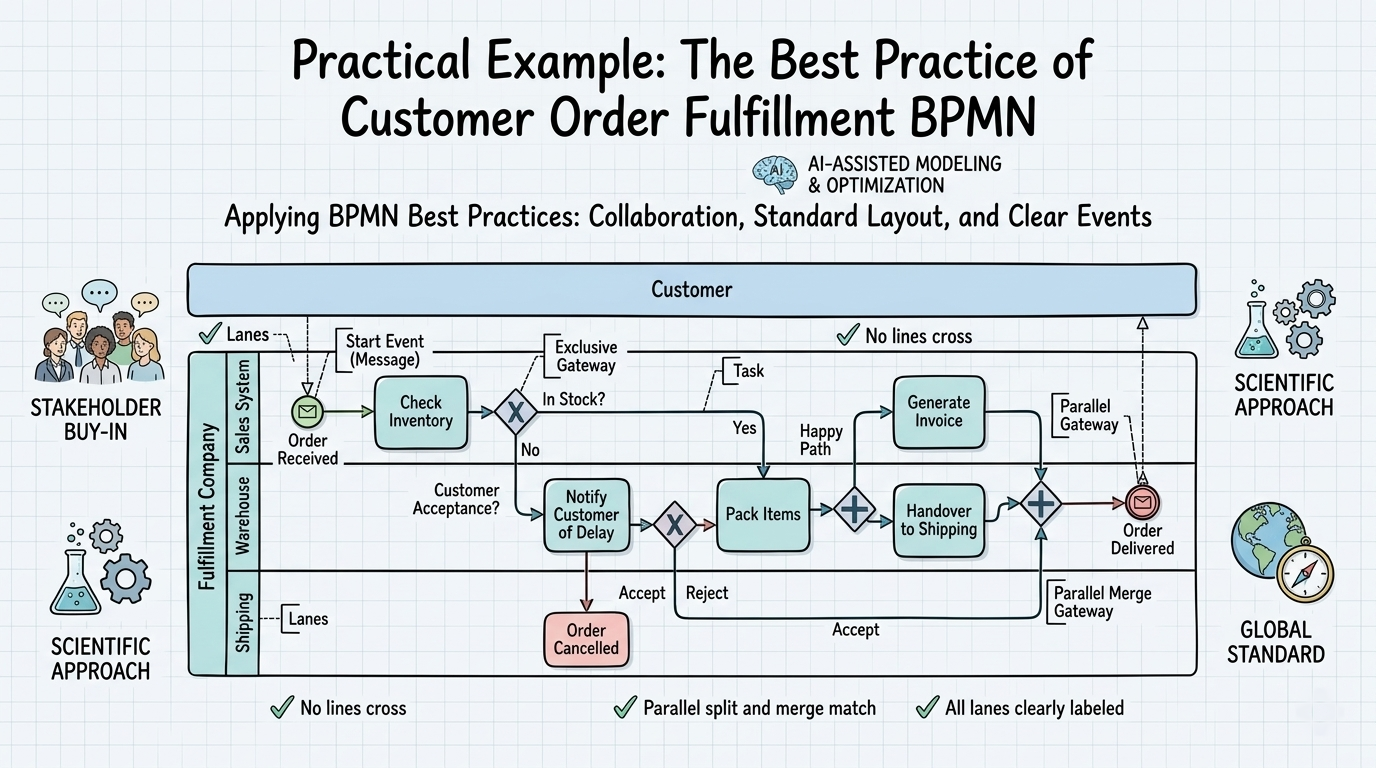
Let’s apply these concepts and best practices to a standard Order Fulfillment process.
1. Scope & Collaboration:
Who: Customer and Fulfillment Company.
Setup: We use two Pools: "Customer" and "Fulfillment Company". Inside the company pool, we use Lanes for "Sales System", "Warehouse", and "Shipping".
2. Layout & The Happy Path:
The diagram flows left to right. The "Happy Path" (Order placed -> In Stock -> Packed -> Shipped) flows straight across the middle. Exception paths (Out of Stock -> Cancelled) branch downward.
3. Events & Gateways:
Start Event: "Order Received" (Message Start Event in the Sales System lane).
Activity: "Check Inventory".
Gateway: Exclusive Gateway (XOR) splits the flow based on inventory.
Path A (In Stock): Leads to "Pack Items".
Path B (Out of Stock): Leads to "Notify Customer of Delay".
Gateway: Parallel Gateway (AND) after "Pack Items" splits the flow to simultaneously "Generate Invoice" and "Handover to Shipping".
4. End Events:
Success End Event: "Order Delivered" (Message End Event sent to Customer).
Failure End Event: "Order Cancelled" (Triggered if customer rejects the delay).
5. Validation & Formatting:
No lines cross. The Parallel split is matched by a Parallel merge before the final End Event. All lanes are clearly labeled.
To implement these best practices efficiently, modern tooling is required. Here is how the Visual Paradigm ecosystem facilitates this:
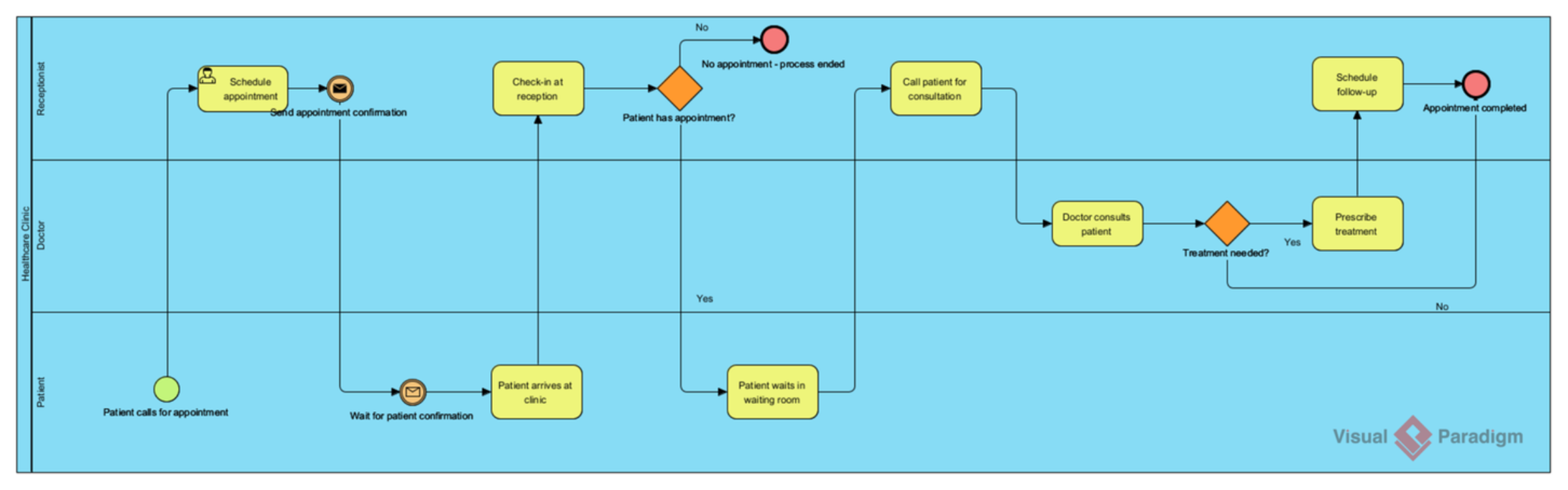
Visual Paradigm (VP) is the core tool for creating compliant, professional BPMN diagrams.
Strict BPMN Compliance: VP enforces BPMN syntax rules, preventing modelers from making invalid connections (e.g., connecting a message flow directly to a gateway).
Validation Engine: Directly supports the "Make sure your model is valid" best practice. VP’s built-in checker highlights syntax errors and structural flaws before peer review.
Diagram Navigation: Supports the "One-page top level" rule by allowing modelers to double-click sub-processes to seamlessly zoom into nested diagrams, maintaining the hierarchical structure.
Formatting & Styling: Enforces the "consistent format" best practice through centralized themes, ensuring uniform fonts, colors, and line styles across all diagrams.
AI integration transforms modeling from a tedious chore into an agile, intelligent process.
Text-to-Diagram Generation: Stakeholders or analysts can type a plain-text description of a process (e.g., "When an order is received, check inventory. If in stock, pack and ship. If not, cancel."). The AI instantly generates a compliant BPMN draft, addressing the "ground work" of modeling.
Auto-Layout & Routing: AI algorithms automatically route sequence flows to avoid crossed lines and ensure a clean, left-to-right "Happy Path" flow, solving the "Diagram Layouts" best practice effortlessly.
Intelligent Suggestions: The AI can analyze a diagram and suggest optimizations, such as identifying a cluster of complex gateways and suggesting they be abstracted into a Business Rule Task.
Visual Paradigm’s OpenDocs ensures that the diagrams are not isolated images, but part of a comprehensive, living business knowledge base.
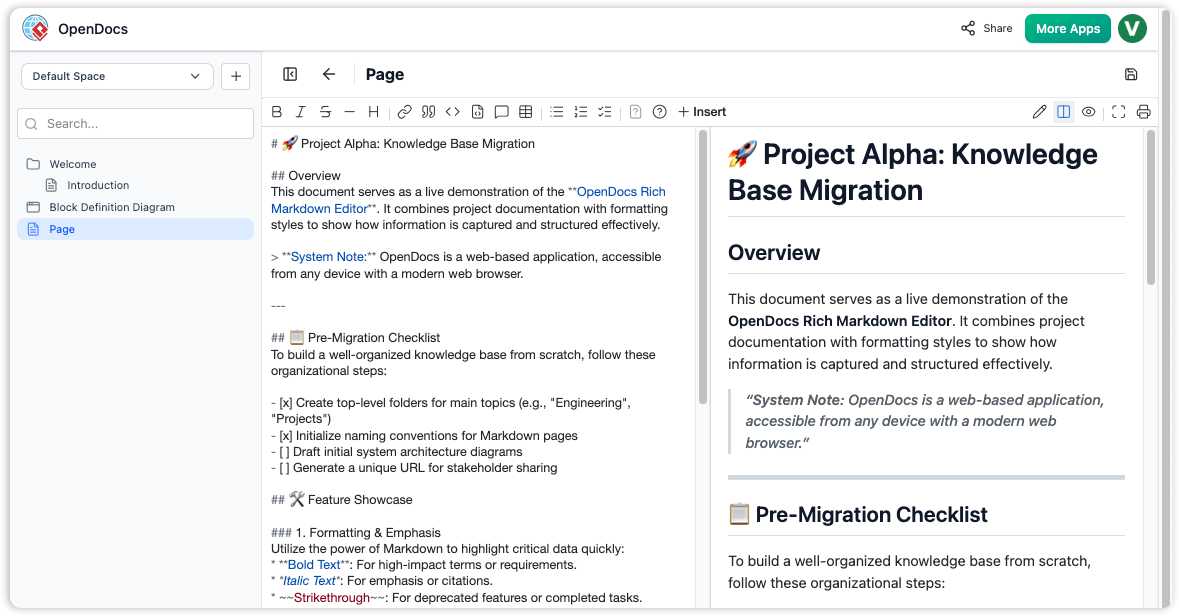
Capturing the 5 Ws: While the diagram shows the "How", OpenDocs is used to document the "Who, What, When, Where, and Why" (Process Scope). These documents are directly linked to the BPMN diagrams in VP.
Managing Multiple Visualizations: OpenDocs can automatically generate the "Summary" and "Verbose" documentation views from the single source-of-truth model, ensuring stakeholders get the exact level of detail they need without cluttering the main diagram.
Business Rules & Exception Handling: Complex business rules externalized into "Business Rule Tasks" in the diagram can be fully detailed, version-controlled, and managed within OpenDocs.
Peer Review & Collaboration: OpenDocs facilitates the peer review process mentioned in the best practices. Stakeholders can comment, approve, and track changes to both the process documentation and the linked diagrams in one centralized, web-accessible platform.
Business process modeling is a critical discipline that bridges the gap between business strategy and IT execution. By strictly adhering to BPMN best practices—focusing on clear scope, neat layouts, explicit events, and consistent formatting—organizations can create models that are actually understood and supported by stakeholders.
By leveraging Visual Paradigm for rigorous modeling, AI to accelerate creation and ensure visual cleanliness, and OpenDocs to manage the surrounding business context and documentation, teams can elevate process modeling from an inconsistent art to a mature, highly effective science.

