
Estimating user stories doesn't have to be complicated. This guide introduces the most beginner-friendly approach: Story Points using Relative Sizing. No complex formulas, no vendor tools—just simple logic and team collaboration.
Before diving into techniques, understand the purpose:
Predictability: Know roughly how much work fits in a sprint
Planning: Make informed decisions about priorities
Communication: Align expectations with stakeholders
Improvement: Track velocity over time to get better at planning
A user story is a small piece of functionality from the user's perspective:
"As a [user], I want [feature] so that [benefit]."
Example: "As a customer, I want to reset my password so that I can regain access to my account."
Story points are relative units that represent:
Effort (how hard is it?)
Complexity (how tricky is it?)
Uncertainty/Risk (how many unknowns?)
Critical: Story points are NOT hours, days, or any time unit. They're abstract numbers for comparison.
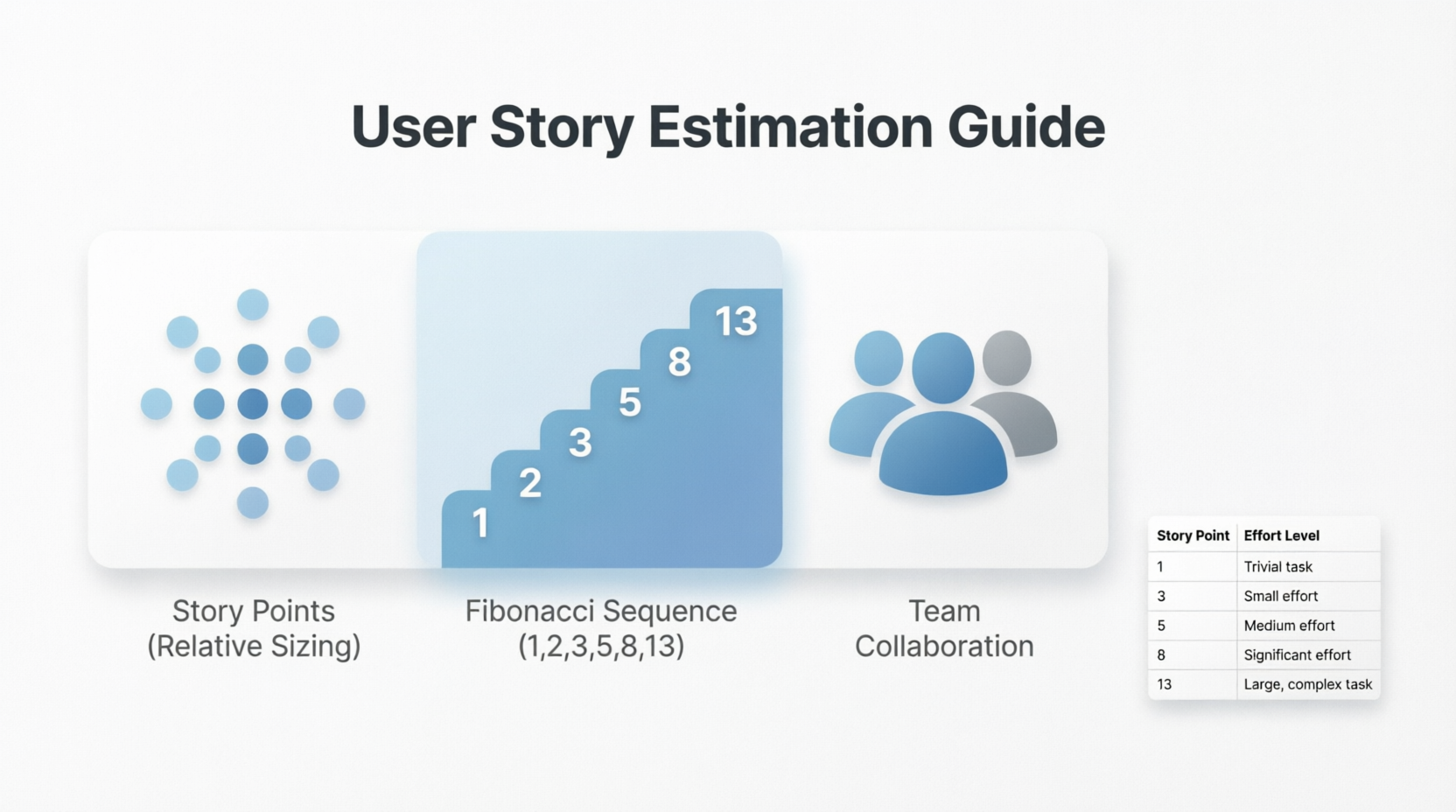
Most teams use modified Fibonacci numbers for sizing:
1, 2, 3, 5, 8, 13, 20, 40, 100
Why? Because as tasks get bigger, uncertainty grows. The gaps between numbers reflect this increasing uncertainty.
Pick 2-3 completed stories your team agrees on:
A "small" story = 2 points
A "medium" story = 5 points
A "large" story = 8 points
Use these as anchors when estimating new stories.
Ensure each user story has:
Clear acceptance criteria
Defined "done" criteria
Enough detail to understand the work
Select 2-3 previously completed stories and agree on their point values as reference points.
For each new story:
Read the story aloud
Compare it to your baseline stories
Ask: "Is this easier, similar, or harder than our 5-point story?"
Assign the closest Fibonacci number
If team members suggest different sizes:
Have each person explain their reasoning
Discuss assumptions and unknowns
Re-vote if needed
Document the agreed-upon estimate and proceed to the next story.
Story: "As a customer, I want to reset my password so that I can regain access to my account."
Breakdown:
Add "Forgot Password" link on login page
Create password reset form
Send reset email with token
Validate token and allow new password
Update password in database
Comparison: Similar complexity to our baseline 5-point story (user profile update)
Estimate: 5 points
Story: "As an admin, I want to change the submit button color to blue so that it matches our brand guidelines."
Breakdown:
Update CSS for one button
Test across browsers
Comparison: Much simpler than our 5-point baseline
Estimate: 2 points
Story: "As a customer, I want to pay with PayPal so that I can use my preferred payment method."
Breakdown:
Research PayPal API
Implement OAuth flow
Handle success/failure scenarios
Test with sandbox environment
Handle edge cases (timeouts, errors)
Comparison: More complex and uncertain than our 8-point baseline
Estimate: 13 points (or split into smaller stories)
Story: "As a user, I want to search products by name so that I can find items quickly."
Breakdown:
Add search input field
Implement basic text matching
Display results
Handle no results case
Comparison: Moderate complexity, some technical work but straightforward
Estimate: 5 points
| Mistake | Why It's Wrong | Better Approach |
|---|---|---|
| Equating points to hours | Points are relative, not time-based | Use points for comparison only |
| Estimating alone | Missing team perspectives | Estimate as a team |
| Over-analyzing small stories | Wastes time on trivial items | Keep it quick and intuitive |
| Changing estimates mid-sprint | Undermines predictability | Re-estimate only if scope changes significantly |
| Using too many point values | Creates false precision | Stick to Fibonacci sequence |
| Points | Effort Level | Description | Example |
|---|---|---|---|
| 1 | Trivial | Tiny change, almost no risk | Fix typo in error message |
| 2 | Small | Simple task, well-understood | Update button color |
| 3 | Small-Medium | Straightforward with minor complexity | Add form validation |
| 5 | Medium | Moderate effort, some unknowns | Password reset feature |
| 8 | Large | Significant work, several components | User dashboard creation |
| 13 | Very Large | Complex, high uncertainty | Third-party integration |
| 20+ | Too Big | Should be split into smaller stories | Complete checkout system |
Start small: Estimate 5-10 stories together as practice
Use physical cards: Write numbers on index cards for voting
Time-box discussions: Spend max 2-3 minutes per story
Trust the process: Your first estimates won't be perfect, and that's okay
Review regularly: After each sprint, discuss what was easy/hard to estimate
Include everyone: Developers, testers, and designers should all participate
Question assumptions: Ask "What are we missing?" before finalizing
Split large stories: Anything over 13 points should be broken down
Track velocity: Measure how many points you complete per sprint to improve planning
Stay consistent: Use the same baseline stories for several sprints
Re-estimate a story when:
New requirements emerge
Technical discoveries change the approach
The story is split or merged with others
Team composition changes significantly
Don't re-estimate just because you're unsure or anxious. Uncertainty is normal and baked into the point values.
Here's how a typical 30-minute estimation session looks:
| Time | Activity |
|---|---|
| 0-5 min | Review baseline stories (2, 5, 8 points) |
| 5-8 min | Read first story, clarify questions |
| 8-10 min | Team votes simultaneously |
| 10-12 min | Discuss differences if any |
| 12-13 min | Agree on final estimate |
| 13-30 min | Repeat for remaining stories |
User story estimation is a team sport, not a math problem. The goal isn't perfect accuracy—it's creating shared understanding and reasonable predictability. Start simple, stay consistent, and improve over time.
Remember:
Use relative sizing, not time
Compare to baseline stories
Keep it collaborative and quick
Embrace imperfection and learn from each sprint
With practice, your team will develop an intuitive sense for sizing, making planning smoother and more accurate. Happy estimating!

