
If you're new to product management or agile development, prioritizing user stories can feel overwhelming. There are dozens of frameworks out there—MoSCoW, RICE, Kano, Value vs. Effort—but as a beginner, you need something simple, intuitive, and immediately applicable.
This guide introduces the Must-Have / Should-Have / Could-Have technique (a simplified version of MoSCoW), which is perfect for beginners because it requires no complex calculations, no scoring systems, and no advanced analytics. Just clear thinking and basic conversation.
Before diving into the technique, let's understand why prioritization matters:
Limited Resources: You can't build everything at once
Maximum Value: Focus on what delivers the most benefit first
Stakeholder Alignment: Get everyone on the same page about what matters
Risk Reduction: Deliver value early and learn from real users
A user story is a simple description of a feature from the end user's perspective:
"As a [type of user], I want [some goal] so that [some reason/benefit]."
Example:
"As a customer, I want to reset my password so that I can regain access to my account."
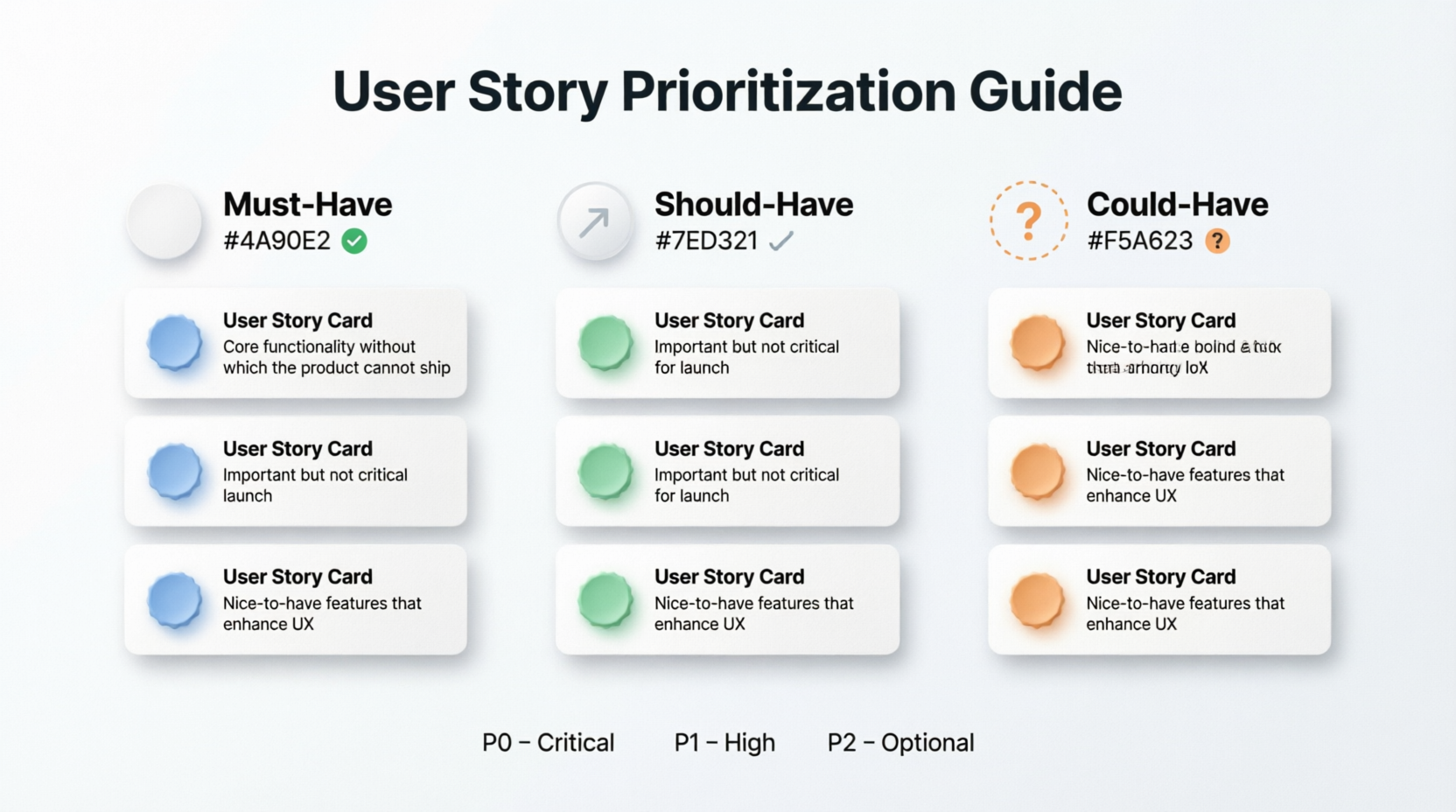
| Priority Level | Definition | When to Build | Example |
|---|---|---|---|
| Must-Have | Critical for launch. Without this, the product doesn't work or provide core value. | First sprint(s) | Login functionality for a banking app |
| Should-Have | Important but not critical. Adds significant value but the product can function without it temporarily. | Second phase | Password strength indicator |
| Could-Have | Nice-to-have features. Desirable but not necessary. Can be deferred or dropped if time is tight. | Later sprints or future releases | Customizable profile themes |
Collect all the user stories your team has identified. Write them on sticky notes, cards, or a digital tool like: Visual Paradigm online.
Example Stories for an E-commerce App:
As a shopper, I want to search for products so that I can find what I need quickly.
As a shopper, I want to add items to my cart so that I can purchase multiple items at once.
As a shopper, I want to see product reviews so that I can make informed decisions.
As a shopper, I want to save items to a wishlist so that I can buy them later.
As a shopper, I want to checkout securely so that I can complete my purchase.
As a shopper, I want to track my order status so that I know when it will arrive.
As a shopper, I want personalized product recommendations so that I discover new items.
For each user story, ask:
Can we launch without this? If NO → Must-Have
Does this add significant value but isn't essential? If YES → Should-Have
Is this nice to have but not critical? If YES → Could-Have
Use a simple table or three columns on a whiteboard:
| Must-Have | Should-Have | Could-Have |
|---|---|---|
| Search for products | See product reviews | Personalized recommendations |
| Add items to cart | Save to wishlist | Advanced filtering options |
| Secure checkout | Track order status | Social sharing buttons |
Review your prioritization with:
Product Owner: Does this align with business goals?
Development Team: Is the effort realistic?
Users/Customers: Does this match their needs?
Begin with Must-Haves in your first sprint. Once those are complete, move to Should-Haves, and finally tackle Could-Haves if time permits.
| Must-Have | Should-Have | Could-Have |
|---|---|---|
| Browse restaurant menus | View estimated delivery time | Loyalty points program |
| Place an order | Rate and review restaurants | Live driver tracking map |
| Make payment | Schedule orders for later | In-app chat with driver |
| Receive order confirmation | Save favorite restaurants | Augmented reality menu preview |
| Must-Have | Should-Have | Could-Have |
|---|---|---|
| Create tasks | Set task priorities | AI-powered task suggestions |
| Mark tasks as complete | Assign tasks to team members | Integration with calendar apps |
| View task list | Set due dates | Customizable dashboard widgets |
| Delete tasks | Add task descriptions | Voice-to-text task creation |
| Must-Have | Should-Have | Could-Have |
|---|---|---|
| Log workouts | View workout history | Social challenges with friends |
| Track basic metrics (time, distance) | Set fitness goals | Wearable device integration |
| View progress over time | Share achievements on social media | Personalized workout plans |
| Create user account | Receive workout reminders | Virtual coaching sessions |
| Mistake | Why It's Wrong | Better Approach |
|---|---|---|
| Marking everything as Must-Have | Defeats the purpose of prioritization | Be ruthless—only true essentials are Must-Haves |
| Ignoring technical dependencies | Some Should-Haves may need to come first technically | Discuss with developers before finalizing |
| Not revisiting priorities | Needs change over time | Re-prioritize every sprint or release |
| Prioritizing alone | Missing stakeholder input | Collaborate with team and users |
| Confusing effort with priority | Easy ≠ important | Evaluate value independently of effort |
Start Small: Begin with 10-15 stories max. Don't try to prioritize your entire backlog at once.
Time-Box Discussions: Spend no more than 5 minutes per story. Overthinking leads to analysis paralysis.
Use Voting: If your team disagrees, use dot voting (each person gets 3 dots to place on stories they think are most important).
Remember the 80/20 Rule: 20% of features often deliver 80% of the value. Find that 20%.
It's Okay to Change: Priorities aren't set in stone. Adjust based on feedback and new information.
Focus on User Value: Always ask, "What problem does this solve for the user?"
MUST-HAVE CHECKLIST:
✓ Product doesn't work without it
✓ Legal or compliance requirement
✓ Core user need
✓ Blocks other critical features

SHOULD-HAVE CHECKLIST:
✓ Adds significant value
✓ Users expect it but can live without it temporarily
✓ Improves user experience noticeably
✓ Competitive advantage

COULD-HAVE CHECKLIST:
✓ Nice bonus feature
✓ Low usage expected
✓ Can be added later easily
✓ "Would be cool" but not necessary
The Must-Have / Should-Have / Could-Have technique is perfect for beginners because it's:
✅ Simple: Only three categories
✅ Fast: No complex scoring
✅ Intuitive: Easy to understand and explain
✅ Flexible: Works for any product or team size
✅ Collaborative: Gets everyone involved
Start using this technique today. As you gain experience, you can explore more advanced methods like RICE scoring or Value vs. Effort matrices. But for now, keep it simple and focus on delivering value to your users.
Remember: The best prioritization technique is the one your team actually uses consistently.

