Introduction
In Agile, Scrum, and Kanban methodologies, a shared vocabulary is the foundation of effective communication, alignment, and continuous improvement. When teams use terms like Impediment, Technical Debt, or WIP Limit correctly, they eliminate ambiguity and create a culture of transparency.
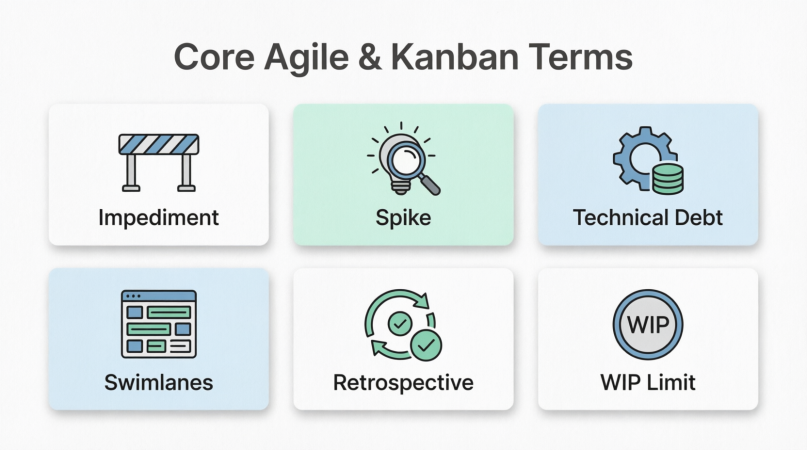
This comprehensive guide breaks down six core common terms used in modern software development and project management. For each term, you will find a clear definition, key concepts to understand, and multiple real-world examples to illustrate how they are applied in practice. Whether you are a Scrum Master, Product Owner, developer, or project manager, mastering this lexicon will empower your team to deliver value faster and more sustainably.
1. Impediment
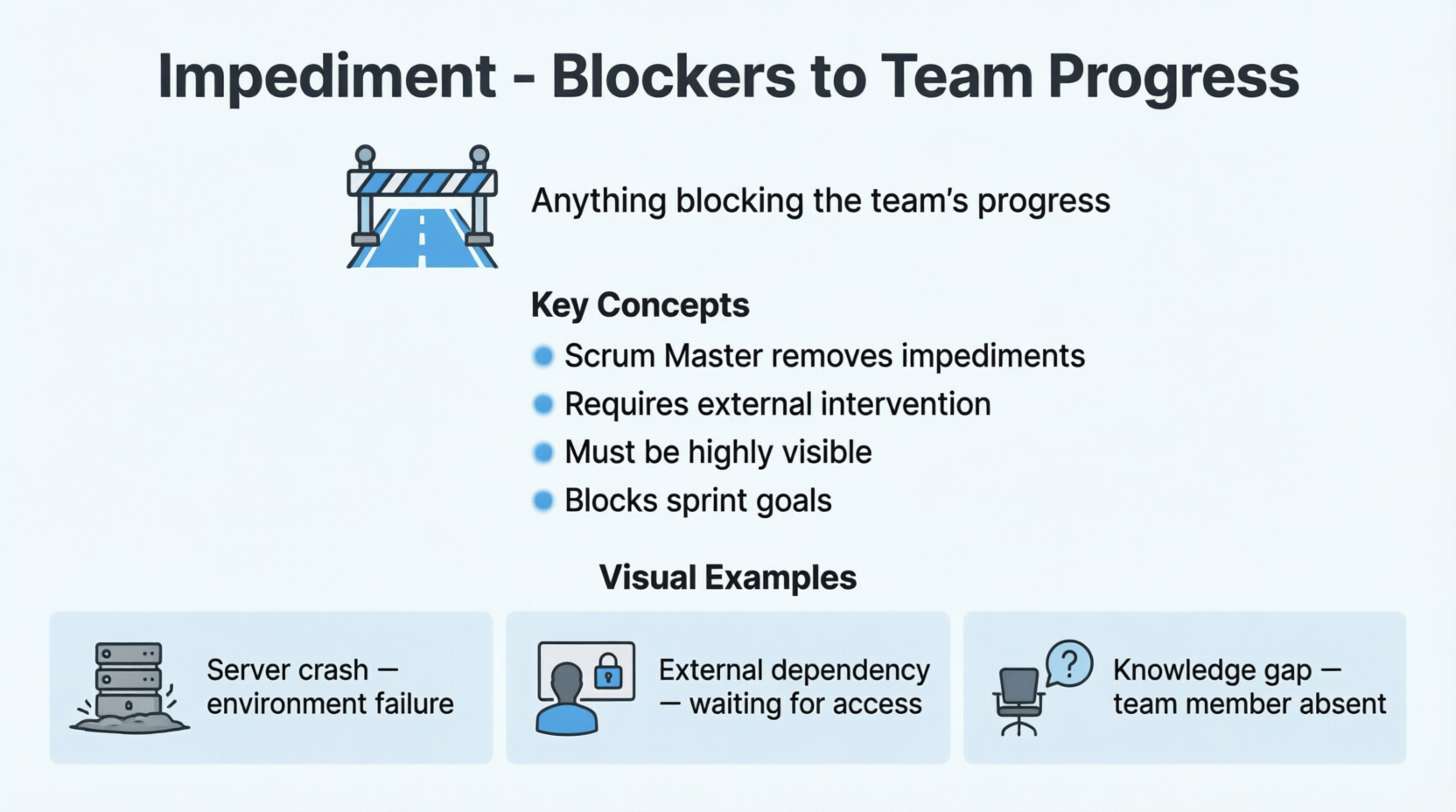
Definition: An impediment is anything that blocks, slows down, or prevents the team from making progress toward their sprint or iteration goals.
Key Concepts:
- The Scrum Master’s Role: A primary responsibility of the Scrum Master (or Agile Coach) is to identify and remove impediments so the team can focus on delivery.
- Blocker vs. Hurdle: A hurdle is a minor challenge the team can solve themselves. An impediment (or blocker) requires external intervention or significant effort to resolve.
- Visibility: Impediments should be highly visible, often tracked on an "Impediment Backlog" or highlighted in red on a task board.
Examples:
- External Dependency: The development team cannot finish the "User Login" feature because they are waiting for the Security Team to grant API access credentials, which has been delayed by a week.
- Environment Failure: The staging server crashes unexpectedly, preventing the QA team from testing any new features for two days.
- Knowledge Gap: The only developer who understands the legacy billing module is on unexpected medical leave, halting all work related to billing updates.
2. Technical Debt
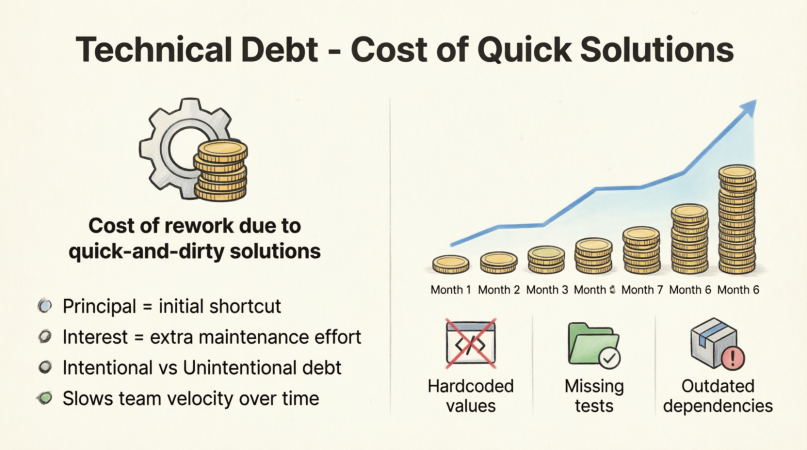
Definition: Technical debt is the implied cost of additional rework caused by choosing a quick, easy, or limited solution now instead of using a better, more robust approach that would take longer.
Key Concepts:
- Principal and Interest: The "principal" is the initial shortcut taken. The "interest" is the extra time and effort required to maintain, fix, or build upon that shortcut in the future.
- Intentional vs. Unintentional: Intentional debt is a conscious business decision (e.g., "We must launch for Black Friday, so we will hardcode this"). Unintentional debt happens due to poor design, lack of skills, or changing requirements.
- Impact on Velocity: If left unchecked, technical debt accumulates "interest," eventually slowing the team’s velocity to a crawl as the codebase becomes fragile and hard to modify.
Examples:
- Hardcoded Values: To meet a tight deadline, a developer hardcodes a tax rate of 8% directly into the application instead of building a configurable settings module. Later, when the tax rate changes, the code must be hunted down and manually updated across multiple files.
ZN2. Skipping Automated Tests: A team skips writing unit tests for a new checkout feature to release it early. Three months later, a minor UI change breaks the checkout process, and because there are no tests, it takes days of manual debugging to find and fix the regression.
- Outdated Dependencies: The team continues to use an old version of a JavaScript framework because upgrading to the latest version would require a massive, time-consuming refactor of the entire frontend, even though the old version no longer receives security patches.
3. Spike
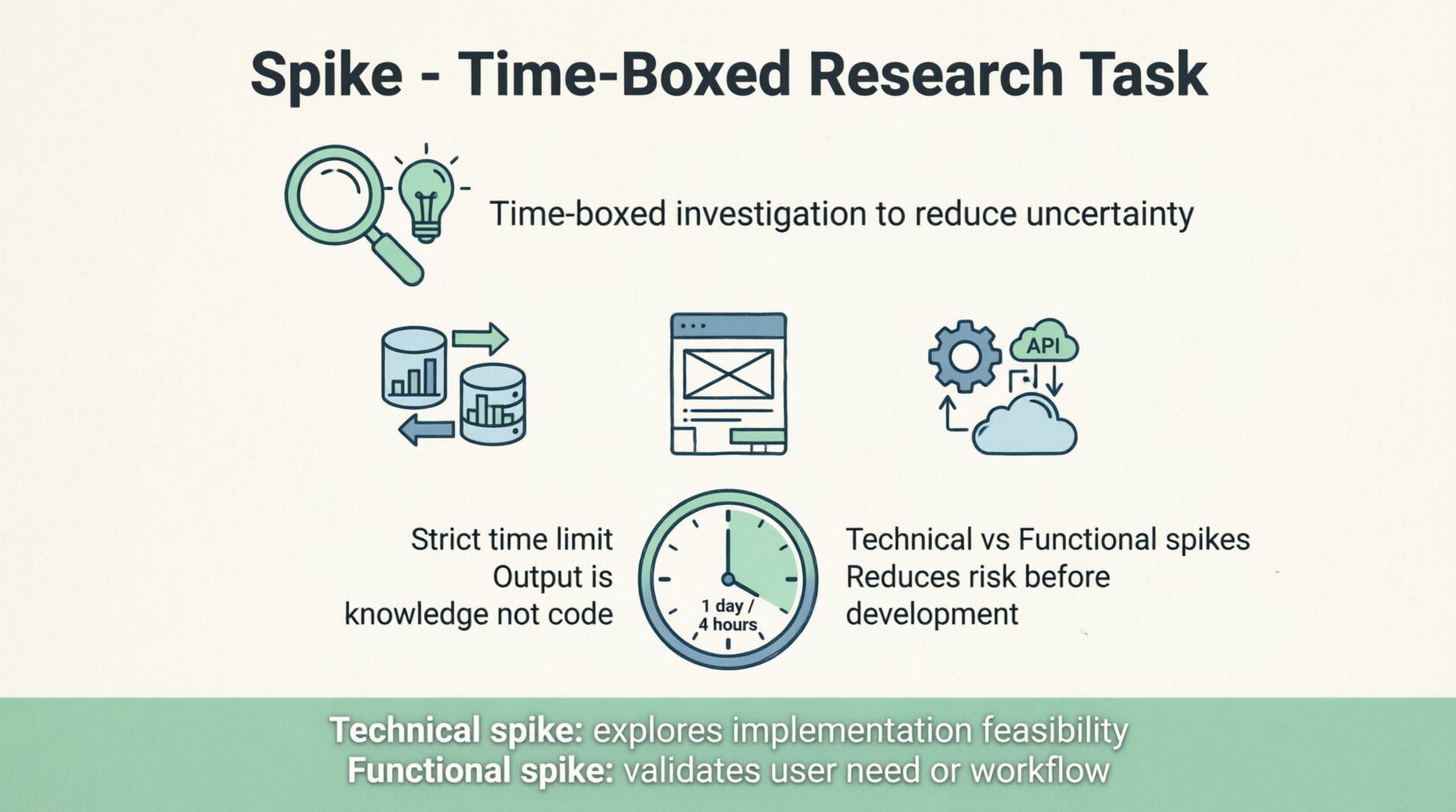
Definition: A spike is a time-boxed investigation, research, or prototyping task used to gain knowledge, reduce uncertainty, or answer a specific technical or functional question before actual development begins.
Key Concepts:
- Time-Boxed: A spike must have a strict time limit (e.g., 1 day, 4 hours). If the question isn't answered in that time, the spike ends, and the team re-evaluates.
- Output is Knowledge: The deliverable of a spike is rarely shippable code. It is usually a document, a decision, a diagram, or a throwaway prototype.
- Types of Spikes: Technical Spikes explore how to build something (e.g., evaluating databases). Functional Spikes explore what to build (e.g., validating a user flow).
Examples:
- Technical Spike: A team needs to implement real-time chat. They allocate a 2-day spike for a senior developer to research and compare Socket.io versus WebSockets, resulting in a brief recommendation document for the team.
are 2 days to build a clickable Figma prototype to show stakeholders and gather feedback before writing any backend code.
- Integration Spike: A team is tasked with integrating a new third-party payment gateway. They spend one day writing a "throwaway" script just to see if the gateway’s API is compatible with their legacy authentication system, discovering a critical incompatibility early.
4. Swimlanes
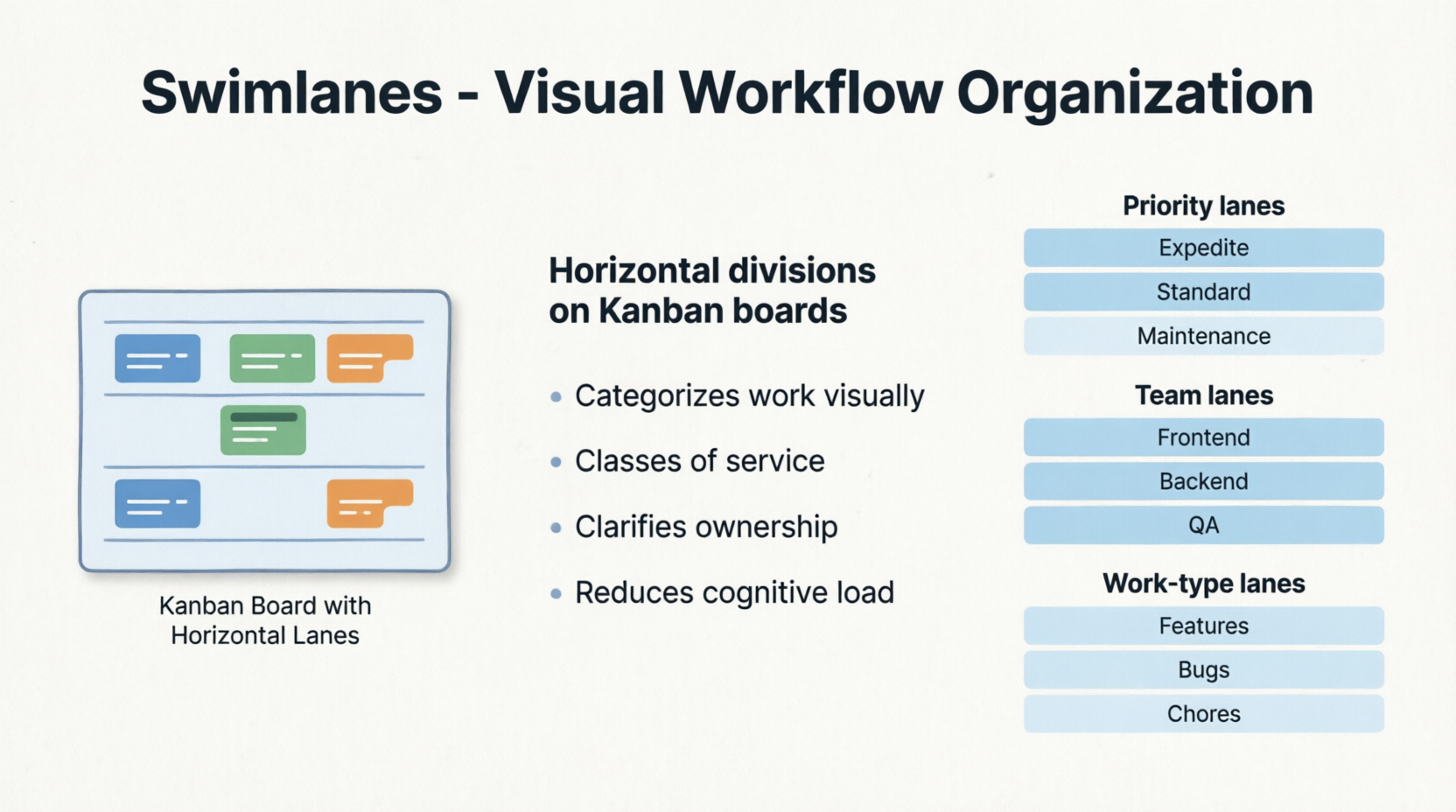
Definition: Swimlanes are horizontal divisions on a Kanban or Scrum board used to categorize work, visualize flow, and highlight priorities, responsibilities, or classes of service.
Key Concepts:
- Visual Management: Swimlanes reduce cognitive load by organizing the board logically, making it easy to see what type of work is happening at a glance.
- Classes of Service: They are often used to separate urgent work from standard work, ensuring high-priority items get immediate attention.
- Cross-Functional Alignment: They can separate work by team, discipline, or product area to clarify ownership.
Examples:
- Priority-Based Swimlanes: The top lane is labeled "Expedite / Urgent" (e.g., critical production bugs). The middle lane is "Standard" (regular user stories). The bottom lane is "Fixed Capacity" (e.g., mandatory compliance tasks). If an item is in the Expedite lane, it bypasses normal WIP limits.
- Team-Based Swimlanes: On a shared board for a full-stack product, the top lane is "Frontend Team," the middle is "Backend Team," and the bottom is "QA/Testing." This helps each sub-team track their specific workflow without cluttering a single lane.
- Work-Type Swimlanes: A board is divided into "New Features," "Bug Fixes," and "Maintenance/Chores." This allows the Product Owner to easily visualize if the team is spending too much time on maintenance versus delivering new value.
5. WIP Limit (Work In Progress)
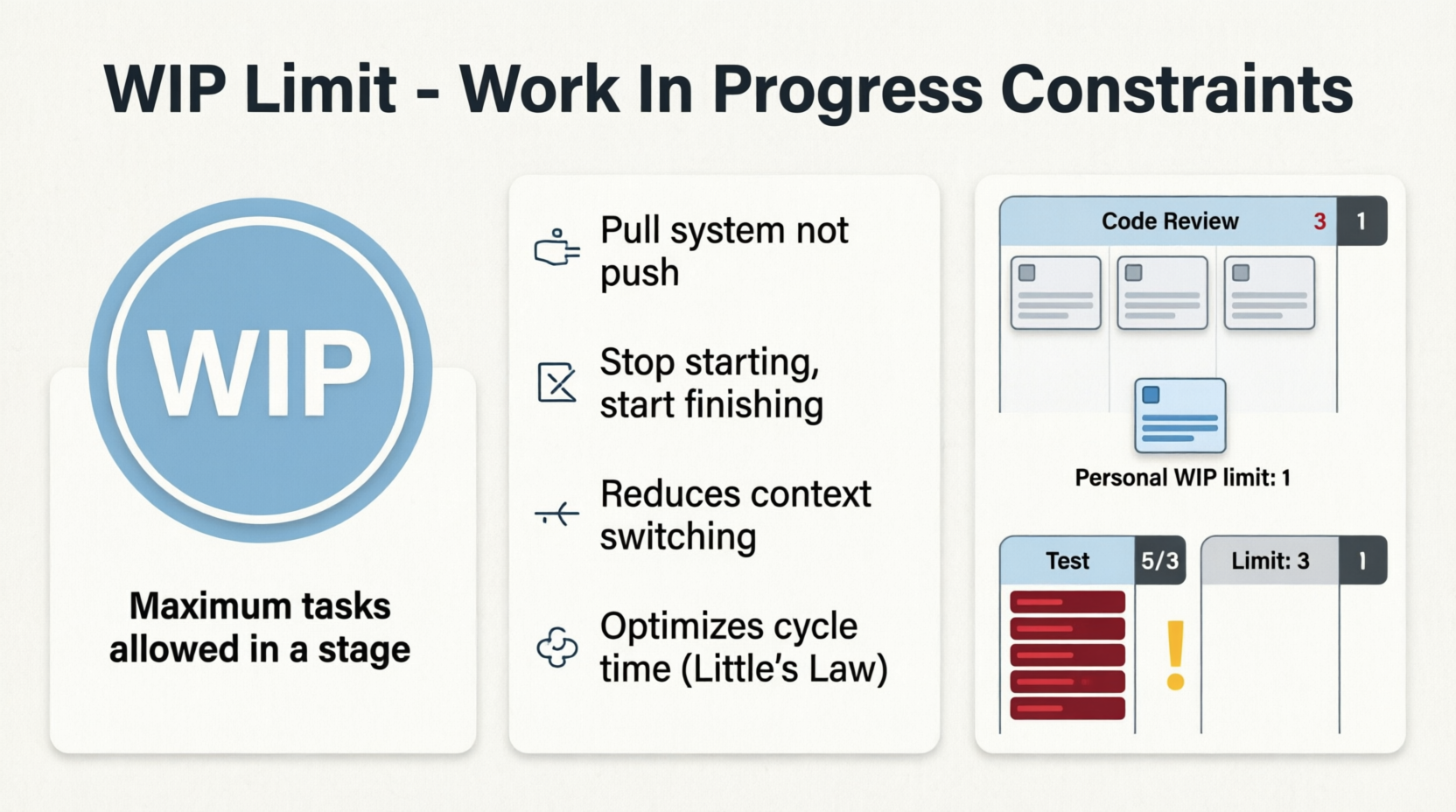
Definition: A WIP limit is the maximum number of tasks or work items allowed in a specific stage (column) of a Kanban board at any given time.
Key Concepts:
- Pull, Don't Push: WIP limits enforce a "pull" system. A team member can only pull a new task into a column if doing so does not exceed the limit.
- Stop Starting, Start Finishing: WIP limits prevent multitasking and context-switching, forcing the team to collaborate to clear bottlenecks and finish existing work before starting new work.
- Little’s Law: In queueing theory, limiting WIP directly reduces the average cycle time (the time it takes to complete a task).
Examples:
- Column Limit: The "Code Review" column has a WIP limit of 3. If there are already 3 pull requests waiting for review, no developer is allowed to submit a 4th. Instead, they must stop coding and help review the existing 3 to clear the bottleneck.
- Personal Limit: A solo developer sets a personal WIP limit of 1 for their "In Progress" column. This forces them to completely finish one feature, including writing tests, before they are allowed to pick up the next ticket, eliminating half-finished work.
- QA Bottleneck: The "Testing" column has a WIP limit of 5. When it hits 5, the developers notice QA is overwhelmed. Instead of starting new features, the developers swarm the QA column to help write automated tests or perform manual testing, bringing the count back down.
6. Retrospective Techniques
Definition: Retrospective techniques are structured frameworks used during the Sprint Retrospective to gather feedback, reflect on the past iteration, and identify actionable improvements (Kaizen).

Key Concepts:
- Psychological Safety: The success of any retrospective technique depends on the team feeling safe to share honest feedback without fear of blame.
- Actionable Outcomes: The goal is not just to complain, but to generate 1–3 concrete, actionable items to improve the next sprint.
- Variety: Using different techniques prevents "retro fatigue" and encourages the team to look at problems from new angles.
Technique A: Start, Stop, Continue
Concept: A simple, highly action-oriented framework that categorizes feedback into three clear behavioral changes.
Examples:
- Start: "Start holding a 10-minute daily sync between the design and frontend teams to catch UI mismatches early."
- Stop: "Stop merging code into the main branch without at least one approved peer review, no matter how small the change."
- Continue: "Continue the practice of pair-programming on complex database migrations; it has reduced our bug rate significantly."
Technique B: The 4Ls (Liked, Learned, Lacked, Longed For)
Concept: A holistic reflection framework that covers emotional responses, new knowledge, gaps in the process, and future aspirations.
Examples:
- Liked: "Liked the new automated deployment pipeline; it saved the team at least 3 hours of manual work this sprint."
- Learned: "Learned that our current caching strategy causes stale data to be shown to users on mobile devices for up to 10 minutes."
- Lacked: "Lacked clear, testable acceptance criteria on three of our user stories, which led to scope creep mid-sprint."
- Longed For: "Longed for more dedicated, uninterrupted time to refactor the technical debt in the legacy authentication module."
Conclusion
Mastering these core Agile and Kanban terms is not about memorizing jargon; it is about adopting a mindset of continuous improvement, transparency, and efficiency.
- Recognizing an Impediment early saves days of wasted effort.
- Acknowledging Technical Debt prevents long-term system decay.
- Using a Spike mitigates risk before heavy development begins.
- Organizing with Swimlanes brings clarity to complex workflows.
- Enforcing WIP Limits optimizes flow and reduces burnout.
- Leveraging structured Retrospective Techniques ensures the team is always evolving and getting better.
By intentionally applying these concepts and using the examples provided as a blueprint, your team can transform abstract Agile principles into tangible, everyday practices that drive higher quality, faster delivery, and a healthier, more collaborative work environment.


