
In the fast-paced world of Agile development, teams often face a paradox: the need for speed and flexibility clashes with the chaos of evolving requirements, misaligned stakeholders, and complex system interactions. User stories and backlogs capture what needs to be built, but they frequently fall short in explaining how components interact or why certain design decisions were made.
This is where UML (Unified Modeling Language) shines as a secret weapon. When used in a lightweight, iterative "Lean UML" or "Agile Modeling" style, UML diagrams provide crystal-clear visualization without the heavy documentation overhead of traditional waterfall methods. They enhance communication, reduce misunderstandings, support better decision-making, and accelerate delivery—all while remaining compatible with Scrum, Kanban, or hybrid Agile processes.
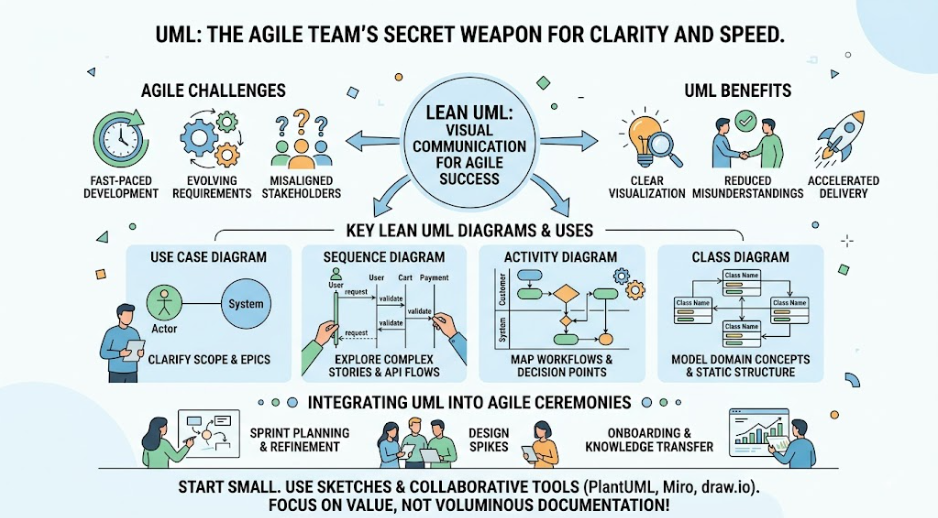
Far from being outdated, modern Agile teams (including those at scale) use selective UML to clarify architecture, explore designs quickly, validate user stories, and maintain living documentation. This guide explores how to integrate UML effectively into Agile workflows.
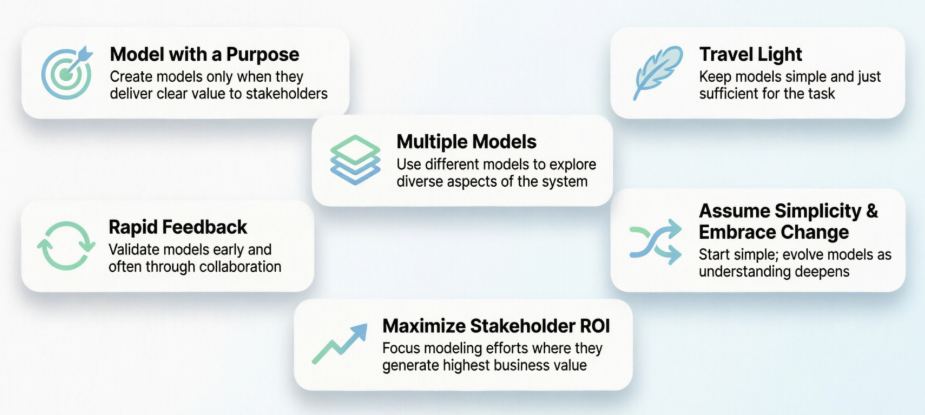
Agile Modeling (AM) principles, popularized by Scott Ambler, guide effective UML use:
Model with a Purpose: Create diagrams only when they add value (e.g., to resolve ambiguity or onboard new team members).
Travel Light: Keep models simple, sketchy, and discardable. Update them just enough to be useful.
Multiple Models: Use different diagrams for different views (static structure vs. dynamic behavior).
Rapid Feedback: Model collaboratively in workshops or during sprint planning/refinement.
Assume Simplicity & Embrace Change: Start high-level; refine iteratively as the product evolves.
Maximize Stakeholder ROI: Focus on diagrams that improve collaboration and reduce rework.
Lean UML emphasizes:
Whiteboard sketches or lightweight digital tools (Visual Paradigm Desktop, PlantUML, Visual Paradigm Online) over formal CASE tools.
"Just-in-time" modeling rather than big upfront design (BUFD).
Living diagrams that evolve with code (e.g., linked to architecture decision records or wikis).
UML is not about generating exhaustive specs but about visual communication that complements user stories, acceptance criteria, and code.
Here are the most valuable diagrams in Agile contexts, with their primary uses:
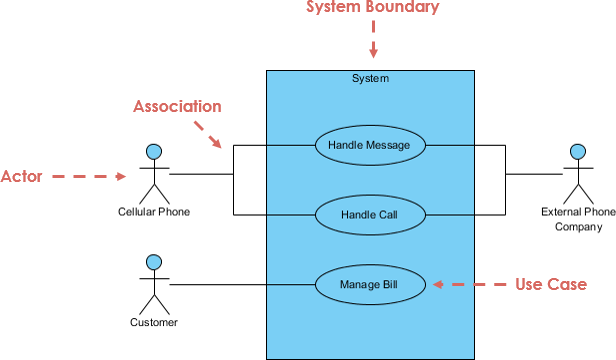
Use Case Diagrams
Show actors (users, external systems) and their interactions with the system.
Agile Value: Clarify scope for epics/user stories, identify boundaries, and spot missing requirements early.
Great for sprint 0 or backlog refinement.
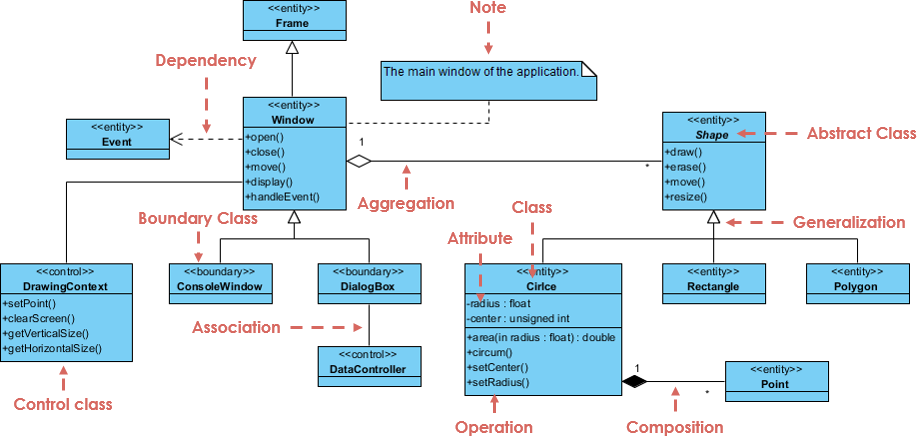
Class Diagrams
Depict classes, attributes, operations, and relationships (inheritance, association, aggregation).
Agile Value: Model domain concepts and static structure. Use for conceptual/domain modeling early, then detailed design as needed.
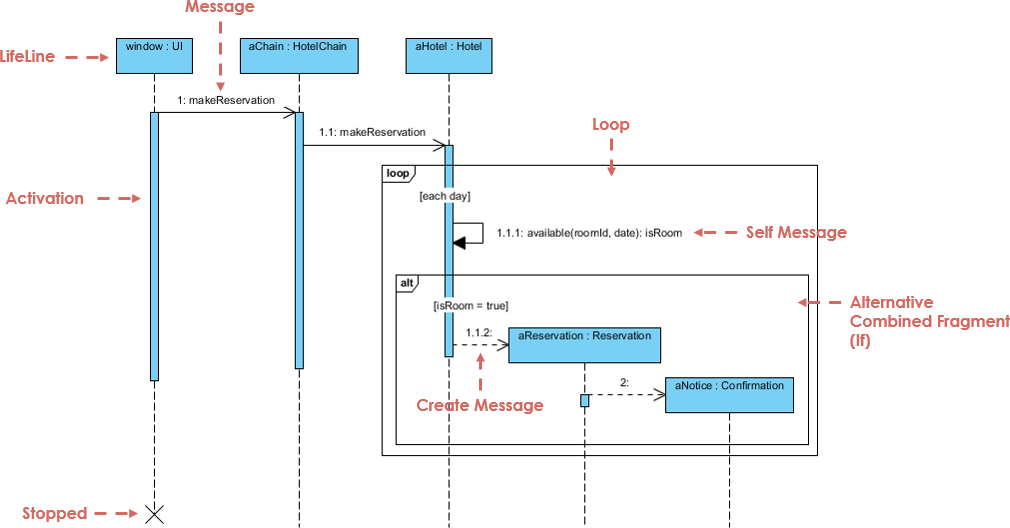
Sequence Diagrams
Illustrate interactions between objects over time for specific scenarios.
Agile Value: Explore complex user stories, visualize API flows, or debug race conditions. Excellent for spike work or design reviews.
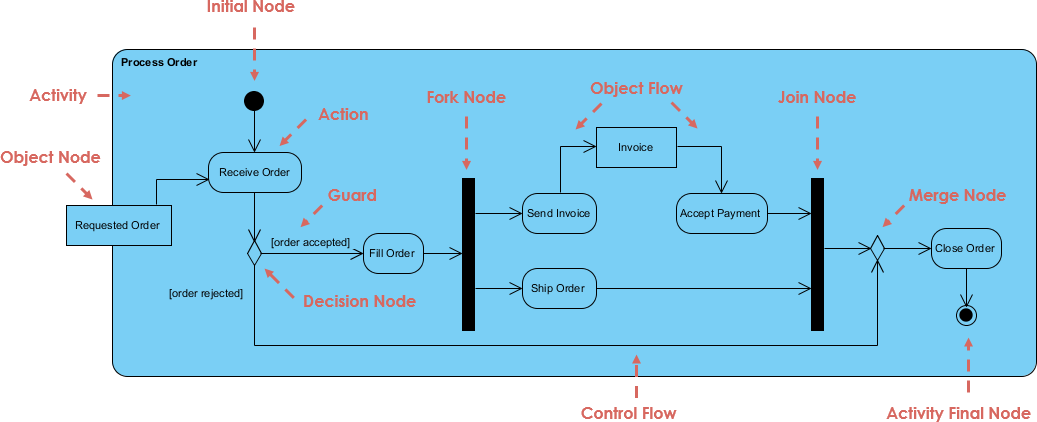
Activity Diagrams
Model workflows, business processes, or algorithmic logic (like flowcharts with swimlanes).
Agile Value: Map end-to-end processes, decision points, and parallel activities. Helpful for understanding user journeys or integration flows.
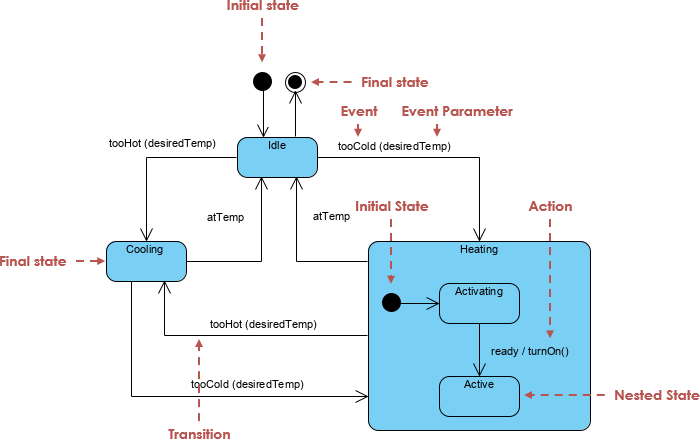
State Machine Diagrams
Show how an object or system changes states in response to events.
Agile Value: Model lifecycle behaviors (e.g., order processing: Pending → Paid → Shipped → Delivered).
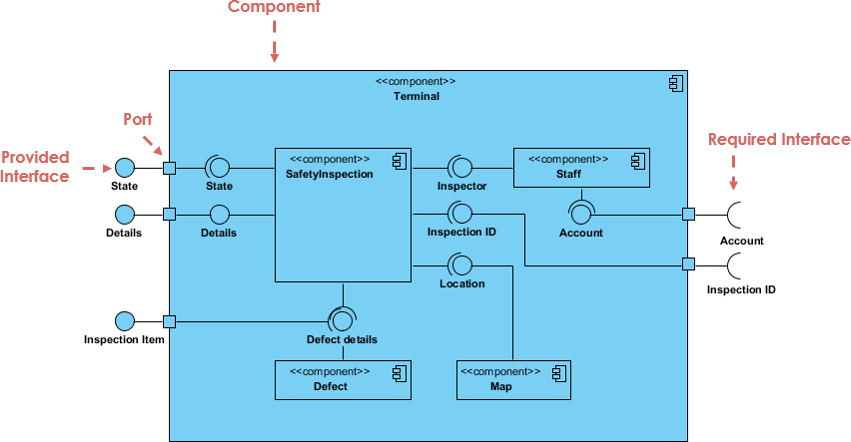
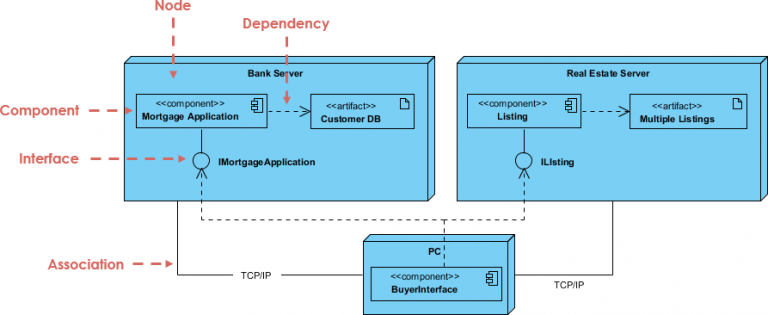
Component & Deployment Diagrams (for architecture)
High-level views of system modules and physical infrastructure.
Agile Value: Support architectural runway and scaling discussions in larger teams.
Other useful ones include Package Diagrams (organization) and Communication Diagrams (alternative to sequence).
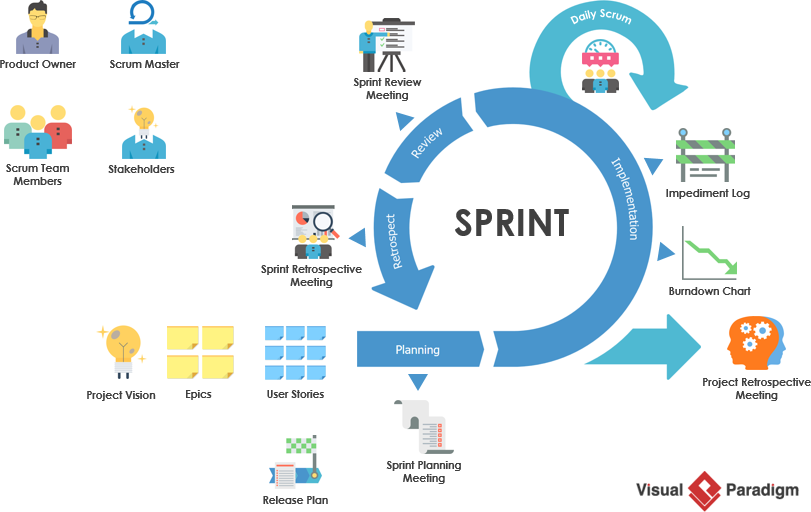
Sprint Planning & Refinement: Sketch Use Case or Activity diagrams to clarify stories.
Daily Stand-ups: Reference simple diagrams for blockers or design discussions.
Sprint Reviews: Use updated diagrams to demonstrate progress and gather feedback.
Retrospectives: Discuss if modeling helped or added waste.
Architecture/Design Spikes: Use Sequence/Class diagrams to evaluate options quickly.
Onboarding & Knowledge Transfer: Maintain a lightweight "architecture deck" or wiki with key diagrams.
Continuous Documentation: Generate diagrams from code (reverse engineering) or keep them in version control alongside the codebase.
Tools: PlantUML (text-to-diagram, great for Git), Miro/Lucidchart for collaboration, or integrated IDE plugins.
Best Practices:
Keep diagrams at the right abstraction level—avoid over-detailing.
Version diagrams with the code (e.g., in a /docs/diagrams folder).
Collaborate: Model in pairs or mob sessions.
Validate with code and tests—diagrams should reflect reality.
Use color, annotations, and notes for clarity.
Example 1: E-commerce Checkout Flow (Activity + Sequence Diagrams)
An Agile team building an online store uses an Activity Diagram during refinement to map the checkout process (including payment gateway, inventory check, and fraud detection in parallel). This reveals a missing "out-of-stock" branch, preventing defects.
They then create a Sequence Diagram for the critical payment path:
Customer → Cart Service → Payment Gateway → Order Service.
This helps the team agree on API contracts and error handling before implementation, reducing integration issues in the sprint.
Example 2: Domain Modeling with Class Diagrams
For a university course registration system:
Conceptual Class Diagram shows Student, Course, Enrollment with relationships.
As stories are implemented iteratively, the diagram evolves to include attributes and methods.
This provides a shared language for developers, product owners, and domain experts, minimizing miscommunication.
Example 3: Microservices Architecture
A team migrating to microservices maintains a high-level Component Diagram showing service boundaries and dependencies. During sprint planning for new features, they sketch Sequence Diagrams to explore orchestration vs. choreography, ensuring loose coupling. This "living architecture" view helps with scaling and onboarding.
Case Study Insight: Companies like Spotify or teams handling complex domains use selective UML for architectural alignment without slowing velocity. Diagrams are often created in workshops and updated only when they provide ongoing value.
Outdated Diagrams: Solution — Treat as "living" artifacts; regenerate from code when possible or review periodically.
Over-Modeling: Solution — Apply "Travel Light" and "Model with a Purpose."
Team Resistance: Solution — Start with sketches in collaborative sessions; show quick wins in reducing ambiguity.
Tool Overhead: Solution — Prefer simple, collaborative tools over heavy UML software.
When done right, UML reduces rework, improves quality, and makes complex systems understandable.
UML is not the enemy of Agile—it’s a powerful ally when applied judiciously. By turning abstract chaos into clear, shared visuals, Lean UML helps Agile teams align faster, design smarter, and deliver with greater confidence. It bridges the gap between user stories and robust implementation, making it easier to handle complexity without sacrificing velocity.
The secret isn’t in creating more diagrams, but in creating the right ones at the right time. Start small: Pick one or two diagram types for your next sprint and see the clarity it brings. Your team (and stakeholders) will thank you as the fog lifts and momentum builds.
Embrace UML as a communication superpower in your Agile toolkit—and watch your projects become far more predictable and successful.

