
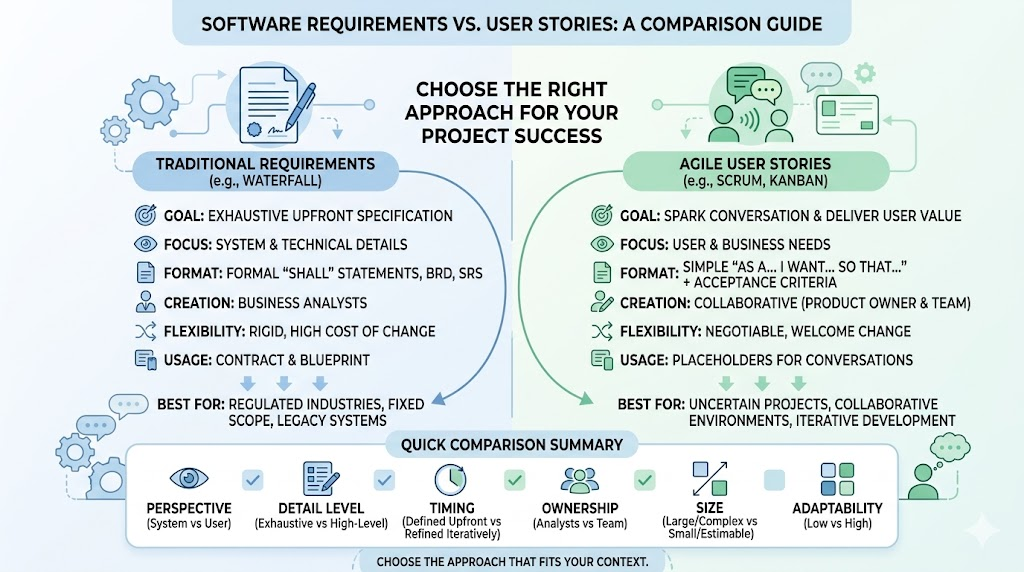
In software development, how you capture and communicate what needs to be built dramatically impacts project success. Traditional Requirements and User Stories represent two fundamentally different approaches to defining product needs.
Traditional requirements documents (often used in Waterfall) aim for exhaustive upfront specification. User stories, central to Agile methodologies like Scrum and Kanban, emphasize conversation, flexibility, and user value.
Understanding the differences helps teams choose the right approach, reduce misunderstandings, adapt to change, and deliver better products. This guide explores both concepts in depth, highlights key differences, provides real-world examples, and offers practical guidance for Agile projects.
Traditional Requirements are detailed, formal descriptions of what a system must do. They are typically captured in documents such as:
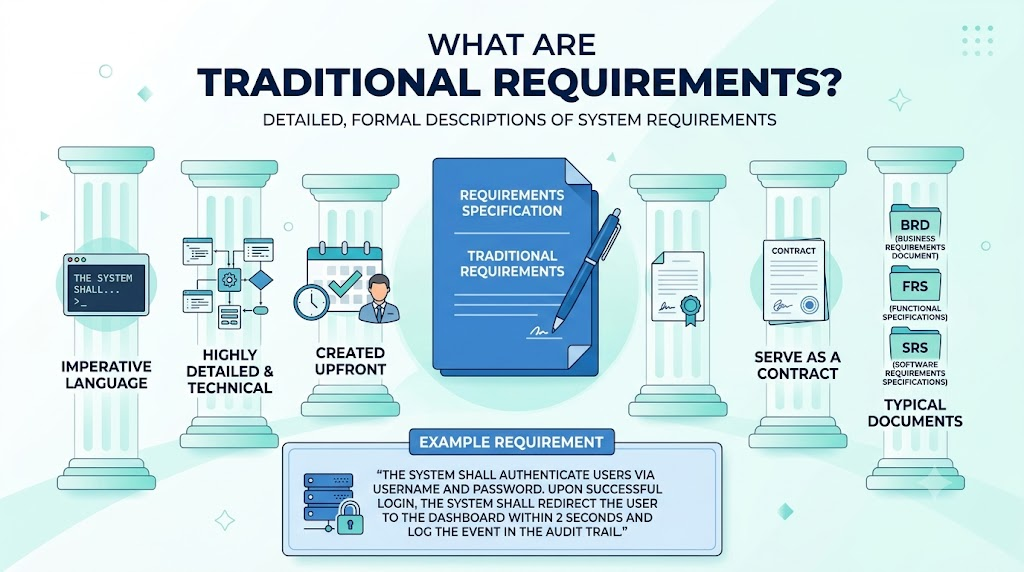
Common Characteristics:
Example Requirement:
“The system shall authenticate users via username and password. Upon successful login, the system shall redirect the user to the dashboard within 2 seconds and log the event in the audit trail.”
A User Story is a short, informal description of a feature from the end-user’s perspective. It focuses on who needs the feature, what they want to achieve, and why it matters.
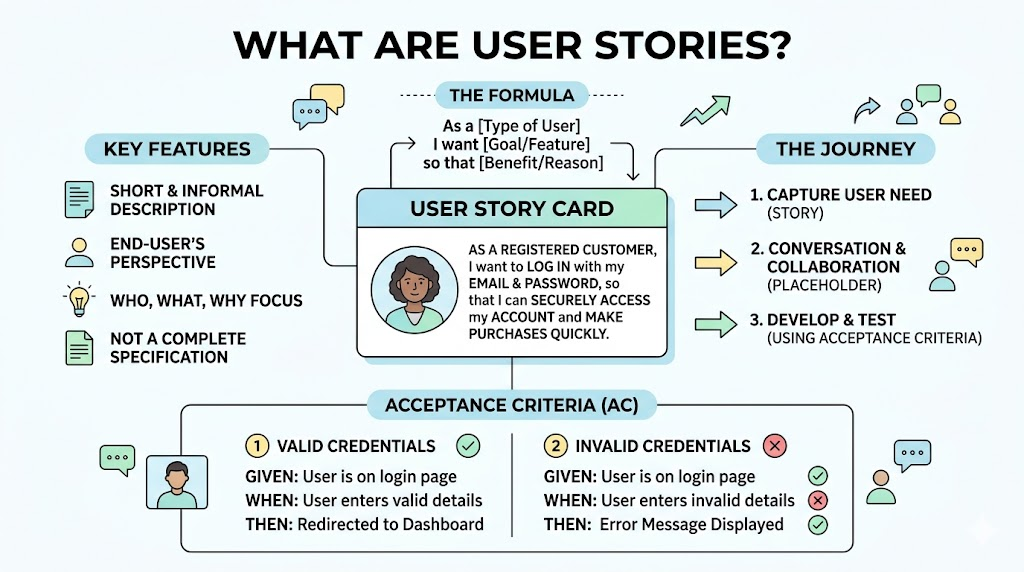
Standard Format:
As a [type of user],
I want [goal or feature],
so that [benefit or reason].
User stories are not complete specifications. They are placeholders for conversations and are supplemented with Acceptance Criteria (AC).
Example User Story:
As a registered customer,
I want to log in with my email and password,
so that I can securely access my account and make purchases quickly.
Acceptance Criteria (often in Given-When-Then format):
| Aspect | Traditional Requirements | User Stories (Agile) |
|---|---|---|
| Perspective | System / Technical focus | User / Business value focus |
| Level of Detail | Exhaustive and specific upfront | High-level; details emerge through conversation |
| Format | Formal “shall” statements, long documents | Short narrative + acceptance criteria |
| Flexibility | Rigid; changes are costly | Negotiable and welcome |
| Timing | Mostly defined at the beginning | Refined iteratively throughout the project |
| Ownership | Business Analysts / Stakeholders | Collaborative (Product Owner + Team) |
| Purpose | Serve as a contract / blueprint | Spark conversation and deliver value |
| Size | Can be large and complex | Small and estimable (fits in one sprint) |
| Documentation | Heavy documentation | Lightweight + working software as primary measure |
| Adaptability to Change | Low | High |
Traditional Requirement:
“The authentication module shall support username/password login with AES-256 encryption. It shall lock the account after 5 failed attempts and send a reset link to the registered email. Response time shall not exceed 3 seconds under normal load.”
User Story:
As a returning user,
I want to log in securely with my credentials,
so that I can access my personalized dashboard safely.
Acceptance Criteria:
Traditional Requirements (excerpt):
“The search function shall support Boolean operators, return results sorted by relevance, and display at least 20 items per page with pagination. Filters shall include price range, category, and customer rating.”
User Story:
As a shopper looking for gifts,
I want to search products by keyword and filter by price and rating,
so that I can quickly find relevant items within my budget.
This user story leaves room for the team to decide on implementation details (e.g., algorithms, UI) during refinement.
User Stories and Traditional Requirements serve similar purposes but represent different mindsets. Requirements excel in predictability and documentation-heavy environments, while User Stories thrive in dynamic, collaborative Agile settings by focusing on people, value, and adaptability.
In modern Agile projects, user stories (paired with acceptance criteria and ongoing conversation) are usually the superior choice. They reduce waste, improve team alignment, and help deliver software that truly meets user needs.
The key is context: choose the approach that best fits your project constraints, team culture, and stakeholder expectations. Many successful teams use a hybrid model — lightweight user stories for most work and detailed specifications only where absolutely necessary.
Actionable Next Step: Take one current requirement from your backlog and rewrite it as a user story with acceptance criteria. Share it in your next team meeting and discuss the differences you notice.
Would you like a downloadable comparison template, more industry-specific examples (fintech, SaaS, mobile), or guidance on implementing this in Jira? Let me know how else I can support your Agile journey!

