
In today's rapidly evolving engineering landscape, systems architects and product teams face mounting pressure to deliver complex, interconnected solutions faster—without compromising precision, compliance, or collaboration. Traditional modeling tools, often burdened by clunky desktop installations, disconnected workflows, and steep learning curves, struggle to keep pace with the demands of modern aerospace, automotive, medical device, and IoT development cycles.
Enter SysML v2 Studio: a purpose-built, web-native engineering environment that fuses the rigor of the latest OMG SysML v2 standard with the agility of AI-assisted development. This case study explores how Visual Paradigm's AI-powered SysML v2 Studio is redefining systems engineering workflows—enabling teams to model smarter, validate faster, and communicate insights more effectively than ever before. By eliminating the friction between textual specification and visual representation, and by embedding intelligent assistance directly into the modeling workflow, SysML v2 Studio represents a paradigm shift for engineering organizations seeking to accelerate innovation while maintaining architectural integrity.
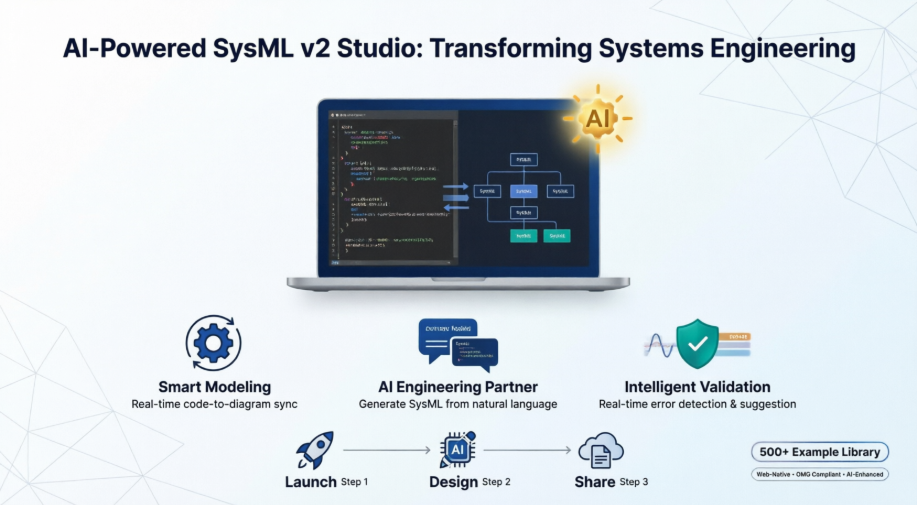
SysML v2 represents a fundamental modernization of the systems modeling language, introducing a textual syntax alongside graphical notations to support version control, automation, and collaborative development. Unlike its predecessor, SysML v2 is designed for the realities of cloud-native engineering: it supports real-time collaboration, integrates with DevOps pipelines, and enables precise, machine-readable specifications that can be validated, simulated, and transformed across the product lifecycle.
For engineering teams, adopting SysML v2 isn't just about compliance—it's about unlocking new levels of productivity, traceability, and system intelligence. However, the transition requires tooling that understands both the semantic depth of the standard and the practical needs of daily engineering work. This is where SysML v2 Studio delivers exceptional value.
SysML v2 Studio provides a reliable, fully interactive, and web-based environment designed specifically for the speed and complexity of modern engineering. Its interface is thoughtfully organized to support fluid movement between code, diagrams, and documentation—without context-switching overhead.
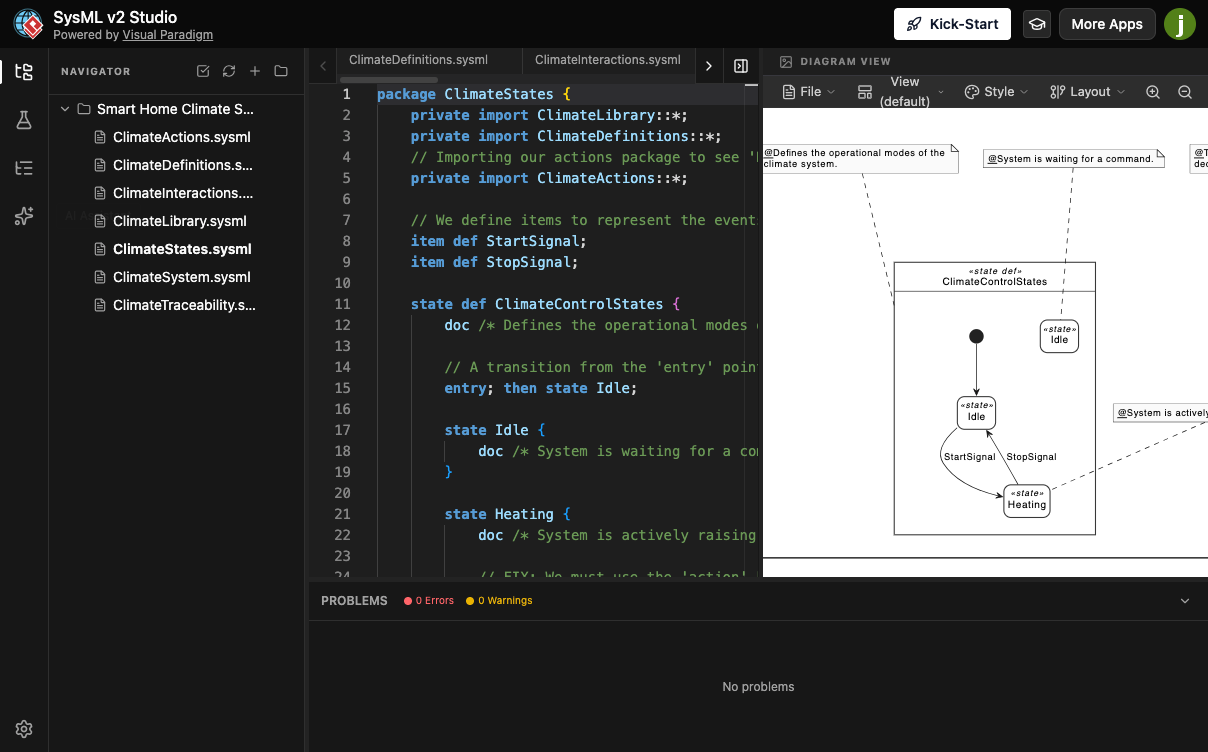
Navigation Hub (Left Panel): Manage .sysml workspace files, browse structural templates, view your model tree, and access the AI assistant—all from a unified project navigator.
Smart Text Code Editor (Center): A language-server-protocol-powered editor featuring syntax highlighting, intelligent auto-completion, and direct authoring of SysML v2 textual notations.
Interactive Diagram Viewer (Right Panel): An automated canvas that instantly translates textual definitions into layout-optimized diagrams—displaying block definitions, state machines, activity flows, or internal block diagrams dynamically based on context.
Problems Pane (Bottom): Delivers continuous, real-time feedback on syntax errors or model contradictions, with high-precision validation that eliminates false alarms.
Stop fighting "false alarms." Unlike other tools that flag errors where none exist, SysML v2 Studio's high-precision engine only highlights genuine mistakes. If the Studio reports a problem, you can trust it—no more second-guessing your design or wasting cycles on phantom issues.
Many tools only let you look at a diagram. In SysML v2 Studio, the diagrams are alive. You can edit the graphics directly or change the code, and both stay in perfect sync. You choose the way you want to work—visually or through text—without losing a single detail. As you modify element parameters inside the code editor, the automated visual framework re-renders the schematic within milliseconds.
Don't just learn from a manual; learn from experience. With over 500 professional example files, you can explore real-world satellite systems, automotive engines, medical device architectures, and more. It is the most comprehensive library available, allowing you to see how experts solve complex problems and accelerate your own learning curve.
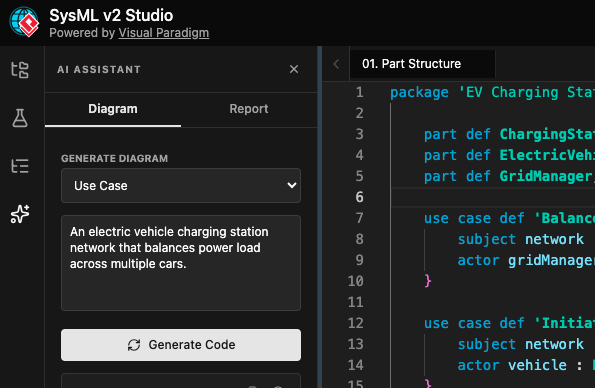
Stop starting from a blank page. Use natural language prompts to generate complex SysML v2 part structures, requirement trees, and activity flows instantly. Our AI-powered assistant understands engineering logic, not just syntax.
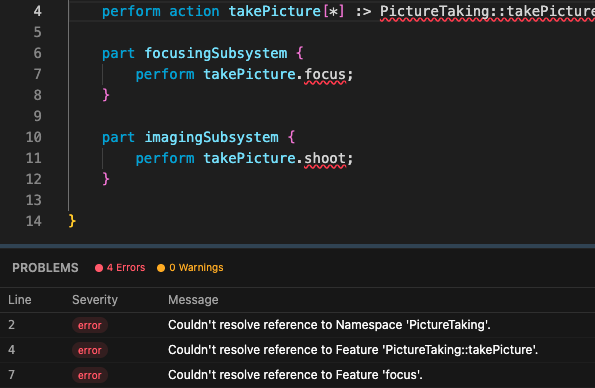
Write cleaner code faster. The Studio features a built-in SysML v2 compiler that provides real-time error checking and semantic suggestions, ensuring your models are always compliant with the latest OMG standards.
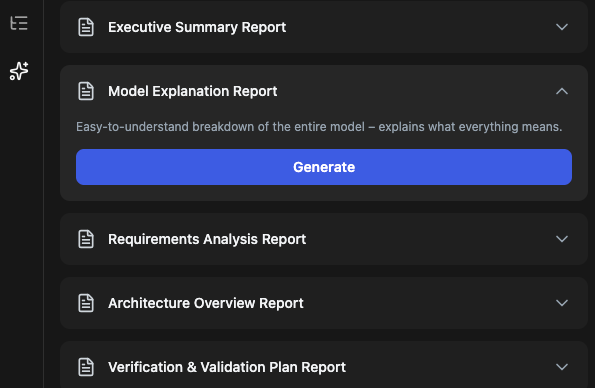
Transform your SysML v2 models into actionable intelligence. Generate AI-powered executive summaries, gap analyses, and safety reports with a single click, bridging the gap between technical modeling and stakeholder communication.
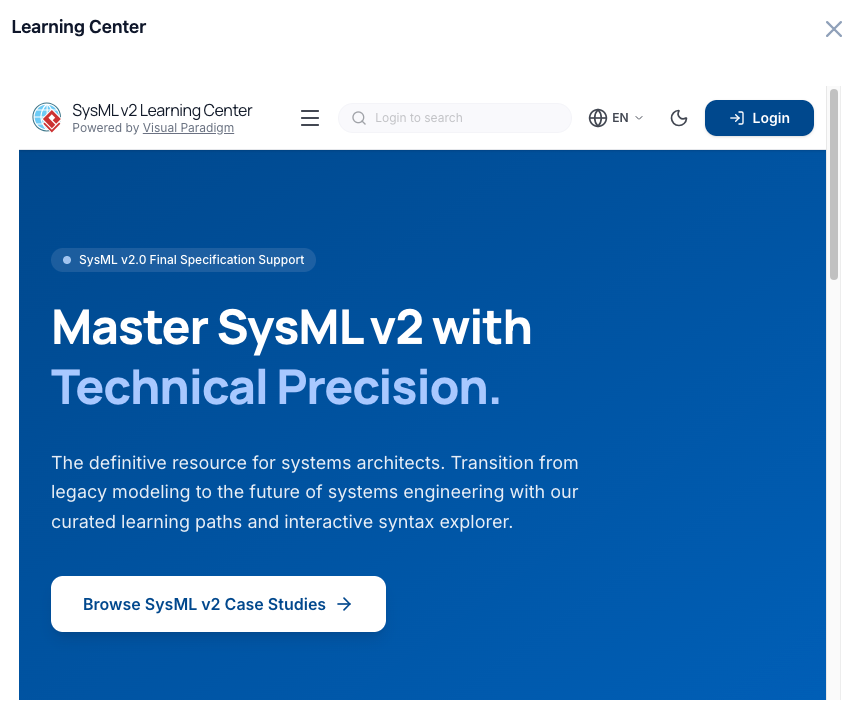
Why toggle between tabs when you can learn where you work? SysML v2 Studio features a fully integrated Learning Center, bringing expert-level guidance directly into your modeling environment.
SysML v2 Studio streamlines the entire modeling lifecycle through an intuitive three-step workflow:
Start a new SysML v2 file from scratch or import a model from our built-in library. You can also use the AI-powered setup to jumpstart your design in seconds—simply describe your system intent, and let the assistant generate a structured starting point.
Write your model using the smart text editor. Watch as the Studio automatically draws your diagrams in real-time, catching any mistakes as you go. Leverage AI suggestions for part definitions, constraint expressions, or requirement hierarchies to accelerate development.
Save your diagrams as high-quality PNG or SVG images for presentations, or use the AI to generate professional Markdown or PDF reports. Share your cloud-stored projects with your team for easy collaboration, with full version history and access controls.
Early adopters of SysML v2 Studio report transformative outcomes across diverse domains:
Aerospace Teams reduced model validation cycles by 60% by leveraging real-time semantic checking and AI-generated verification plans.
Automotive OEMs accelerated requirements traceability across subsystems by using the AI assistant to auto-generate requirement trees from natural language specifications.
Medical Device Startups shortened onboarding time for new engineers by 75% through the integrated Learning Center and 500+ example library.
Systems Consulting Firms improved client communication by generating AI-powered executive summaries that translate technical models into business-ready insights.
The common thread: teams spend less time wrestling with tooling and more time solving engineering problems.
SysML v2 Studio represents more than a new modeling tool—it embodies a new philosophy for systems engineering: one where artificial intelligence augments human expertise, where textual precision and visual clarity coexist seamlessly, and where learning happens in the flow of work. By delivering a web-native, AI-enhanced environment built specifically for the SysML v2 standard, Visual Paradigm has created a platform that empowers engineering teams to tackle greater complexity with greater confidence.
As systems continue to grow in scale and interdependence, the ability to model, validate, and communicate architectural intent efficiently becomes a strategic differentiator. SysML v2 Studio doesn't just support this need—it accelerates it. For organizations committed to model-based systems engineering excellence, adopting this AI-powered workspace isn't merely an upgrade; it's an investment in faster innovation, higher quality, and more resilient system designs.
The future of systems engineering is intelligent, collaborative, and web-native. With SysML v2 Studio, that future is available today.

