
In today's fast-paced digital landscape, technical teams face a persistent challenge: maintaining alignment between complex system designs and their accompanying documentation. Traditional workflows often force engineers, product managers, and business analysts to toggle between separate text editors, diagramming tools, and version control systems—creating friction, version drift, and communication gaps. Visual Paradigm OpenDocs emerges as a transformative solution to this problem. As an AI-powered knowledge management platform and documentation hub, OpenDocs unifies rich text authoring with professional visual modeling in a single, web-based interface. By acting as a centralized "visual knowledge engine," it empowers teams to create, collaborate, and communicate with unprecedented efficiency—turning isolated design artifacts into living, interconnected documentation that evolves alongside your projects.
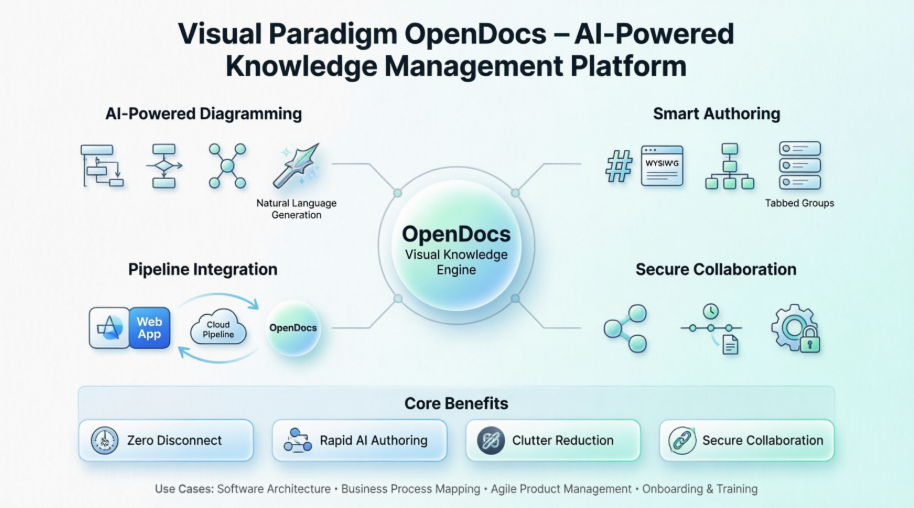
OpenDocs provides a flexible, intuitive environment for creating and organizing technical content. The platform supports dual editor modes to accommodate diverse workflow preferences:
Dual Editor Support: Authors can choose between a full-featured Markdown editor with split-pane live preview for precision control, or a WYSIWYG editor for rapid, visual content creation without syntax concerns.
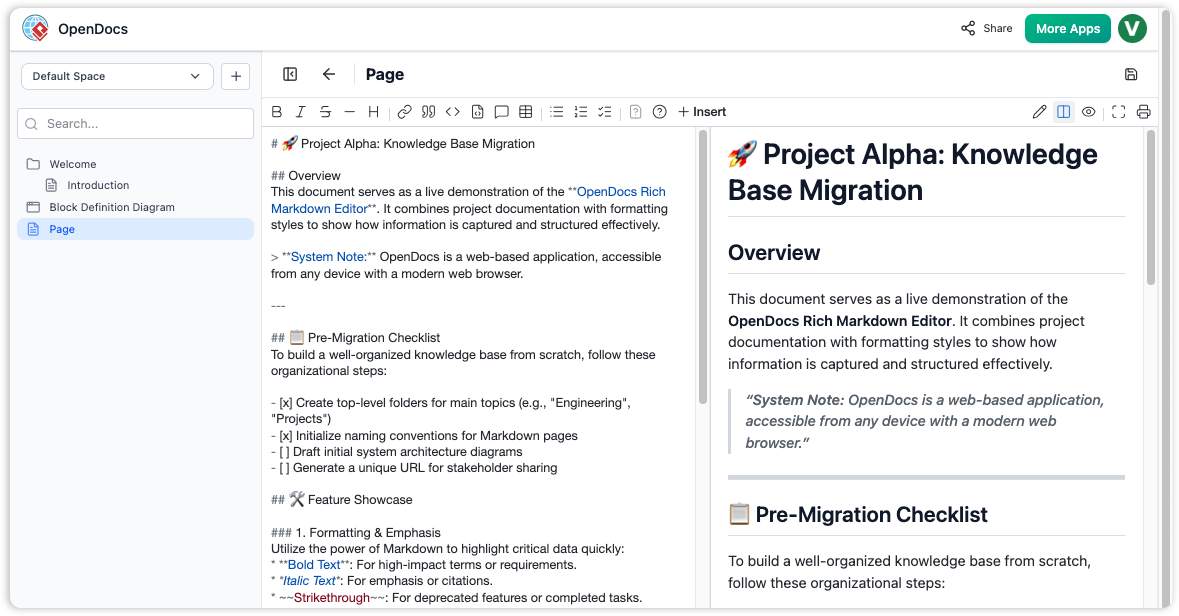
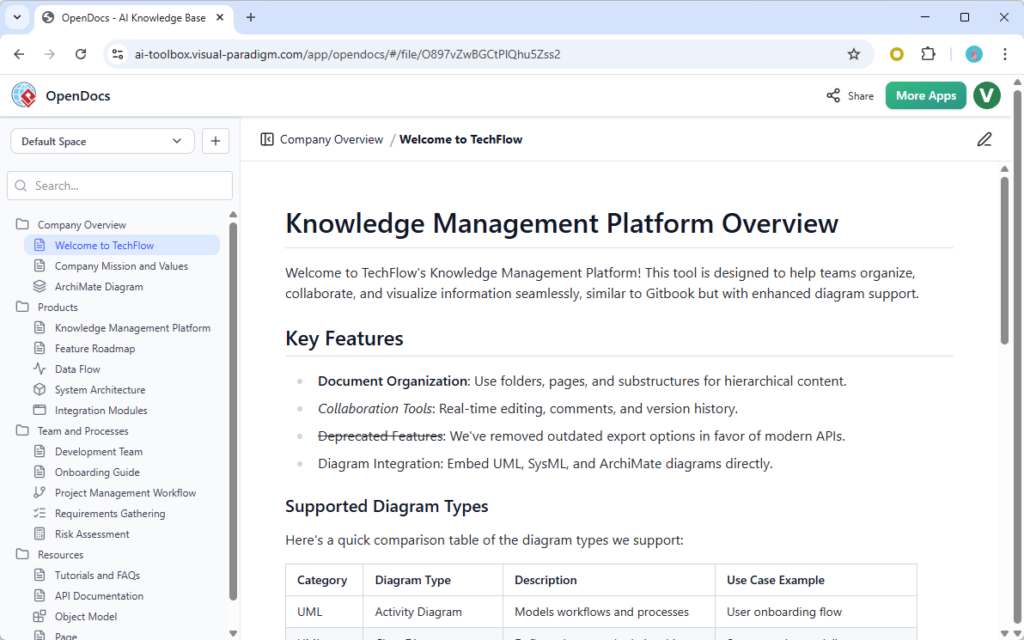
Hierarchical Knowledge Tree: Documents are organized using an intuitive file-system style tree structure, enabling drag-and-drop management of folders and subfolders to mirror project architecture or team structure.
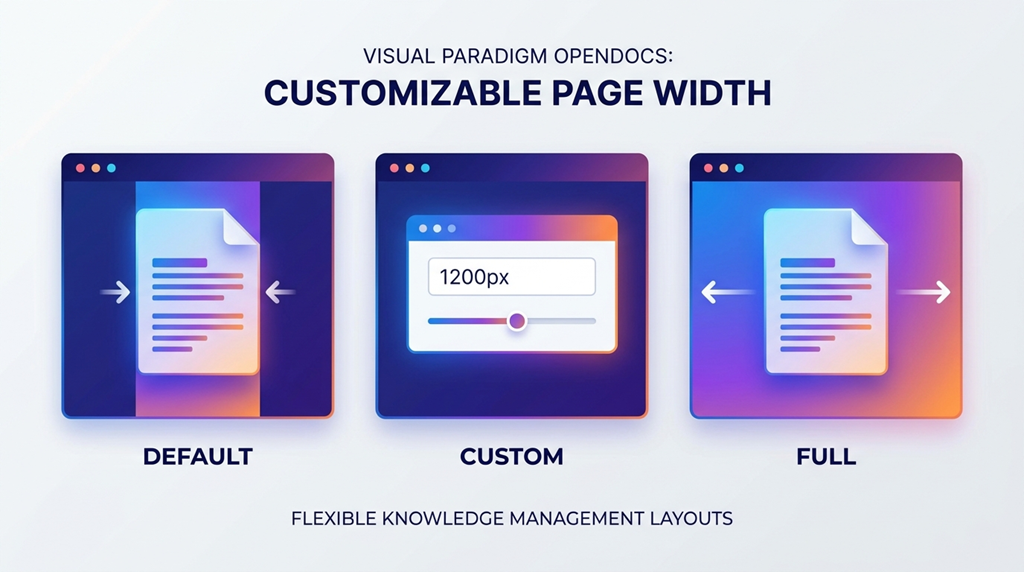
Layout Customization: Adjustable page width settings (Default, Custom, and Full) allow content to be perfectly framed for everything from concise notes to expansive system diagrams.
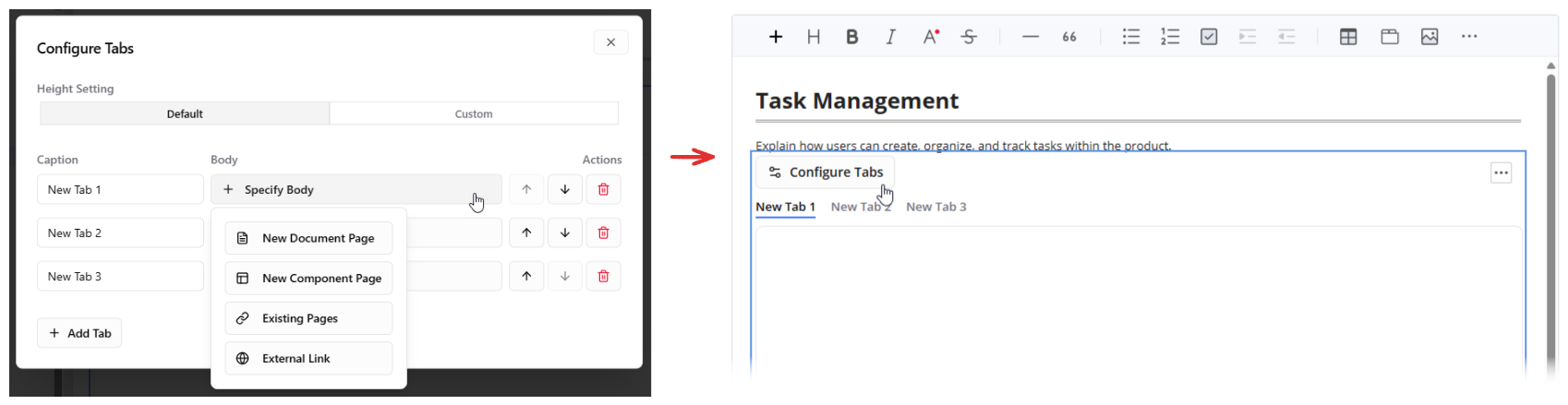
Tabbed Groups: Complex information can be consolidated inside single, tabbed container components, dramatically reducing on-page clutter while maintaining logical separation of related content.
At the heart of OpenDocs lies its intelligent diagramming engine, which transforms natural language into professional visuals:
Natural Language Generation: Create UML diagrams, flowcharts, and business visuals instantly by describing what you need in plain English—eliminating manual shape dragging and layout adjustments.
Extensive Diagram Library: Full support for industry-standard formats including UML (Class, Sequence, Use Case, Activity, Profile), Flowcharts, and Data Flow Diagrams (Yourdon DeMarco, Gane Sarson).
Business & Planning Visuals: Dedicated AI engines generate Mind Maps, Organization Charts, and Project Timelines in seconds, accelerating strategic planning and stakeholder communication.
Flexible Deployment: Diagrams can be embedded as ad-hoc visuals specific to a single page or saved as reusable standalone components accessible across your knowledge base.
OpenDocs is designed to fit seamlessly into existing toolchains while providing robust collaboration controls:
The Desktop Pipeline: Connect Visual Paradigm Desktop to OpenDocs via a secure cloud repository pipeline. Diagram updates are automatically pushed into live documents upon project commits, ensuring documentation always reflects the latest design decisions.
Granular Sharing Controls: Protect sensitive information through single-click secure read-only links, with options to share entire workspaces or target specific pages for external stakeholders.
Share History Auditing: Maintain robust document security by tracking all active static snapshots and shared links over time, providing a clear audit trail for compliance and governance.
The Pipeline serves as the critical transit hub connecting standalone modeling environments with live document repositories:
Automated Syncing: Push visual models directly from desktop applications into web documents without manual export steps.
Commit-Triggered Updates: Embedded diagrams update automatically when you save or commit a project, eliminating version mismatches.
Single Source of Truth: Remove the need to export, manually rename, and re-upload image files—diagrams stay linked to their source models.
Version Alignment: Keep technical text documentation perfectly synchronized with underlying code architecture and system designs.
OpenDocs adapts to diverse professional scenarios:
Software Architecture Design: Document complex systems by pairing live UML sequences with deep-dive technical explanations, creating living architecture decision records.
Business Process Mapping: Chart organizational workflows, standard operating procedures, and cross-functional responsibilities with clarity and visual precision.
Agile Product Management: Build dynamic product roadmaps, project timelines, and user story maps that evolve with sprint planning and stakeholder feedback.
Onboarding & Training Hubs: Centralize corporate knowledge trees so new hires can quickly scan system structures, reducing ramp-up time and preserving institutional knowledge.
Adopting OpenDocs delivers measurable advantages:
Zero Disconnect: Eliminate the structural gap between separate text files and diagram design software, creating a unified authoring experience.
Rapid AI Authoring: Generate mind maps, flowcharts, and structural diagrams instantly using simple natural language prompts, accelerating content creation.
Clutter Reduction: Consolidate vast technical data blocks into compact tabbed groups and adjustable layouts, improving readability and navigation.
Secure Collaboration: Control external access down to individual sub-pages with comprehensive share history tracking, balancing openness with governance.
Within the broader Visual Paradigm ecosystem, specialized tools serve distinct purposes while integrating seamlessly through OpenDocs:
Visual Paradigm Desktop functions as the professional-grade environment for complex system modeling:
Advanced Engine: Handles enterprise architecture, database design, and extensive system modeling with precision tooling.
Automated Revisioning: Tracks changes continuously through project commits once diagrams are linked to the pipeline.
Two-Way Linking: Connect documents to source files via workspace strings, enabling engineers to open and modify original models directly from OpenDocs.
Required Tier: Professional Edition license or higher with cloud-hosted projects to activate synchronization features.
Visual Paradigm Online provides a fast, browser-based environment for collaborative visuals:
Cloud Creation: Build technical diagrams, data charts, and infographics directly from a web browser without software installation.
Rich Media Support: Transport interactive formats like digital flipbooks and multimedia slideshows into the document space.
AI Bot Generation: Leverage the Visual Paradigm AI Chatbot to draw complex system diagrams from conversational prompts and send them instantly to OpenDocs.
Required Tier: Combo Edition subscription or above to enable direct export pipelines.
Instead of manual file handling, the platform utilizes an automated delivery cycle:
[VP Desktop / Online] ──(Export with Comment)──> [The Pipeline] ──(Select Revision)──> [Live OpenDocs Page]
Trigger: Designers click "Send to OpenDocs Pipeline" inside Desktop or Online applications.
Label: Add an optional comment to identify the specific version or purpose of the export.
Notify: OpenDocs displays a visual notification indicator in its sidebar when a connected model changes.
Deploy: Content authors select the exact historical revision they want to deploy, avoiding broken layouts and ensuring documentation accuracy.
Visual Paradigm OpenDocs represents a paradigm shift in how teams create, maintain, and share technical knowledge. By dissolving the traditional barriers between text documentation and visual modeling, it empowers organizations to build living knowledge bases that evolve in lockstep with their products and processes. The integration of AI-powered diagram generation, flexible authoring tools, and robust synchronization pipelines transforms documentation from a static artifact into a dynamic, collaborative asset. For software engineers, product managers, and business analysts seeking to reduce friction, accelerate delivery, and preserve institutional knowledge, OpenDocs offers a compelling vision of the future: where every idea can be captured, visualized, and shared—seamlessly, securely, and at the speed of thought. As organizations continue to navigate increasing complexity, platforms like OpenDocs won't just support documentation—they will become the central nervous system of innovation.

