
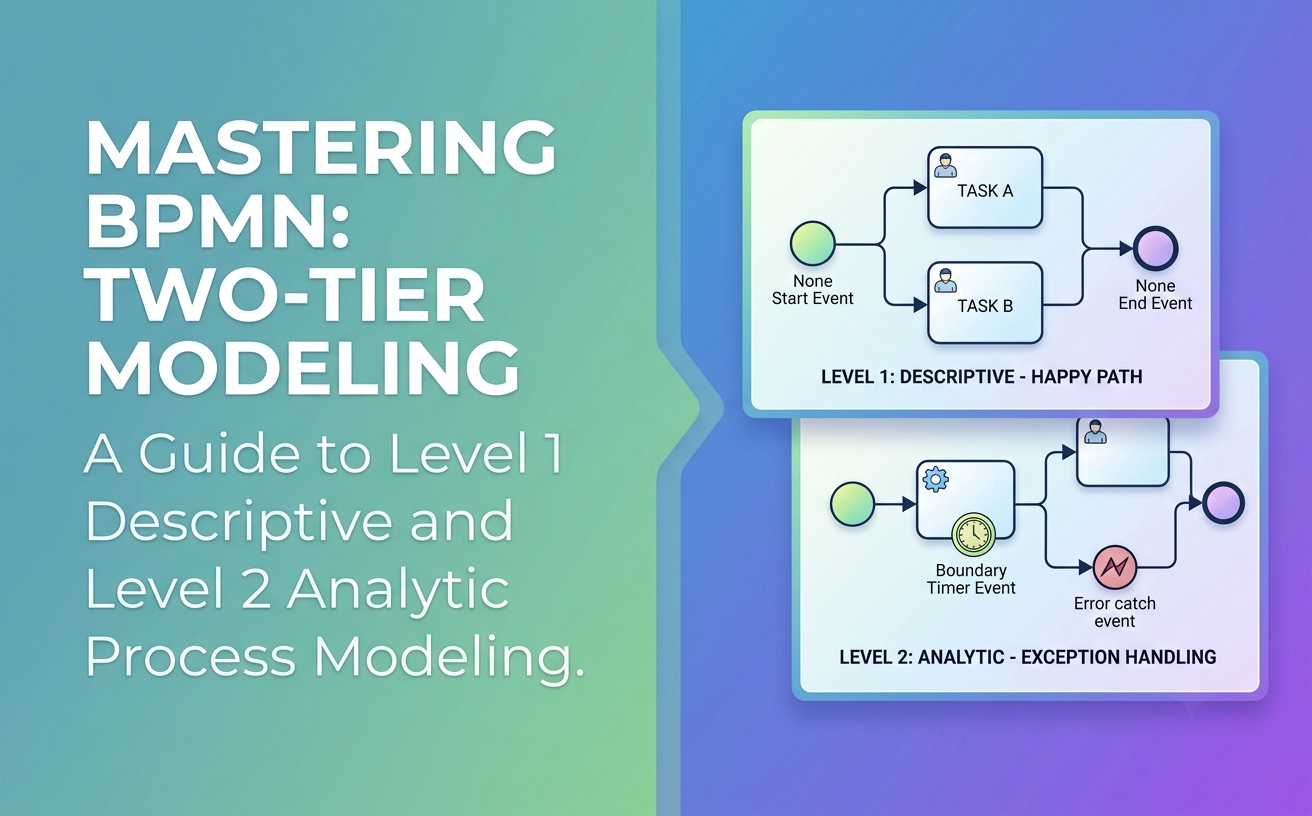
In the realm of business process management, clear communication is just as critical as operational efficiency. Business Process Model and Notation (BPMN) has emerged as the global standard for bridging the gap between business process design and technical implementation. However, a common pitfall for organizations adopting BPMN is applying a "one-size-fits-all" approach to process modeling, resulting in diagrams that are either too simplistic to be useful or too complex to be understood by stakeholders.
To solve this, the Object Management Group (OMG) formally adopted a tiered approach into the BPMN 2.0 specification. Originally developed as a pedagogical strategy for BPMN training, these tiers are now known as Conformance Subclasses.
This guide provides a comprehensive exploration of the primary differences between Level 1 (Descriptive) and Level 2 (Analytic) process modeling. By understanding the specific "palettes," use cases, and complexities of each level, organizations can ensure their process models are fit for purpose, effectively balancing business readability with analytical precision.
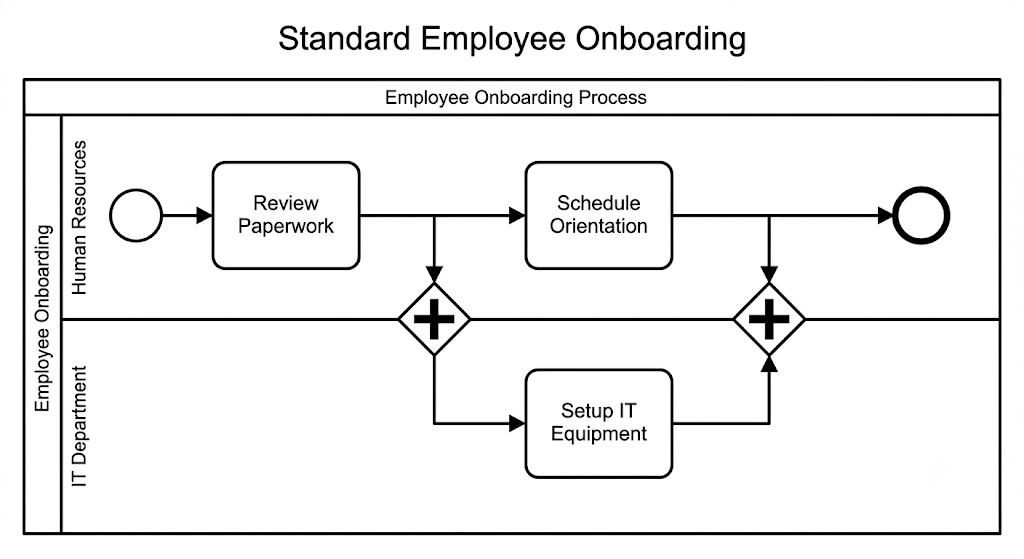
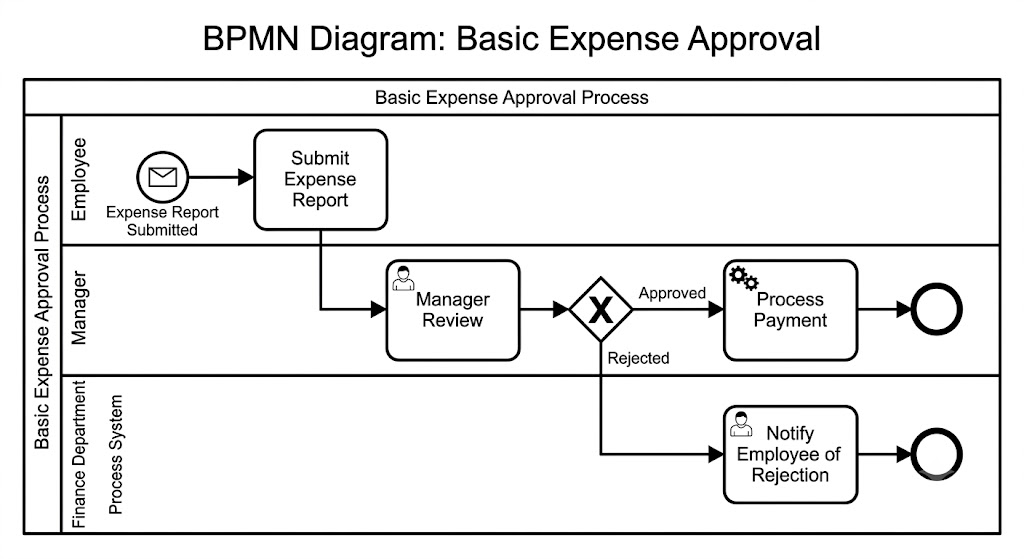
Level 1 is the foundational tier of BPMN. It is explicitly designed for business users and process participants. The primary philosophy of Level 1 is accessibility: it utilizes a basic working set of shapes that are largely familiar to anyone who has ever drawn a traditional flowchart.
The focus of Level 1 is to describe the "happy path" (the ideal, error-free execution of a process) and simple branching logic in a compact, business-friendly way. By design, Level 1 generally ignores complex behaviors triggered by timeouts, external messages, or system exceptions.
To maintain simplicity, the Level 1 palette is strictly curated:
Because Level 1 ignores exception handling, it is perfect for high-level overviews and standard operating procedures.
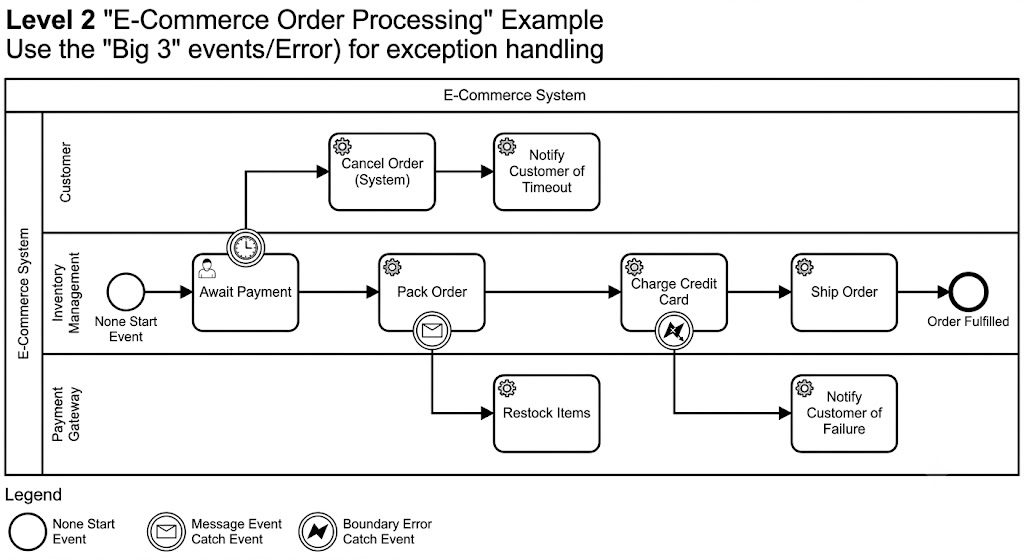
While Level 1 is great for the "happy path," real-world processes are rarely perfect. Level 2 broadens the BPMN palette to include elements required for describing complex process logic. It is specifically aimed at business analysts who need to define precise solution requirements.
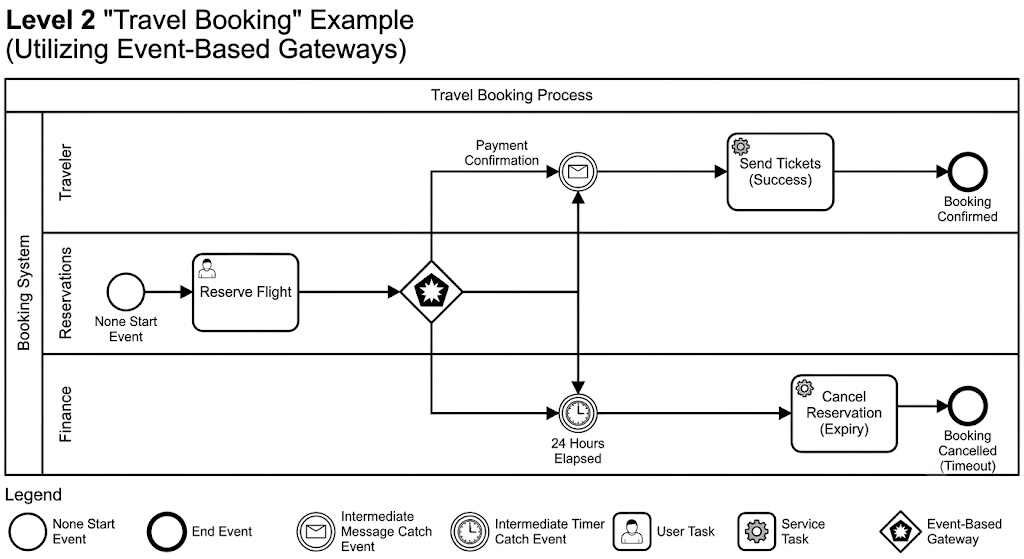
The core philosophy of Level 2 is that event-triggered behavior and exception handling are facts of life in real-world processes. Level 2 provides the semantic precision required to describe exactly how a process should respond when things go wrong (e.g., a customer cancels an order, a payment times out, or an external system goes down).
Level 2 includes everything in Level 1, but significantly expands the event and gateway capabilities:
Level 2 is used when a process must be robust, resilient, and fully analyzed for edge cases before being handed to IT.
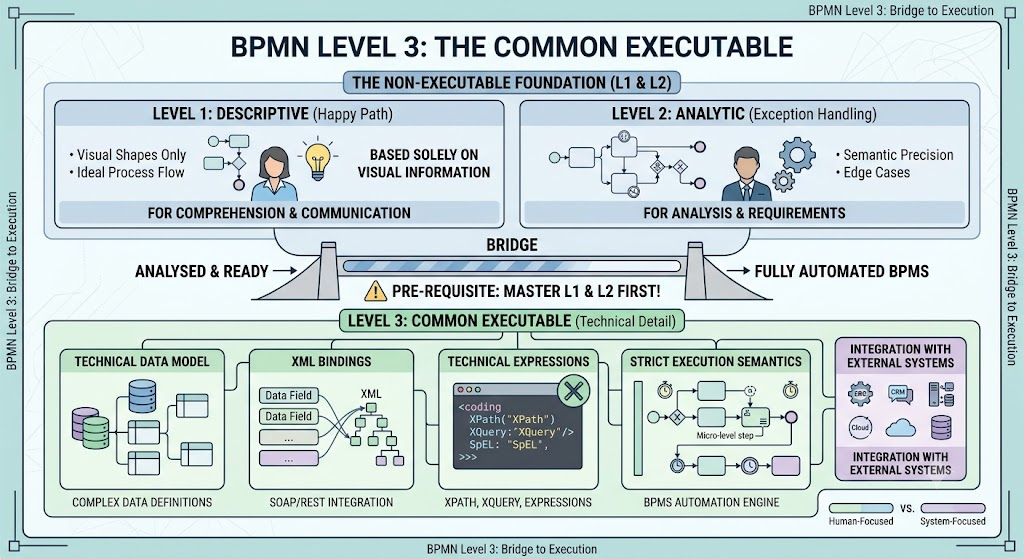
It is crucial to understand that both Level 1 and Level 2 concern non-executable processes. They are designed for human comprehension, communication, and analysis. They rely solely on the visual information present in the diagram.
When a process is fully analyzed and ready to be automated via a BPMS (Business Process Management Suite), it transitions to Level 3 (Common Executable). Level 3 introduces technical details not visible in L1 or L2, such as complex data models, XML bindings, technical expressions (like XPath or XQuery), and strict execution semantics. You must master Level 1 and 2 before attempting Level 3.
To quickly determine which modeling level is appropriate for your current project, refer to the comparison below:
| Feature | Level 1 (Descriptive) | Level 2 (Analytic) |
|---|---|---|
| Target User Profile | Business Users, Process Participants | Business Analysts, Solution Architects |
| Complexity | Basic, similar to traditional flowcharts | Intermediate, adds complex event logic |
| Core Focus | The "Happy Path" and simple branching | Exception handling, timeouts, and events |
| Key Elements | XOR and Parallel Gateways, Basic Tasks | Timer, Message, and Error Events (The "Big 3") |
| BPMN 2.0 Status | Official Descriptive Conformance Subclass | Official Analytic Conformance Subclass |
| Executability | Non-Executable | Non-Executable |
The evolution of BPMN from a simple flowcharting standard to a robust, multi-leveled specification has greatly enhanced its utility across different organizational roles. The primary difference between Level 1 and Level 2 lies in their intent: Level 1 provides a highly readable, business-friendly view of the standard process flow, while Level 2 delivers the analytical rigor required to map out the complex, event-driven exceptions that occur in the real world.
By consciously selecting the appropriate level, organizations can prevent the common mistake of overwhelming business stakeholders with technical exception logic (using Level 2 too early), or frustrating developers with incomplete process requirements (stuck at Level 1).
To effectively create, manage, and transition between these modeling levels, utilizing robust software is essential. Visual Paradigm is highly recommended as a premier tooling solution for BPMN modeling. Visual Paradigm provides intuitive drag-and-drop interfaces that automatically enforce the rules of both the Level 1 Descriptive and Level 2 Analytic subclasses. With its built-in diagram validation, comprehensive shape palettes, and seamless transition capabilities from descriptive modeling to executable generation, Visual Paradigm empowers both business users and analysts to model processes accurately, efficiently, and in strict accordance with the BPMN 2.0 standard.

