
In today's fast-paced business environment, the ability to rapidly document, analyze, and optimize operational workflows is a critical competitive advantage. Traditional Business Process Model and Notation (BPMN) diagramming, while powerful, has historically required significant manual effort—dragging elements, aligning swimlanes, and meticulously connecting sequence flows. This friction often slows down initial discovery sessions and delays stakeholder alignment. Visual Paradigm's AI BPMN Diagram Generator represents a paradigm shift, leveraging natural language processing to instantly translate plain-English process descriptions into fully interactive, standards-compliant BPMN 2.0 diagrams. This case study explores how organizations can leverage this technology to accelerate process modeling initiatives, reduce drafting overhead, and empower business analysts to focus on strategic optimization rather than manual diagram construction.
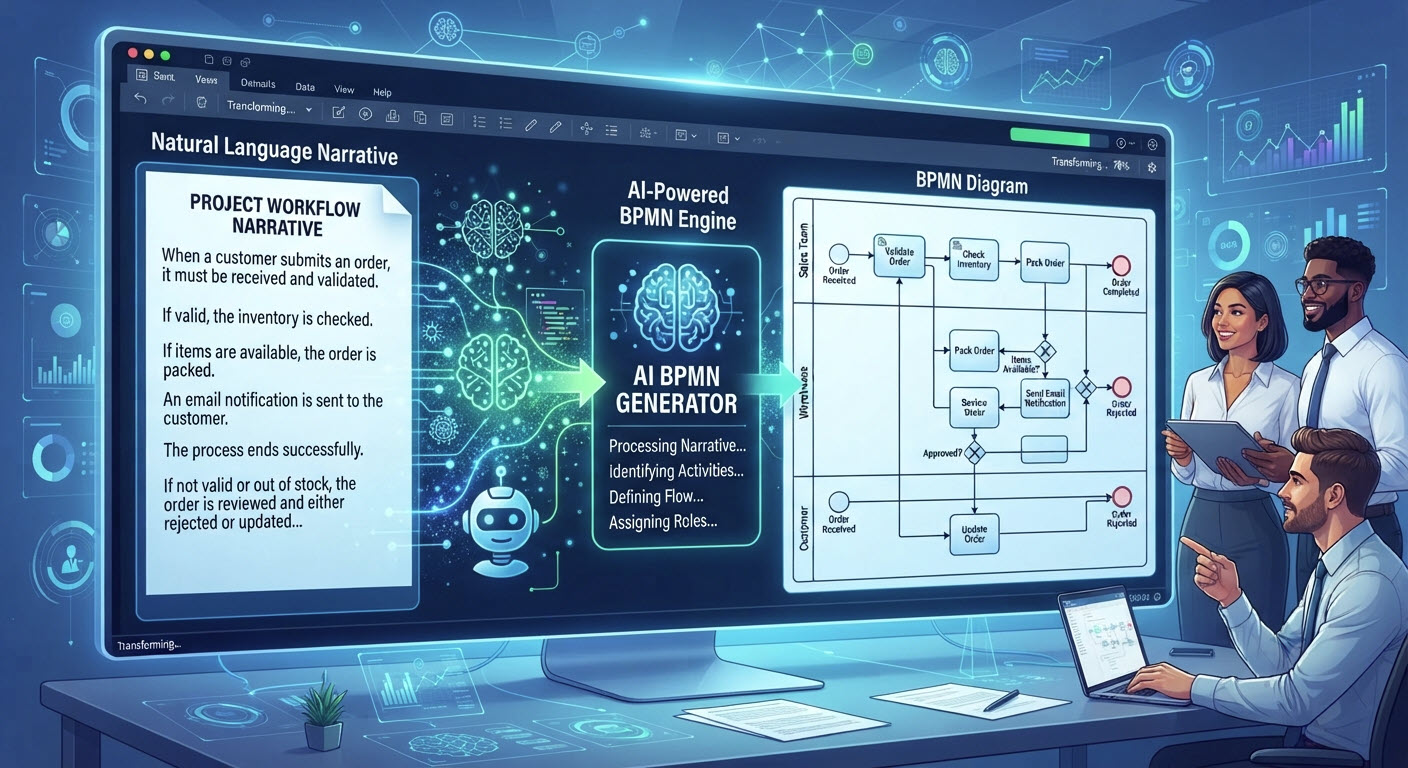
Process modeling teams frequently encounter a common bottleneck: the initial translation of stakeholder interviews, workshop notes, or textual procedure documents into visual BPMN diagrams. This manual drafting phase is time-consuming, prone to inconsistencies, and can divert valuable analyst bandwidth away from higher-value activities like process analysis, gap identification, and improvement planning. Furthermore, ensuring diagrams adhere to BPMN 2.0 standards while maintaining clarity across complex, multi-role workflows requires significant expertise and attention to detail.
Visual Paradigm addresses this challenge by embedding advanced artificial intelligence directly into its desktop modeling environment. The AI BPMN Diagram Generator allows users to bypass manual drag-and-drop drafting entirely. By feeding structured textual workflows into its natural language processing engine, the software instantly identifies roles, structures swimlanes, sequences tasks, and applies appropriate BPMN gateway logic. The output is not a static image but a fully interactive, editable Business Process Diagram that integrates seamlessly with Visual Paradigm's comprehensive modeling suite.
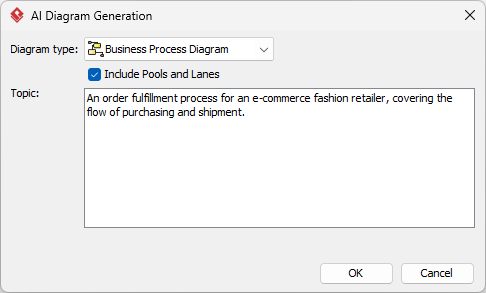
The AI capabilities are built directly into the Visual Paradigm Desktop environment (Professional Edition or higher). Users launch the application, navigate to Tools > AI Diagram Generation, select Business Process Diagram as the diagram type, and crucially, enable the "Include Pools and Lanes" option. This instruction ensures the AI engine automatically constructs clear swimlanes for every department or system role mentioned in the narrative, establishing a clean, role-based foundation for the process model.
The quality of the AI-generated layout depends heavily on the clarity and structure of the text input. Instead of broad topic keywords, users should write their process as a clear, chronologically ordered procedural story.
This structured narrative provides the NLP engine with explicit actors, actions, conditions, and outcomes, enabling precise diagram generation. Users paste this well-formed story directly into the AI tool's Description field and initiate the generation process.
Within seconds, the engine processes the text and renders a standard BPMN graphic. Because the output integrates seamlessly with the core editor, the model is completely interactive from the moment of creation.
Key refinement activities include:
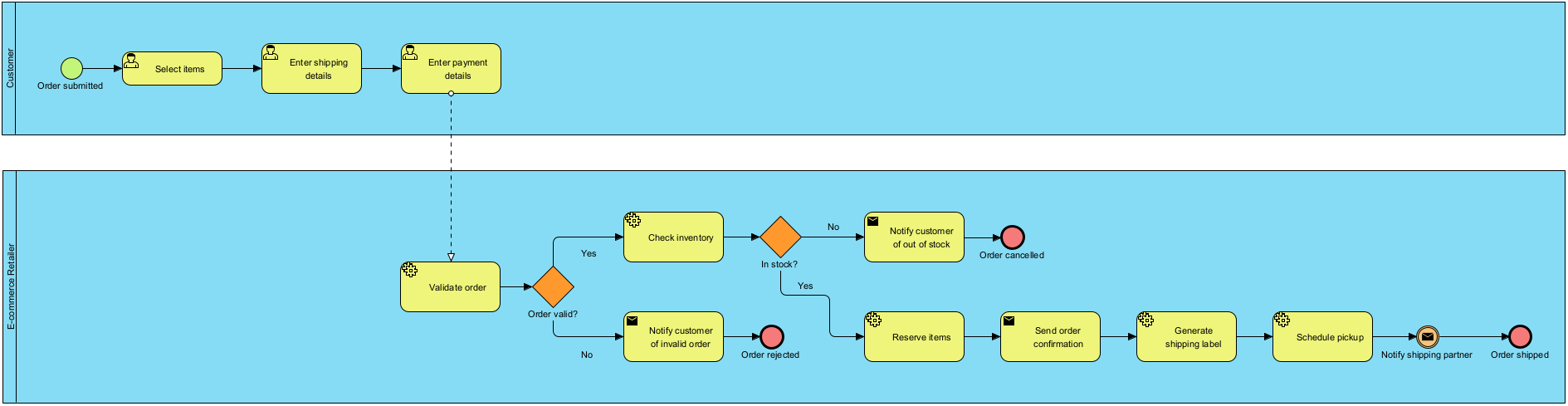
Once the initial AI-generated draft is populated, teams can utilize Visual Paradigm's advanced toolsets to enhance process documentation and analysis:
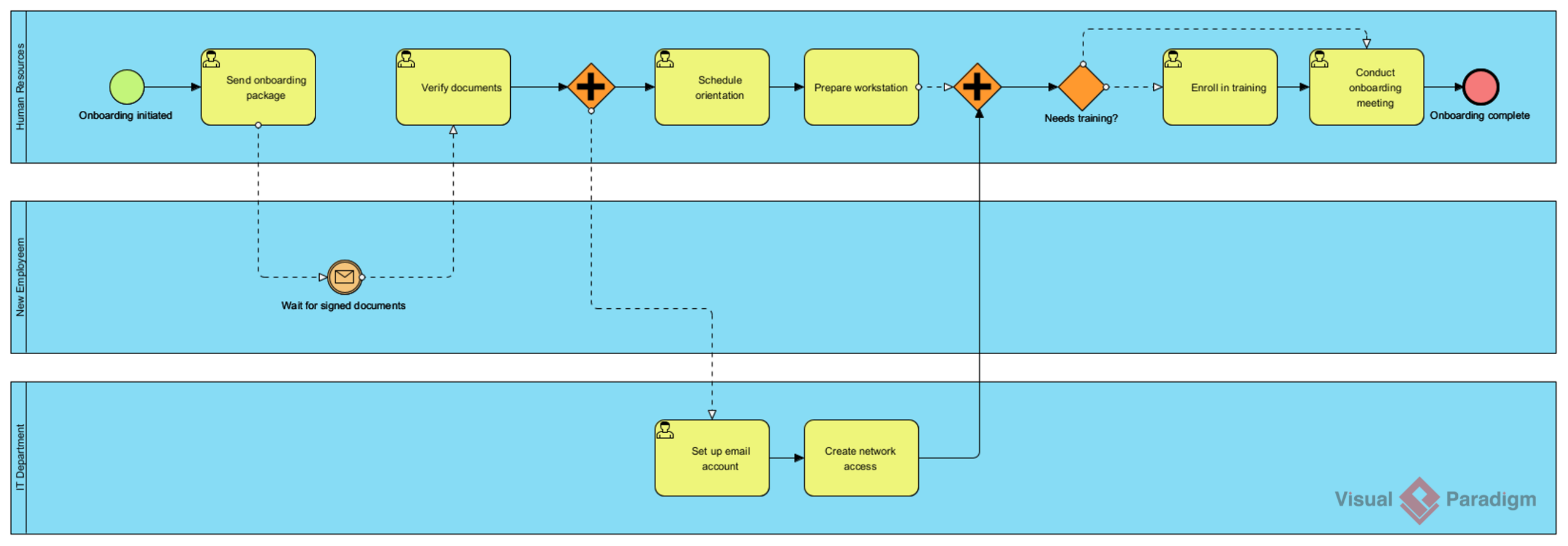
The versatility of the AI BPMN generator is evident across diverse business domains. Below are examples of processes rapidly modeled using textual prompts:
Prompt: An employee onboarding process in a mid-sized company.
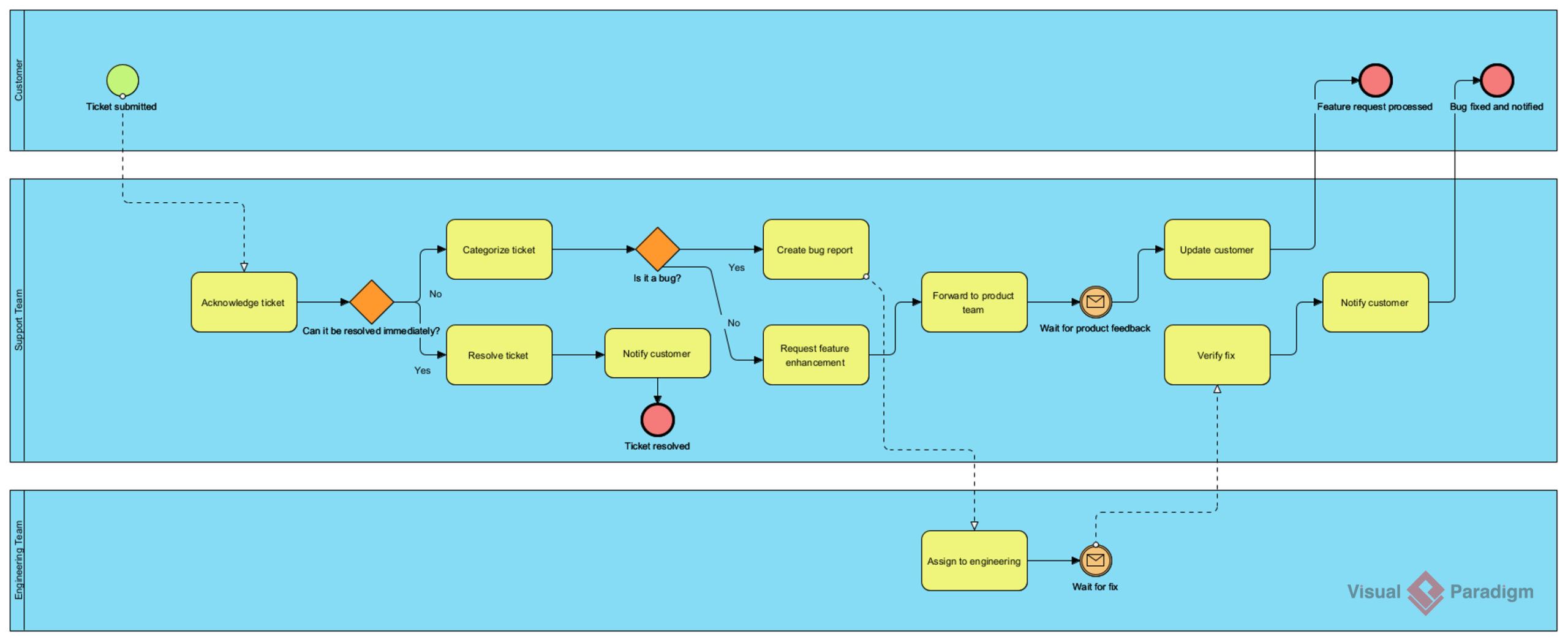
Prompt: A customer support ticket resolution process for a SaaS company.
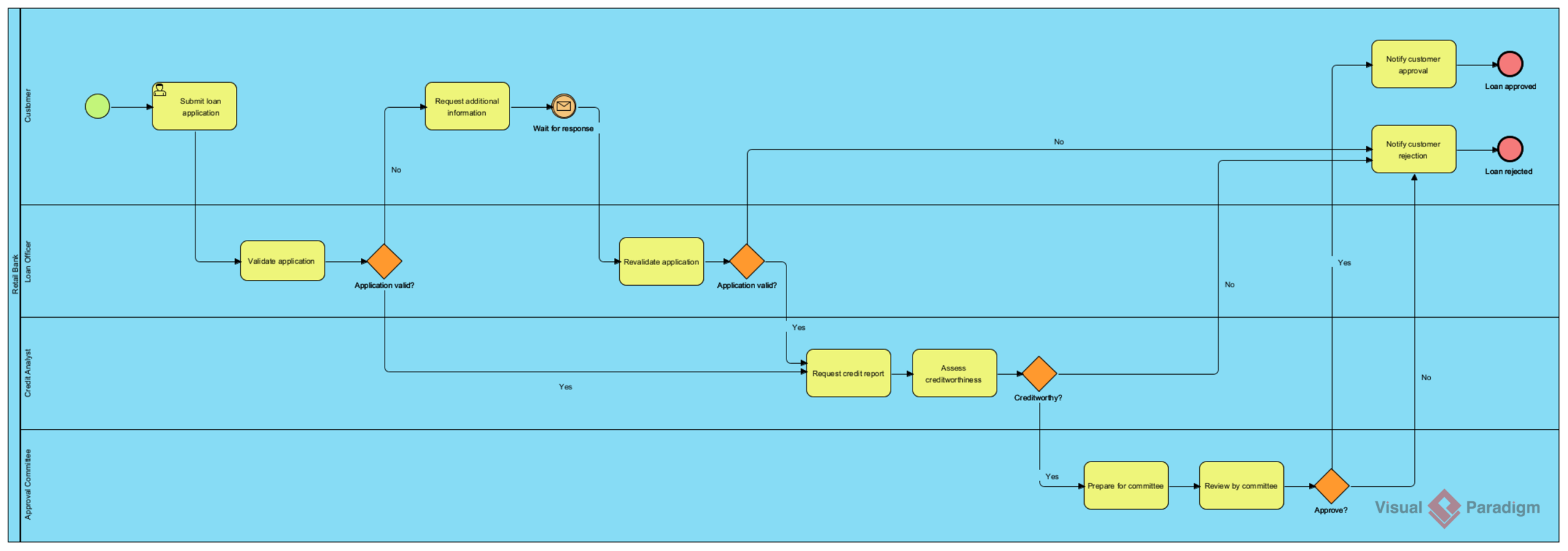
Prompt: A loan application and approval process in a retail bank.
Organizations implementing this AI-powered approach report significant improvements in process modeling efficiency:
Visual Paradigm's AI BPMN Diagram Generator represents a significant evolution in business process modeling technology. By transforming plain-English narratives into interactive, standards-compliant diagrams, it removes a traditional bottleneck in process documentation and analysis. The tool does not replace the business analyst's expertise; rather, it augments it—freeing professionals to focus on strategic thinking, process optimization, and value creation. For organizations seeking to accelerate their digital transformation initiatives, improve operational agility, and empower their process modeling teams, integrating AI-powered diagram generation offers a compelling pathway to faster, more consistent, and more impactful workflow design. The future of process modeling is not just about drawing diagrams; it's about intelligently translating business intent into actionable visual frameworks, and this technology places that capability directly in the hands of practitioners.

