
In modern business process management (BPM), clear communication between business analysts, developers, and process owners is critical. Business Process Model and Notation (BPMN) 2.0 serves as the universal language that bridges this gap—turning complex operational workflows into intuitive visual diagrams.
At the heart of every BPMN diagram are Tasks and Activities: the core building blocks that define what work gets done, who does it, and how it's executed. However, choosing the right task type—whether distinguishing between a human-driven User Task, an automated Service Task, or a decision-heavy Business Rule Task—can often confuse even seasoned process modelers.
Whether you are designing your first workflow or standardizing enterprise-wide process maps, this reference guide and visual cheat sheet break down every official BPMN 2.0 task type, key execution concept, and practical example to help you build precise, execution-ready process models with confidence.
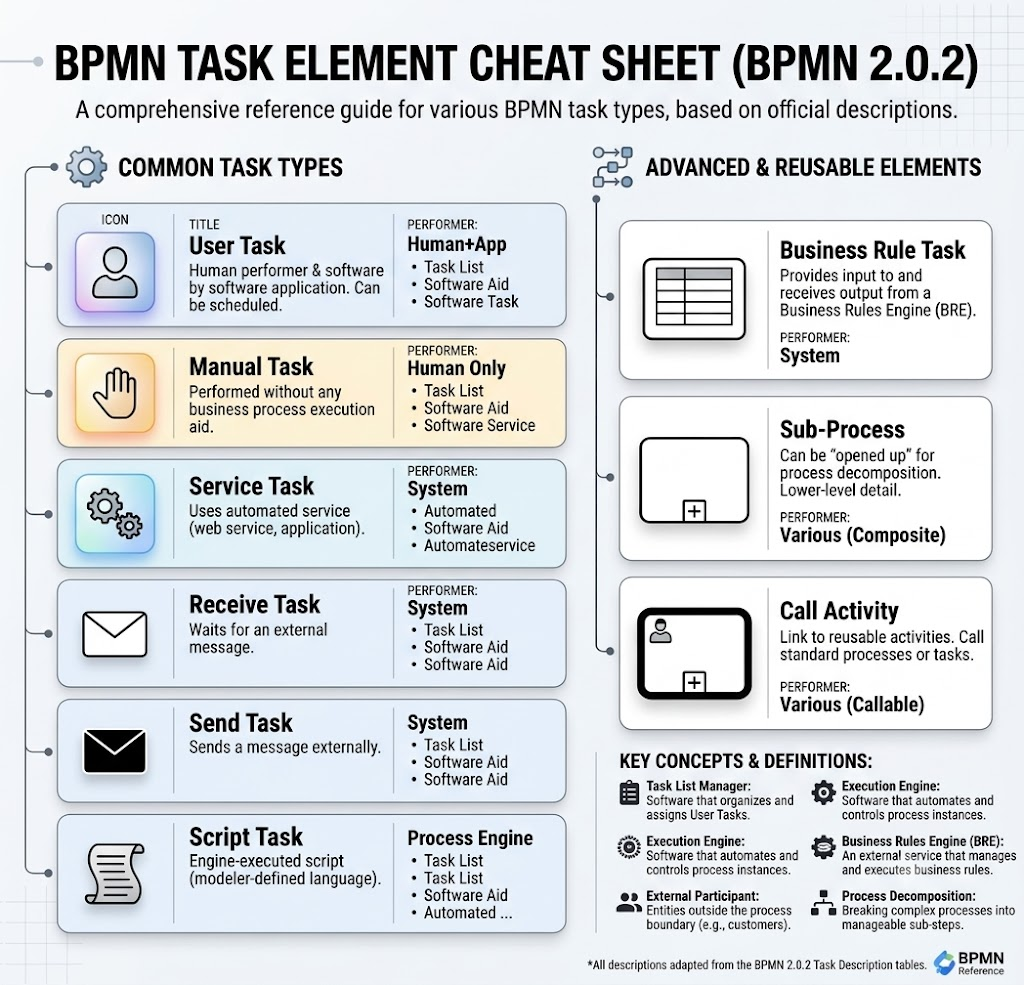
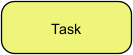
Key Concept: An atomic activity within a process where no specific task type is indicated.
Description: Used during high-level modeling or when the specific mechanism for executing the activity is not yet determined or necessary to specify.
Real-World Example: Review Document (when it hasn't been specified whether it's reviewed via software, paper, or an automated service).
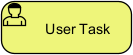
Key Concept: Human action assisted by software.
Description: A typical workflow task where a human performer carries out the work using a software application. It can be scheduled and managed through a task list manager.
Real-World Example: An HR manager approving a leave request through an internal portal or ERP system.
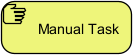
Key Concept: Human or physical action performed entirely without software integration.
Description: Performed without the aid of any business process execution engine or application.
Real-World Example: A warehouse worker physically loading a crate onto a delivery truck or filing a physical paper document.
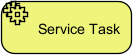
Key Concept: Automated technical service invocation.
Description: A task that uses a service, such as a web service or an automated application, to execute without human intervention.
Real-World Example: Calling a payment gateway API to charge a customer's credit card during online checkout.
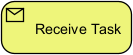
Key Concept: Inbound messaging / waiting state.
Description: A task designed to wait for a message to arrive from an external participant relative to the process.
Real-World Example: Waiting for a bank confirmation message to verify a wire transfer before proceeding with order fulfillment.
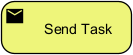
Key Concept: Outbound messaging.
Description: A task designed to send a message to an external participant relative to the process.
Real-World Example: Automatically dispatching a confirmation notification or dispatch email to a customer.
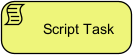
Key Concept: Direct engine execution of code.
Description: Executed directly by the business process engine. The modeler defines a script in an engine-interpretable language. The task starts, executes the script, and completes automatically upon script completion.
Real-World Example: Running a short Python or JavaScript script to reformat a string or compute tax totals before saving process data.
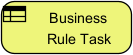
Key Concept: External decision logic evaluation.
Description: Provides a mechanism for the process to send input data to a Business Rules Engine (BRE) and receive output calculations or decisions back from it.
Real-World Example: Passing customer credit scores and income figures into a Decision Management engine to determine loan eligibility.
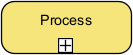
Key Concept: Process decomposition and organization.
Description: A composite activity within a process that can be "opened up" to show a lower-level, detailed process. It helps organize complex workflows through visual hierarchy and modular design.
Real-World Example: An "Employee Onboarding" activity that expands into sub-steps like Create Email Account, Issue ID Card, and Assign Desk.
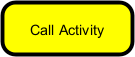
Key Concept: Reusable process element invocation.
Description: Links to external, reusable activities or processes. It can invoke a reusable task or another fully defined process (represented by thick-bordered task/subprocess icons).
Real-World Example: Calling a standardized, company-wide "Identity Verification" process from multiple different application workflows (e.g., Opening an Account, Applying for a Credit Card).

Here are some example BPMN diagrams that demonstrate how to use the different task types described in the provided tables. These examples range from human-driven workflows to fully automated system integrations.
This diagram showcases common human-driven tasks: None Task, User Task, and Manual Task.
(A visual diagram generated by VP AI Chatbot with four main steps in a pool labeled "Pizzeria")
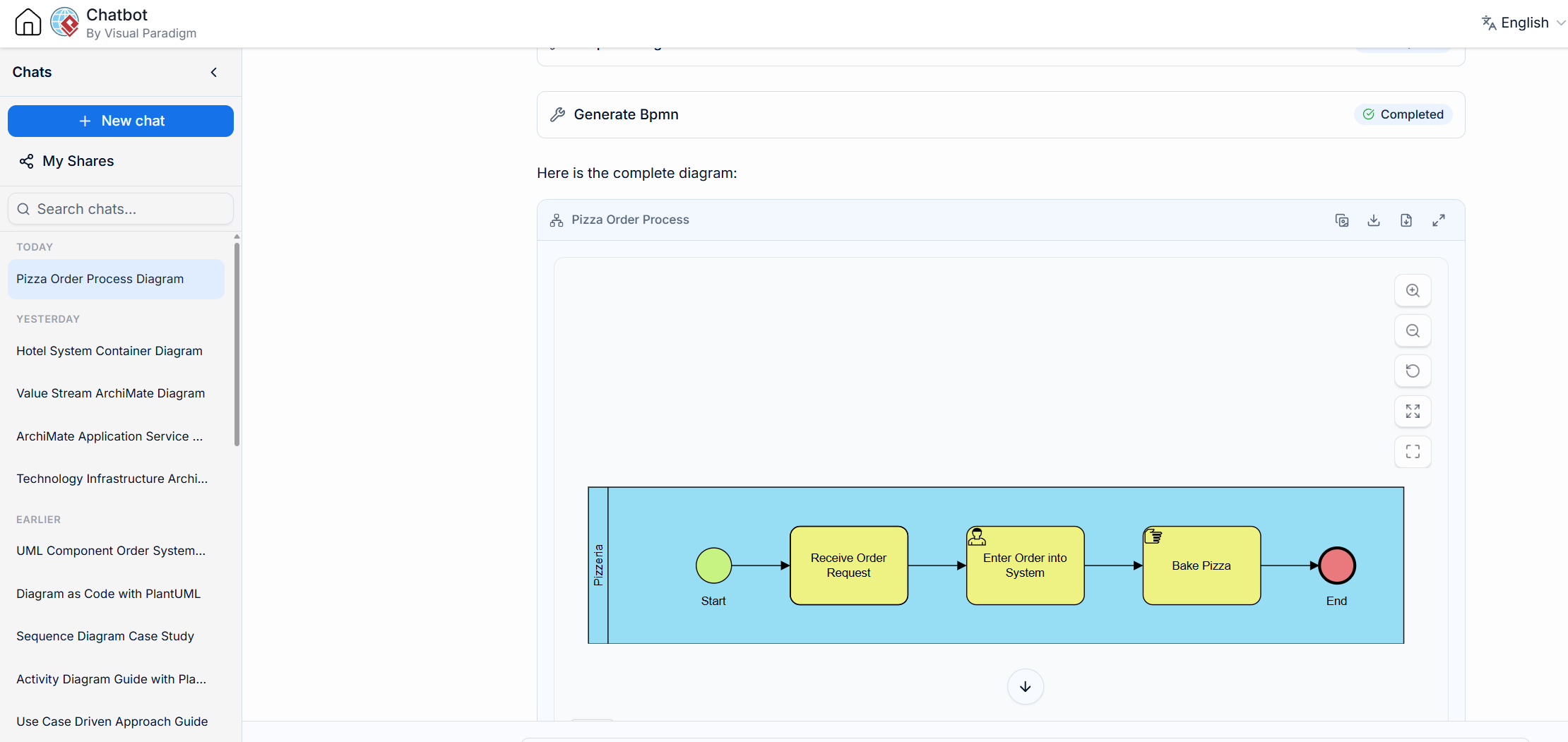
[None Start Event] -> [None Task: Receive Order Request] -> [User Task: Enter Order into System] -> [Manual Task: Bake Pizza] -> [None End Event]
Start Event: The process begins when an order is requested.
None Task: "Receive Order Request": This abstract activity simply indicates the process has begun. It's often used in the beginning to model a high-level step where the specific mechanism (phone call, walk-in, etc.) isn't important for the model's purpose.
User Task: "Enter Order into System": This task requires a human (the order taker) to perform the action using software (the ordering system). It involves interaction with an application to log the order details.
Manual Task: "Bake Pizza": This activity is performed by a human (the baker) without any software involvement. It's a physical action that is not tracked or supported by an execution engine.
End Event: The process concludes once the pizza is baked.
This diagram illustrates system-driven tasks: Service Task, Business Rule Task, and Script Task.
(A visual diagram generated by VP AI Chatbot with a start event, three subsequent tasks, and an end event)
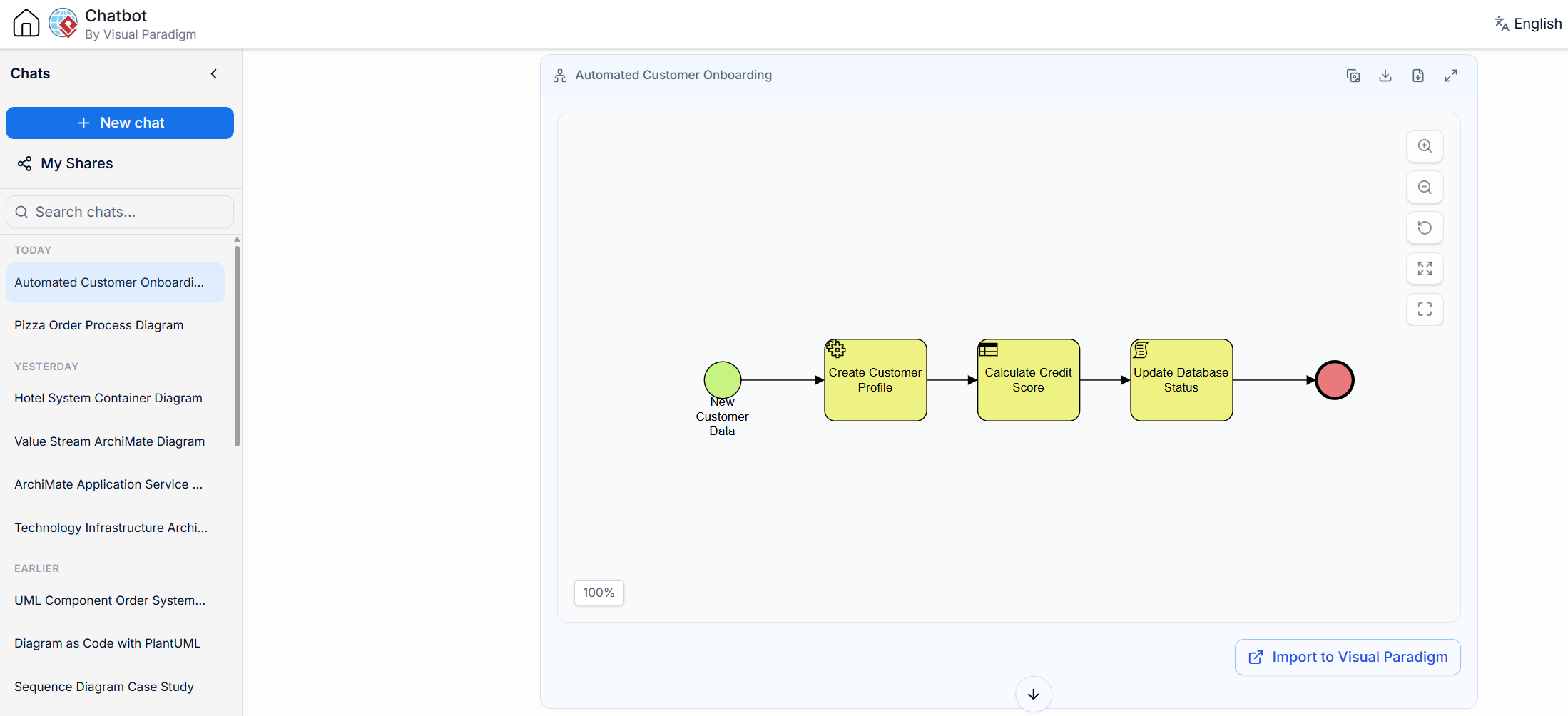
[Conditional Start Event (New Customer Data)] -> [Service Task: Create Customer Profile] -> [Business Rule Task: Calculate Credit Score] -> [Script Task: Update Database Status] -> [None End Event]
Start Event: A new customer's data triggers the automated process.
Service Task: "Create Customer Profile": The process engine automatically calls an external service (e.g., via a web service API) to create a profile in a CRM system. It happens without human intervention.
Business Rule Task: "Calculate Credit Score": The process engine provides the customer's data (income, history) as input to a Business Rules Engine (BRE). The BRE applies set logic and rules to calculate the score and sends the result back to the process.
Script Task: "Update Database Status": The process engine itself executes a small piece of script (e.g., JavaScript or Python code) to update a status flag ("Onboarded") within its own database based on the results of the previous tasks.
End Event: The automated onboarding is complete.
This diagram, generated by VP AI Chatbot, showcases communication-focused tasks: Send Task and Receive Task.
(A diagram with two pools: "Order Process" and "Customer")
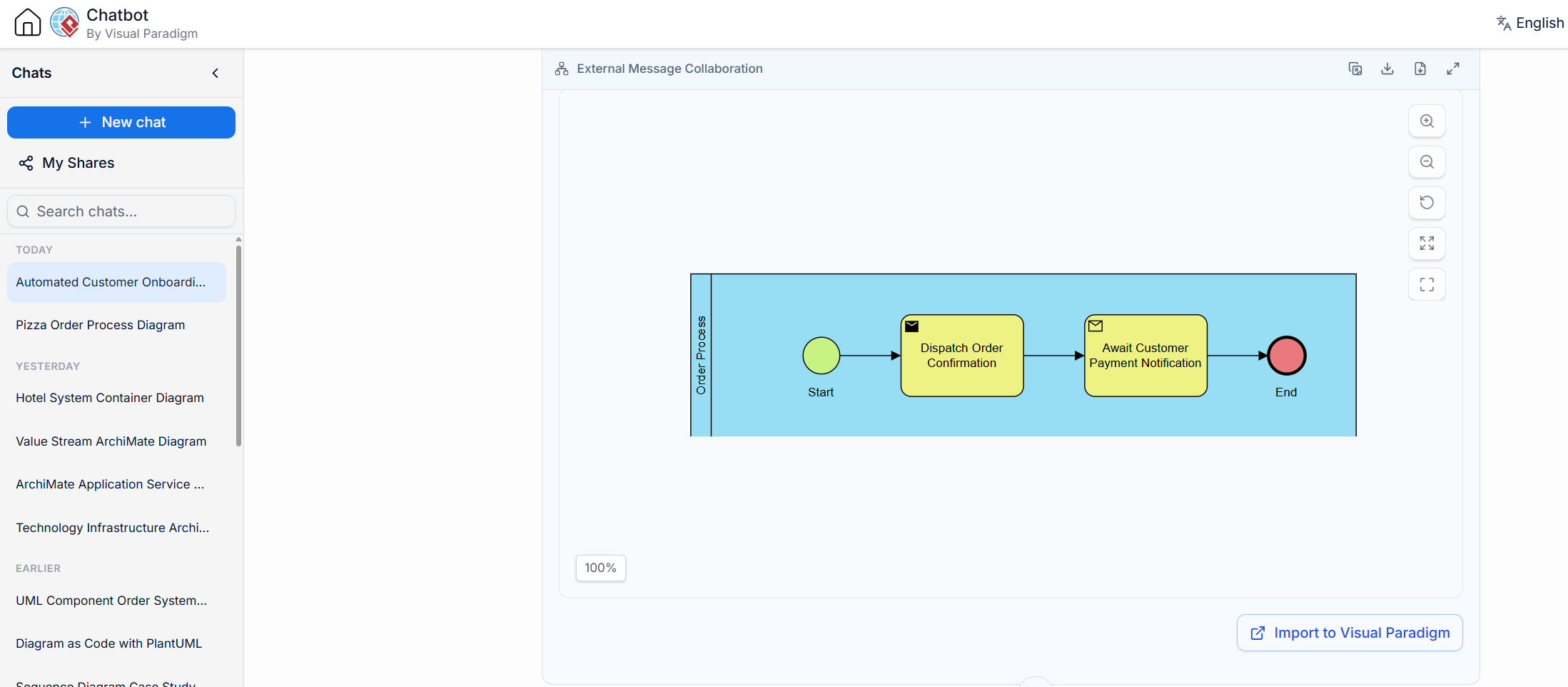
(In Order Process Pool)
[None Start Event] -> [Send Task: Dispatch Order Confirmation] -> [Receive Task: Await Customer Payment Notification] -> [None End Event]
(A message flow line goes from the "Dispatch Order Confirmation" task to the Customer pool, and another from the Customer pool to the "Await Customer Payment Notification" task.)
Start Event: The order process begins.
Send Task: "Dispatch Order Confirmation": The system automatically sends an email message to the customer (an external participant) with order details. It sends a message but does not wait for a response.
Receive Task: "Await Customer Payment Notification": The process enters a waiting state at this task. It is designed to wait until it receives a specific message (e.g., via a webhook from a payment gateway or an email) indicating the customer has paid. Only then will the process proceed.
End Event: The payment is confirmed, and this part of the process ends.
This diagram shows how to use structuring elements: Sub-Process and Call Activity.
(A main diagram generated by VP AI Chatbot with an expanded sub-process and a call activity.)
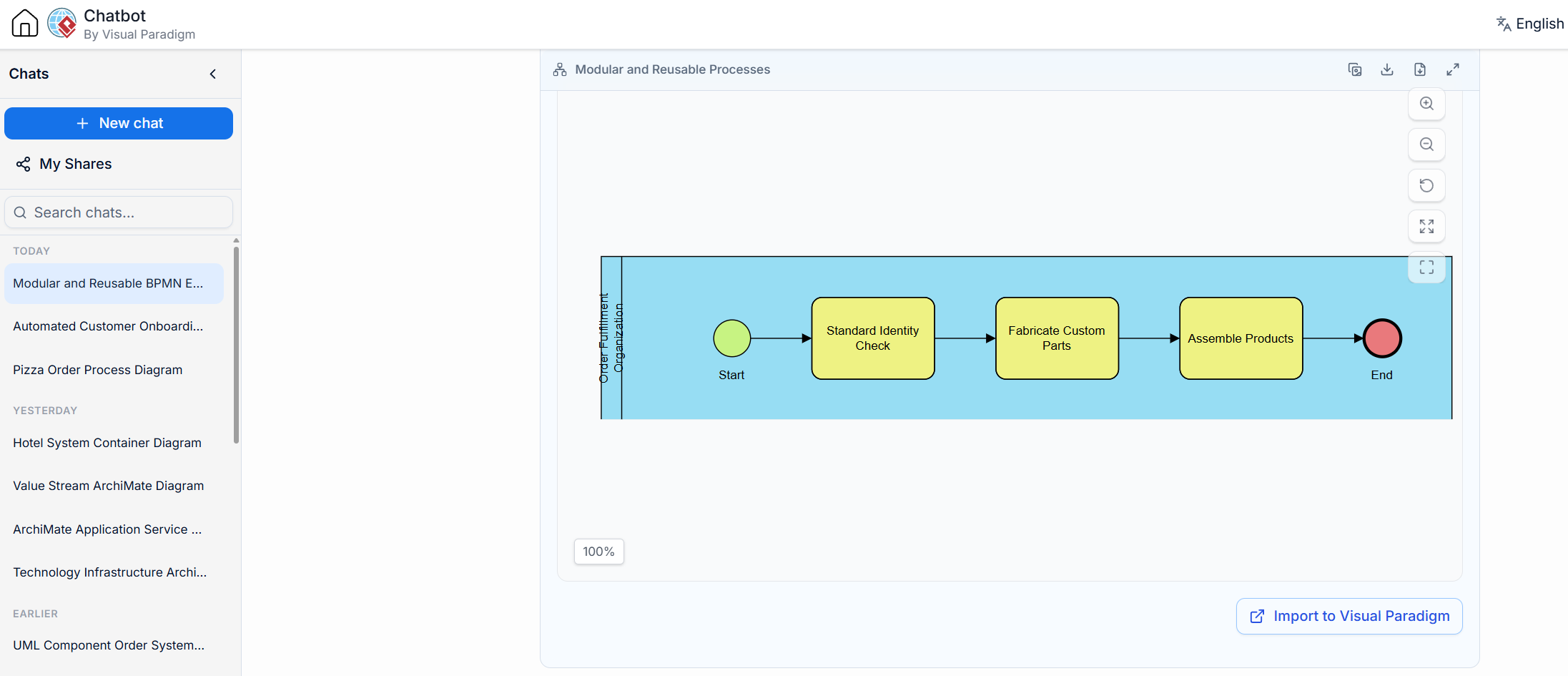
Main Process Pool:
[None Start Event] -> [Call Activity: Standard Identity Check] -> [Sub-Process: Fulfill Custom Order (Expanded)] -> [None End Event]
Call Activity: Standard Identity Check (Thin Border)
This element references a separate, pre-defined process that is standard across the organization.
Sub-Process: Fulfill Custom Order (Plus Icon)
When expanded, this element reveals a small internal process:
[None Start Event] -> [None Task: Fabricate Custom Parts] -> [None Task: Assemble Products] -> [None End Event]
Start Event: The overall fulfillment process begins.
Call Activity: "Standard Identity Check": This task points to a reusable process for checking identities. Using a call activity allows the same standard logic (e.g., verify ID with credit bureau) to be used consistently in many different parent processes (e.g., opening a bank account, applying for a loan, hiring an employee).
Sub-Process: "Fulfill Custom Order": This task represents a composite activity that is specific to this process. It is broken down (decomposed) into smaller, sequential tasks (Fabricate Custom Parts, Assemble Products) to make the main process easier to read while still capturing necessary detail.
End Event: The order fulfillment is complete.
| Task Symbol Icon / Marker | Task Name | Performed By | Software/Engine Driven? | Main Purpose |
|---|---|---|---|---|
| Blank Rectangular Box | None Task | Unspecified | Unspecified | High-level process mapping |
| User Silhouette | User Task | Human Performer | Yes (Software assisted) | Software-assisted human tasks |
| Hand | Manual Task | Human / Physical | No | Off-system physical tasks |
| Gears | Service Task | Automated Service | Yes | Invoking external APIs / apps |
| White Envelope | Receive Task | System / Engine | Yes | Awaiting external messages |
| Black Envelope | Send Task | System / Engine | Yes | Transmitting external messages |
| Scroll | Script Task | Process Engine | Yes | Running embedded scripts directly |
| Spreadsheet / Table | Business Rule Task | Business Rules Engine | Yes | Delegating logic/calculations to BRE |
Plus Icon (+) |
Sub-Process | Mixed / Composite | Depends on sub-steps | Hierarchical breakdown of steps |
| Thick Bordered Box | Call Activity | Reusable Activity/Process | Depends on called activity | Reusing global tasks or sub-processes |
Mastering the nuances of BPMN 2.0 task types is essential for creating process models that are not only visually clear but also technically accurate and executable. By distinguishing between human-driven activities like User Tasks and Manual Tasks, and automated operations such as Service Tasks, Script Tasks, and Business Rule Tasks, organizations can ensure that workflows are assigned to the right resources—whether human or machine. Furthermore, leveraging communication-focused elements like Send and Receive Tasks clarifies external interactions, while structural tools like Sub-Processes and Call Activities promote modularity and reuse across complex enterprise systems.
Ultimately, precise task modeling bridges the gap between business strategy and technical implementation. It reduces ambiguity for developers, empowers business analysts to capture true operational logic, and provides process owners with a reliable blueprint for optimization. Whether you are mapping a simple approval workflow or orchestrating a multi-system integration, applying these BPMN standards ensures your processes are robust, scalable, and ready for execution.

