Visual Paradigm NotesKeep:
Turn Scattered Documents into Living Specifications
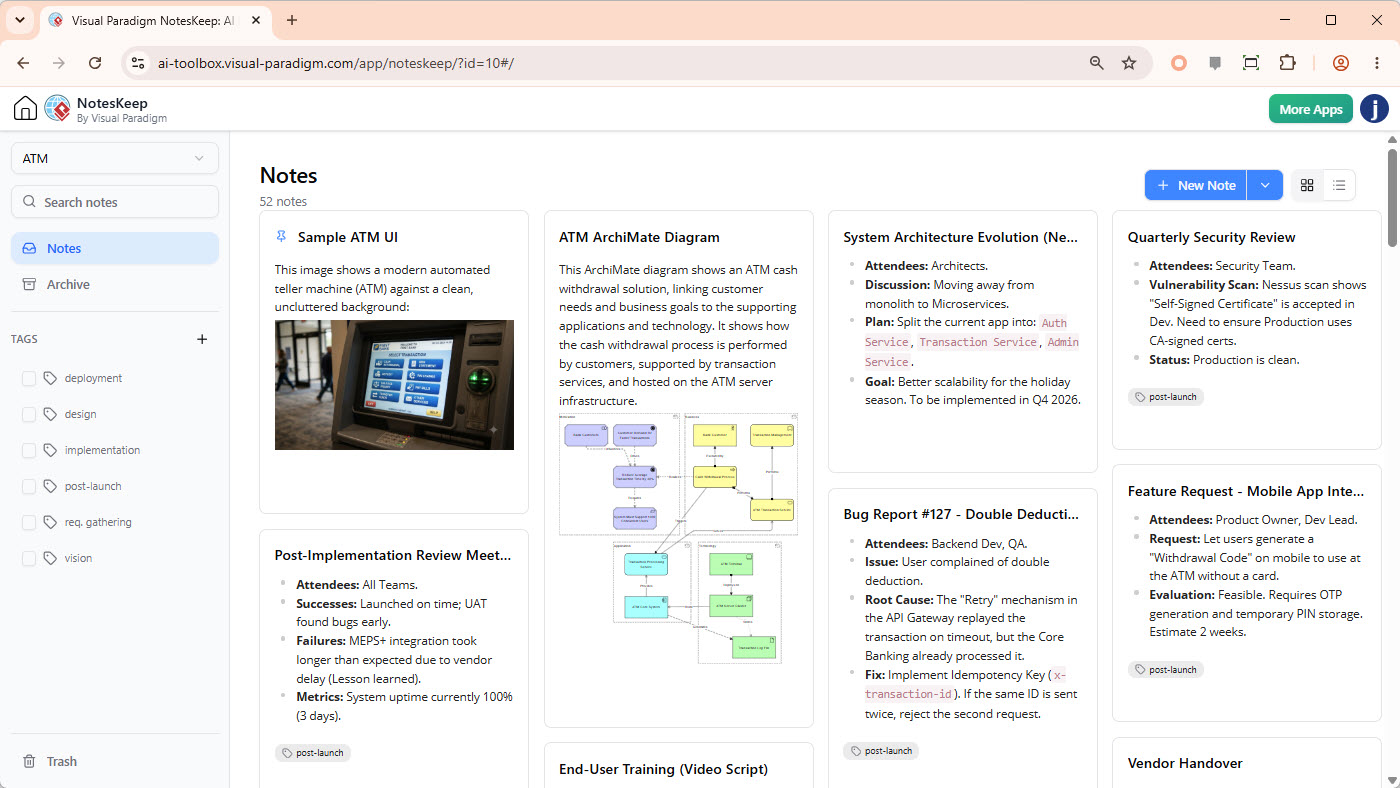
Stop drowning in disconnected wikis, scattered PDFs, and manual drawings. NotesKeep is a comprehensive AI note taking tool that connects team notes with visual systems engineering—instantly converting raw files into editable notes, mapping systems requirements, and syncing with our AI Diagramming Chatbot.
The Team Documentation Breakdown
Modern enterprise development runs fast, but static documentation tools isolate insights and block execution.
Temporal Spec Decay
Requirements evolve daily, but static wikis do not record chronological intent. Developers code off old specs because they missed recent change requests buried in emails or chat logs.
Disconnected Data Silos
Project specs are scattered in PDFs, Excel sheets, and whiteboard drawings. Teams waste hours manually aligning Word requirements with systems diagram editors.
AI Hallucination & Risk
Standard LLMs query general databases, generating false answers or leaking code. Software teams struggle to lock AI queries strictly to their certified project context.
Enterprise Solution Pathways
Discover how NotesKeep eradicates documentation failures based on your pain point, industry vertical, or team role.
1. Solutions by Organizational Pain Point
Requirements Drift
Eradicate specification decay. Learn how chronological notes and bounded AI resolve conflicting system updates.
Read Pain-Point Solution → 📂Specification Silos
Consolidate PDFs, Word docx, Excel spreadsheets, and raw web pages into central editable system models.
Read Pain-Point Solution → 🔍Audit Trail Gaps
Record, filter, and track design decisions (ADRs) chronologically. Eliminate knowledge loss on critical backend integrations.
Read Pain-Point Solution →2. Solutions by Industry Vertical
Regulated Industries
Total trace compliance for FinTech, MedTech, and Aerospace. Build audit-proof documentation folders using zero-hallucination AI.
Read Industry Solution → 🏃Agile Agencies
Accelerate client design sign-offs. Convert plain-English brainstorming workshops into instant UML layouts and story maps.
Read Industry Solution → ⚙️Systems Integration
Unravel spaghetti dependencies. Translate database DDL dumps, raw API specs, and legacy modules into architecture guides.
Read Industry Solution →3. Solutions by Professional Team Role
Product Managers
Automate spec writing. Translate high-level briefs into complete acceptance tables and Gherkin scenarios instantly.
Read Role Solution → 💻Software Architects
Model server topologies and UML structures side-by-side using sandbox formats like Mermaid, PlantUML, and DBML.
Read Role Solution → 🛡️QA & Compliance Auditors
Scan documentation for security risks, functional gaps, and regulatory failures before deploying changes.
Read Role Solution →NotesKeep Licensing & Access Matrix
Check your edition privileges. Visual Paradigm NotesKeep operates on transparent, paid-tier structures with zero hidden micro-transactions.
| Platform Type | Minimum Tier Requirement | NotesKeep Core Access | AI Chatbot Co-Pilot Features |
|---|---|---|---|
| Visual Paradigm Online | Combo Edition | Included | Requires Deluxe Edition or higher |
| Visual Paradigm Online | Deluxe Edition | Included | Full Access (OCR, Synthesis, UML, Specs) |
| VP Desktop Client | Professional Edition (with Active Subscription / Software Maintenance) |
Included (Unified Web Portal Integration) | Full Access (Synced with Active Maintenance) |
Frequently Asked Questions
Got questions about Visual Paradigm NotesKeep? We have answers.
What makes Visual Paradigm NotesKeep different from standard note-taking apps?
NotesKeep is engineered for team collaboration and temporal continuity. It is not a static wiki—it chronologically archives requirements, allowing accompanying AI systems to synthesize design updates, resolve conflicts, and reverse-engineer legacy code and whiteboard sketches into visual models.
Which file formats can I import to convert into editable notes?
NotesKeep supports converting Microsoft Word (.docx, .doc), PDF (up to 10 pages), HTML, RTF, Markdown (.md), Plain Text, Excel spreadsheets (.xlsx, .csv), PowerPoint presentations (.pptx, .ppt), and standard image formats (.png, .jpg, .svg) into fully editable rich notes.
How does the NotesKeep integration with the AI Diagramming Chatbot work?
The companion AI chatbot can be bounded to specific project or note tag(s) in your NotesKeep repository. It transcribes whiteboard wireframes (OCR), extracts requirements, resolves chronological spec drift, and compiles notes directly into standard UML, ERD, and flowchart models on the canvas.
What are the licensing requirements for accessing NotesKeep?
NotesKeep core features are available to VP Online Combo Edition users or higher. Visual Paradigm Desktop Professional Edition (or higher) users with active software maintenance receive fully integrated access as part of their active subscription plan. Using AI features requires Deluxe Edition or higher.
Ready to Organize Team Knowledge with AI?
Experience the power of conversational diagramming and automated file extraction today. Keep your engineering team aligned.