Accelerate UML Diagramming: AI-Powered Chat for Architects & Developers
Design, refine, and integrate UML diagrams faster than ever. The new AI Diagramming Chatbot works seamlessly with Visual Paradigm Desktop, transforming text prompts into professional models.
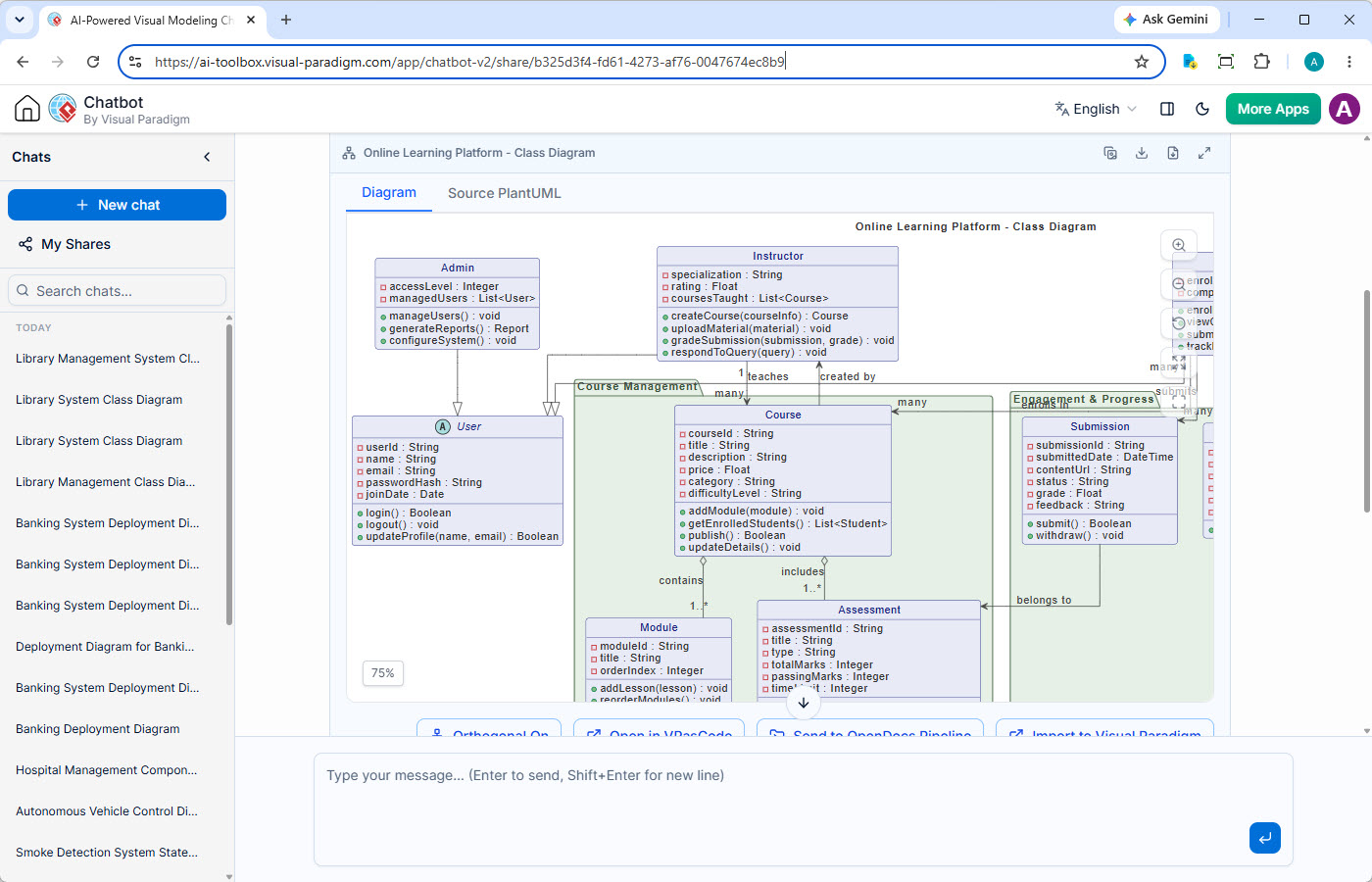
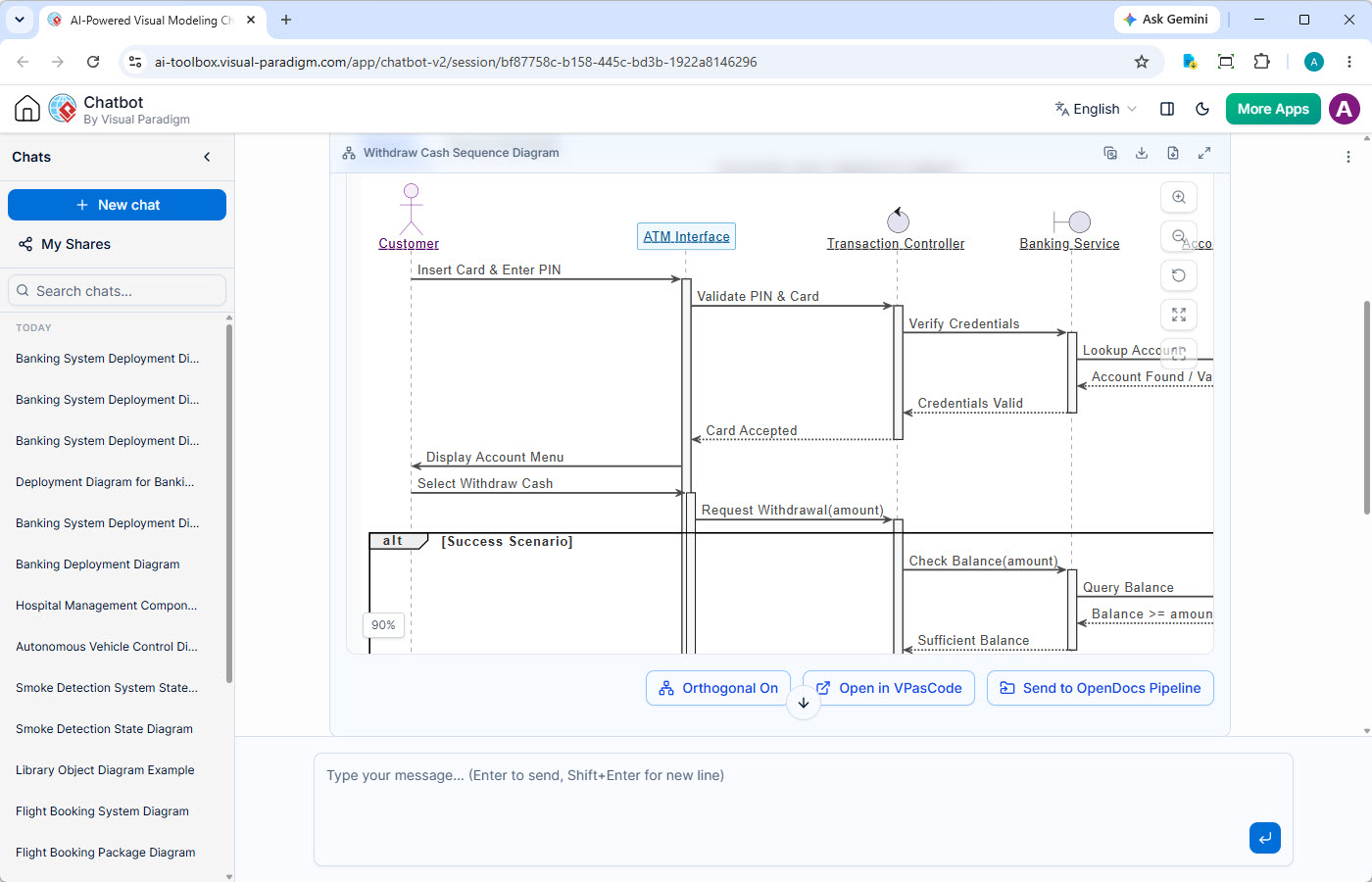
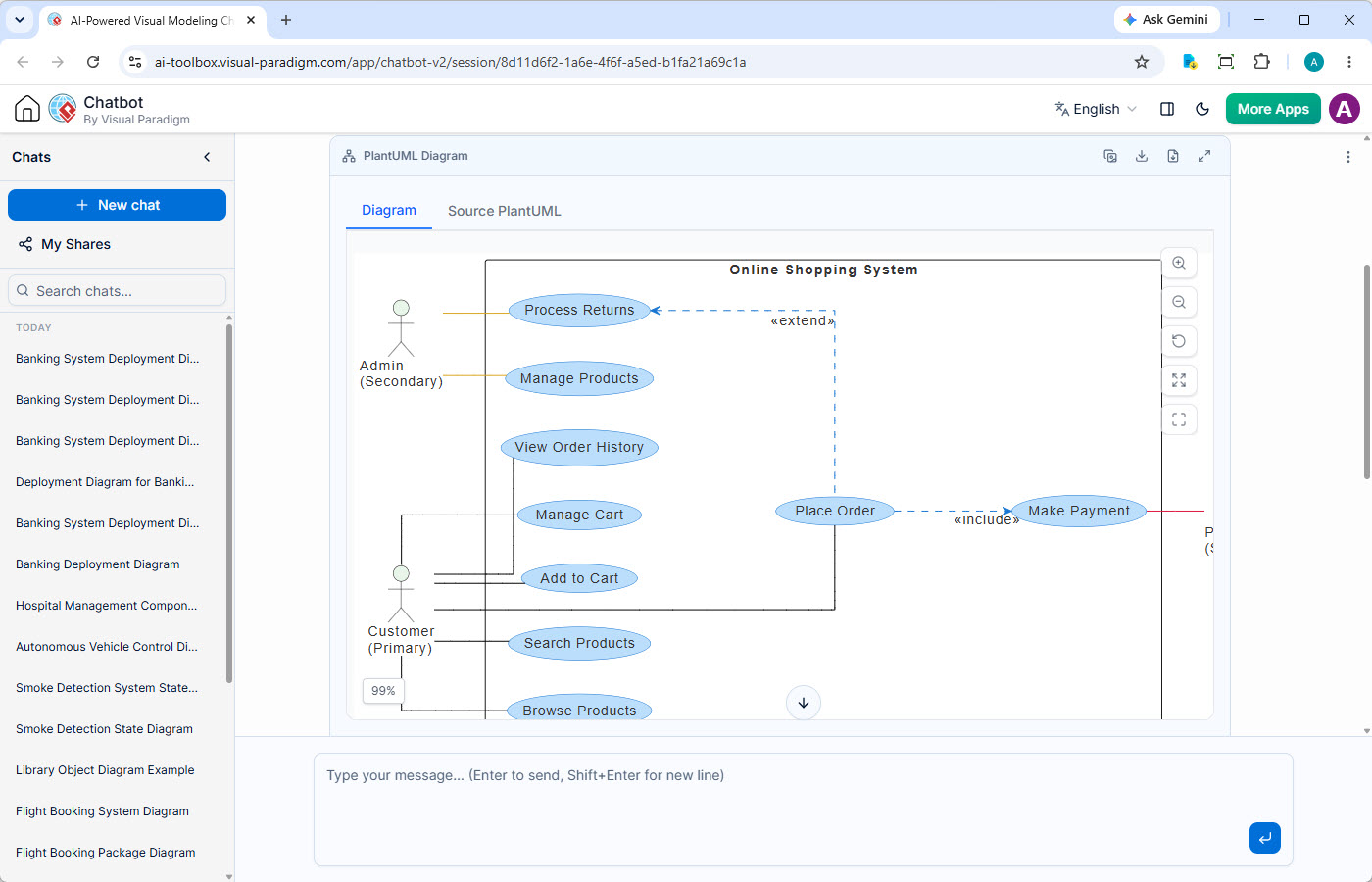
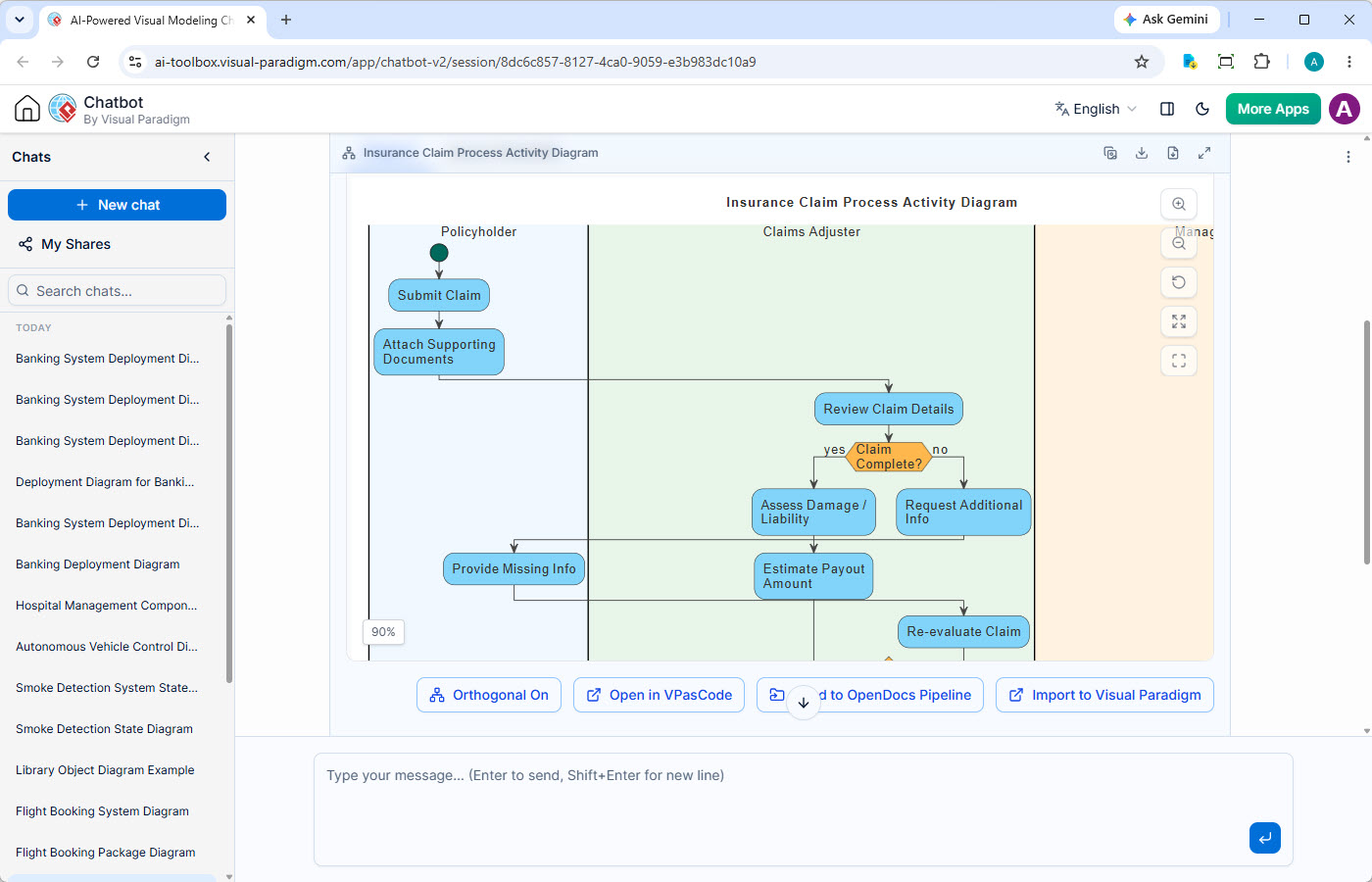
What is the AI Diagramming Chatbot?
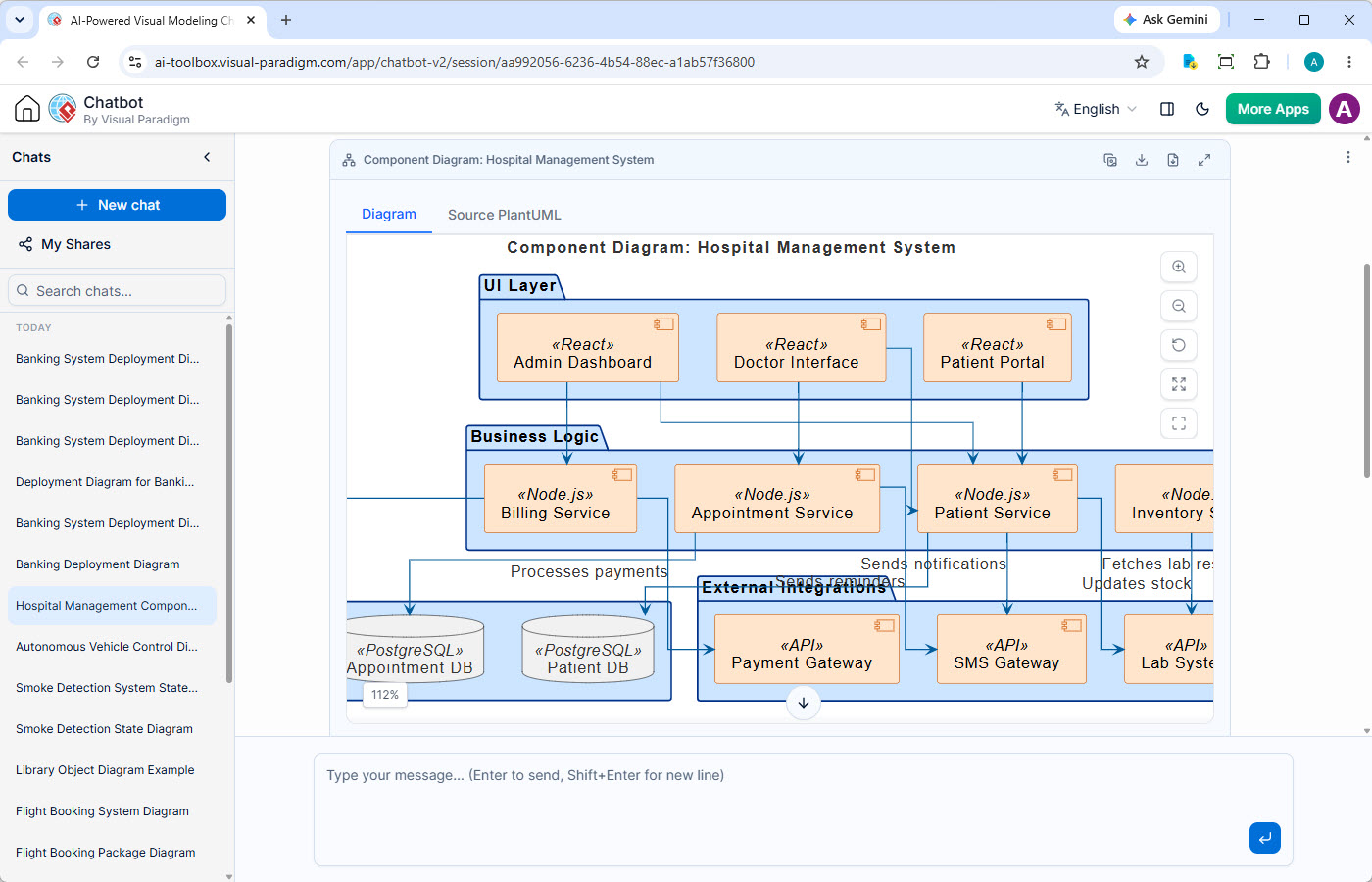
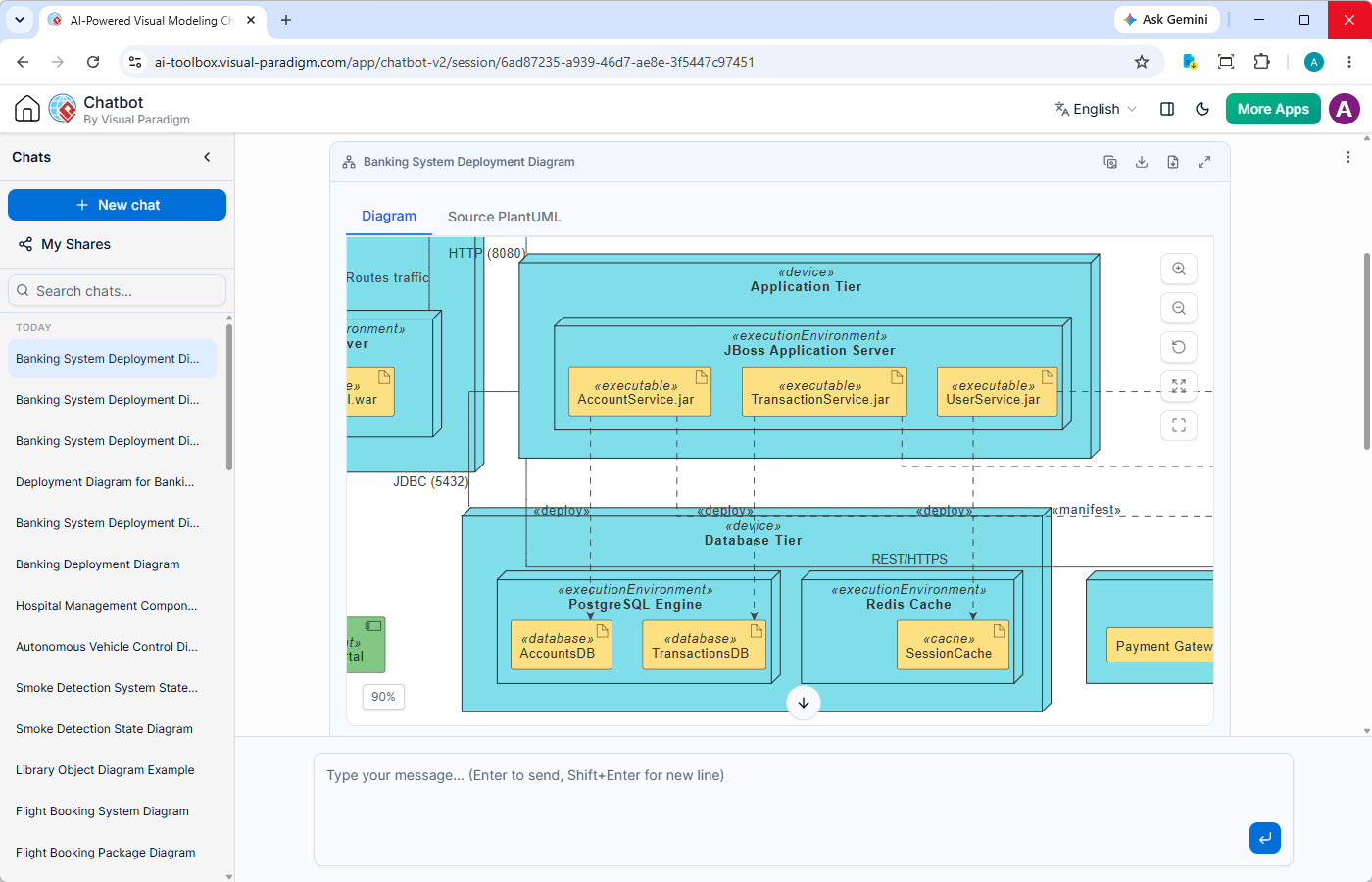
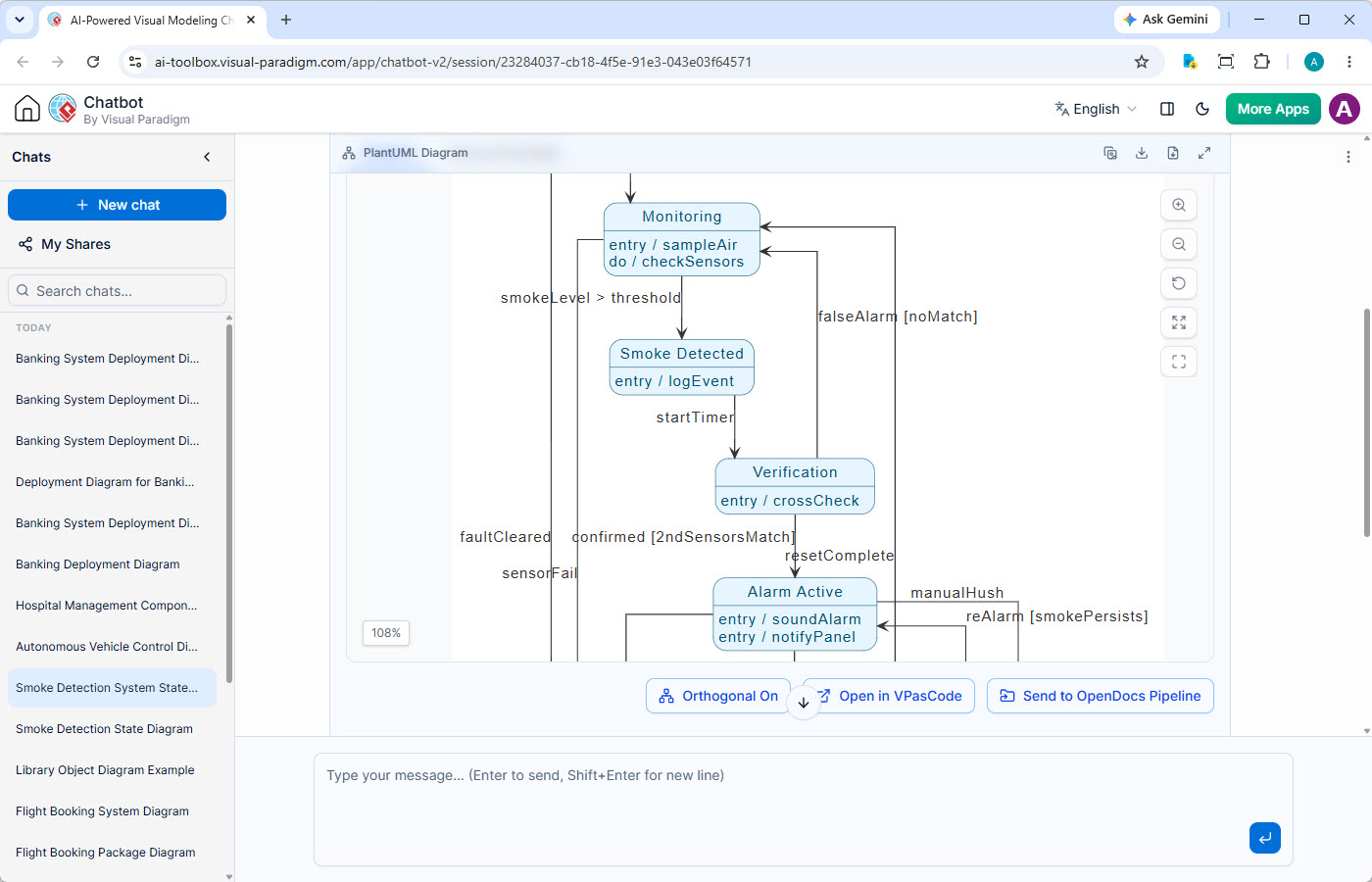
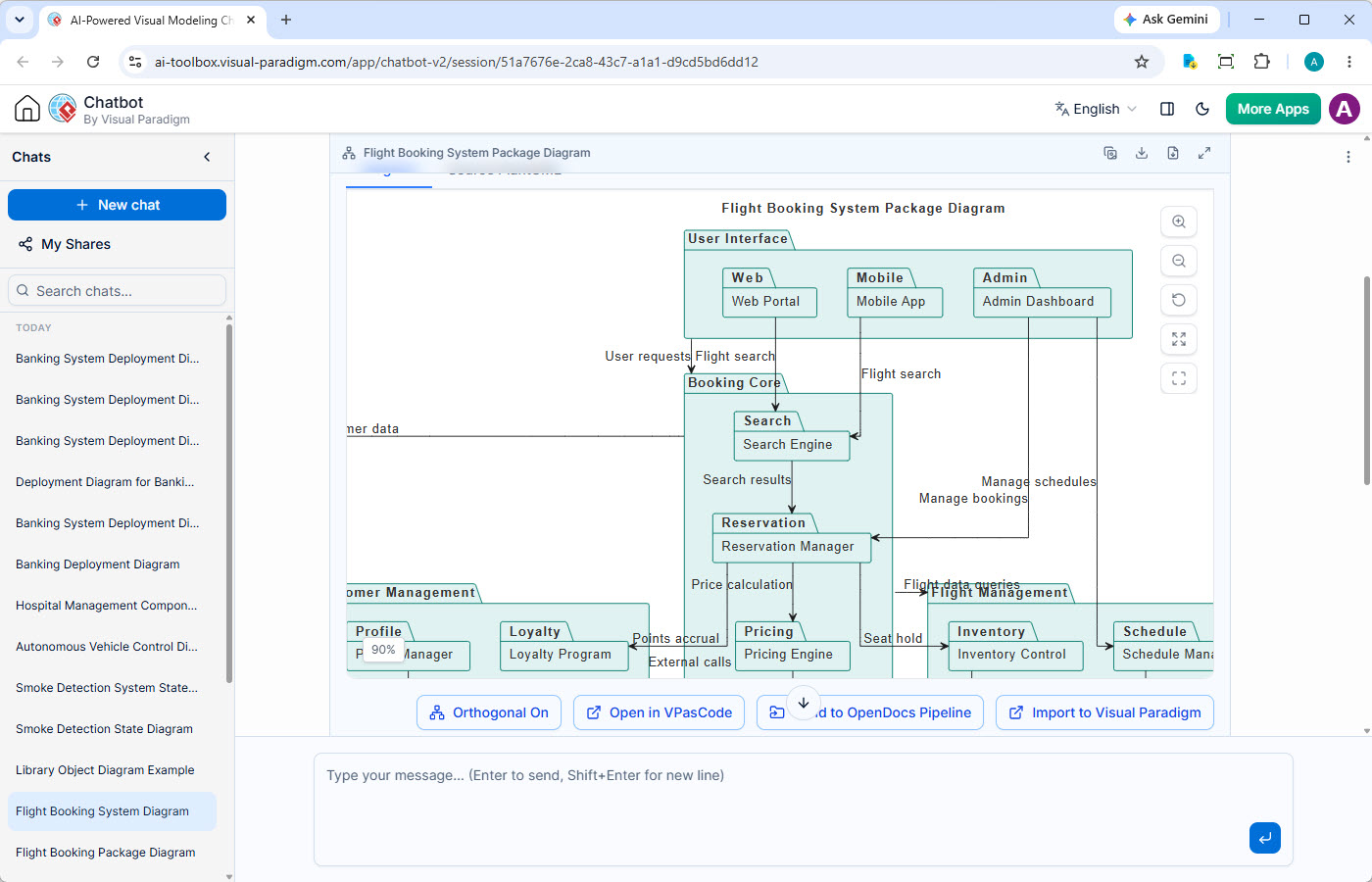
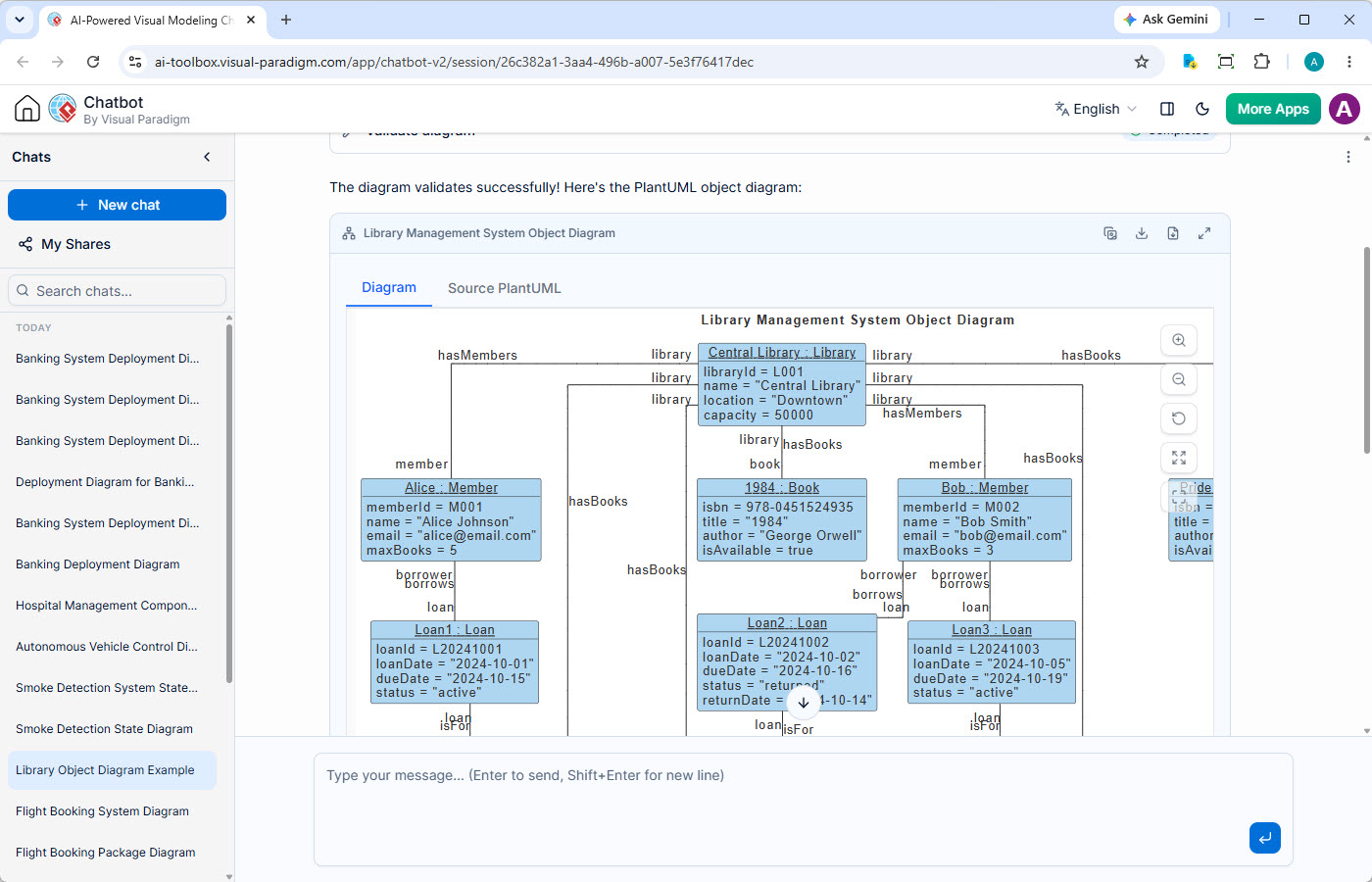
The AI Diagramming Chatbot is a powerful, conversational AI assistant within Visual Paradigm's ecosystem that automates diagram creation. Instead of drawing manually, you describe your system or process in plain text. The AI interprets your needs to produce syntactically correct diagrams—from UML and SysML to flowcharts and strategic models—accelerating design work, reducing errors, and making visual communication more accessible to your entire team.
End the Frustration of Manual Diagramming
The manual process of creating complex architectural documentation from scratch can be a significant bottleneck for any team.
Time-Consuming & Tedious
Hours spent aligning shapes and connectors could be spent solving high-level architectural problems.
Prone to Syntax Errors
A misplaced arrow or incorrect stereotype in a text-to-UML conversion can make a diagram confusing. Ensuring 100% UML compliance by hand requires constant vigilance.
Stuck on How to Start or Proceed?
Sometimes, the biggest challenge isn't drawing, but knowing what to draw. When you're unsure how to visualize a concept or proceed with a design, traditional tools offer little help.
Key Features for Enhanced Productivity
This isn't just a generator; it's a complete conversational diagramming environment built for professional workflows.
Persistent Chat Sessions
Never lose your train of thought. All conversations are saved, allowing you to pick up right where you left off and build on previous designs.
Shareable Sessions
Collaborate with your team by sharing a direct link to your chat session. Get feedback and iterate on designs together, in real-time.
Artifacts Pane
Quickly navigate your design history. A clickable table of contents lists every diagram generated in the conversation for easy reference.
Powerful Diagram Viewer
Zoom, pan, and view diagrams in full-screen mode. Perfect for detailed inspections during code reviews or team presentations.
Multiple Export Options
Export your diagrams as high-quality SVG or PNG images, or copy them directly to your clipboard for use in documents and wikis.
Transparent Diagram Code
Generated diagrams include the underlying text-based code (PlantUML, Mermaid, etc.), giving you full control for edits and versioning.
From Quick Idea to Enterprise-Grade Model
The AI Chatbot is your new starting point for design. Seamlessly transition AI-generated diagrams into the Visual Paradigm ecosystem to match your specific task, from quick edits to full-fidelity modeling.
Document with OpenDocs
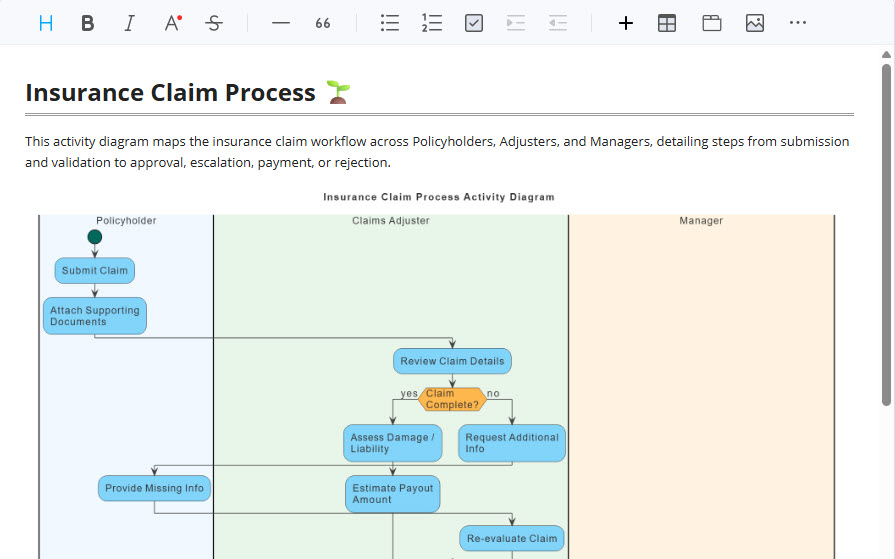
Send your AI-generated diagram directly to Visual Paradigm OpenDocs. Combine it with requirements, user stories, and other documentation to create a comprehensive, living specification for your project.
Refine with Visual Paradigm VPasCode
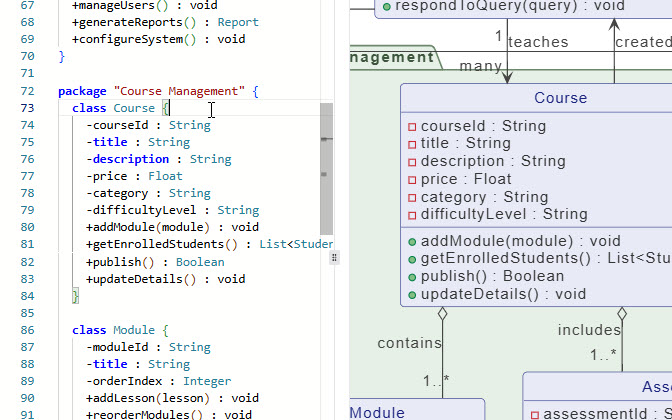
For simple text-based edits, open the generated diagram in VPasCode, our unified diagram-as-code editor. It's the perfect way to make small, precise changes to the underlying code.
Edit with VP Online
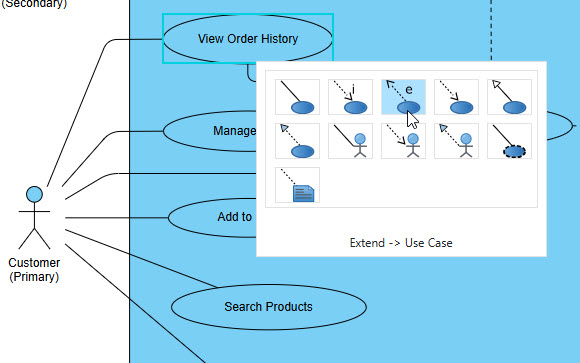
Need to make visual changes? Export the diagram to Visual Paradigm Online. Use the powerful, web-based drag-and-drop editor to adjust layouts, add annotations, and perfect the diagram's appearance.
Model with VP Desktop
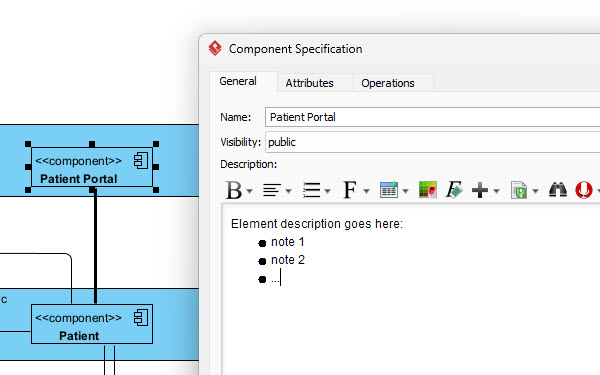
When a diagram needs to become part of a larger architecture, import it into VP Desktop. Here, it's no longer just a picture—it's a model element. Connect it to requirements, generate reports, enable team collaboration, and use it for code generation and model transformation.
Flexible Access: Your AI Assistant, Your Way
Visual Paradigm's AI Diagramming Chatbot offers unparalleled flexibility. Choose the environment that best suits your needs, whether you're brainstorming on the go or deep in a complex modeling project.

Run in Any Web Browser
Get instant access to the AI Diagramming Chatbot from any web browser. No software installation required. Perfect for quick ideation, learning, or sharing your AI-generated UML diagrams with stakeholders outside of your modeling tools.
Try on Web Now
Seamless VP Desktop Integration
For a truly integrated experience, launch the AI Chatbot directly within Visual Paradigm Desktop. Generate, import, and evolve your AI-powered diagrams into full-fledged models, leveraging the comprehensive features of your professional modeling environment.
Download VP DesktopEnterprise-Grade Reliability and Security
Use AI in your professional workflow with confidence. Our AI features are built on a foundation of quality and security.
Superior Diagram Quality
Unlike general-purpose LLMs, our AI UML diagram generation model is specifically trained on vast libraries of valid engineering diagrams. This results in a much higher degree of syntactic and semantic correctness, producing reliable diagrams for serious architectural work.
Your Data is Private
We are committed to your data's security. Text prompts and conversations are used solely to generate diagrams within your session. Your data is never stored to train our models or used for any other purpose.
Trusted by Leading Teams Worldwide
Visual Paradigm's modeling platform is used by professionals in the world's most successful and demanding organizations.







A Vast Library of Supported Diagram Types
The AI UML tool excels at UML, but also supports a wide array of notations to visualize system architecture, business processes, and strategic plans.
UML
SysML & ArchiMate
- Requirement Diagram
- Block Definition Diagram
- Internal Block Diagram
- ArchiMate Diagram
- ArchiMate Viewpoint-based Diagrams
C4 Model
- System Context Diagram
- Container Diagram
- Component Diagram
- Deployment Diagram
Business & Strategic
- SWOT & PEST Analysis
- BPMN
- DFD
- Flowcharts
- Org Charts
- Mind Maps
Frequently Asked Questions
Do I need a separate subscription for the chatbot?
No. The AI Diagramming Chatbot is an integral part of Visual Paradigm. Full access is included with a license for VP Desktop Professional Edition or VP Online Deluxe Edition. A free trial is also available.
Can I use the chatbot offline within VP Desktop?
The AI processing for diagram generation occurs in the cloud, so an active internet connection is required to use the chatbot feature, even when launched from within the desktop application.
Is my data secure when using the AI features?
Yes. We are committed to data security. The text prompts you provide are used solely for the purpose of generating the diagram within your session. They are not stored for training future models or any other purpose.
How does this compare to a generic AI like ChatGPT?
While general-purpose AIs can generate diagram code, our AI UML diagram generation model is specifically trained on vast libraries of valid software and systems engineering diagrams. This results in a much higher degree of syntactic and semantic correctness, producing diagrams that are immediately usable for serious engineering work.
Integrate AI-Powered Diagramming into Your Workflow Today
Download a free trial of Visual Paradigm Desktop to experience the power of the AI Diagramming Chatbot and our complete, enterprise-grade modeling platform.