Introduction
In the rapidly evolving landscape of software architecture and system design, "Diagram as Code" has emerged as a preferred methodology for teams seeking version control, reproducibility, and clarity. However, this approach often comes with a steep learning curve: syntax errors. For product managers, architects, and developers alike, debugging diagram code can be a time-consuming bottleneck that disrupts workflow and diminishes productivity.
Visual Paradigm’s VPasCode addresses this challenge head-on by integrating advanced artificial intelligence directly into the diagramming workflow. By transforming error resolution from a manual debugging task into an automated, intelligent process, VPasCode allows users to focus on design logic rather than syntactic precision. This case study explores how VPasCode’s AI-driven auto-fix feature streamlines the user experience, ensuring that diagrams render correctly and efficiently, even when mistakes occur.
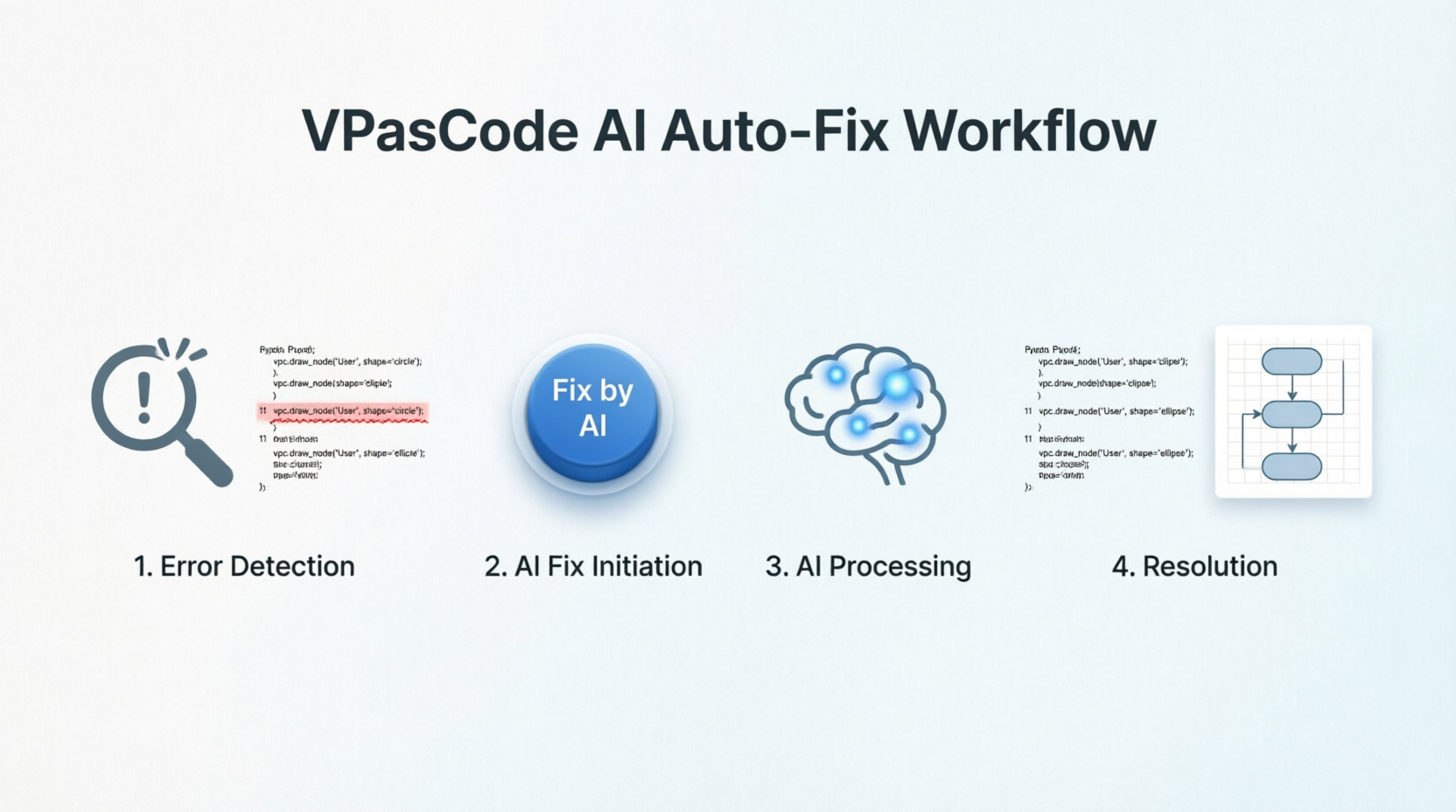
The Challenge: Syntax Errors in Diagram as Code
Traditional text-to-diagram tools require users to memorize specific syntax rules for connections, shapes, and layouts. A single misplaced character or invalid operator can prevent a diagram from rendering, leading to generic error messages that offer little guidance. This friction often discourages adoption among non-technical stakeholders and slows down experienced users who must constantly switch context between coding and visual verification.
The Solution: VPasCode’s AI Auto-Fix Workflow
VPasCode introduces a seamless, AI-powered intervention system that detects, analyzes, and corrects syntax errors in real-time. Below is a comprehensive breakdown of the user journey when encountering and resolving a syntax error.
Step 1: Immediate Detection of Syntax Error
The process begins the moment code is entered. VPasCode’s engine continuously monitors input for validity. When a syntax error occurs—such as an invalid connection operator—the application does not simply fail silently. Instead, it provides immediate, actionable feedback.
- Visual Alert: The application displays a clear "Failed to Generate Diagram" alert.
- Precision Targeting: The error message identifies the specific line number where the issue occurred (e.g., Line 11), allowing users to pinpoint the problem instantly without scanning the entire codebase.
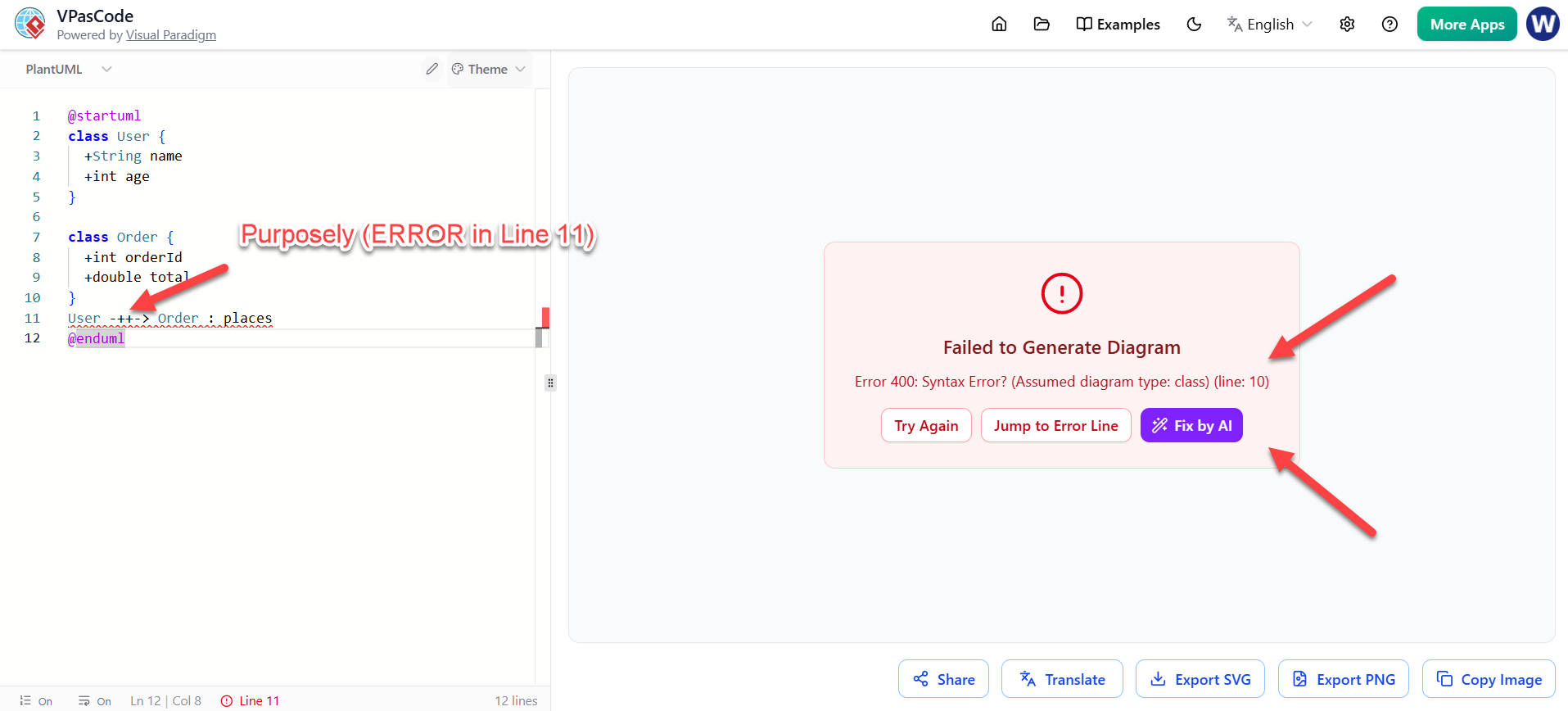
Step 2: Initiating the AI Fix
Rather than forcing the user to consult documentation or manually troubleshoot the syntax, VPasCode offers an intelligent one-click solution.
- Actionable Interface: Within the error notification dialog, a prominent "Fix by AI" button is available.
- User Empowerment: This feature empowers users of all skill levels to resolve complex syntax issues without needing deep knowledge of the underlying diagramming language.
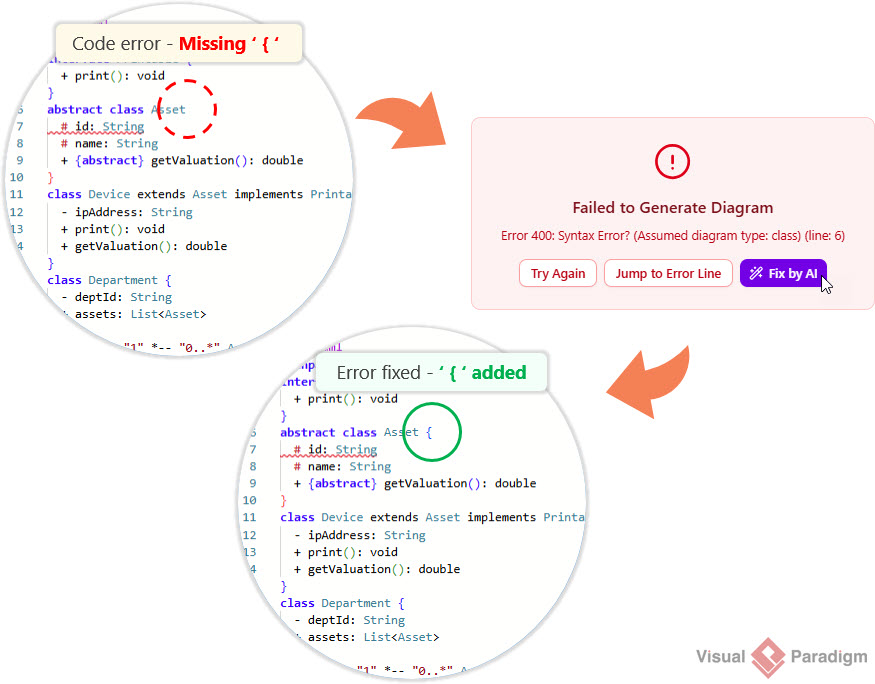
Step 3: AI Analysis and Processing
Once the user engages the feature, VPasCode’s AI engine takes over. The system performs a rapid analysis of the erroneous code segment, comparing it against valid syntax patterns and contextual diagram requirements.
- Transparent Process: A modal window labeled "AI is fixing..." appears, providing visual confirmation that the system is actively working on a solution.
- Intelligent Reasoning: The AI does not just guess; it understands the structural intent of the diagram to generate a syntactically correct and logically sound replacement.

Step 4: Resolution and Verification
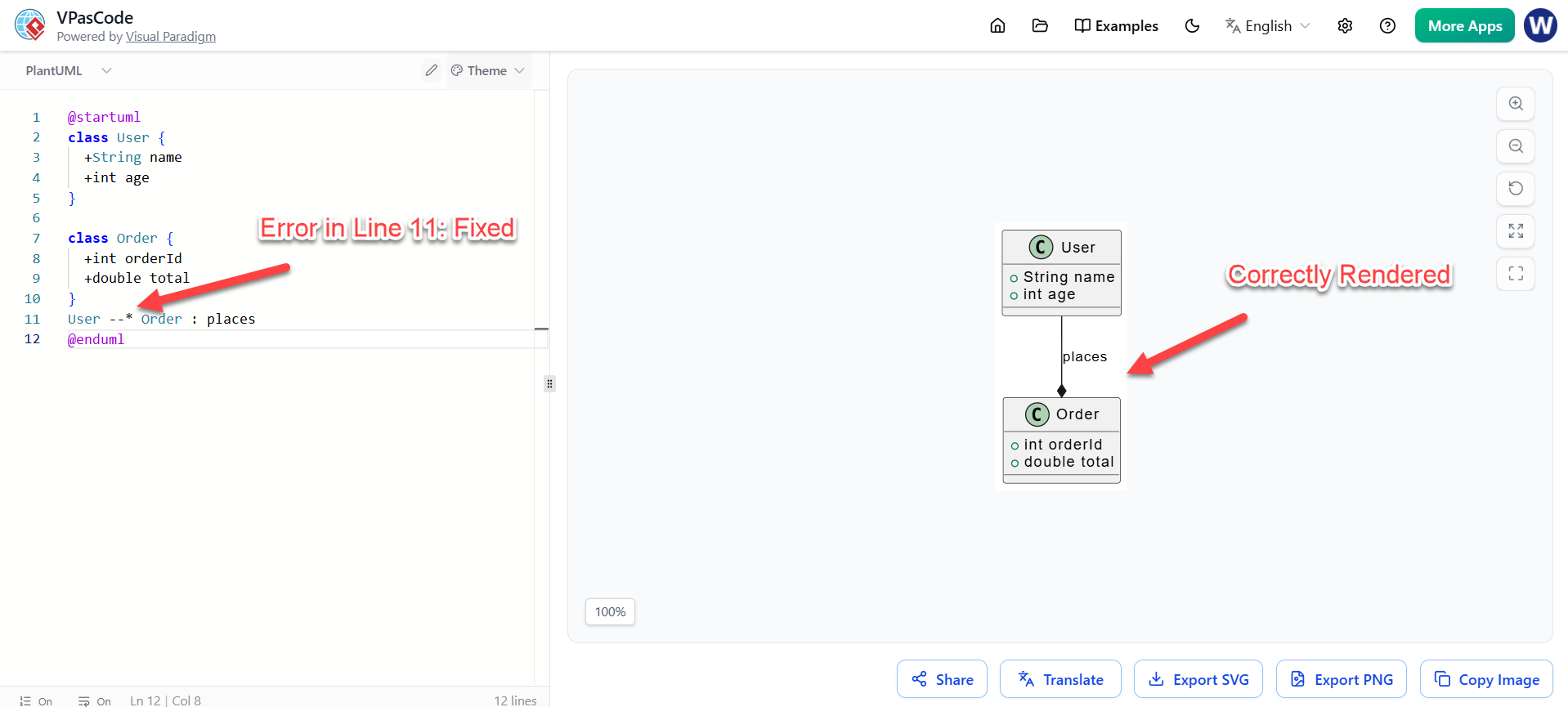
The final step is automatic and seamless. Once the AI completes its analysis, the editor updates in real-time.
- Automatic Code Correction: The problematic code on the identified line (e.g., Line 11) is replaced with the correct syntax.
- Instant Rendering: The diagram is immediately regenerated and rendered in the preview pane.
- Confirmation: The absence of error messages and the successful display of the diagram confirm that the issue has been fully resolved, allowing the user to continue their work without interruption.
Benefits of the AI Auto-Fix Feature
- Reduced Cognitive Load: Users no longer need to memorize every syntax rule, lowering the barrier to entry for Diagram as Code.
- Increased Productivity: Time spent debugging is minimized, allowing teams to iterate on designs faster.
- Enhanced Accuracy: AI-driven corrections reduce the risk of human error, ensuring that diagrams are both syntactically valid and visually accurate.
- Improved User Experience: The proactive and supportive nature of the AI assistant creates a more forgiving and user-friendly environment.
Transform Text into Diagrams with Visual Paradigm VPasCode
Looking for a powerful, free diagram-as-code tool? Effortlessly render PlantUML, Mermaid, Graphviz, and 20+ programming languages in real time—powered by instant AI error fixing and automatic format detection.
Conclusion
VPasCode’s AI Auto-Fix feature represents a significant leap forward in the usability of Diagram as Code tools. By intelligently handling syntax errors, Visual Paradigm has removed one of the biggest friction points in technical documentation and architecture design. This innovation not only accelerates the creation of high-quality diagrams but also makes the process accessible to a broader range of professionals, from product managers to software architects. As AI continues to integrate deeper into development workflows, tools like VPasCode set a new standard for efficiency, accuracy, and user-centric design.
Reference List
- Comprehensive Guide to VPasCode by Visual Paradigm: A detailed overview of VPasCode features, including syntax handling and AI integration.
- Introducing VPasCode: The Ultimate Unified Text-to-Diagram Platform: Official release notes introducing VPasCode and its core capabilities.
- Clarity by Design: Streamlining Infrastructure Documentation with VPasCode and Graphviz: A guide on using VPasCode for infrastructure documentation with Graphviz support.
- Mastering VPasCode: The Ultimate Guide to AI-Powered Diagram as Code with Multi-Engine Support: An advanced guide covering AI features and multi-engine support in VPasCode.
- How the Visual Paradigm AI Chatbot and VPasCode Function as an Integrated Ecosystem for Diagramming: Insights into the integration between VPasCode and Visual Paradigm’s AI chatbot.
- VPasCode Features Overview: A summary of key features offered by VPasCode.
- Break Language Barriers Natively with VPasCode’s New AI Diagram Translation: Release notes on AI-driven diagram translation capabilities.
- Case Study: Accelerating Software Architecture Documentation with VPasCode – A Diagram as Code Revolution: A real-world case study demonstrating the impact of VPasCode on software architecture documentation.


