AI Article Writer

Instantly generate articles on any topic, tailored to your exact needs.

  • AI Article Generator
  • AI Article Generator
  • AI Article Generator

AI Article Generator The fast, flexible way to create high-quality articles. Enter a topic, pick your audience, tone, content type, and length, then let the AI turn your ideas into structured, readable content in seconds. It's built for bloggers, teams, and professionals who need reliable drafts without sacrificing control.

Purpose and Benefits

AI Article Generator streamlines long-form writing by combining smart keyword suggestions, audience presets, and tone control into a single, easy interface. It helps you produce consistent, on-brand content faster while keeping every article aligned with your goals.

  • Topic-to-Draft in Minutes: Turn any idea into a full article draft with just a topic, a few keywords, and one click.
  • Audience-Aware Writing: Choose from audiences like General Readers, Professionals, Technical Engineers, Product Managers, Marketers, Students, Teachers, and Creators so the depth and language match their needs.
  • Precise Tone Control: Switch instantly between Formal, Informal, Humorous, Upbeat, Authoritative, Technical, Inspirational, Persuasive, Objective, or Analytical tones to match your brand voice.
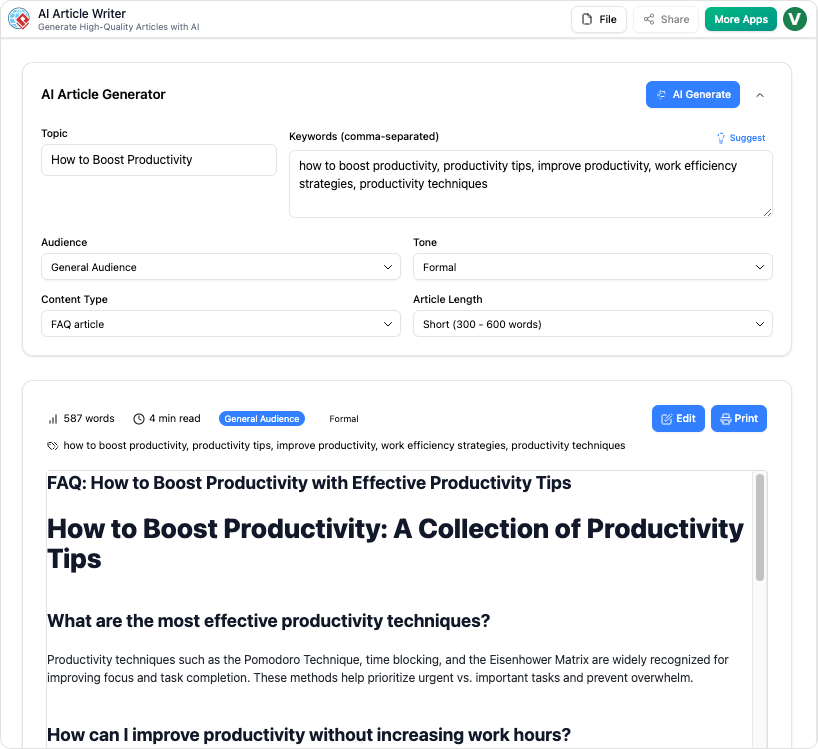
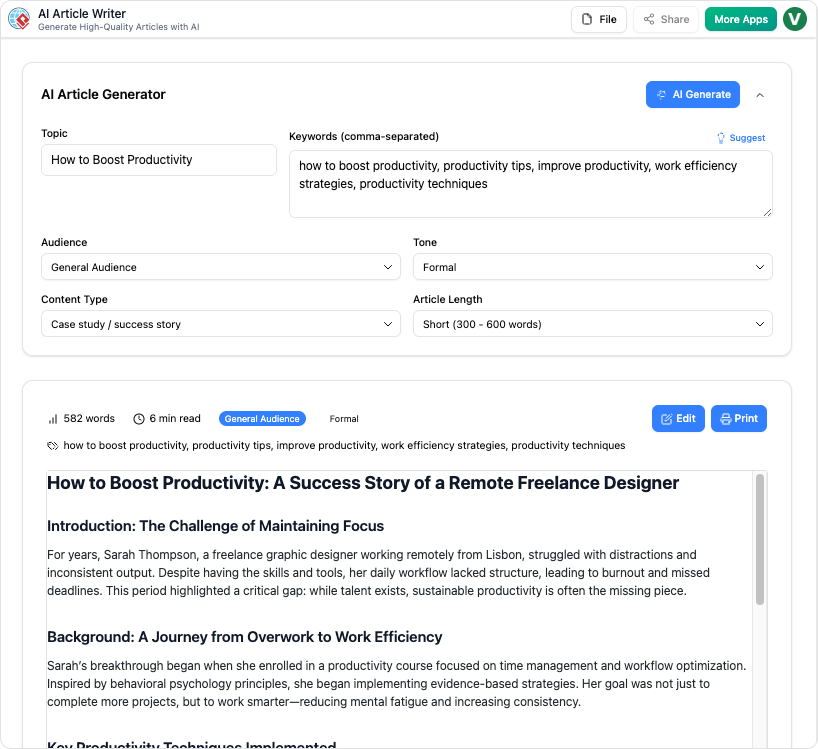
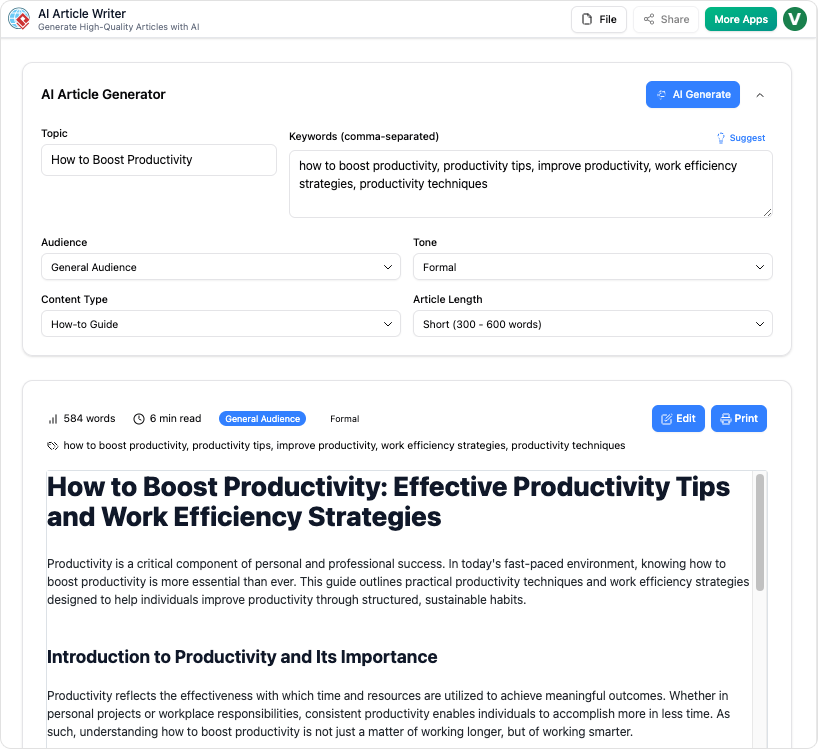
  • Content Templates Built-In: Generate How-to Guides, Step-by-Step tutorials, Ultimate guides, Beginner intros, Listicles, FAQs, "Common Mistakes" posts, Case Studies, Checklists, and Explainers from the same topic.
  • Length & Keyword Optimization: Pick Short, Medium, Long, or Custom length and use the "Suggest" button to auto-generate relevant keywords for better coverage and SEO potential.

How It Works: Step-by-Step Guide

Create complete, tailored articles in a guided flow that keeps you in control from topic to final draft.

Step 1: Enter Topic

Start with any topic or working title. Add optional seed keywords, or click Suggest to let the AI recommend relevant keywords automatically.


Step 2: Set Audience, Tone & Type

Select your target audience, choose a tone that fits your brand, and pick a content type such as How-to Guide, Listicle, FAQ, or Case Study to structure the article.


Step 3: Choose Article Length

Decide how deep you want to go by selecting Short (300-600 words), Medium (800-1500), Long (1500+), or a custom length for your use case.


Step 4: Click "AI Generate"

Generate a complete draft in seconds, then review, edit, and refine directly in the editor before publishing or exporting to your CMS.


Use Cases

  • Marketing Teams: Produce blog posts, campaign articles, and landing-page style explainers at scale while keeping messaging consistent.
  • Product Managers & Tech Teams: Draft feature announcements, technical explainers, and "What is" articles for both engineers and non-technical stakeholders.
  • Educators & Students: Generate beginner-friendly introductions, study guides, FAQs, and checklists to support teaching and learning.
  • Content Creators & Solo Founders: Turn rough ideas into ready-to-edit articles, listicles, and case-style stories to keep a consistent publishing schedule.

Tips & Best Practices

  • Be specific with your topic and audience so the generator can create focused, relevant drafts.
  • Experiment with different tones and content types to discover what resonates most with your readers and brand.[web:24]
  • Always review, fact-check, and lightly edit AI-generated content before publishing to ensure accuracy, originality, and alignment with your guidelines.

Turn every software project into a successful one.

We use cookies to offer you a better experience. By visiting our website, you agree to the use of cookies as described in our Cookie Policy.

OK