
Visual Paradigm Desktop VP Online

Professional Flowchart Maker

Model and document processes, workflows, and algorithms using all standard flowchart symbols.

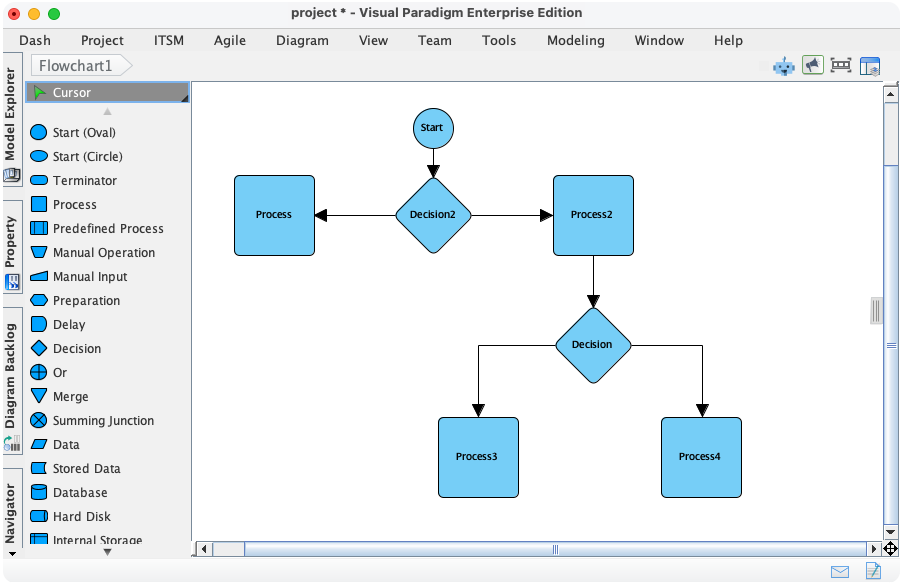
Visual Paradigm The Professional Flowchart & Process Modeling Solution. Flowchart is a powerful tool for defining algorithms, workflows, and business processes. Visual Paradigm elevates this standard technique by integrating it into a comprehensive modeling platform, making your flowcharts robust, traceable, and ready for enterprise-level analysis.

Purpose and Benefits

Visual Paradigm provides professional-grade diagramming tools with standard symbols, intuitive workflows, integrated model management, and advanced process analysis to optimize your business visualizations.

  • Industry-Standard Symbols: Access a complete ANSI/ISO symbol set for clarity and compliance.
  • Intuitive Swimlanes: Easily create horizontal and vertical swimlanes to organize processes by roles or departments.
  • Smart Alignment & Snapping: Quick shape arrangement with dynamic guides for professional-looking diagrams.
  • Deep Cross-Diagram Linking: Link flowchart steps to UML diagrams, BPMN models, and requirements for traceability.
  • Process Validation & Reporting: Automatically validate flowchart logic and generate detailed reports for process optimization.

Workflow Meets Intelligence:
AI-Powered Flowchart & Process Modeling

Visual Paradigm's Flowchart tool is a world-class solution for defining algorithms, workflows, and business processes with absolute clarity. We are now taking this essential technique to the next level by integrating full process modeling support into our AI Diagram Generator, ensuring your workflows are not only fast to create but also robust and enterprise-ready.

This capability allows you to instantly transform a simple description of a procedure or logic flow into a professional flowchart, entirely bypassing the manual drawing phase. By describing your steps, decision points, and outcomes, the AI automatically structures the sequence into a traceable and logically sound model. This allows you to focus on optimizing efficiency and analyzing business logic rather than manual shape placement.
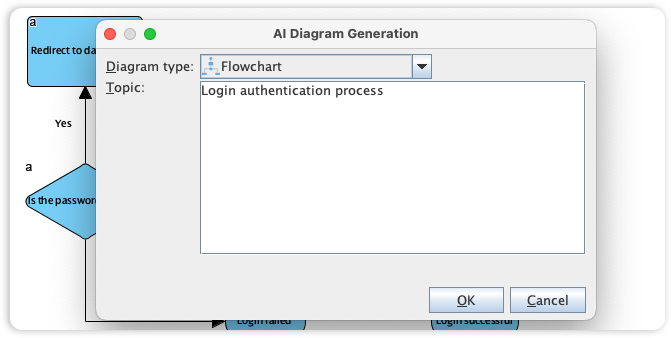
AI-Powered Flowchart & Process Modeling

Use Cases

  • Business Analysts: Design and analyze business processes with compliance and validation.
  • Software Architects: Map algorithms and logic flows integrated with UML and system models.
  • Project Managers: Visualize workflows and optimize team roles and responsibilities.

Tips & Best Practices

  • Use standard symbols consistently for clarity and professional appearance.
  • Leverage swimlanes to clearly define responsibilities and improve readability.
  • Validate your flowcharts regularly to catch logical errors early.

Turn every software project into a successful one.

We use cookies to offer you a better experience. By visiting our website, you agree to the use of cookies as described in our Cookie Policy.

OK